Physics Simulation in HLSL
Master Real-Time Physics for Game Development and Interactive Applications
Build high-performance physics simulations that run directly on the GPU using HLSL.
191 pages10 chaptersApr 28, 2026Computer Graphics Development
About this book
This practical guide takes you from fundamental physics concepts to production-ready shader code, showing you how to harness the parallel processing power of modern graphics hardware to create realistic, real-time simulations for games and interactive applications. You'll learn the mathematical foundations of physics simulation, master HLSL compute shader programming, and discover optimization techniques that keep your simulations running at 60+ frames per second. Whether you're implementing particle effects, rigid body dynamics, or fluid simulations, this book provides the knowledge and code patterns you need to succeed. Includes detailed examples, performance benchmarks, and best practices for debugging GPU-accelerated physics.
Table of contents
- IntroductionWhy GPU-Accelerated Physics Matters, HLSL and Compute Shaders: A Brief Overview, How to Use This Book, Prerequisites and SetupRead below
- Chapter 1: Physics Fundamentals for SimulationVectors, Forces, and Motion, Newton's Laws in Simulation, Energy and Momentum Conservation
- Chapter 2: HLSL Fundamentals for PhysicsShader Architecture and Execution Model, Introduction to Compute Shaders, Structured Buffers and Memory Management, Thread Synchronization and Barriers
- Chapter 3: Numerical Integration MethodsEuler Integration: Simple and Fast, Verlet Integration: Stability and Constraints, Runge-Kutta Methods: Higher Accuracy, Choosing the Right Integration Method
- Chapter 4: Particle Systems in HLSLDesigning Particle Data Structures, Applying Forces and Acceleration, Implementing the Particle Update Loop, Practical Examples: Fire, Smoke, and Sparks
- Chapter 5: Collision Detection and ResponseCollision Detection Fundamentals, Spatial Partitioning on the GPU, Implementing Collision Response, Optimization Techniques for Collision Systems
- Chapter 6: Rigid Body DynamicsRigid Body Properties and Transformations, Rotation, Quaternions, and Angular Velocity, Simulating Rigid Body Motion, Building a Rigid Body Physics Engine
- Chapter 7: Constraint-Based DynamicsTypes of Constraints and Their Applications, Constraint Solving Algorithms, Soft Body Simulation with Constraints
- Chapter 8: Fluid Simulation TechniquesFluid Dynamics Fundamentals, Grid-Based Fluid Simulation, Particle-Based Fluid Methods, Rendering Fluid Simulations
- Chapter 9: Performance Optimization and ProfilingGPU Profiling Tools and Techniques, Memory Access Patterns and Cache Efficiency, Workgroup Configuration and Load Balancing, Common Performance Pitfalls and Solutions
- Chapter 10: Debugging and ValidationDebugging Strategies for GPU Code, Visualization and Inspection Tools, Validation and Unit Testing
- ConclusionNext Steps in Your Physics Simulation Journey, Additional Resources and Further Learning
Introduction
Physics simulation has always been one of the most computationally demanding challenges in real-time graphics. Whether you're watching a thousand sparks scatter from a blacksmith's anvil, a rigid crate tumbling down a staircase, or water rushing through a canyon, the underlying math is relentless. Every frame, the engine must calculate forces, resolve collisions, integrate motion, and update positions for potentially millions of objects. For decades, that burden fell entirely on the CPU, and the results were often a compromise between realism and performance.
The shift to GPU-accelerated physics changed the equation dramatically. Modern graphics cards contain thousands of shader cores designed to execute the same operation on many data elements simultaneously. That architecture is a near-perfect match for physics simulation, where you frequently need to apply the same force calculation or integration step to every particle, every rigid body, or every fluid cell at once. Moving that work to the GPU doesn't just speed things up; it fundamentally unlocks a new level of simulation scale and fidelity that simply wasn't possible before.
This book is about doing exactly that using HLSL (High-Level Shader Language), Microsoft's shader language for DirectX. HLSL's compute shader pipeline gives you direct, flexible access to GPU compute power without the constraints of the traditional rendering pipeline. You'll learn how to structure physics data for the GPU, write compute shaders that simulate real physical behavior, and optimize your code to sustain smooth, real-time frame rates. The journey covers everything from the mathematical foundations of Newtonian mechanics to advanced topics like fluid dynamics and constraint-based soft bodies.
Throughout the chapters, the focus stays practical. Every concept is paired with concrete HLSL code patterns, real-world examples, and performance guidance drawn from production game development. By the time you finish, you'll have the tools and understanding to build physics systems that are not only correct but genuinely fast, scalable, and ready for shipping in a real application.
Why GPU-Accelerated Physics Matters
To appreciate why GPU physics is such a big deal, it helps to understand the fundamental difference between CPU and GPU architecture. A modern CPU might have 8 to 32 high-performance cores, each optimized for sequential logic, branching, and low-latency memory access. A modern GPU, by contrast, might have 3,000 to 10,000 smaller shader cores, each less powerful individually but capable of running in massive parallel groups. When your workload is inherently parallel, the GPU wins by an enormous margin.
Physics simulation is almost always inherently parallel. Consider a particle system with 500,000 particles. On each frame, you need to apply gravity, drag, and any custom forces to every single particle, then integrate their positions forward in time. Each particle's update is completely independent of the others. On a CPU, even with multithreading across 16 cores, you're processing roughly 31,000 particles per core per frame. On a GPU, you can dispatch all 500,000 updates simultaneously across thousands of shader threads. The difference in throughput is not marginal; it's often 10x to 100x faster for well-structured workloads.[1]
Real games have demonstrated this advantage clearly. NVIDIA's PhysX SDK, which powers physics in titles like Apex Legends and Borderlands 3, offloads cloth simulation, particle destruction, and fluid effects to the GPU. When GPU PhysX is enabled, these games can sustain effects with particle counts that would completely stall a CPU-only simulation. The visual difference is immediately noticeable: more debris, denser smoke, more reactive cloth, all running without dropping frames.
Beyond raw speed, GPU physics also frees up CPU resources for other critical game systems. AI pathfinding, game logic, audio processing, and networking all compete for CPU time. When physics moves to the GPU, those systems get more headroom. This architectural separation often leads to a more stable overall frame time, which players experience as smoother, more responsive gameplay.
There are trade-offs to acknowledge honestly. GPU compute introduces latency in reading results back to the CPU, which complicates game logic that depends on physics outcomes. Memory bandwidth between CPU and GPU is limited, so poorly designed data layouts can bottleneck the entire pipeline. Debugging GPU code is harder than debugging CPU code. These challenges are real, and this book addresses each of them directly. The point is not that GPU physics is always the right choice for every system, but that understanding when and how to use it gives you a powerful tool that most developers underutilize.
The practical threshold where GPU physics starts to pay off is roughly when you're simulating more than a few thousand independent objects per frame. Below that, the overhead of dispatching compute work and managing GPU buffers may outweigh the parallelism benefit. Above it, the GPU's advantage compounds quickly. Particle systems, large cloth meshes, fluid grids, and crowd simulations all cross that threshold easily, making them ideal candidates for the techniques covered in this book.
Key insight: GPU physics isn't just about speed. It's about enabling simulation scales that are architecturally impossible on the CPU, which opens up entirely new categories of visual effects and gameplay mechanics.
HLSL and Compute Shaders: A Brief Overview
HLSL is the shader language used with Microsoft's DirectX graphics API, which runs on Windows and Xbox platforms. It's a C-like language with built-in types and intrinsics specifically designed for GPU programming. If you've written vertex or pixel shaders before, you already know the basic syntax. What this book focuses on is a different part of the HLSL pipeline: compute shaders, which were introduced in DirectX 11 and have been a cornerstone of GPU compute ever since.
Unlike vertex and pixel shaders, which are tied to the rendering pipeline and operate on geometry and screen pixels, compute shaders are general-purpose. They don't have a fixed input or output format. Instead, they read from and write to arbitrary buffers and textures that you define. This flexibility is what makes them suitable for physics simulation. You can define a buffer of particle positions, dispatch a compute shader to update every position in parallel, and then use the results however you like, whether for rendering, collision detection, or further simulation steps.
The execution model of compute shaders is built around thread groups. When you dispatch a compute shader, you specify how many thread groups to launch, and each group contains a fixed number of threads defined in the shader itself using the [numthreads(X, Y, Z)] attribute. Threads within a group can share fast local memory called group shared memory and can synchronize with each other using barriers. Threads in different groups run independently and cannot directly communicate. Understanding this model is essential for writing efficient physics shaders, and Chapter 2 covers it in depth.
HLSL provides a rich set of built-in math functions that are directly relevant to physics. Functions like dot(), cross(), normalize(), length(), and lerp() map directly to common physics operations on vectors. The language also supports matrix types, which are useful for rigid body transformations and rotation math. These intrinsics are not just convenient; they compile down to highly optimized GPU instructions, often executing in a single clock cycle.
One important distinction to understand early is the difference between structured buffers and raw buffers. Structured buffers (StructuredBuffer<T> and RWStructuredBuffer<T>) let you define a custom struct type and access buffer elements as instances of that struct. This is the primary way physics data is organized in HLSL. A particle buffer, for example, might use a struct containing position, velocity, mass, and lifetime fields. Raw buffers offer more flexibility but require manual byte-offset calculations. For physics simulation, structured buffers are almost always the right choice.
HLSL also supports atomic operations like InterlockedAdd and InterlockedCompareExchange, which allow multiple threads to safely update shared counters or flags without race conditions. These are critical for algorithms like spatial hashing and collision pair generation, where multiple threads may need to write to the same memory location. Using atomics correctly is one of the more nuanced aspects of GPU physics programming, and it comes up repeatedly in the collision detection and constraint chapters.
It's worth noting that while this book focuses on HLSL and DirectX, many of the concepts translate directly to other GPU compute languages. GLSL compute shaders (used with OpenGL and Vulkan) and HLSL are syntactically similar. CUDA and Metal have different syntax but share the same underlying parallel execution model. If you later work in those environments, the physics knowledge and algorithmic patterns from this book will carry over with relatively minor translation effort.
Example: A minimal compute shader dispatch for 1,000 particles
You define a thread group size of 256 threads and dispatchceil(1000 / 256) = 4thread groups. The GPU launches 1,024 threads total (4 groups × 256 threads). Each thread checks its ID against the particle count to avoid out-of-bounds access, then reads one particle, updates it, and writes it back. This pattern appears in nearly every physics compute shader in this book.
How to Use This Book
This book is organized as a progressive learning path. Each chapter builds on the concepts introduced before it, so reading from front to back gives you the most coherent experience. That said, the chapters are also designed to be reasonably self-contained, so if you have specific experience in some areas, you can skip ahead and refer back when needed. The structure is divided into four broad phases.
Phase 1: Foundations (Chapters 1 through 3) covers the mathematical and technical groundwork. Chapter 1 reviews the physics concepts you'll be simulating: vectors, forces, Newton's laws, energy, and momentum. Chapter 2 covers HLSL and compute shader fundamentals, including the execution model, buffer types, and synchronization primitives. Chapter 3 dives into numerical integration methods, which are the algorithms that move simulated objects through time. These three chapters are the bedrock everything else rests on.
Phase 2: Core Simulation Systems (Chapters 4 through 6) applies the foundations to specific simulation types. Chapter 4 builds a complete particle system from scratch, including data structures, force application, and the update loop. Chapter 5 covers collision detection and response, including spatial partitioning strategies that work efficiently on the GPU. Chapter 6 tackles rigid body dynamics, including rotation, quaternions, and angular momentum. Each chapter includes complete, working HLSL code examples.
Phase 3: Advanced Techniques (Chapters 7 and 8) extends the core systems into more complex territory. Chapter 7 introduces constraint-based dynamics, which is the foundation for joints, ropes, and soft body simulation. Chapter 8 covers fluid simulation using both grid-based and particle-based approaches, along with techniques for rendering the results. These chapters assume you're comfortable with the material from Phases 1 and 2.
Phase 4: Production Readiness (Chapters 9 and 10) focuses on making your simulations fast and reliable. Chapter 9 covers GPU profiling tools, memory access optimization, workgroup configuration, and common performance pitfalls. Chapter 10 addresses debugging strategies, visualization tools, and validation testing for GPU compute code. These chapters are especially valuable if you're preparing to ship a project.
Throughout the book, code examples are written to be clear and educational rather than maximally terse. Variable names are descriptive, and comments explain the physics reasoning behind key lines. Where a production implementation might sacrifice readability for micro-optimization, the book version prioritizes understanding. Once you grasp the concept, the optimization chapter will show you how to tighten things up.
Each chapter ends with a summary of key takeaways and a short list of exercises. The exercises range from straightforward modifications of the chapter's code examples to open-ended challenges that encourage you to extend the systems in your own direction. Working through at least some of these exercises is strongly recommended. Physics simulation is a skill that develops through doing, not just reading.
- If you're new to GPU programming: Read Chapters 1 through 3 carefully before moving on. The execution model and memory concepts in Chapter 2 are especially important to internalize.
- If you're comfortable with HLSL but new to physics: Spend extra time on Chapter 1 and Chapter 3. The integration methods in Chapter 3 are often underestimated in importance.
- If you're experienced with both: You can skim the early chapters and focus on Chapters 5 through 8 for the more advanced algorithms.
- If you're optimizing an existing system: Chapters 9 and 10 can be read independently and applied immediately to your current project.
Prerequisites and Setup
This book assumes a specific baseline of knowledge. Being honest about prerequisites saves frustration. If some of these areas feel shaky, the recommendations below will help you fill the gaps before diving into the main content.
Programming experience: You should be comfortable writing C or C++ code, including structs, pointers, and basic memory management. HLSL syntax is C-like, so familiarity with C-family languages makes it immediately readable. You don't need to be an expert, but you should be able to read a function, understand its inputs and outputs, and modify it without confusion.
Graphics programming basics: You should have at least a passing familiarity with how a GPU rendering pipeline works. Understanding what a vertex shader and pixel shader do, what a draw call is, and how buffers are bound to the pipeline will make the compute shader material much easier to absorb. If you've worked with DirectX 11 or DirectX 12 at even a basic level, you're well prepared. If not, a short introductory tutorial on DirectX 11 basics is worth completing first.
Mathematics: High school level algebra and geometry are sufficient for most of the book. Vectors and matrices are used extensively, so comfort with vector addition, dot products, and cross products is important. Chapter 1 reviews the physics math in detail, but it moves at a pace that assumes you've seen vectors before. Linear algebra at the introductory college level is ideal but not strictly required.
Physics knowledge: No prior physics coursework is assumed. Chapter 1 covers everything you need from first principles. If you've taken a high school or introductory college physics course, you'll find Chapter 1 moves quickly. If physics is entirely new to you, read it slowly and work through the examples before continuing.
For the development environment, the following setup is recommended to run the code examples in this book:
- Operating system: Windows 10 or Windows 11 (required for DirectX 11/12)
- Graphics API: DirectX 11 or DirectX 12 (examples are written for DirectX 11 unless noted)
- IDE: Visual Studio 2019 or 2022 (Community edition is free and fully capable)
- GPU: Any DirectX 11-capable GPU from the last decade. NVIDIA GeForce GTX 600 series or AMD Radeon HD 7000 series or newer will work. A more recent GPU is recommended for the performance chapters.
- DirectX SDK: The Windows SDK (included with Visual Studio) provides the necessary DirectX headers and libraries.
- PIX for Windows: Microsoft's free GPU profiling and debugging tool, used extensively in Chapters 9 and 10. Download it from the Microsoft PIX website.[2]
The code examples in this book are written as standalone compute shader files (.hlsl) paired with minimal C++ host code that sets up the DirectX context, creates buffers, and dispatches the shaders. The host code is kept as simple as possible so the focus stays on the HLSL. A starter project template is described at the beginning of Chapter 2, which you can use as a base for all subsequent examples.
If you're working in a game engine like Unity or Unreal Engine rather than raw DirectX, the HLSL compute shader concepts still apply directly. Unity's compute shader system uses HLSL syntax and exposes the same structured buffer and thread group model. Unreal Engine's RDG (Render Dependency Graph) system also supports HLSL compute passes. The main difference is that the engine handles the DirectX API calls for you, so the C++ host code sections of the examples won't apply directly. The shader code itself, however, is directly portable.
One final note on hardware: the performance numbers cited throughout this book were measured on a mid-range discrete GPU (NVIDIA GeForce RTX 3060). Your results will vary depending on your hardware, driver version, and system configuration. The relative comparisons between techniques are more meaningful than the absolute numbers. When the book says one approach is "roughly 3x faster" than another, that ratio tends to hold across hardware generations even if the raw millisecond values differ.
Quick environment check: Before starting Chapter 1, verify your setup by creating a new DirectX 11 project in Visual Studio, compiling a trivial compute shader that writes a constant value to a buffer, and reading that value back on the CPU. If that works, your environment is ready. If you hit issues, the DirectX documentation and the Visual Studio DirectX project templates are good starting points for troubleshooting.
With the environment ready and the prerequisites in place, you're set to begin. The next chapter starts with the physics fundamentals that underpin everything else in the book. Even if you feel confident in your physics knowledge, a quick read-through will ensure you're thinking about these concepts in the way that translates most naturally into GPU shader code. That translation, from physical intuition to parallel GPU computation, is the core skill this book is designed to build.
Notes
Introduction
- 1. H. Nguyen, GPU Gems 3, Addison-Wesley Professional. Chapter 29 covers GPU-based particle systems and performance comparisons, 2007
- 2. Microsoft PIX for Windows
This is the end of the free sample. The full book has 10 chapters.
Want this book written for you?
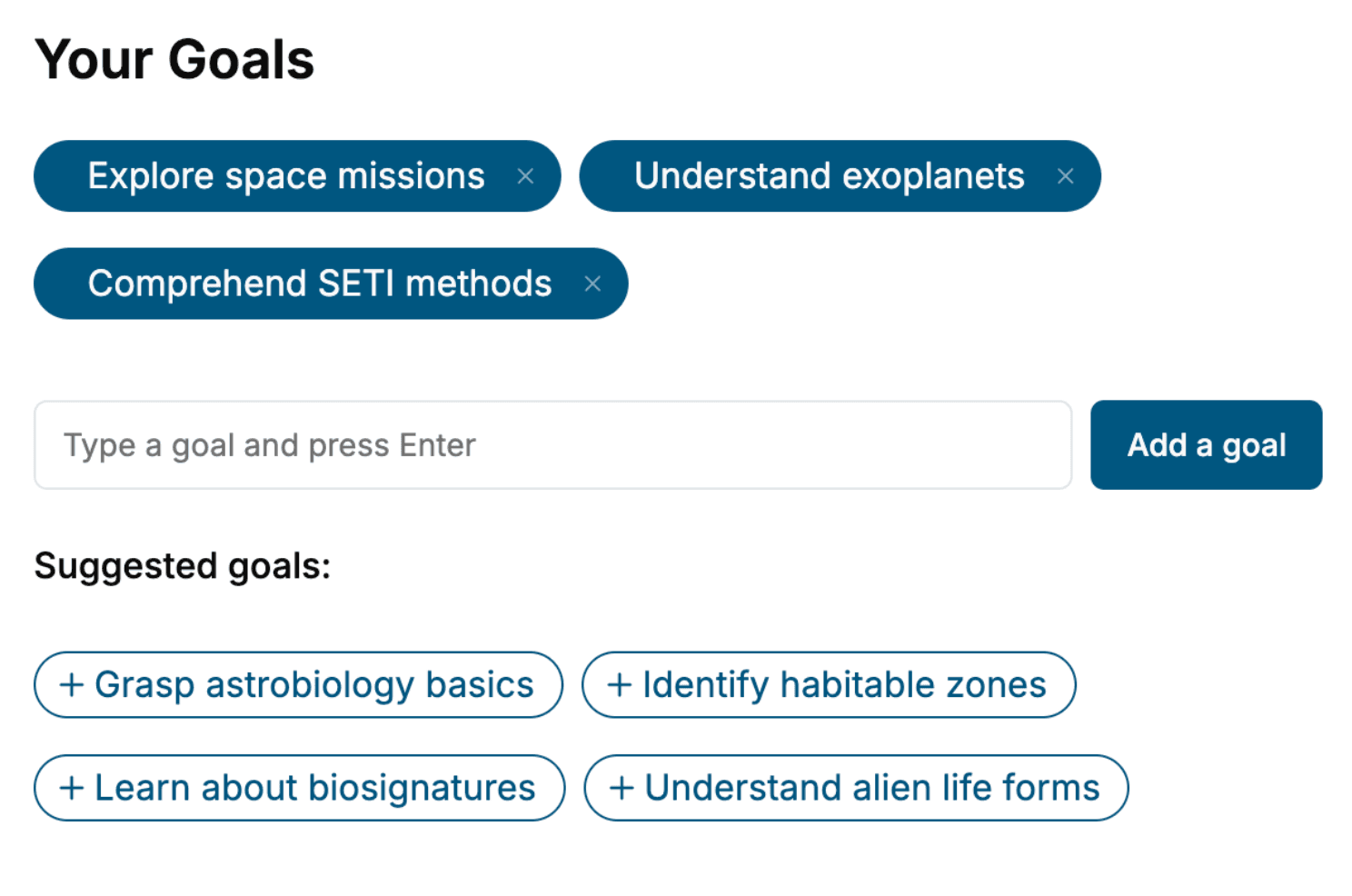
Tell us your goals and background, and get your own version of this book, tailored by AI to you.






Benefits of AI-tailored books
- Read one book, not ten:
- all the Computer Graphics Development knowledge you need, gathered into a single book.
- Save days of learning:
- tell us your goals, choose your topics, and the whole book is built around them.
- Learn effortlessly:
- Computer Graphics Development book written for your specific background and expertise.
- Understand at a glance:
- includes charts, tables, timelines, checklists, decision trees, and more.
- Stay current:
- written the day you order it, not years ago.
- Trust what you read:
- every book is checked for accuracy, with real research when your subject needs it.
Create your unique book in 3 steps
- 1. Select your focus
Select the focus of your Computer Graphics Development book and share your background
- 2. Personalize your book
Specify your goals and choose sub-topics to include
- 3. Get your tailored book
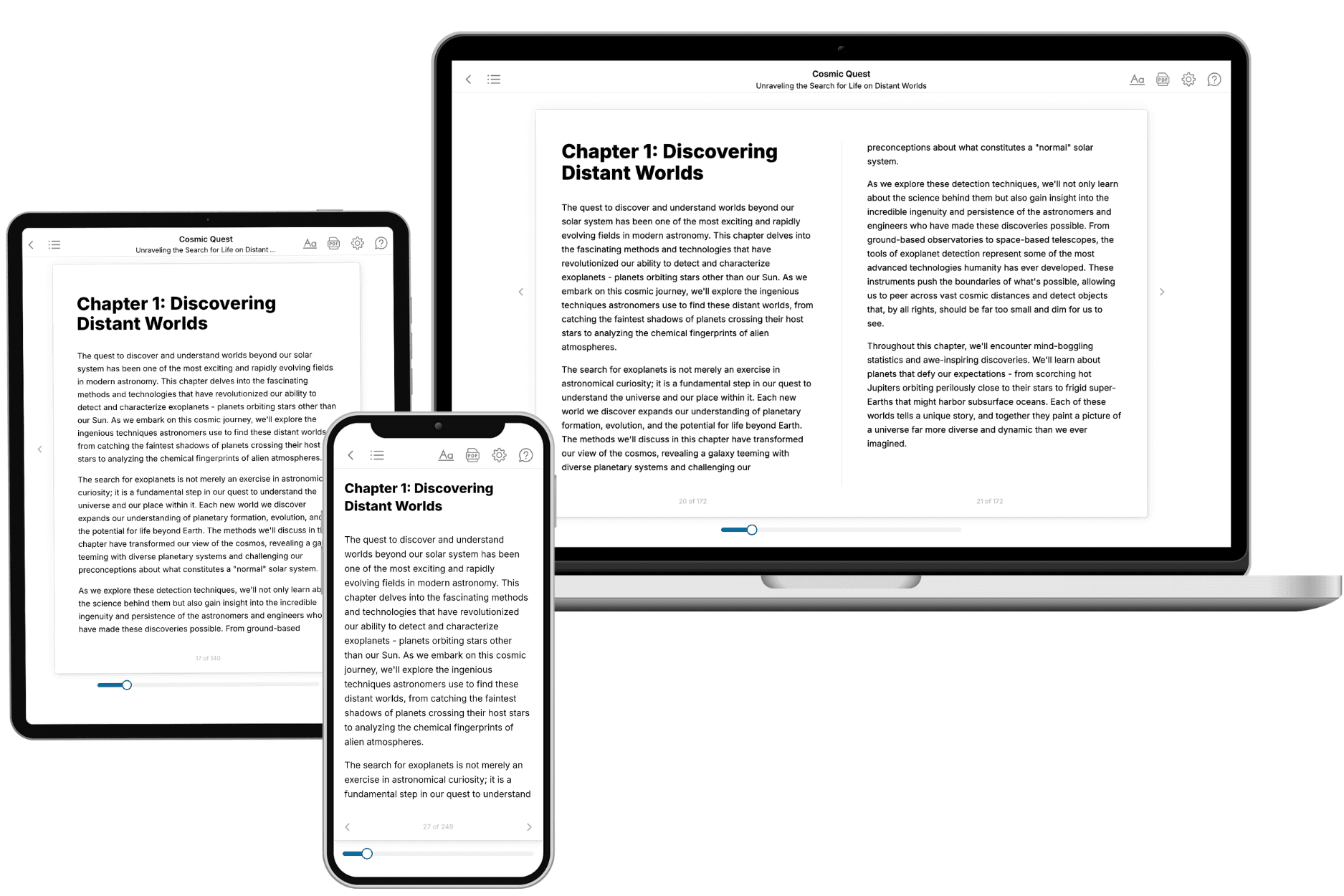
Your book is ready in 10 minutes. Read it online, download as EPUB or PDF, or send to Kindle.

Frequently asked questions
- What is TailoredRead?
TailoredRead creates complete, full-length nonfiction ebooks, written specifically for you. Tell us what you want to learn and why, and TailoredRead writes you a complete ebook on it, with charts, tables, and diagrams throughout. Read it online, on Kindle, or on any e-reader, or download it as a PDF or EPUB. Every book is written fresh the day you order it.
- How is the book tailored to me?
Before anything is written, you answer a few short questions about your goals, your background, and the topics you care about. Your book is then planned around your answers: written at your level, focused on your goals, and covering the topics you chose, instead of the one-size-fits-all book a store sells everyone.
- Will it read like generic AI content?
No. Your book isn't a chat transcript: it's planned chapter by chapter before a single word is written, told in a clear book voice, and explains ideas visually with charts, tables, and diagrams. After writing, every book goes through an editorial pass that polishes chapters so the book reads consistent from start to finish. Judge for yourself: browse thousands of sample books on our Explore Books page.
- How accurate is the content?
Our AI first checks whether your subject needs live research. Niche and fast-moving subjects are researched before writing, and the book plan and chapters are grounded in what it finds. After writing, every book goes through a quality pass that checks its facts and consistency, and researched books list their sources in a Notes section at the back.
- How long is the book?
You choose the length: Comprehensive (250-300 pages), Detailed (150-200 pages), Essential (70-100 pages), or Short (30-50 pages).
- Does the book include visuals?
Yes. Every book includes charts, tables, and diagrams: timelines, checklists, step-by-step guides, decision trees, comparison tables, matrices, and bar charts. A typical book includes dozens of these visual elements.
- Can I read it on Kindle? What formats can I download?
Yes. Every book can be read in our online reader or downloaded as a PDF or EPUB. The EPUB can be opened with Kindle, Apple Books, Kobo, and any e-reader. The Commercial and Author licenses also include an editable Word (DOCX) and Markdown download.
- How much does it cost?
About the price of a regular ebook. The exact price depends on your book's length and complexity, from $2 for the shortest books to $35 for the most comprehensive, and it's shown when you review your book, before you commit to anything. Each book is a one-time purchase, yours to keep, no subscription. Licenses that let you share, teach, or publish your book range from $35.99 to $49.99.
- Can I preview the book before purchasing?
Before you pay, you'll see what your book will cover: the title, a detailed description, the estimated length, and the complete chapter-by-chapter table of contents, so you know what you're getting before you decide. The full text itself is written after you purchase.
- How long does it take to create a book?
About 10 minutes. You can start reading the opening chapters while the rest is still being written.