Precision Strings
Mastering ES2017 String Trimming for Cleaner, More Efficient JavaScript
Are you tired of clunky, inefficient string handling in your JavaScript code?
253 pages13 chaptersJan 18, 2025JavaScript
About this book
"Precision Strings" is your comprehensive guide to mastering string trimming techniques in ES2017. This book delves deep into the nuances of string manipulation, offering you practical strategies to streamline your code and boost your productivity. From basic trimming operations to advanced techniques, you'll discover how to leverage ES2017's powerful string methods to handle whitespace with precision. Each chapter builds upon the last, providing you with a solid foundation and gradually introducing more complex concepts. By the time you finish this book, you'll have transformed your approach to string handling. You'll write cleaner, more efficient code, reduce bugs related to unexpected whitespace, and have a toolkit of string manipulation techniques at your fingertips. Whether you're building user interfaces, processing data, or working with APIs, the skills you'll gain from "Precision Strings" will prove invaluable in your day-to-day coding tasks.
Table of contents
- IntroductionThe Importance of Proper String Handling, Overview of ES2017 and Its String Features, How This Book Is Structured, Getting Started with String TrimmingRead below
- Chapter 1: String Basics in JavaScriptUnderstanding String Representation, String Properties and Methods, Unicode and UTF-8 Encoding, String Immutability and Its Implications
- Chapter 2: The Challenges of WhitespaceTypes of Whitespace Characters, Common Issues Caused by Whitespace, Detecting Whitespace in Strings, Best Practices for Handling Whitespace
- Chapter 3: ES2017 String Trimming MethodsThe trim() Method, The trimStart() Method, The trimEnd() Method, Comparing Trim Methods
- Chapter 4: Advanced Trimming TechniquesCreating Custom Trim Functions, Using Regular Expressions for Trimming, Trimming Non-Whitespace Characters, Performance Considerations in Trimming
- Chapter 5: Real-World Applications of String TrimmingUser Input Validation and Sanitization, Data Processing and Cleaning, Text Formatting and Display, Implementing Search Functionality
- Chapter 6: Combining Trim with Other ES2017 FeaturesTrim and Template Literals, Using Trim with Destructuring Assignment, Trim and the Spread Operator, Trimming in Asynchronous Functions
- Chapter 7: String Trimming in Popular LibrariesTrimming with Lodash, Underscore.js Trim Functions, jQuery's Approach to Trimming, Custom Implementation vs Library Usage
- Chapter 8: Testing and Debugging Trim OperationsUnit Testing Trim Functions, Common Bugs and How to Avoid Them, Handling Edge Cases in Trimming, Performance Testing of Trim Operations
- Chapter 9: Internationalization and Localization ConsiderationsTrimming Unicode Strings, Handling Right-to-Left Languages, Locale-Specific Trimming Challenges, Using i18n Libraries with Trim Functions
- Chapter 10: Security Implications of String TrimmingInput Validation and Sanitization, Preventing XSS Attacks, SQL Injection and String Trimming, Best Practices for Secure String Trimming
- Chapter 11: Performance Optimization TechniquesBenchmarking Trim Operations, Memory-Efficient Trimming Strategies, Handling Large Strings and Streams, Caching Trim Results for Repeated Operations
- Chapter 12: The Future of String Manipulation in JavaScriptUpcoming ECMAScript Features, String Trimming with WebAssembly, Machine Learning Approaches to String Cleaning, Community Developments and Proposals
- Chapter 13: Best Practices and Design PatternsWriting Clean and Maintainable Trim Code, Design Patterns for Effective String Manipulation, Conducting Effective Code Reviews for Trim Operations, Documenting String Trimming Strategies
- ConclusionKey Takeaways, Further Learning Resources
- AppendixString Trimming Cheat Sheet, Complete List of ES2017 String Methods
Introduction
Welcome to "Precision Strings: Mastering ES2017 String Trimming for Cleaner, More Efficient JavaScript." This book is your comprehensive guide to understanding and implementing string trimming techniques in ES2017, a crucial skill for any JavaScript developer aiming to write cleaner, more efficient code. As you embark on this journey to enhance your string manipulation skills, you'll discover how proper string handling can significantly impact the quality and performance of your JavaScript applications.
In the world of software development, strings are ubiquitous. They represent text, data, user input, and much more. However, working with strings isn't always straightforward, especially when it comes to handling whitespace and ensuring data integrity. This is where string trimming comes into play. By mastering ES2017's string trimming methods, you'll be equipped to tackle common challenges in string manipulation, leading to more robust and maintainable code.
Throughout this book, you'll explore various aspects of string trimming, from basic concepts to advanced techniques. You'll learn how to leverage ES2017's powerful string methods to handle whitespace with precision, optimize your code for better performance, and apply these skills to real-world scenarios. Whether you're building user interfaces, processing data, or working with APIs, the knowledge you gain here will prove invaluable in your day-to-day coding tasks.
As an intermediate JavaScript developer, you already have a solid foundation in the language. This book will build upon that knowledge, introducing you to new concepts and techniques that will take your string manipulation skills to the next level. By the end of this journey, you'll have a deep understanding of string trimming in ES2017 and be able to apply these techniques confidently in your projects.
Let's begin by exploring the importance of proper string handling, understanding the new features ES2017 brings to the table, and getting an overview of how this book is structured to guide you through this learning process.
The Importance of Proper String Handling
In the realm of JavaScript development, strings are fundamental data types that you encounter daily. They represent text, user input, data from APIs, and much more. Proper string handling is crucial for several reasons, each contributing to the overall quality and reliability of your code.
First and foremost, accurate string manipulation ensures data integrity. When working with user input or external data sources, strings often come with unexpected whitespace or formatting issues. Failing to handle these properly can lead to data inconsistencies, validation errors, and even security vulnerabilities. For instance, a username with leading or trailing spaces might pass a uniqueness check when it shouldn't, or a malformed string could potentially lead to SQL injection attacks if not properly sanitized.
Secondly, proper string handling significantly improves the user experience of your applications. Consider a search functionality where users input keywords. If your code doesn't properly trim whitespace from the input, a search for " javascript " (with leading and trailing spaces) might yield different results than "javascript", leading to user frustration and inconsistent behavior. By implementing effective string trimming, you ensure that such discrepancies are eliminated, providing a smoother and more intuitive user experience.
Performance is another critical aspect influenced by string handling. Inefficient string operations can be a major bottleneck, especially when dealing with large datasets or high-traffic applications. Proper string manipulation techniques, including efficient trimming methods, can significantly reduce memory usage and processing time. This is particularly important in JavaScript, where string operations are common and can have a substantial impact on overall application performance.
Moreover, clean and consistent string handling contributes to code readability and maintainability. When strings are properly formatted and trimmed, it becomes easier to perform comparisons, apply regex patterns, or use the strings in various operations without unexpected behavior. This leads to fewer bugs and makes your code more predictable and easier to debug when issues do arise.
In the context of internationalization and localization, proper string handling becomes even more crucial. Different languages and locales may have varying conventions for whitespace and character formatting. By implementing robust string trimming techniques, you ensure that your application can handle text input from various languages and cultural contexts without breaking or producing inconsistent results.
Security is another area where proper string handling plays a vital role. Many security vulnerabilities, such as cross-site scripting (XSS) attacks, stem from improper handling of user input. By consistently applying string trimming and sanitization techniques, you can mitigate many of these risks, creating more secure applications that are resistant to common attack vectors.
Lastly, as you work on larger projects or collaborate with other developers, consistent string handling practices become a matter of coding standards and best practices. When everyone on a team follows the same conventions for string manipulation, it leads to more coherent codebases, easier code reviews, and smoother collaboration. This consistency is particularly important in open-source projects or when working with external libraries and frameworks.
As you delve deeper into the world of ES2017 string trimming techniques throughout this book, keep these important aspects in mind. The skills you'll develop will not only make you a more proficient JavaScript developer but also contribute to creating more robust, efficient, and maintainable applications. With a solid understanding of proper string handling, you'll be well-equipped to tackle a wide range of programming challenges and elevate the quality of your code.
Overview of ES2017 and Its String Features
ES2017, also known as ECMAScript 2017, marks a significant milestone in the evolution of JavaScript. This version of the ECMAScript specification introduced several new features and improvements, with notable enhancements to string manipulation capabilities. Understanding these features is crucial for leveraging the full power of modern JavaScript in your development projects.
ECMAScript 2017 was officially released in June 2017, continuing the trend of annual releases that began with ES2015 (ES6). This approach to incremental updates allows for more frequent introduction of new features and improvements to the language. ES2017 built upon the foundations laid by ES2015 and ES2016, introducing features that further enhanced JavaScript's capabilities, particularly in areas of asynchronous programming and object manipulation.
One of the most significant additions in ES2017 was the introduction of async/await syntax for handling asynchronous operations. While not directly related to string manipulation, this feature revolutionized how developers write and manage asynchronous code, making it more readable and easier to reason about. This improvement indirectly benefits string handling in scenarios where you might be fetching or processing string data asynchronously.
In terms of string features, ES2017 introduced three new methods specifically designed to enhance string trimming operations: padStart(), padEnd(), and Object.getOwnPropertyDescriptors(). While the last one is not a string method per se, it can be useful when working with string properties of objects. Let's delve into each of these:
1. padStart() Method: The padStart() method pads the current string with another string (multiple times, if needed) until the resulting string reaches the given length. The padding is applied from the start of the current string. This method is particularly useful when you need to ensure a string has a minimum length, such as formatting numerical strings or creating aligned text output. Example usage:
const str = '5';
console.log(str.padStart(3, '0')); // Output: '005'
console.log('hello'.padStart(10, '.')); // Output: '.....hello'2. padEnd() Method: Complementary to padStart(), the padEnd() method pads the current string from the end. It adds the specified padding string to the end of the current string until the resulting string reaches the given length. This method is useful for right-aligning text or ensuring consistent string lengths when dealing with tabular data. Example usage:
const str = '5';
console.log(str.padEnd(3, '0')); // Output: '500'
console.log('hello'.padEnd(10, '.')); // Output: 'hello.....'3. Object.getOwnPropertyDescriptors(): While not a string method, this addition to the Object prototype is worth mentioning as it can be useful when working with objects that have string properties. This method returns all own property descriptors of a given object. It's particularly useful when you need to copy properties between objects, including getter and setter methods. Example usage:
const obj = {
  get foo() { return 'foo' },
  bar: 'bar'
};
console.log(Object.getOwnPropertyDescriptors(obj));
// Output: {
//   foo: {
//     get: [Function: get foo],
//     set: undefined,
//     enumerable: true,
//     configurable: true
//   },
//   bar: {
//     value: 'bar',
//     writable: true,
//     enumerable: true,
//     configurable: true
//   }
// }These new features in ES2017 complement the existing string methods in JavaScript, providing developers with more tools to handle string manipulation efficiently. They allow for more concise and readable code when dealing with common string operations like padding and property manipulation.
It's worth noting that while ES2017 introduced these new string-related features, it built upon a rich set of string methods already available in JavaScript. Methods like trim(), trimStart() (also known as trimLeft()), and trimEnd() (also known as trimRight()) were introduced in earlier versions but continue to be fundamental to string manipulation in ES2017 and beyond.
As you progress through this book, you'll explore how to effectively use these ES2017 features in conjunction with existing string methods to create powerful and efficient string manipulation routines. You'll learn how to combine these tools to solve real-world problems, optimize your code, and write cleaner, more maintainable JavaScript.
Understanding the context and capabilities of ES2017 sets the stage for diving deeper into specific string trimming techniques. With this foundation, you'll be well-prepared to explore the intricacies of string handling and leverage the full power of modern JavaScript in your development projects.
How This Book Is Structured
"Precision Strings: Mastering ES2017 String Trimming for Cleaner, More Efficient JavaScript" is carefully structured to provide a comprehensive and logical progression through the world of string trimming in ES2017. The book is designed to build your knowledge incrementally, starting from fundamental concepts and moving towards more advanced techniques and real-world applications. This structure ensures that you can follow along easily, regardless of your current level of expertise with JavaScript string manipulation.
The book is divided into several key sections, each focusing on specific aspects of string trimming and related concepts. Here's an overview of how the book is organized:
1. Introduction and Fundamentals: The book begins with this introduction, setting the stage for your learning journey. It emphasizes the importance of proper string handling and provides an overview of ES2017's string features. Following this, you'll dive into the basics of strings in JavaScript, covering topics like string representation, properties, and methods. This foundation is crucial for understanding the more complex concepts that follow.
2. Understanding Whitespace: Before delving into trimming techniques, it's essential to understand the challenge that whitespace presents in string manipulation. This section covers different types of whitespace characters, common issues they cause, and best practices for handling them. This knowledge will help you appreciate the importance of effective trimming techniques.
3. ES2017 String Trimming Methods: This core section of the book focuses on the trimming methods introduced in ES2017. You'll explore in detail the trim(), trimStart(), and trimEnd() methods, understanding their syntax, use cases, and how they compare to each other. Practical examples and exercises will help reinforce your understanding of these fundamental trimming operations.
4. Advanced Trimming Techniques: Building on the basics, this section introduces more sophisticated trimming techniques. You'll learn how to create custom trim functions, use regular expressions for complex trimming operations, and handle non-whitespace character trimming. Performance considerations for these advanced techniques are also discussed.
5. Real-World Applications: Theory comes to life in this section as you explore practical applications of string trimming in real-world scenarios. From user input validation to data processing and text formatting, you'll see how trimming techniques can be applied to solve common programming challenges.
6. Integration with Other ES2017 Features: String trimming doesn't exist in isolation. This section shows you how to combine trimming operations with other ES2017 features like template literals, destructuring assignment, and async functions. You'll learn to create more powerful and expressive code by leveraging these combinations.
7. String Trimming in Popular Libraries: Many developers rely on libraries for common tasks. This section examines how popular JavaScript libraries like Lodash, Underscore.js, and jQuery handle string trimming. You'll gain insights into when to use library functions versus implementing your own trimming methods.
8. Testing and Debugging: Robust code requires thorough testing. This section covers unit testing for trim functions, common bugs to watch out for, and how to handle edge cases in string trimming operations. You'll also learn about performance testing for trim operations.
9. Internationalization and Localization: In our globalized world, handling strings from different languages and cultures is crucial. This section addresses the challenges of trimming Unicode strings, working with right-to-left languages, and using internationalization libraries in conjunction with trim functions.
10. Security Considerations: Security is paramount in modern web development. Here, you'll learn about the security implications of string trimming, including input validation, preventing XSS attacks, and best practices for secure string handling.
11. Performance Optimization: Efficiency is key, especially when working with large datasets. This section delves into performance optimization techniques for string trimming, including benchmarking, memory-efficient strategies, and handling large strings and streams.
12. Future Trends: The JavaScript ecosystem is constantly evolving. This forward-looking section explores upcoming ECMAScript features, the potential of WebAssembly for string operations, and emerging trends in string manipulation.
13. Best Practices and Design Patterns: The book concludes with a comprehensive look at best practices for string trimming. You'll learn about design patterns for effective string manipulation, how to conduct code reviews focused on trim operations, and the importance of documenting your string handling strategies.
Each chapter is designed to be both informative and practical, with code examples, exercises, and real-world scenarios to help you apply what you've learned. The book also includes an appendix with a handy string trimming cheat sheet and a complete list of ES2017 string methods for quick reference.
By structuring the book in this way, the aim is to provide you with a comprehensive understanding of string trimming in ES2017, from basic concepts to advanced techniques and best practices. Whether you're reading cover-to-cover or using it as a reference guide, this structure ensures that you can quickly find the information you need to become proficient in string manipulation and write cleaner, more efficient JavaScript code.
Getting Started with String Trimming
As you embark on your journey to master string trimming in ES2017, it's essential to set up a proper development environment and familiarize yourself with the basic concepts. This section will guide you through the initial steps, ensuring you're well-prepared to dive into the more advanced topics covered later in the book.
Setting Up Your Development Environment: Before you start experimenting with string trimming techniques, you'll need a JavaScript environment that supports ES2017 features. Here are some options: 1. Modern Web Browsers: Most modern browsers (Chrome, Firefox, Safari, Edge) support ES2017 features. You can use the browser's console (usually accessible by pressing F12) for quick experiments. 2. Node.js: If you prefer a server-side environment, ensure you have Node.js version 8.0.0 or later installed. You can check your Node version by running `node -v` in your terminal. 3. Online Playgrounds: Websites like JSFiddle (https://jsfiddle.net/) or CodePen (https://codepen.io/) provide online environments where you can experiment with JavaScript code without any local setup. 4. Local Development Setup: For more complex projects, consider setting up a local development environment with a code editor like Visual Studio Code, Sublime Text, or WebStorm. You might also want to use a build tool like Babel to ensure compatibility with older browsers if needed.
Basic String Trimming Operations: Let's start with some basic string trimming operations to get a feel for how these methods work in ES2017. Open your chosen JavaScript environment and try out these examples: 1. Trimming whitespace from both ends of a string:
const text = "  Hello, World!  ";
console.log(text.trim()); // Output: "Hello, World!"const text = " Hello, World! ";
console.log(text.trimStart()); // Output: "Hello, World! "const text = " Hello, World! ";
console.log(text.trimEnd()); // Output: " Hello, World!"Understanding String Immutability: An important concept to grasp when working with string trimming (and string manipulation in general) is that strings in JavaScript are immutable. This means that string methods like trim() don't modify the original string; instead, they return a new string. Consider this example:
let text = "  Hello, World!  ";
text.trim();
console.log(text); // Output: "  Hello, World!  "

// To actually modify the string, you need to reassign it:
text = text.trim();
console.log(text); // Output: "Hello, World!"Chaining String Methods: One of the powerful aspects of JavaScript string methods is that they can be chained together. This allows you to perform multiple operations in a single line of code. For example:
const text = "  Hello, World!  ";
const result = text.trim().toLowerCase().replace("world", "JavaScript");
console.log(result); // Output: "hello, javascript!"Performance Considerations: As you start working with string trimming, it's good to keep performance in mind, especially when dealing with large strings or high-frequency operations. While modern JavaScript engines are highly optimized, excessive string manipulations can still impact performance. As a general rule: 1. Avoid unnecessary trimming operations. 2. Consider caching the results of trim operations if you'll be using the trimmed string multiple times. 3. For very large strings, you might need to consider more specialized approaches, which we'll cover later in the book.
Exercises to Get Started: To reinforce your understanding, try these exercises: 1. Write a function that takes a string input and returns the string with all leading and trailing whitespace removed, and all internal spaces reduced to a single space. 2. Create a function that takes an array of strings and returns a new array with all strings trimmed. 3. Implement a simple username validation function that checks if a username is between 3 and 20 characters long after trimming whitespace. These exercises will help you apply the basic trimming concepts and prepare you for more advanced topics in the coming chapters.
As you work through these initial concepts and exercises, remember that string trimming is just the beginning. The skills you're developing here will serve as a foundation for more complex string manipulation tasks you'll encounter in your JavaScript development journey. In the next chapters, we'll dive deeper into the intricacies of ES2017 string methods, explore advanced trimming techniques, and see how these concepts apply in real-world scenarios.
This is the end of the free sample. The full book has 13 chapters.
Want this book written for you?
Tell us your goals and background, and get your own version of this book, tailored by AI to you.






Benefits of AI-tailored books
- Read one book, not ten:
- all the JavaScript knowledge you need, gathered into a single book.
- Save days of learning:
- tell us your goals, choose your topics, and the whole book is built around them.
- Learn effortlessly:
- JavaScript book written for your specific background and expertise.
- Understand at a glance:
- includes charts, tables, timelines, checklists, decision trees, and more.
- Stay current:
- written the day you order it, not years ago.
- Trust what you read:
- every book is checked for accuracy, with real research when your subject needs it.
Create your unique book in 3 steps
- 1. Select your focus
Select the focus of your JavaScript book and share your background
- 2. Personalize your book
Specify your goals and choose sub-topics to include
- 3. Get your tailored book
Your book is ready in 10 minutes. Read it online, download as EPUB or PDF, or send to Kindle.


Frequently asked questions
- What is TailoredRead?
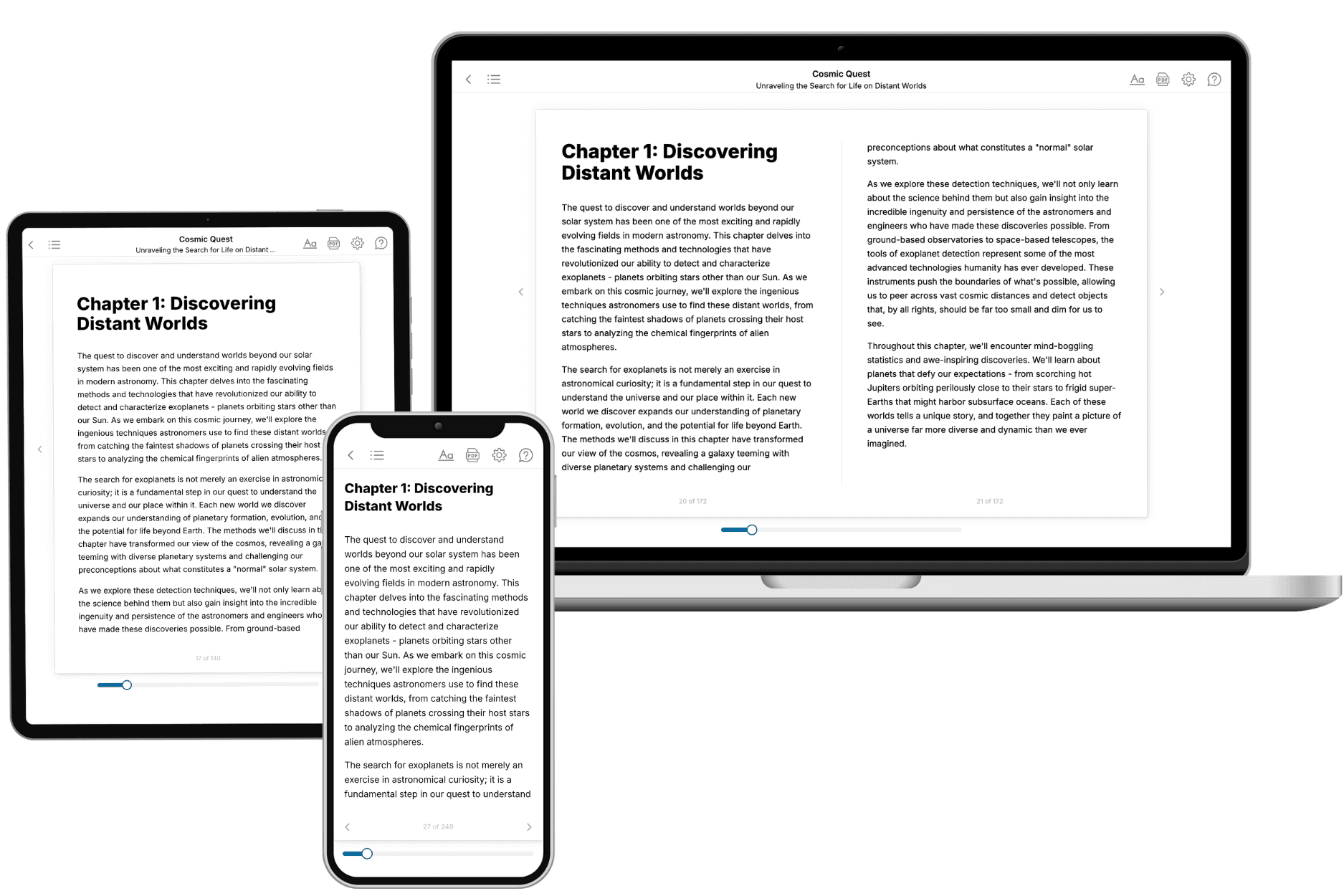
TailoredRead creates complete, full-length nonfiction ebooks, written specifically for you. Tell us what you want to learn and why, and TailoredRead writes you a complete ebook on it, with charts, tables, and diagrams throughout. Read it online, on Kindle, or on any e-reader, or download it as a PDF or EPUB. Every book is written fresh the day you order it.
- How is the book tailored to me?
Before anything is written, you answer a few short questions about your goals, your background, and the topics you care about. Your book is then planned around your answers: written at your level, focused on your goals, and covering the topics you chose, instead of the one-size-fits-all book a store sells everyone.
- Will it read like generic AI content?
No. Your book isn't a chat transcript: it's planned chapter by chapter before a single word is written, told in a clear book voice, and explains ideas visually with charts, tables, and diagrams. After writing, every book goes through an editorial pass that polishes chapters so the book reads consistent from start to finish. Judge for yourself: browse thousands of sample books on our Explore Books page.
- How accurate is the content?
Our AI first checks whether your subject needs live research. Niche and fast-moving subjects are researched before writing, and the book plan and chapters are grounded in what it finds. After writing, every book goes through a quality pass that checks its facts and consistency, and researched books list their sources in a Notes section at the back.
- How long is the book?
You choose the length: Comprehensive (250-300 pages), Detailed (150-200 pages), Essential (70-100 pages), or Short (30-50 pages).
- Does the book include visuals?
Yes. Every book includes charts, tables, and diagrams: timelines, checklists, step-by-step guides, decision trees, comparison tables, matrices, and bar charts. A typical book includes dozens of these visual elements.
- Can I read it on Kindle? What formats can I download?
Yes. Every book can be read in our online reader or downloaded as a PDF or EPUB. The EPUB can be opened with Kindle, Apple Books, Kobo, and any e-reader. The Commercial and Author licenses also include an editable Word (DOCX) and Markdown download.
- How much does it cost?
About the price of a regular ebook. The exact price depends on your book's length and complexity, from $2 for the shortest books to $35 for the most comprehensive, and it's shown when you review your book, before you commit to anything. Each book is a one-time purchase, yours to keep, no subscription. Licenses that let you share, teach, or publish your book range from $35.99 to $49.99.
- Can I preview the book before purchasing?
Before you pay, you'll see what your book will cover: the title, a detailed description, the estimated length, and the complete chapter-by-chapter table of contents, so you know what you're getting before you decide. The full text itself is written after you purchase.
- How long does it take to create a book?
About 10 minutes. You can start reading the opening chapters while the rest is still being written.