Professional WPF Development with VB.NET
Master Data Binding, MVVM, and Enterprise Desktop Architecture
What separates a functional WPF application from a professional, enterprise-grade solution?
269 pages15 chaptersDec 5, 2025WPF
About this book
The answer lies in mastering advanced patterns, architecture, and optimization techniques that transform your code from working to exceptional. This comprehensive guide takes you beyond basic WPF development into the sophisticated practices used by professional teams building mission-critical desktop applications. You'll master data binding patterns that make your UIs truly reactive, implement MVVM architecture that enables testing and maintenance, and leverage dependency injection to build flexible, scalable systems. Whether you're optimizing memory usage, implementing complex animations, building accessible interfaces, or modernizing legacy applications, you'll discover practical strategies grounded in real-world scenarios. Learn how to architect multi-window applications, integrate databases effectively, create reusable component libraries, and handle advanced event patterns that professional applications demand. By the end, you'll possess the architectural knowledge and technical skills to design and build WPF applications that scale, perform, and maintain themselves—applications that reflect professional craftsmanship.
Table of contents
- IntroductionWhy WPF Matters in Modern Development, What You'll Learn in This Book, How to Use This Guide, The VB.NET AdvantageRead below
- Chapter 1: WPF Fundamentals and ArchitectureUnderstanding WPF Architecture, Dependency Properties and Attached Properties, Introduction to Routed Events
- Chapter 2: Data Binding Patterns and StrategiesBinding Fundamentals and Modes, Value Converters and Markup Extensions, Data Validation Frameworks, Optimizing Binding Performance
- Chapter 3: MVVM Architecture and ImplementationMVVM Principles and Benefits, ViewModel Patterns and Best Practices, Command Pattern Implementation, MVVM Frameworks and Tooling
- Chapter 4: Dependency Injection and ContainersDependency Injection Principles, Configuring Dependency Injection Containers, Integrating DI with WPF Applications
- Chapter 5: Asynchronous Programming with Async/AwaitAsync/Await Fundamentals, Async Patterns in WPF, Common Async Pitfalls and Solutions
- Chapter 6: Styling, Templates, and ThemingWPF Styling Fundamentals, Control Templates and Data Templates, Resource Dictionary Management, Theme Switching Architecture
- Chapter 7: Custom Controls and Reusable ComponentsCustom Control Development, Attached Behaviors in WPF, Building Reusable Component Libraries
- Chapter 8: Advanced Event Handling and Routed EventsRouted Events Deep Dive, Advanced Event Handling Patterns, Event Bubbling and Tunneling Strategies
- Chapter 9: Responsive UI Layout and AnimationsResponsive UI Layout Design, WPF Animation Frameworks, Virtualization Techniques for Performance
- Chapter 10: Database Integration and Data AccessDatabase Integration Patterns, Entity Framework with WPF, Building Robust Data Access Layers
- Chapter 11: Performance Optimization and Memory ManagementMemory Profiling Techniques, WPF Performance Optimization, Identifying and Preventing Memory Leaks
- Chapter 12: Multi-Window Applications and State ManagementMulti-Window Application Architecture, Multi-Window Application State, Coordinating Windows and Communication
- Chapter 13: Accessibility and LocalizationAccessibility Standards WCAG, Building Accessible Controls, Localization and Globalization
- Chapter 14: Testing and Quality AssuranceUnit Testing WPF Components, Testing Strategies for MVVM, WPF Debugging Strategies
- Chapter 15: Enterprise Architecture and ModernizationEnterprise Desktop Architecture, Legacy App Modernization, Cross-Platform Desktop Solutions
- ConclusionYour Path to WPF Mastery, Next Steps and Continuous Learning
Introduction
Desktop applications remain the backbone of enterprise software, powering critical business operations across industries. While web and mobile technologies capture headlines, organizations continue to invest heavily in desktop solutions that offer unmatched performance, offline capabilities, and deep system integration. Windows Presentation Foundation (WPF) stands as Microsoft's premier framework for building these sophisticated desktop applications, offering a powerful combination of rich UI capabilities, robust architecture, and enterprise-grade reliability. Yet many developers struggle to move beyond basic implementations, creating applications that work but lack the polish, performance, and maintainability that professional environments demand.
The gap between functional and exceptional WPF applications isn't about knowing more syntax or memorizing additional APIs. It's about understanding architectural patterns, mastering advanced techniques, and applying professional practices that transform code from merely operational to truly outstanding. Professional WPF development requires knowledge of MVVM architecture, dependency injection, asynchronous programming patterns, performance optimization strategies, and accessibility standards. These aren't optional enhancements—they're fundamental requirements for applications that will serve real users, scale with business needs, and remain maintainable over years of evolution. The difference shows in every interaction, from responsive UIs that never freeze to memory-efficient applications that run smoothly on modest hardware.
This book bridges that gap by providing comprehensive, practical guidance on professional WPF development using VB.NET. You'll move beyond tutorials and basic examples to explore the sophisticated patterns and practices that experienced teams use daily. Each chapter builds on real-world scenarios, addressing challenges you'll actually face when building enterprise applications. Whether you're architecting a new system from scratch, modernizing legacy applications, or optimizing existing solutions, you'll find actionable strategies grounded in proven practices. The focus remains consistently practical: understanding not just what to do, but why it matters and how to implement it effectively in production environments.
VB.NET developers often find themselves underserved by technical resources that overwhelmingly favor C#. This book addresses that gap directly, providing all examples, patterns, and implementations in idiomatic VB.NET. You'll see how VB.NET's syntax and features apply to advanced WPF development, from lambda expressions in data binding to async/await patterns in responsive UIs. The goal isn't just translation from C# examples—it's demonstrating how VB.NET developers can leverage their language's strengths while mastering the same professional patterns that define excellent WPF applications regardless of language choice.
Why WPF Matters in Modern Development
WPF emerged in 2006 as Microsoft's answer to the limitations of Windows Forms, introducing a revolutionary approach to desktop UI development. Built on DirectX, WPF separates visual design from application logic through XAML markup, enabling designers and developers to work in parallel. The framework's resolution-independent rendering ensures applications look sharp on any display, from standard monitors to high-DPI screens. More importantly, WPF's architecture supports sophisticated data binding, styling, and templating systems that make complex UIs manageable and maintainable. These capabilities aren't just technical achievements—they directly impact your ability to build applications that users actually want to use and that businesses can afford to maintain.
Despite the rise of web technologies and cross-platform frameworks, WPF remains highly relevant for specific use cases where it excels. Enterprise line-of-business applications benefit from WPF's rich controls, complex data visualization capabilities, and seamless integration with Windows infrastructure. Applications requiring offline functionality, high-performance graphics, or deep system access find WPF's native capabilities indispensable. Financial trading platforms, medical imaging software, engineering tools, and manufacturing control systems continue to rely on WPF because web technologies simply cannot match its performance characteristics or system integration depth. Understanding when WPF represents the right choice separates experienced architects from developers who chase trends without considering requirements.
The framework's maturity works in your favor rather than against it. WPF has evolved through multiple .NET versions, accumulating refinements, performance improvements, and compatibility enhancements. The ecosystem includes mature third-party component libraries, established patterns, and extensive community knowledge. Unlike newer frameworks that change dramatically between versions, WPF's stability means skills you develop today remain valuable for years. Applications built on WPF five years ago still run on modern Windows systems without modification. This stability matters enormously in enterprise environments where applications must remain operational for decades, not months. Your investment in WPF expertise pays dividends across multiple projects and years of development.
Modern .NET development has embraced WPF rather than abandoning it. .NET Core 3.0 brought WPF to the modern .NET platform, enabling side-by-side deployment, improved performance, and access to contemporary .NET features. You can now build WPF applications using .NET 6, .NET 7, and beyond, leveraging modern language features, improved runtime performance, and streamlined deployment options. This modernization ensures WPF remains a first-class citizen in Microsoft's development ecosystem. Organizations can confidently invest in WPF knowing Microsoft continues supporting and improving the framework. The combination of proven stability and ongoing modernization creates an ideal foundation for professional desktop development.
WPF's architectural patterns have influenced modern UI frameworks across platforms. The MVVM pattern, now ubiquitous in mobile and web development, originated in the WPF community. Data binding concepts that WPF pioneered appear in React, Vue, Angular, and virtually every modern UI framework. Understanding WPF deeply provides insights that transfer to other platforms and technologies. The separation of concerns, declarative UI definition, and reactive data patterns you master in WPF apply broadly across software development. This makes WPF expertise valuable beyond Windows desktop development—it represents fundamental knowledge about building sophisticated user interfaces that remains relevant regardless of platform or framework.
Performance characteristics distinguish WPF from browser-based alternatives in scenarios demanding responsiveness and efficiency. WPF applications execute native code, access hardware directly, and avoid the overhead of browser rendering engines. For applications displaying real-time data, processing large datasets, or rendering complex visualizations, this performance advantage proves decisive. A financial dashboard updating hundreds of data points per second, a medical imaging application manipulating gigabyte-sized files, or an engineering tool performing complex calculations—these scenarios showcase WPF's strengths. Understanding these performance characteristics helps you make informed architectural decisions and justify technology choices to stakeholders who may question desktop development in a web-centric world.
Security and compliance requirements often mandate desktop applications over web alternatives. Organizations handling sensitive data frequently prefer applications that don't transmit information over networks unnecessarily. Desktop applications can leverage Windows security features, integrate with Active Directory, and operate entirely within secured network perimeters. Healthcare applications subject to HIPAA regulations, financial systems governed by SOX requirements, and government applications with strict security mandates often choose WPF for these reasons. The framework's integration with Windows security infrastructure provides capabilities that web applications struggle to match. Professional WPF developers understand these compliance considerations and architect applications that meet stringent security requirements while maintaining usability.
The total cost of ownership for WPF applications often proves lower than alternatives when considering the complete lifecycle. Desktop applications avoid ongoing hosting costs, reduce bandwidth requirements, and simplify deployment in environments with limited connectivity. Organizations with existing Windows infrastructure leverage investments already made rather than introducing new technology stacks. Development teams proficient in .NET and VB.NET become productive quickly without learning entirely new paradigms. Maintenance costs decrease when applications use stable, well-understood frameworks rather than rapidly evolving web technologies. These economic factors matter enormously to organizations making long-term technology investments. Professional developers articulate these advantages clearly, helping stakeholders understand why WPF represents sound technical and business decisions for appropriate use cases.
What You'll Learn in This Book
This book systematically builds your expertise across the full spectrum of professional WPF development. You'll begin with architectural fundamentals that underpin everything else—dependency properties, routed events, and the visual tree structure that makes WPF unique. These concepts aren't academic exercises; they're essential knowledge for understanding how WPF actually works beneath the surface. When you encounter unexpected behavior or need to optimize performance, this foundational understanding enables you to diagnose issues quickly and implement effective solutions. The early chapters establish mental models that make advanced topics comprehensible rather than mysterious.
Data binding mastery forms a central focus because it fundamentally determines how maintainable and responsive your applications become. You'll explore binding modes, value converters, validation frameworks, and performance optimization techniques that transform data binding from a basic feature into a powerful architectural tool. Practical examples demonstrate binding to complex object graphs, implementing master-detail interfaces, and handling collection changes efficiently. You'll learn when to use different binding modes, how to debug binding failures systematically, and which patterns prevent common pitfalls. By mastering data binding, you eliminate vast amounts of boilerplate code and create UIs that automatically stay synchronized with underlying data—the hallmark of professional WPF applications.
MVVM architecture receives comprehensive treatment because it represents the standard pattern for professional WPF development. You'll understand not just the mechanics of ViewModels and Commands, but the reasoning behind separation of concerns and how it enables testing, maintenance, and team collaboration. The book demonstrates implementing MVVM from scratch, then explores frameworks like Prism and MVVM Light that accelerate development. You'll see how dependency injection integrates with MVVM, how to handle complex navigation scenarios, and how to structure large applications with multiple ViewModels. Real-world examples show MVVM applied to common scenarios: forms with validation, master-detail interfaces, wizard-style workflows, and data-intensive dashboards.
Asynchronous programming receives dedicated attention because responsive UIs depend on proper async/await implementation. You'll learn patterns for calling async methods from Commands, updating UI from background threads safely, and avoiding deadlocks that plague developers new to async programming. The book demonstrates cancellation patterns, progress reporting, and error handling strategies that make async code robust rather than fragile. Practical examples show async patterns applied to database queries, web service calls, file operations, and long-running calculations. You'll understand the threading model deeply enough to diagnose and fix threading issues confidently—a skill that separates professional developers from those who struggle with mysterious UI freezes and race conditions.
Performance optimization and memory management receive thorough coverage because professional applications must perform well under real-world conditions. You'll learn to use profiling tools effectively, identify memory leaks systematically, and implement optimization strategies that deliver measurable improvements. The book demonstrates virtualization techniques for large collections, strategies for reducing visual tree complexity, and approaches to minimizing binding overhead. You'll understand how WPF's rendering system works, enabling you to make informed decisions about animations, effects, and visual complexity. Practical examples show optimizing specific scenarios: large data grids, real-time updates, complex visualizations, and resource-intensive operations. These skills prove essential when applications move from development environments to production systems serving real users.
Custom control development and component reusability receive substantial attention because they multiply your productivity across projects. You'll learn to create custom controls that encapsulate complex functionality, implement attached behaviors that add capabilities to existing controls, and build reusable component libraries that establish consistency across applications. The book demonstrates proper dependency property implementation, control templating strategies, and techniques for making controls designer-friendly. You'll see how professional teams structure component libraries, version them appropriately, and document them effectively. These skills transform you from a consumer of third-party controls into a creator of reusable components that solve your organization's specific needs.
Enterprise architecture patterns prepare you for building applications that scale beyond simple scenarios. You'll explore multi-window application architecture, state management strategies, and patterns for coordinating complex workflows. The book demonstrates database integration using Entity Framework, implementing robust data access layers, and handling offline scenarios gracefully. You'll learn to structure large applications into maintainable modules, implement plugin architectures, and design systems that accommodate changing requirements. Real-world examples show these patterns applied to complete applications: document management systems, customer relationship management tools, and data analysis platforms. These architectural skills enable you to design systems that remain maintainable as they grow in complexity and scope.
Accessibility and localization receive dedicated coverage because professional applications serve diverse users across global markets. You'll learn WCAG standards, techniques for building accessible controls, and testing strategies that ensure compliance. The book demonstrates implementing keyboard navigation, screen reader support, and high-contrast themes that make applications usable by everyone. Localization patterns show how to structure applications for multiple languages, handle right-to-left text, and manage culture-specific formatting. These topics often receive minimal attention in technical resources, yet they're essential for applications serving real users in professional environments. Understanding accessibility and localization distinguishes developers who build truly professional applications from those who create solutions that work only for narrow user populations.
Testing strategies and quality assurance practices round out your professional skillset. You'll learn to unit test ViewModels effectively, mock dependencies appropriately, and structure code for testability. The book demonstrates testing strategies specific to WPF, including approaches for testing Commands, validation logic, and data binding behavior. You'll explore debugging techniques that help diagnose issues efficiently, from binding failures to memory leaks to threading problems. These quality assurance practices ensure your applications work correctly, perform reliably, and remain maintainable over time. Professional developers don't just write code that works initially—they write code that continues working correctly as requirements evolve and systems grow in complexity.
How to Use This Guide
This book follows a progressive structure designed to build your expertise systematically. Early chapters establish foundational knowledge essential for understanding advanced topics. Later chapters assume familiarity with concepts introduced earlier, building on that foundation to explore sophisticated patterns and techniques. Reading sequentially provides the most coherent learning experience, allowing each chapter to deepen your understanding progressively. However, experienced developers may choose to focus on specific chapters addressing particular challenges they face. Each chapter stands reasonably independently, with cross-references guiding you to related material when necessary. The structure accommodates both comprehensive study and targeted learning based on your immediate needs.
Code examples throughout the book demonstrate concepts in complete, runnable form rather than fragments requiring imagination to complete. Each example includes sufficient context to understand its purpose and implementation. You'll find examples ranging from focused demonstrations of specific techniques to more comprehensive implementations showing patterns applied to realistic scenarios. All code appears in idiomatic VB.NET, leveraging language features appropriately rather than translating C# examples mechanically. The examples emphasize clarity and best practices over cleverness, demonstrating how professional developers write maintainable code. You can type examples directly, download them from the book's resources, or adapt them to your specific needs.
Practical exercises and scenarios appear throughout chapters, encouraging you to apply concepts actively rather than passively reading. These exercises range from straightforward implementations reinforcing chapter concepts to more complex challenges requiring synthesis of multiple techniques. Working through exercises significantly accelerates learning by transforming theoretical knowledge into practical skill. You'll encounter scenarios reflecting real-world situations: implementing specific features, optimizing performance problems, refactoring existing code, and debugging issues. These scenarios prepare you for challenges you'll face in professional development, building problem-solving skills alongside technical knowledge. Consider exercises essential rather than optional—they transform information into capability.
The book balances theory and practice deliberately, explaining not just how to implement patterns but why they matter and when to apply them. Understanding the reasoning behind architectural decisions enables you to adapt patterns to your specific contexts rather than applying them blindly. Each major topic includes discussion of trade-offs, alternatives, and situations where different approaches prove more appropriate. This contextual understanding separates developers who follow recipes from those who make informed architectural decisions. You'll develop judgment about when MVVM makes sense versus simpler approaches, when custom controls justify their complexity, and when performance optimization efforts provide meaningful returns. This judgment proves as valuable as technical knowledge.
References and footnotes throughout the book point to additional resources for deeper exploration. WPF's depth means no single book can cover every detail exhaustively. References guide you to official documentation, community resources, and specialized materials for topics deserving deeper study. These references serve multiple purposes: supporting claims with authoritative sources, acknowledging community contributions, and providing paths for continued learning. Professional developers build personal knowledge bases over time, and these references help you construct yours. Consider them starting points for exploration rather than exhaustive bibliographies—the WPF community produces valuable content continuously, and staying current requires ongoing engagement with multiple resources.
The book assumes intermediate WPF experience, meaning you've built basic applications and understand fundamental concepts like XAML syntax, basic controls, and simple data binding. You should be comfortable with VB.NET syntax, object-oriented programming concepts, and basic .NET framework knowledge. If you're completely new to WPF, consider working through introductory materials first to establish baseline knowledge. The book doesn't rehash basics extensively—it builds on foundational knowledge to explore advanced topics. This approach respects your time and existing expertise, focusing on material that advances your capabilities rather than reviewing concepts you already understand. If you encounter unfamiliar foundational concepts, references point to appropriate introductory resources.
Practical application matters more than theoretical knowledge. As you progress through chapters, apply concepts to your own projects rather than only working with book examples. Implementing patterns in contexts you understand deeply accelerates learning and reveals nuances that generic examples might miss. Start with smaller applications or isolated features within larger systems, gaining confidence before tackling more complex implementations. This incremental approach builds skills sustainably, allowing you to consolidate learning before advancing to more sophisticated topics. Professional expertise develops through repeated application across varied contexts, not from reading alone. The book provides knowledge and guidance; you develop expertise through practice and application.
Community engagement enhances learning significantly. The WPF community includes experienced developers who share knowledge through blogs, forums, and open-source projects. Engaging with this community—asking questions, sharing solutions, contributing to discussions—accelerates your learning and builds professional networks. Many patterns and practices in this book originated from community innovations and collective problem-solving. Contributing back to the community, even as you're learning, reinforces your understanding and helps others facing similar challenges. Professional development is inherently social; isolated learning limits your growth. Consider community engagement an essential component of your professional development, not an optional supplement.
Revisiting chapters as your experience grows reveals insights that weren't apparent initially. Advanced topics often make more sense after you've encountered the problems they solve in practice. A pattern that seems unnecessarily complex when first encountered may prove elegantly simple after you've struggled with the problems it addresses. Plan to return to chapters periodically, especially after implementing concepts in real projects. This iterative learning approach—study, apply, reflect, revisit—builds deep expertise more effectively than linear progression through material. The book serves as a reference throughout your professional development, not just during initial reading. Different chapters become relevant at different stages of your journey, and your understanding deepens with experience and repeated engagement.
The VB.NET Advantage
VB.NET brings distinct advantages to WPF development that developers sometimes overlook in discussions dominated by C# examples. The language's readability makes code more accessible to team members with varying experience levels, reducing onboarding time and improving maintainability. VB.NET's explicit syntax leaves less room for ambiguity, making code intentions clear even to developers unfamiliar with specific patterns. Keywords like Implements, Inherits, and Overrides state relationships explicitly rather than relying on symbols that require memorization. This clarity proves valuable in professional environments where code maintainability matters as much as initial development speed. Teams working with VB.NET often report fewer misunderstandings during code reviews and easier knowledge transfer between developers.
The language's evolution has kept pace with modern .NET development, incorporating features that make advanced WPF patterns practical and elegant. Lambda expressions, introduced in VB.NET 9.0, enable concise event handlers and LINQ queries essential for data manipulation. Async/await support, added in VB.NET 11, makes responsive UI development straightforward. Null-conditional operators, interpolated strings, and tuple support bring VB.NET's capabilities in line with contemporary language features. These additions mean VB.NET developers access the same modern language capabilities as their C# counterparts. The notion that VB.NET lags behind C# in capability is outdated—both languages provide full access to .NET framework features and modern programming paradigms.
VB.NET's case-insensitivity and flexible syntax reduce friction during development, allowing developers to focus on logic rather than syntax details. You don't lose time to missing semicolons, mismatched braces, or case-sensitivity errors that interrupt flow. The compiler's helpfulness extends to automatic corrections and clear error messages that guide you toward solutions. This developer-friendly approach doesn't sacrifice power or capability—it simply removes unnecessary obstacles between your intentions and working code. In professional environments where productivity matters, these seemingly small advantages accumulate into significant time savings. Developers spend more time solving business problems and less time fighting syntax issues.
The language's XML literal support provides unique advantages for XAML manipulation scenarios. When you need to generate or manipulate XAML programmatically, VB.NET's XML literals offer elegant solutions that C# developers must achieve through string concatenation or XDocument manipulation. This capability proves valuable in scenarios like dynamic UI generation, XAML template processing, or tools that manipulate WPF markup. While not needed constantly, XML literals represent a genuine advantage in specific scenarios. Professional developers leverage their language's unique strengths rather than wishing for features from other languages. Understanding where VB.NET excels enables you to architect solutions that play to its strengths.
VB.NET's integration with Visual Studio provides excellent tooling support for WPF development. IntelliSense, refactoring tools, debugging capabilities, and designer support work seamlessly with VB.NET WPF projects. The XAML designer, property editors, and data binding configuration tools function identically regardless of code-behind language. This tooling parity means VB.NET developers access the same productivity enhancements as C# developers. Microsoft's commitment to supporting both languages in Visual Studio ensures VB.NET remains a first-class citizen for WPF development. Your choice of VB.NET doesn't compromise your development experience or limit your access to modern tooling.
Organizations with existing VB.NET codebases find WPF development natural and efficient. Leveraging existing business logic, data access layers, and utility libraries requires no language translation or interop complexity. Teams already proficient in VB.NET become productive with WPF quickly, applying familiar language knowledge to new framework capabilities. This continuity reduces training costs, accelerates development, and minimizes the risk inherent in adopting new technologies. Professional developers recognize that technology decisions involve more than technical capabilities—they must consider team skills, existing investments, and organizational context. VB.NET's suitability for WPF development means organizations can modernize desktop applications without abandoning language investments.
The VB.NET community, while smaller than C#'s, includes experienced professionals who share knowledge and support fellow developers. Online forums, user groups, and community resources provide assistance when you encounter challenges. Many experienced WPF developers work with VB.NET and contribute patterns, solutions, and guidance specific to the language. This community support proves valuable when you need help with language-specific questions or want to see how others have solved similar problems. Engaging with the VB.NET community connects you with developers who understand your context and can provide relevant guidance. Professional development benefits from community connections, and the VB.NET community offers genuine support despite its smaller size.
Translating C# examples to VB.NET becomes straightforward once you understand common patterns and idioms. Most WPF documentation and community examples appear in C#, but the concepts translate directly. This book eliminates that translation burden by providing all examples in idiomatic VB.NET, but understanding how to translate examples yourself expands your access to community resources. Common patterns—lambda expressions, async methods, LINQ queries, property initialization—have direct VB.NET equivalents. With practice, reading C# examples and implementing them in VB.NET becomes natural. This skill multiplies the resources available to you, ensuring C#-centric documentation doesn't limit your learning. Professional VB.NET developers become bilingual, reading C# fluently while writing VB.NET idiomatically.
Your choice of VB.NET for WPF development is valid, practical, and professionally sound. The language provides full access to WPF's capabilities, modern language features, and excellent tooling support. Organizations successfully build and maintain sophisticated WPF applications using VB.NET across industries and application domains. This book validates that choice by demonstrating professional WPF development entirely in VB.NET, proving that language choice doesn't limit your ability to master advanced patterns and build exceptional applications. Focus on developing expertise in WPF architecture, patterns, and practices—the language serves as your tool for expressing that expertise. Professional mastery transcends language syntax, residing in your understanding of principles, patterns, and practices that create outstanding software.
This is the end of the free sample. The full book has 15 chapters.
Want this book written for you?
Tell us your goals and background, and get your own version of this book, tailored by AI to you.






Benefits of AI-tailored books
- Read one book, not ten:
- all the WPF knowledge you need, gathered into a single book.
- Save days of learning:
- tell us your goals, choose your topics, and the whole book is built around them.
- Learn effortlessly:
- WPF book written for your specific background and expertise.
- Understand at a glance:
- includes charts, tables, timelines, checklists, decision trees, and more.
- Stay current:
- written the day you order it, not years ago.
- Trust what you read:
- every book is checked for accuracy, with real research when your subject needs it.
Create your unique book in 3 steps
- 1. Select your focus
Select the focus of your WPF book and share your background
- 2. Personalize your book
Specify your goals and choose sub-topics to include
- 3. Get your tailored book
Your book is ready in 10 minutes. Read it online, download as EPUB or PDF, or send to Kindle.

Frequently asked questions
- What is TailoredRead?
TailoredRead creates complete, full-length nonfiction ebooks, written specifically for you. Tell us what you want to learn and why, and TailoredRead writes you a complete ebook on it, with charts, tables, and diagrams throughout. Read it online, on Kindle, or on any e-reader, or download it as a PDF or EPUB. Every book is written fresh the day you order it.
- How is the book tailored to me?
Before anything is written, you answer a few short questions about your goals, your background, and the topics you care about. Your book is then planned around your answers: written at your level, focused on your goals, and covering the topics you chose, instead of the one-size-fits-all book a store sells everyone.
- Will it read like generic AI content?
No. Your book isn't a chat transcript: it's planned chapter by chapter before a single word is written, told in a clear book voice, and explains ideas visually with charts, tables, and diagrams. After writing, every book goes through an editorial pass that polishes chapters so the book reads consistent from start to finish. Judge for yourself: browse thousands of sample books on our Explore Books page.
- How accurate is the content?
Our AI first checks whether your subject needs live research. Niche and fast-moving subjects are researched before writing, and the book plan and chapters are grounded in what it finds. After writing, every book goes through a quality pass that checks its facts and consistency, and researched books list their sources in a Notes section at the back.
- How long is the book?
You choose the length: Comprehensive (250-300 pages), Detailed (150-200 pages), Essential (70-100 pages), or Short (30-50 pages).
- Does the book include visuals?
Yes. Every book includes charts, tables, and diagrams: timelines, checklists, step-by-step guides, decision trees, comparison tables, matrices, and bar charts. A typical book includes dozens of these visual elements.
- Can I read it on Kindle? What formats can I download?
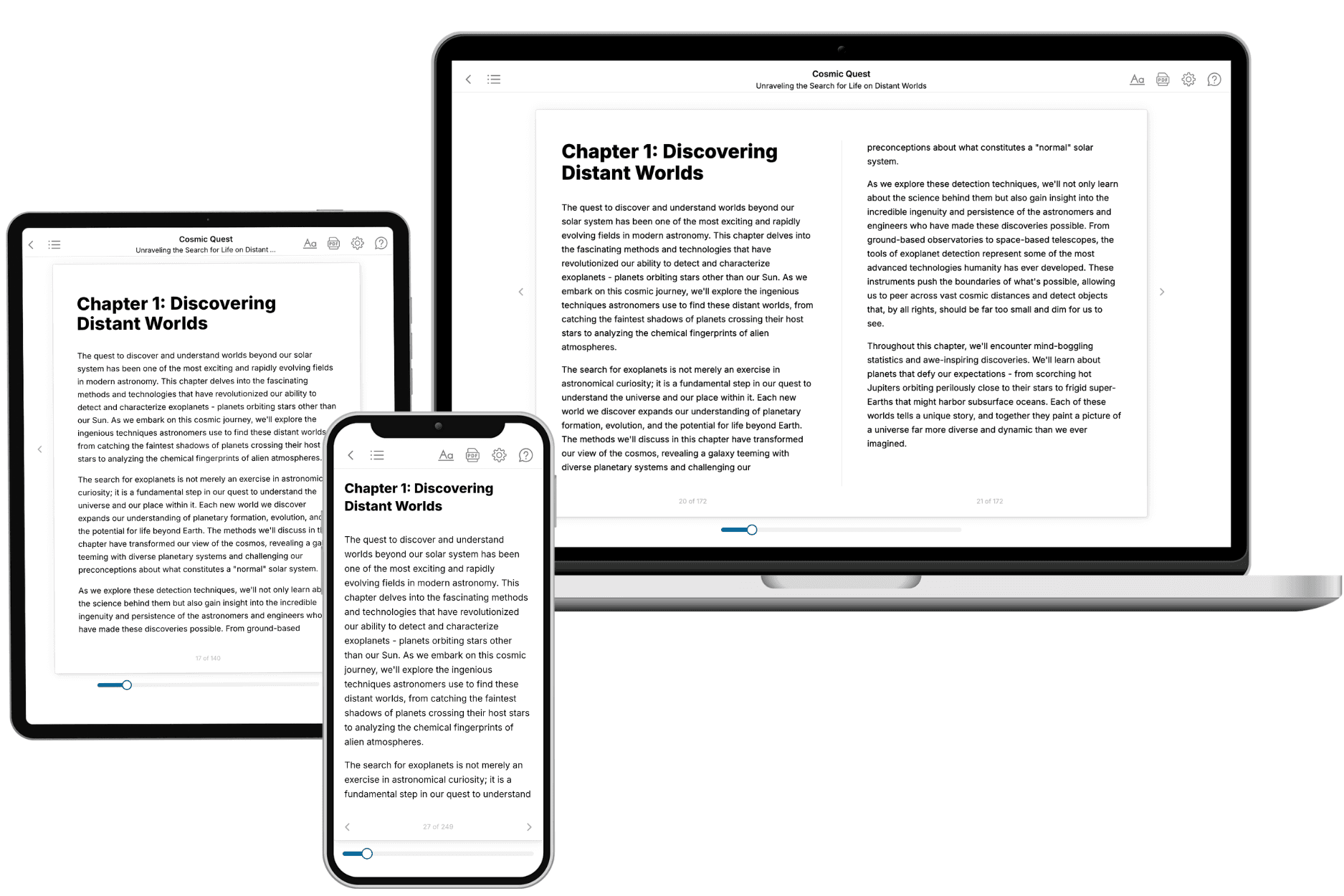
Yes. Every book can be read in our online reader or downloaded as a PDF or EPUB. The EPUB can be opened with Kindle, Apple Books, Kobo, and any e-reader. The Commercial and Author licenses also include an editable Word (DOCX) and Markdown download.
- How much does it cost?
About the price of a regular ebook. The exact price depends on your book's length and complexity, from $2 for the shortest books to $35 for the most comprehensive, and it's shown when you review your book, before you commit to anything. Each book is a one-time purchase, yours to keep, no subscription. Licenses that let you share, teach, or publish your book range from $35.99 to $49.99.
- Can I preview the book before purchasing?
Before you pay, you'll see what your book will cover: the title, a detailed description, the estimated length, and the complete chapter-by-chapter table of contents, so you know what you're getting before you decide. The full text itself is written after you purchase.
- How long does it take to create a book?
About 10 minutes. You can start reading the opening chapters while the rest is still being written.