React.js Mastery
Build Production-Ready Web Applications with Modern React Patterns and Full-Stack Integration
Imagine building web applications that respond instantly to user interactions, handle complex data flows effortlessly, and scale from prototype to production without architectural rewrites.
207 pages11 chaptersFeb 17, 2026React.js
About this book
This comprehensive guide takes you from intermediate React knowledge to mastery of modern patterns and full-stack development. You'll learn how React Hooks simplify state management and side effects, discover how to build custom hooks that eliminate code duplication, and master async data fetching patterns that handle real-world complexity. Explore single-page application routing, form handling strategies, and state management approaches that keep your code maintainable as applications grow. Beyond the frontend, you'll integrate Flask REST APIs, implement server-side rendering for performance, and deploy complete applications through automated pipelines. Each chapter builds on previous concepts with practical examples and debugging techniques that help you write production-ready code. Whether you're building personal projects or preparing for professional development, this guide provides the patterns and practices used in modern React applications.
Table of contents
- IntroductionWhy React Matters in Modern Web Development, What You'll Learn in This Guide, How to Use This Book for Maximum LearningRead below
- Module 1: React Fundamentals and Component ArchitectureUnderstanding Components and JSX Syntax, Mastering Props and Component Composition, Understanding Component Lifecycle and Rendering, Component Architecture Best Practices
- Module 2: React Hooks and State ManagementIntroducing React Hooks and useState, Mastering useEffect for Side Effects, Understanding Hooks Rules and Patterns, Using Context API for Global State
- Module 3: Building Custom Hooks and Reusable LogicCreating Your First Custom Hook, Common Custom Hook Patterns and Examples, Testing and Debugging Custom Hooks
- Module 4: Async Data Fetching and API IntegrationImplementing Async Data Fetching Patterns, Handling Errors and Loading States, Preventing Race Conditions and Memory Leaks, Implementing Caching and Request Optimization
- Module 5: Form Handling and ValidationBuilding Controlled Form Components, Implementing Form Validation Strategies, Using Form Libraries for Complex Forms
- Module 6: Single-Page Application RoutingSetting Up React Router and Navigation, Implementing Dynamic Routes and Parameters, Building Nested Routes and Layouts, Protecting Routes and Handling Authentication
- Module 7: Advanced State Management PatternsUnderstanding Context API Limitations, Introduction to Redux and Predictable State, Implementing Redux Patterns and Middleware, Exploring Alternative State Management Solutions
- Module 8: Performance Optimization and DebuggingOptimizing Callbacks with useCallback and useMemo, Using React DevTools and Performance Profiler, Advanced Debugging Techniques and Tools, Optimizing Component Rendering and Re-renders
- Module 9: Building Flask REST APIs for ReactSetting Up Flask and Creating REST Endpoints, Handling CORS and API Security, Connecting React Applications to Flask APIs, Implementing Authentication and Authorization
- Module 10: Server-Side Rendering and PerformanceUnderstanding Server-Side Rendering Benefits, Implementing Basic Server-Side Rendering, Handling SSR Challenges and Data Fetching
- Module 11: Full-Stack Deployment and DevOpsCreating Automated Build and Test Pipelines, Deploying React and Flask Applications, Monitoring and Maintaining Production Applications, Setting Up Continuous Integration and Deployment
- ConclusionYour Path to React Mastery, Next Steps in Your Development Journey
Introduction
React has transformed how developers build web applications, moving from page-based architectures to component-driven interfaces that respond instantly to user interactions. Since its release by Facebook in 2013, React has grown from an experimental library to the foundation of millions of applications, powering everything from small personal projects to enterprise platforms serving billions of users. This shift represents more than just a new framework—it reflects a fundamental rethinking of how we structure interactive applications. Rather than manipulating the DOM directly or refreshing entire pages, React lets you describe what your interface should look like for any given state, and the library handles the complex work of updating the screen efficiently.
Your background in physics gives you a unique advantage in mastering React. The analytical thinking required to understand quantum mechanics or thermodynamics translates directly to reasoning about component hierarchies, state flow, and rendering optimization. Just as physical systems follow predictable laws, React applications follow clear patterns for data flow and component interaction. The mathematical rigor you've developed helps you grasp concepts like pure functions, immutability, and declarative programming—principles that form React's conceptual foundation. This guide builds on your existing intermediate React knowledge, taking you beyond basic tutorials into the patterns and practices used in production applications.
Modern React development centers on Hooks, a paradigm shift introduced in 2019 that fundamentally changed how we write components. Hooks eliminate the complexity of class components while providing more powerful tools for managing state, side effects, and component logic. You'll learn not just how to use built-in hooks like useState and useEffect, but how to create custom hooks that encapsulate reusable logic across your applications. Beyond the frontend, you'll integrate Flask REST APIs to build complete full-stack applications, implement server-side rendering for performance, and deploy through automated pipelines. Each chapter provides practical examples with debugging techniques, helping you understand not just what works, but why it works and how to fix it when it doesn't.
Module Outcomes: By completing this introduction, you will be able to:
- Understand React's role in modern web development and why it has become the dominant frontend library
- Identify the key concepts and patterns you'll master throughout this guide, from Hooks to full-stack deployment
- Recognize how your analytical background and existing React knowledge provide a foundation for advanced topics
- Navigate this guide effectively using the structured learning approach designed for self-directed study
- Set up your learning environment and establish practices for hands-on experimentation with code examples
When to use this module: Start here before diving into any technical chapters. This introduction establishes the conceptual framework for everything that follows, explaining not just what you'll learn but why these topics matter for building production-ready applications. If you're returning to this guide after a break, reviewing this introduction helps reorient you to the learning path and reminds you of the connections between different topics. The structure outlined here serves as your roadmap through increasingly complex material, ensuring you build knowledge systematically rather than jumping randomly between concepts.
Why React Matters in Modern Web Development
Lesson Outcomes: After completing this lesson, you will be able to:
- Explain the fundamental problems React solves compared to traditional web development approaches
- Understand the component-based architecture and why it improves code maintainability and reusability
- Recognize React's virtual DOM and how it optimizes rendering performance
- Identify real-world applications and companies that rely on React for their user interfaces
Traditional web development required developers to manually manipulate the Document Object Model (DOM) whenever application state changed. If a user clicked a button, you wrote code to find specific DOM elements, update their content, add or remove classes, and handle all the edge cases. This imperative approach—telling the browser exactly how to update the interface—becomes exponentially more complex as applications grow. A simple todo list might require dozens of lines of jQuery to handle adding items, marking them complete, filtering by status, and updating counters. Each interaction point needs explicit code to synchronize the interface with the underlying data, creating a maintenance nightmare where bugs hide in the gaps between state and display.
React inverts this model through declarative programming. Instead of writing instructions for how to update the interface, you describe what the interface should look like for any given state. When state changes, React automatically figures out the minimal set of DOM updates needed to reflect the new state. This is analogous to describing the equilibrium state of a physical system rather than calculating every intermediate step—you specify the end result, and React handles the transition. Consider a user profile component: rather than writing separate code to update the name field, avatar image, and bio text, you write a single component that renders based on a user object. When that object changes, React re-renders the component and efficiently updates only the parts of the DOM that actually changed.
The component-based architecture React pioneered has become the standard for modern frontend development. Components are self-contained, reusable pieces of UI that encapsulate their own structure, styling, and behavior. This modularity mirrors object-oriented programming principles but applies them to user interfaces. A button component, for example, might handle its own hover states, click events, and loading indicators. You can use this button throughout your application without duplicating code, and changes to the button component automatically propagate everywhere it's used. This composability extends to complex components built from simpler ones—a user profile card might combine avatar, text, and button components into a cohesive unit that can itself be reused.
React's virtual DOM provides the performance foundation that makes declarative programming practical. When you update state, React doesn't immediately manipulate the real DOM—an expensive operation that can cause layout recalculations and repaints. Instead, React creates a lightweight JavaScript representation of what the DOM should look like, compares it to the previous version, and calculates the minimal set of changes needed. This reconciliation process happens in memory and is extremely fast. Only after determining the optimal updates does React batch the changes and apply them to the real DOM in a single operation. For applications with frequent updates—like real-time dashboards or collaborative editors—this optimization prevents the interface from becoming sluggish.
Major companies have bet their user experiences on React, validating its production readiness. Facebook uses React across its entire platform, including the main news feed, Messenger, and Instagram. Airbnb rebuilt its frontend with React to handle complex search interfaces and booking flows. Netflix uses React for its TV interface, where performance and reliability are critical. These aren't simple websites—they're complex applications handling millions of concurrent users, real-time updates, and intricate state management. The fact that React scales from small projects to these massive platforms demonstrates its versatility. You're not learning a toy framework; you're mastering the same tools used to build some of the web's most sophisticated applications.
Example: Consider a real-time stock trading dashboard. In traditional JavaScript, you might use
setIntervalto poll for price updates, then manually find each stock's DOM element and update its price, color-code gains/losses, and recalculate portfolio totals. With React, you maintain stock prices in state and render components based on that state. When new prices arrive, you update state once, and React automatically re-renders only the components whose data changed. The code becomes dramatically simpler: instead of imperative DOM manipulation scattered across event handlers, you have a clean data flow from state to UI.
The React ecosystem extends far beyond the core library. React Native lets you build native mobile applications using React patterns, sharing code between web and mobile platforms. Next.js provides server-side rendering and static site generation for improved performance and SEO. Gatsby creates blazingly fast static sites with React. Testing libraries like React Testing Library and Jest make it straightforward to write reliable tests. This ecosystem means that learning React isn't just learning one library—it's gaining access to a comprehensive toolkit for building applications across platforms. The patterns you learn in this guide apply whether you're building a web app, mobile app, or static site.
React's popularity also means abundant community resources and job opportunities. When you encounter a problem, chances are someone has solved it and shared the solution. Stack Overflow contains hundreds of thousands of React questions and answers. GitHub hosts thousands of open-source React projects you can learn from. The job market consistently shows React as one of the most in-demand skills for frontend developers, with salaries reflecting that demand[1]. By mastering React, you're not just learning a technical skill—you're investing in a capability that opens doors across the software industry.
Practice Tasks:
- Identify a web application you use regularly (email client, social media, productivity tool) and analyze its interface. List five interactive elements that would be challenging to implement with traditional DOM manipulation but straightforward with React's component model. Consider elements like infinite scrolling feeds, real-time notifications, or complex forms with validation.
- Create a simple HTML page with vanilla JavaScript that displays a list of items and allows adding new items. Then sketch out how you would structure the same functionality as React components. Note the differences in how you think about state, rendering, and user interactions between the two approaches.
- Research three companies or products in your area of interest (scientific computing, data visualization, etc.) that use React. Read their engineering blogs or case studies to understand why they chose React and what challenges it helped them solve. Document specific technical decisions they made and how React's features addressed their needs.
Key Takeaways:
- React replaces imperative DOM manipulation with declarative component rendering, dramatically simplifying complex user interfaces
- Component-based architecture promotes code reusability and maintainability by encapsulating UI logic into self-contained units
- The virtual DOM enables efficient updates by calculating minimal changes before touching the real DOM
- React powers production applications at massive scale, from Facebook to Netflix, proving its reliability and performance
- The React ecosystem extends to mobile development, server-side rendering, and static site generation, making it a versatile skill
- Strong community support and job market demand make React a valuable investment for your development career
What You'll Learn in This Guide
Lesson Outcomes: After completing this lesson, you will be able to:
- Identify the major topics covered in this guide and how they build on each other progressively
- Understand the distinction between React fundamentals, advanced patterns, and full-stack integration
- Recognize which chapters address specific challenges you'll encounter in real projects
- Map your current knowledge to the guide's structure to identify areas for focused study
This guide follows a carefully structured progression from React fundamentals through advanced patterns to full-stack deployment. The first section revisits core concepts—components, JSX, props, and lifecycle—but from a deeper perspective than introductory tutorials. You already know how to create components, but you'll learn architectural patterns for organizing them effectively. You'll understand not just that props flow down, but how to design component APIs that are intuitive and maintainable. The lifecycle discussion goes beyond memorizing method names to understanding the rendering process and how React decides when to update components. These fundamentals form the foundation for everything that follows, so even if you're comfortable with basic React, this section fills gaps and establishes shared terminology.
The second major section focuses on React Hooks, the modern approach to state and side effects. You'll master useState for local component state and useEffect for side effects like data fetching and subscriptions. More importantly, you'll learn the rules and patterns that make Hooks reliable—why dependencies matter, how to avoid infinite loops, and when to split effects. The Context API chapter shows you how to share state across components without prop drilling, solving a common pain point in React applications. These chapters transform you from someone who uses Hooks to someone who understands their design and can debug complex Hook-related issues.
Custom Hooks represent a crucial skill that separates intermediate from advanced React developers. This section teaches you to extract reusable logic into custom Hooks, eliminating code duplication and creating cleaner components. You'll see patterns like useFetch for data loading, useLocalStorage for persistent state, and useDebounce for performance optimization. Each pattern solves a real problem you'll encounter in projects. The testing chapter ensures you can verify your custom Hooks work correctly, using techniques that apply to all React code. By the end of this section, you'll think in terms of extracting and composing logic, not just writing components.
Async data fetching receives dedicated coverage because it's both essential and surprisingly complex. You'll learn patterns for handling loading states, errors, and race conditions—the situations where multiple requests complete out of order. The chapters cover practical techniques like request cancellation, optimistic updates, and caching strategies. These aren't theoretical concepts; they're solutions to problems that break production applications. You'll understand why naive data fetching causes bugs and how to implement robust patterns that handle edge cases. This knowledge applies whether you're fetching from REST APIs, GraphQL endpoints, or any other data source.
Form handling and validation get thorough treatment because forms are ubiquitous yet often implemented poorly. You'll learn controlled component patterns, validation strategies, and how to provide good user feedback. The chapter on form libraries shows you when to use tools like Formik or React Hook Form versus implementing forms manually. You'll understand the tradeoffs between different approaches and how to choose based on your application's needs. Forms might seem mundane, but implementing them well—with proper validation, error handling, and accessibility—requires careful thought.
Single-page application routing with React Router enables the seamless navigation users expect from modern web apps. You'll learn to set up routes, handle dynamic parameters, implement nested layouts, and protect routes based on authentication. The routing chapters connect to earlier material on state management, showing how to preserve state across navigation and handle data loading for route transitions. You'll build applications that feel fast and responsive, with proper browser history integration and URL-based state. These patterns apply to any React application beyond simple single-page demos.
Advanced state management addresses the limitations of local state and Context API. You'll understand when applications outgrow simple state solutions and need tools like Redux. The Redux chapters teach not just the library's API but the principles of predictable state management—immutability, pure reducers, and unidirectional data flow. You'll also explore alternatives like Zustand and Jotai, understanding the tradeoffs between different state management approaches. This section helps you make informed architectural decisions rather than blindly following trends or cargo-culting patterns from tutorials.
Performance optimization and debugging chapters provide the tools to identify and fix problems in real applications. You'll learn to use React DevTools and the Performance Profiler to find rendering bottlenecks. The chapters cover useCallback and useMemo for optimizing expensive computations and preventing unnecessary re-renders. You'll understand when optimization matters and when it's premature—a crucial distinction that prevents wasted effort. The debugging techniques apply to all the patterns covered earlier, helping you troubleshoot issues in Hooks, state management, and data fetching.
The full-stack section integrates React with Flask REST APIs, teaching you to build complete applications with frontend and backend. You'll create Flask endpoints, handle CORS and security, implement authentication, and connect React applications to your API. The server-side rendering chapter shows how to improve initial load performance and SEO by rendering React on the server. Finally, the deployment section covers automated build pipelines, continuous integration, and production monitoring. These chapters take you from local development to deployed applications that real users can access.
Learning Path Example: Imagine building a scientific data visualization dashboard. You'd start with component fundamentals to structure your charts and controls. Hooks would manage chart state and user interactions. Custom Hooks would extract reusable logic for data transformations. Async data fetching would load datasets from your Flask API. Routing would enable navigation between different visualizations. State management would coordinate complex interactions between multiple charts. Performance optimization would ensure smooth rendering of large datasets. Finally, deployment would make your dashboard accessible to collaborators. Each chapter contributes specific skills to this complete application.
Practice Tasks:
- Review the table of contents and identify three chapters that address specific challenges you've encountered in past React projects. Write a brief description of the problem you faced and what you hope to learn from each chapter. This helps you connect the guide's content to your practical experience.
- Create a learning roadmap by listing the chapters in order and estimating how much time you'll spend on each based on your current knowledge. Mark chapters where you're already comfortable versus those requiring deeper study. This personalized plan helps you allocate time effectively.
- Choose a project idea you'd like to build while working through this guide—something complex enough to require multiple chapters' worth of techniques. Sketch out which chapters contribute to different parts of your project. This gives you a concrete goal and helps you see how concepts integrate.
Key Takeaways:
- The guide progresses from React fundamentals through advanced patterns to full-stack integration, building knowledge systematically
- Hooks and custom Hooks form the core of modern React development, replacing older patterns with cleaner, more reusable code
- Async data fetching, form handling, and routing receive dedicated coverage because they're essential yet complex
- State management chapters help you choose appropriate solutions as applications grow in complexity
- Performance optimization and debugging provide tools to identify and fix real-world problems
- Full-stack chapters integrate React with Flask APIs and cover deployment to production environments
- Each chapter builds on previous concepts, so following the sequence ensures you have necessary prerequisites
How to Use This Book for Maximum Learning
Lesson Outcomes: After completing this lesson, you will be able to:
- Establish an effective learning environment and practice routine for working through the guide
- Apply active learning techniques that improve retention and understanding of React concepts
- Use the code examples and practice tasks to build hands-on experience with each topic
- Troubleshoot problems independently using debugging strategies and external resources
- Adapt the guide's structure to your learning style and time constraints
Active learning dramatically improves retention compared to passive reading. Don't just read code examples—type them out, run them, and modify them to see what happens. When a chapter introduces a new Hook or pattern, create a minimal example in your own development environment. Change parameters, break things intentionally, and observe the results. This experimentation builds intuition that reading alone cannot provide. Your physics background has taught you the value of working through problems yourself rather than just reading solutions. Apply that same approach here: treat each concept as a problem to explore, not just information to memorize. The practice tasks at the end of each lesson provide structured exercises, but don't limit yourself to those—create your own variations and extensions.
Set up a dedicated learning project where you implement concepts as you encounter them. This could be a simple application that grows more sophisticated as you progress through chapters, or a series of small focused examples organized by topic. The key is having a place to experiment without the pressure of building something production-ready. Use Create React App or Vite to bootstrap projects quickly, and don't worry about perfect code—focus on understanding concepts. Version control with Git helps you track your progress and experiment fearlessly, knowing you can always revert changes. Commit after completing each lesson's practice tasks, creating a history of your learning journey.
The guide's structure supports both sequential reading and targeted study. If you're new to modern React patterns, work through chapters in order—each builds on previous concepts. If you're comfortable with fundamentals but need specific skills, jump to relevant chapters after reviewing prerequisites. For example, if you need to implement authentication, you might skip directly to the routing and Flask integration chapters after ensuring you understand Hooks and async data fetching. The lesson outcomes at the start of each section help you assess whether you have necessary background knowledge. Don't skip fundamentals just because they seem basic—the early chapters provide depth that tutorials often omit.
Code examples in this guide are designed to be minimal and focused, illustrating specific concepts without unnecessary complexity. When you see an example, consider it a starting point rather than a complete solution. Ask yourself: What happens if I add another state variable? How would this pattern scale to a larger component? What edge cases aren't handled? This critical analysis develops the judgment needed for real projects. The examples use modern JavaScript features like arrow functions, destructuring, and template literals. If you're unfamiliar with ES6+ syntax, spend time with a JavaScript reference to ensure language features don't obscure React concepts.
Debugging is a crucial skill that deserves explicit practice. When code doesn't work as expected, resist the urge to immediately search for solutions. First, form a hypothesis about what's wrong based on the error message or unexpected behavior. Use console.log to inspect values at different points in your code. Check the React DevTools to examine component state and props. Read error messages carefully—React's error messages are generally helpful and point to specific problems. Only after exhausting these approaches should you search for external help. This process builds debugging skills that transfer to any problem you encounter. Document solutions to problems you solve, creating a personal reference for future issues.
The footnotes throughout this guide cite sources and provide additional context. Follow these references when you want deeper understanding of a topic. React's official documentation is excellent and should be your primary reference for API details. The React blog announces new features and explains design decisions. GitHub issues and RFCs (Request for Comments) provide insight into why React works the way it does. Reading these primary sources develops your ability to learn from documentation—a critical skill as libraries evolve and new tools emerge. Don't rely solely on tutorials and guides; learn to extract information from official documentation and source code.
Spaced repetition improves long-term retention of complex material. After completing a chapter, return to it a few days later and review the key takeaways. Try to implement the main patterns from memory before checking the examples. This retrieval practice strengthens neural pathways more effectively than simply rereading material. Create flashcards for important concepts, patterns, and debugging techniques. Quiz yourself on when to use different Hooks, how to structure component hierarchies, or what causes common errors. This might seem tedious, but it's one of the most effective learning techniques supported by cognitive science research[2].
Join the React community to accelerate your learning. The Reactiflux Discord server hosts thousands of developers discussing React problems and solutions in real-time. Stack Overflow's React tag contains answers to virtually every common question. Reddit's r/reactjs community shares articles, projects, and advice. When you encounter problems, search these resources—chances are someone has faced the same issue. When you find solutions, take time to understand them rather than just copying code. Better yet, contribute by answering questions from developers less experienced than you. Teaching others reinforces your own understanding and reveals gaps in your knowledge.
Study Routine Example: Allocate 60-90 minute focused sessions for working through chapters. Start by reviewing the previous session's key takeaways (5 minutes). Read the new lesson, typing out code examples as you go (30-40 minutes). Complete the practice tasks, experimenting beyond the minimum requirements (20-30 minutes). End by summarizing what you learned in your own words and identifying questions for further research (5-10 minutes). This structure balances reading, practice, and reflection for effective learning.
Adapt the guide to your learning style and constraints. If you learn best through video, supplement chapters with conference talks and tutorials on the same topics—but always implement concepts yourself rather than just watching. If you prefer learning with others, find a study partner or join a learning group. If time is limited, focus on one chapter per week with daily practice rather than trying to rush through material. The goal isn't to finish quickly but to develop genuine understanding and practical skills. Your physics PhD required years of sustained effort to master complex material—approach React with the same patience and rigor.
Finally, build real projects as you learn. The practice tasks provide exercises, but nothing replaces building something you care about. Choose a project that motivates you—a tool for your research, a visualization of interesting data, or a solution to a problem you face. Start simple and add features as you learn new techniques. This project becomes a portfolio piece demonstrating your skills and a testing ground for concepts from the guide. You'll encounter problems not covered in any tutorial, forcing you to synthesize knowledge and develop problem-solving skills. These challenges are where real learning happens, transforming theoretical knowledge into practical capability.
Practice Tasks:
- Set up your development environment with Node.js, a code editor (VS Code recommended), and React DevTools browser extension. Create a new React project using Create React App or Vite. Verify you can run the development server, make changes, and see them reflected in the browser. Document any setup issues you encounter and how you resolved them.
- Create a learning journal—a simple text file, Markdown document, or note-taking app entry. After completing each lesson, write a brief summary in your own words explaining the main concepts. Include code snippets for patterns you want to remember and questions that arose during study. This journal becomes a personalized reference and helps identify areas needing review.
- Identify your learning goals and constraints. Write down what you want to build with React, what skills you need for your career or projects, and how much time you can dedicate to learning. Create a realistic schedule for working through the guide based on these constraints. Share your goals with someone who can help keep you accountable.
- Join at least one React community (Reactiflux Discord, r/reactjs, or a local meetup). Introduce yourself and your learning goals. Browse recent discussions to get a sense of what problems developers are currently facing. Bookmark resources that seem valuable for future reference.
- Start a project repository where you'll implement concepts from the guide. Initialize it with Git, create a README describing your learning goals, and make your first commit. This repository will grow as you progress through chapters, providing a concrete record of your developing skills.
Key Takeaways:
- Active learning through typing, running, and modifying code examples builds deeper understanding than passive reading
- A dedicated learning project provides a safe environment for experimentation without production pressure
- The guide supports both sequential study and targeted learning based on your current knowledge and needs
- Developing debugging skills through systematic problem-solving is as important as learning new patterns
- Spaced repetition and retrieval practice improve long-term retention of complex material
- Engaging with the React community accelerates learning through shared knowledge and diverse perspectives
- Building real projects that motivate you transforms theoretical knowledge into practical capability
Notes
Introduction
This is the end of the free sample. The full book has 11 chapters.
Want this book written for you?
Tell us your goals and background, and get your own version of this book, tailored by AI to you.


Benefits of AI-tailored books
- Read one book, not ten:
- all the React.js knowledge you need, gathered into a single book.
- Save days of learning:
- tell us your goals, choose your topics, and the whole book is built around them.
- Learn effortlessly:
- React.js book written for your specific background and expertise.
- Understand at a glance:
- includes charts, tables, timelines, checklists, decision trees, and more.
- Stay current:
- written the day you order it, not years ago.
- Trust what you read:
- every book is checked for accuracy, with real research when your subject needs it.
Create your unique book in 3 steps
- 1. Select your focus
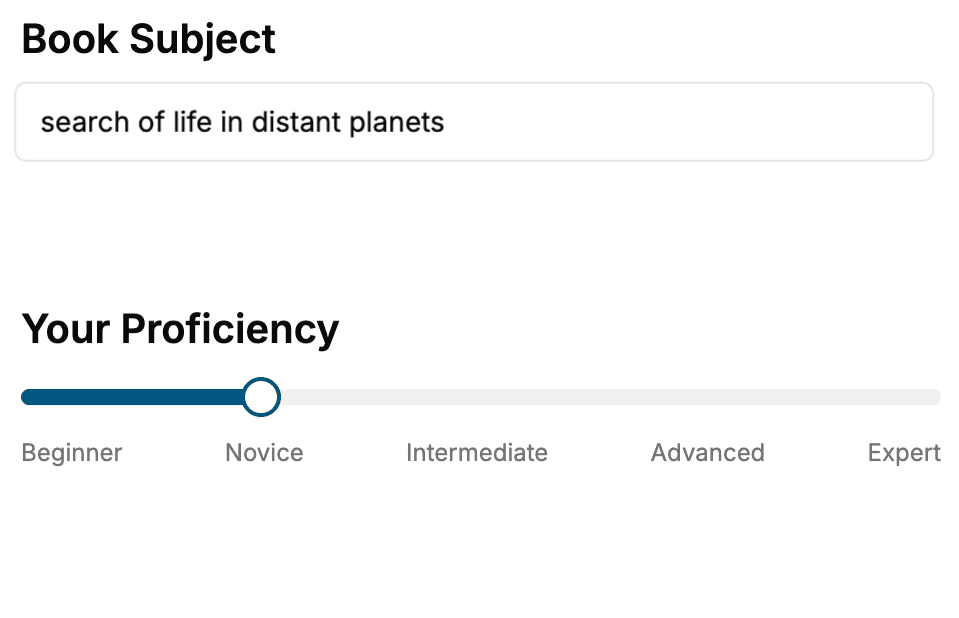
Select the focus of your React.js book and share your background
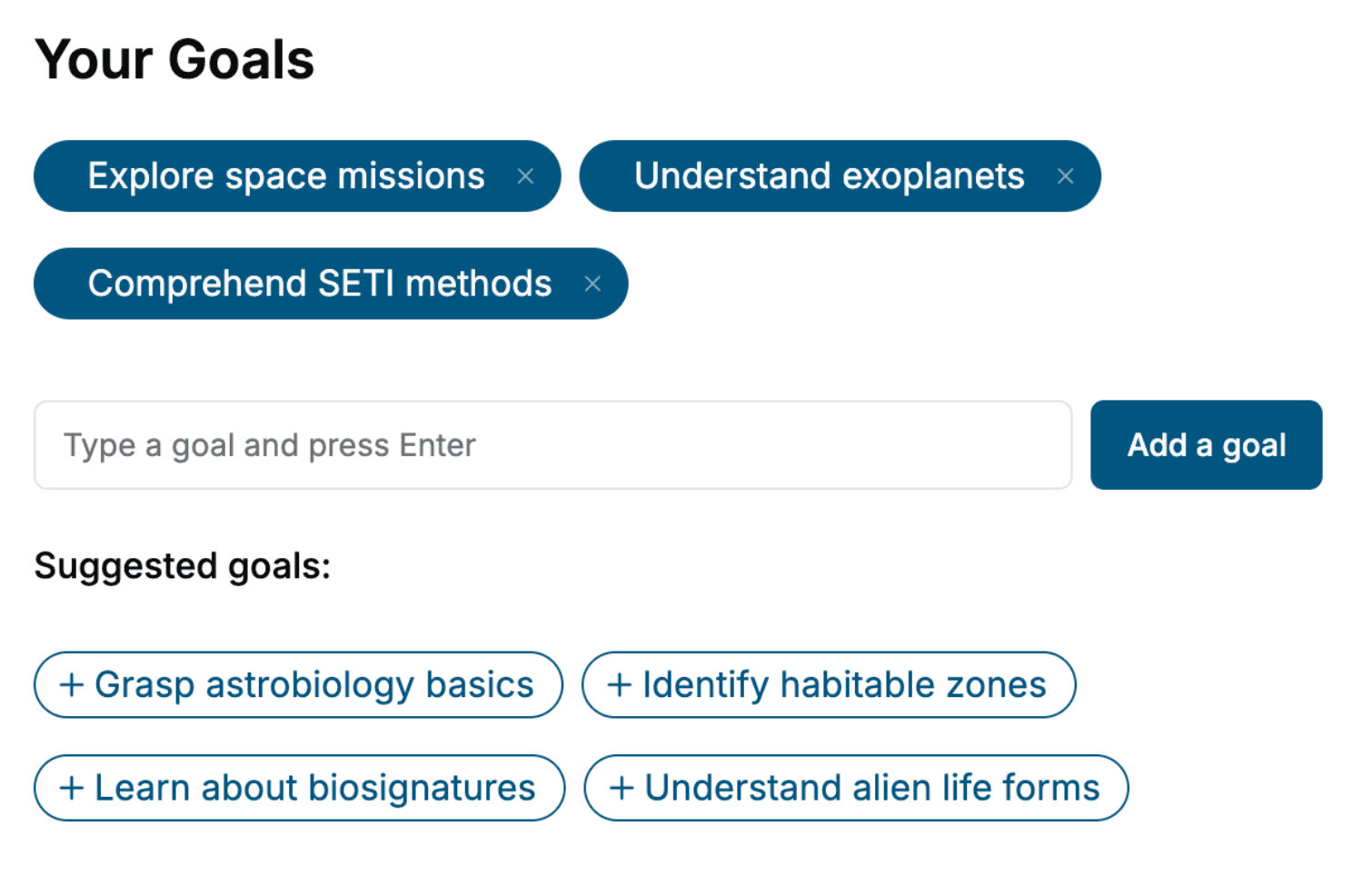
- 2. Personalize your book
Specify your goals and choose sub-topics to include
- 3. Get your tailored book
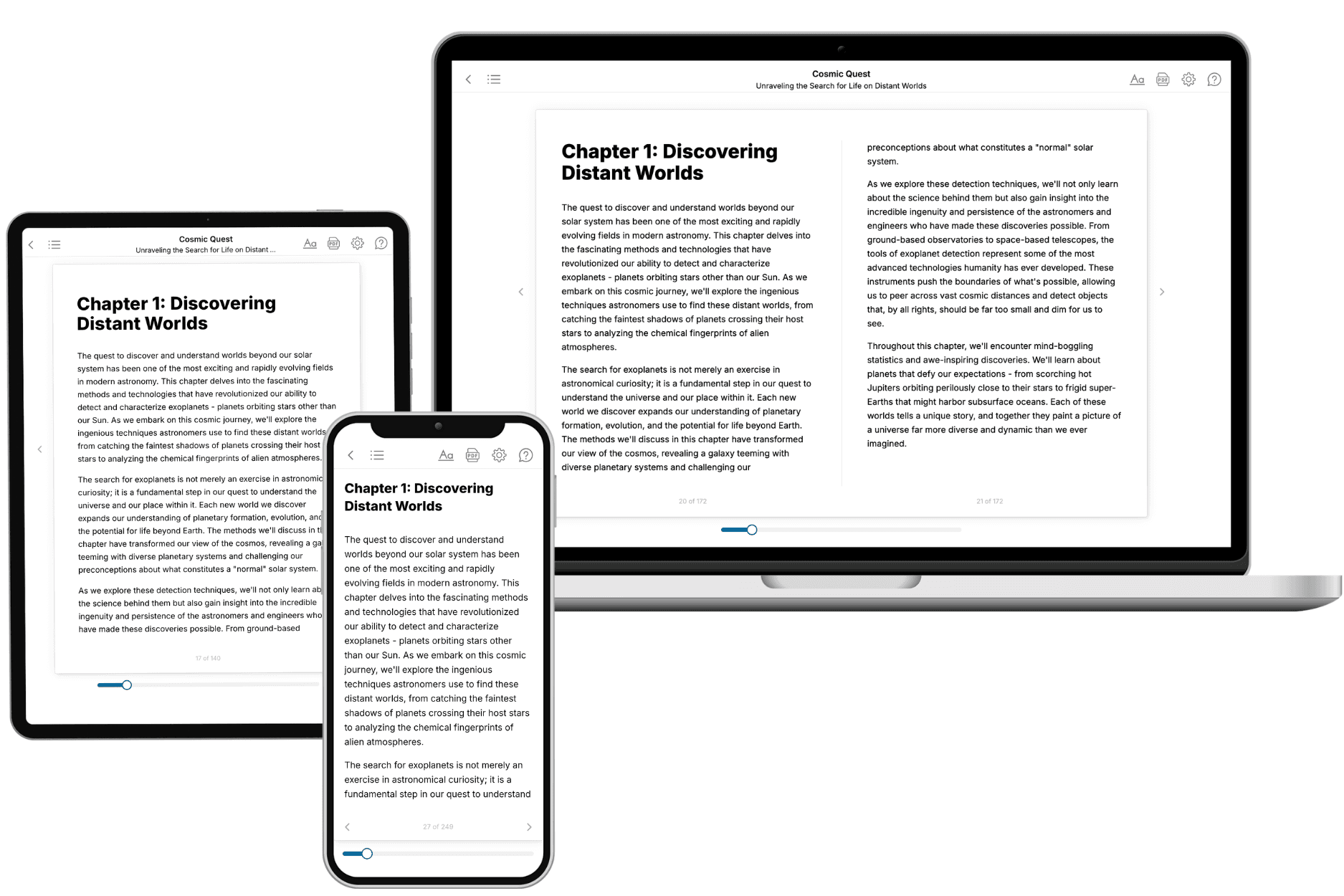
Your book is ready in 10 minutes. Read it online, download as EPUB or PDF, or send to Kindle.
Frequently asked questions
- What is TailoredRead?
TailoredRead creates complete, full-length nonfiction ebooks, written specifically for you. Tell us what you want to learn and why, and TailoredRead writes you a complete ebook on it, with charts, tables, and diagrams throughout. Read it online, on Kindle, or on any e-reader, or download it as a PDF or EPUB. Every book is written fresh the day you order it.
- How is the book tailored to me?
Before anything is written, you answer a few short questions about your goals, your background, and the topics you care about. Your book is then planned around your answers: written at your level, focused on your goals, and covering the topics you chose, instead of the one-size-fits-all book a store sells everyone.
- Will it read like generic AI content?
No. Your book isn't a chat transcript: it's planned chapter by chapter before a single word is written, told in a clear book voice, and explains ideas visually with charts, tables, and diagrams. After writing, every book goes through an editorial pass that polishes chapters so the book reads consistent from start to finish. Judge for yourself: browse thousands of sample books on our Explore Books page.
- How accurate is the content?
Our AI first checks whether your subject needs live research. Niche and fast-moving subjects are researched before writing, and the book plan and chapters are grounded in what it finds. After writing, every book goes through a quality pass that checks its facts and consistency, and researched books list their sources in a Notes section at the back.
- How long is the book?
You choose the length: Comprehensive (250-300 pages), Detailed (150-200 pages), Essential (70-100 pages), or Short (30-50 pages).
- Does the book include visuals?
Yes. Every book includes charts, tables, and diagrams: timelines, checklists, step-by-step guides, decision trees, comparison tables, matrices, and bar charts. A typical book includes dozens of these visual elements.
- Can I read it on Kindle? What formats can I download?
Yes. Every book can be read in our online reader or downloaded as a PDF or EPUB. The EPUB can be opened with Kindle, Apple Books, Kobo, and any e-reader. The Commercial and Author licenses also include an editable Word (DOCX) and Markdown download.
- How much does it cost?
About the price of a regular ebook. The exact price depends on your book's length and complexity, from $2 for the shortest books to $35 for the most comprehensive, and it's shown when you review your book, before you commit to anything. Each book is a one-time purchase, yours to keep, no subscription. Licenses that let you share, teach, or publish your book range from $35.99 to $49.99.
- Can I preview the book before purchasing?
Before you pay, you'll see what your book will cover: the title, a detailed description, the estimated length, and the complete chapter-by-chapter table of contents, so you know what you're getting before you decide. The full text itself is written after you purchase.
- How long does it take to create a book?
About 10 minutes. You can start reading the opening chapters while the rest is still being written.