Secure Your Network
The Essential Guide to Changing Your Router Password and Protecting Your Home
Your router is the digital front door to your home—and most people leave it wide open.
207 pages9 chaptersJun 7, 2026Network Security
About this book
The biggest obstacle you face is that default router passwords are publicly available and actively targeted by cybercriminals seeking access to your personal devices, financial information, and private communications. This guide cuts through the technical jargon to show you exactly how to change your router password, understand why it matters, and implement security practices that actually work. You'll learn the step-by-step process for all major router brands, discover what makes a password truly secure, and understand the real-world consequences of neglecting this critical task. By the end, you'll have the knowledge and confidence to protect your entire home network, control who accesses your internet, and significantly reduce your vulnerability to cyber threats. This isn't about becoming a tech expert—it's about taking control of your digital safety with practical, actionable steps.
Table of contents
- IntroductionWhy Your Router Security Matters More Than You Think, What You'll Learn in This Guide, How to Use This Book for Maximum BenefitRead below
- Chapter 1: Understanding Your Router and Network SecurityWhat Your Router Does and Why It's Critical, The Danger of Default Passwords, Common Network Vulnerabilities and Attack Methods
- Chapter 2: The Real Consequences of Weak Router SecurityWhat Happens When Someone Accesses Your Network, Data Theft and Personal Information Exposure, How Hackers Compromise Your Connected Devices
- Chapter 3: Creating a Strong Router PasswordWhat Makes a Password Truly Secure, Step-by-Step Password Creation Strategy, Safely Storing and Managing Your Router Password
- Chapter 4: Accessing Your Router's Admin PanelFinding Your Router's IP Address, Logging In with Default Credentials, Troubleshooting Access Problems
- Chapter 5: Changing Your Password: Step-by-Step InstructionsThe Generic Password Change Process, Brand-Specific Instructions (TP-Link, Netgear, Linksys, and Others), Confirming Your Password Change Was Successful
- Chapter 6: Essential Router Security Settings Beyond PasswordsEnabling WPA3 or WPA2 Encryption, Securing Your Admin Interface, Activating Your Router's Built-In Firewall
- Chapter 7: Managing Network Access and Guest NetworksControlling Which Devices Can Connect, Setting Up a Secure Guest Network, Implementing Parental Controls and Access Restrictions
- Chapter 8: Maintaining Your Router Security Over TimeWhy Firmware Updates Are Critical, Creating a Security Maintenance Schedule, Monitoring Your Network for Suspicious Activity
- Chapter 9: Protecting Your Smart Home and Connected DevicesUnderstanding Smart Device Vulnerabilities, Isolating IoT Devices on Your Network, Best Practices for Securing Individual Connected Devices
- ConclusionYour Ongoing Security Journey, Immediate Action Steps to Take Today
- Frequently Asked QuestionsCommon Questions About Router Passwords and Security
- Glossary of TermsEssential Cybersecurity and Networking Terminology
Introduction
Think about the last time you changed your router password. If you're drawing a blank, you're not alone. Most people set up their router once, connect their devices, and never think about it again. The router sits in a corner, blinking quietly, and life moves on. But that blinking box is doing something critically important every single day: it's managing every piece of data that flows between your home and the internet. Your banking sessions, your private messages, your smart TV, your kids' tablets, your work laptop. All of it passes through that one device.
Here's the uncomfortable truth: if your router is still running on its factory-set default password, your home network is essentially unlocked. Default passwords for virtually every major router brand are freely available online. Anyone with a basic internet search and a few minutes can find the default login credentials for your specific router model. Cybercriminals know this, and they actively scan for routers that haven't been secured. This isn't a theoretical risk. It's a documented, ongoing problem that affects millions of households every year.[1]
The good news is that fixing this problem is genuinely straightforward. You don't need a computer science degree or years of technical experience. What you need is a clear explanation of what's at stake, a simple process to follow, and the confidence that comes from understanding what you're doing and why. That's exactly what this guide delivers. Whether you've never touched your router's settings before or you've poked around in the admin panel a few times without really knowing what you were looking at, this book will meet you where you are and walk you through everything you need to know.
This guide is built around one central idea: protecting your home network doesn't have to be complicated. Security experts sometimes make this topic feel overwhelming, buried under layers of jargon and technical detail. The reality is that a few focused actions, done correctly, will dramatically improve your home network security. Changing your router password is the single most important first step, and everything else builds from there. By the time you finish this book, you'll have a fully secured router, a strong password you can actually remember, and a clear maintenance plan to keep things that way.
Why Your Router Security Matters More Than You Think
Your router is the gateway between your home and the entire internet. Every device in your house, from your smartphone to your smart refrigerator, connects to the outside world through it. When that gateway is poorly secured, everything behind it becomes vulnerable. It's the digital equivalent of having a strong lock on your bedroom door but leaving your front door wide open. The perimeter is what matters most, and your router is the perimeter.
The scale of the problem is significant. Research from security firm Avast found that roughly 40% of home routers have vulnerabilities that could be exploited by attackers.[2] A large portion of those vulnerabilities come down to one simple issue: weak or unchanged default passwords. When a cybercriminal gains access to your router, they don't just get your Wi-Fi. They get a position inside your network from which they can observe, intercept, and manipulate your internet traffic.
Consider what a typical home network looks like today. The average American household has more than 25 connected devices.[3] That includes phones, laptops, tablets, smart speakers, security cameras, thermostats, gaming consoles, and more. Each of those devices is a potential target once an attacker is inside your network. A compromised security camera can be used for surveillance. A compromised smart speaker can be used to eavesdrop. A compromised laptop can expose your passwords, financial accounts, and personal files.
There's also the issue of your internet connection being used without your knowledge or consent. When someone accesses your network without permission, they can use your bandwidth for illegal downloads, run botnets that participate in cyberattacks on other organizations, or conduct activities that could be traced back to your IP address. In some cases, homeowners have faced legal scrutiny because criminal activity was traced to their internet connection, even though they were the victims, not the perpetrators.
The threat isn't always coming from sophisticated hackers in distant locations. Sometimes it's much closer to home. A neighbor who notices your Wi-Fi network, a visitor who memorized your password, or someone parked outside your house with a laptop can all pose real risks if your router security is weak. Physical proximity makes attacks easier, and residential neighborhoods are full of potential targets for opportunistic attackers looking for easy access.
What makes router security particularly important is that it protects everything at once. When you secure your router properly, you're not just protecting one device or one account. You're creating a secure environment for every device and every activity on your network. One well-placed security measure provides broad, lasting protection. That's a remarkable return on a relatively small investment of time and effort.
A real-world example: In 2018, the FBI and Department of Homeland Security issued a joint alert warning that a sophisticated malware campaign called VPNFilter had infected more than 500,000 home routers across 54 countries. The malware could intercept network traffic, steal credentials, and even render routers permanently inoperable. Many of the affected routers were compromised because they were using default or weak admin passwords. The FBI's recommended response included changing router passwords immediately as a primary defensive measure.[4]
Understanding the stakes makes the solution feel more urgent and more meaningful. This isn't about following security advice for its own sake. It's about protecting your financial information, your personal privacy, your family's safety, and your peace of mind. The router sitting in your living room or home office is doing important work. It deserves the same attention you'd give to any other security measure in your home.
What You'll Learn in This Guide
This book is organized to take you from understanding the basics to implementing a complete home network security strategy. Each chapter builds on the previous one, so by the time you reach the end, you'll have a thorough, practical understanding of router security and a fully secured home network. Here's a clear picture of what each section covers and what you'll be able to do after reading it.
Chapters 1 and 2 lay the foundation. You'll learn exactly what your router does, why default passwords are such a serious problem, and what the real-world consequences of weak router security look like. These chapters aren't just background reading. They give you the context you need to make smart decisions about your security settings and understand why each step in the process matters.
Chapter 3 focuses on creating a strong router password. You'll learn what actually makes a password secure (and it's not just about length), how to create one that's both strong and memorable, and how to store it safely so you never get locked out of your own router. This chapter includes specific frameworks and examples you can use immediately.
Chapters 4 and 5 walk you through the hands-on process of accessing your router's admin panel and changing your password. These chapters include:
- Step-by-step instructions for finding your router's IP address on any device
- How to log in with default credentials for the first time
- A generic password change process that works across most routers
- Brand-specific guides for TP-Link, Netgear, Linksys, ASUS, and other major manufacturers
- Troubleshooting steps for common access problems
Chapter 6 goes beyond passwords to cover the other critical security settings in your router's admin panel. You'll learn about Wi-Fi encryption standards (including the difference between WPA2 and WPA3), how to secure your admin interface against remote attacks, and how to activate your router's built-in firewall. These settings work together with your password to create multiple layers of protection.
Chapters 7 and 8 cover network management and long-term maintenance. You'll learn how to control which devices can connect to your network, how to set up a separate guest network for visitors, and how to create a realistic security maintenance schedule. These chapters also cover firmware updates, which are one of the most overlooked but important aspects of router security.
Chapter 9 addresses the growing challenge of smart home devices. As more appliances, cameras, and gadgets connect to home networks, the security landscape becomes more complex. This chapter explains the specific risks that IoT (Internet of Things) devices introduce and gives you practical strategies for isolating and securing them without disrupting your daily life.
The book closes with a conclusion that summarizes your security journey and gives you a clear action plan, followed by a FAQ section that answers the most common questions about router passwords and security, and a glossary of key terms so you always have a reference for unfamiliar vocabulary.
By the end of this guide, you'll be able to:
- Access your router's admin panel confidently on any major brand
- Create and store a genuinely strong router password
- Configure your router's key security settings correctly
- Set up and manage a guest network
- Keep your router's firmware up to date
- Monitor your network for signs of unauthorized access
- Protect your smart home devices from network-based attacks
None of this requires advanced technical knowledge. Every concept is explained in plain language, with concrete examples and step-by-step instructions. The goal is to give you real capability, not just theoretical awareness. When you close this book, you should be able to sit down at your computer, open a browser, and secure your router from start to finish.
How to Use This Book for Maximum Benefit
This guide is designed to be both a cover-to-cover read and a practical reference you return to when you need it. If you're new to router security or want to make sure you haven't missed anything important, reading straight through from Chapter 1 is the best approach. The chapters are sequenced deliberately, and the concepts in later chapters build on what's introduced earlier. Reading in order gives you the full picture before you start making changes.
If you're already comfortable with the basics and want to jump straight to the hands-on steps, Chapters 4 and 5 are your starting point. Those chapters cover accessing your router and changing your password, which is the most urgent action for most people. You can always go back and read the earlier chapters afterward to deepen your understanding of why each step matters.
Here's a suggested approach based on your situation:
- If you've never changed your router password: Read Chapters 1 through 5 in order, then complete the password change before moving on. Doing the task while the information is fresh makes it much easier to follow.
- If you've changed your password but want to improve overall security: Start with Chapter 6 and work through to Chapter 9. These chapters cover the settings and practices that go beyond the basics.
- If you have a smart home with many connected devices: Pay special attention to Chapter 9, which addresses IoT-specific risks and network segmentation strategies.
- If you're setting up a new router: Read the entire book before you configure anything. Starting with good security habits is much easier than fixing problems later.
Throughout the book, you'll find several recurring elements designed to make the content more useful. Step-by-step instructions are formatted clearly so you can follow along at your computer without losing your place. Examples and scenarios illustrate how concepts apply in real situations. Callout boxes highlight important warnings, tips, and things to watch out for. The FAQ section at the back of the book addresses questions that often come up during the process, so if you get stuck, check there before assuming something is wrong.
One practical tip: have your router nearby when you read Chapters 4 and 5. You'll want to be able to look at the physical device to find the model number, check the label on the bottom for default credentials, and confirm that your changes are working. Reading those chapters at your desk with your router in front of you is much more effective than reading them on the couch and trying to remember the details later.
It's also worth noting what this book is and isn't. It's a practical guide focused on home network security, specifically on router password management and the security settings that surround it. It's not a comprehensive cybersecurity textbook, and it doesn't cover every possible threat or technical scenario. The goal is to give you the most impactful security improvements with the least amount of complexity. Security experts sometimes call this approach threat modeling: focusing your effort on the risks that are most likely and most consequential for your specific situation.
For most home users, the risks covered in this book represent the most significant and most addressable vulnerabilities in their digital lives. A weak router password is far more likely to cause a real security problem than many of the exotic threats that get attention in the news. Fixing the most common, most exploited vulnerabilities first is always the right strategy, and that's exactly what this guide helps you do.
Finally, don't let the idea of "getting it perfect" stop you from getting started. Security is not a destination you arrive at once and stay forever. It's an ongoing practice. Even if you only implement some of the recommendations in this book, you'll be significantly better protected than you were before. Every improvement matters. Every step you take makes your network harder to compromise and your personal data safer. Start where you are, do what you can, and build from there. That's the mindset that makes security sustainable over the long term.
A note on terminology: This book uses two different passwords that are easy to confuse. Your router admin password is the password you use to log into your router's settings panel. Your Wi-Fi password (also called the network password or wireless key) is the password your devices use to connect to your Wi-Fi network. These are separate credentials, and both matter. The book covers both, but it's important to keep them distinct in your mind as you read. The glossary at the back of the book defines these and other key terms if you ever need a quick reminder.
Security can feel intimidating when it's presented as a vast, technical field full of threats you can barely understand. This book takes a different approach. It treats you as a capable adult who can learn what you need to know, take the right actions, and protect your home network effectively. The information here is practical, the steps are clear, and the outcome is a meaningfully more secure home. That's a goal worth working toward, and you have everything you need to get there.
Notes
Introduction
- 1. FBI Internet Crime Complaint Center (IC3), 2023 Internet Crime Report. Federal Bureau of Investigation.
- 2. Avast Threat Labs, Smart Home Security Report, 2019. Avast Software.
- 3. Deloitte, 2023 Connectivity and Mobile Trends Survey. Deloitte Insights.
- 4. FBI Public Service Announcement, "'Foreign Cyber Actors Target Home and Office Routers and Networked Devices Worldwide," ' May 25, 2018
This is the end of the free sample. The full book has 9 chapters.
Want this book written for you?
Tell us your goals and background, and get your own version of this book, tailored by AI to you.






Benefits of AI-tailored books
- Read one book, not ten:
- all the Network Security knowledge you need, gathered into a single book.
- Save days of learning:
- tell us your goals, choose your topics, and the whole book is built around them.
- Learn effortlessly:
- Network Security book written for your specific background and expertise.
- Understand at a glance:
- includes charts, tables, timelines, checklists, decision trees, and more.
- Stay current:
- written the day you order it, not years ago.
- Trust what you read:
- every book is checked for accuracy, with real research when your subject needs it.
Create your unique book in 3 steps
- 1. Select your focus
Select the focus of your Network Security book and share your background
- 2. Personalize your book
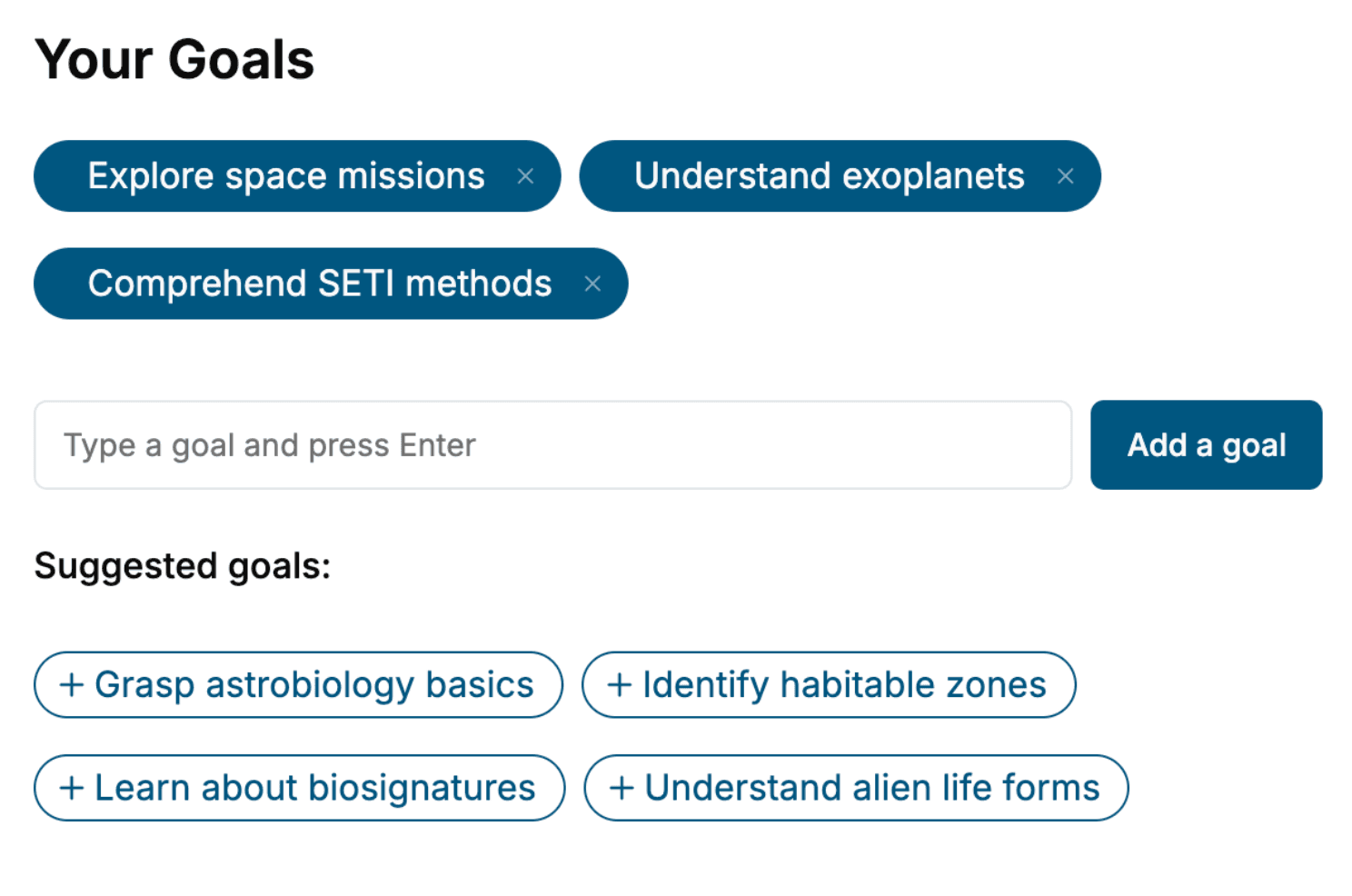
Specify your goals and choose sub-topics to include
- 3. Get your tailored book
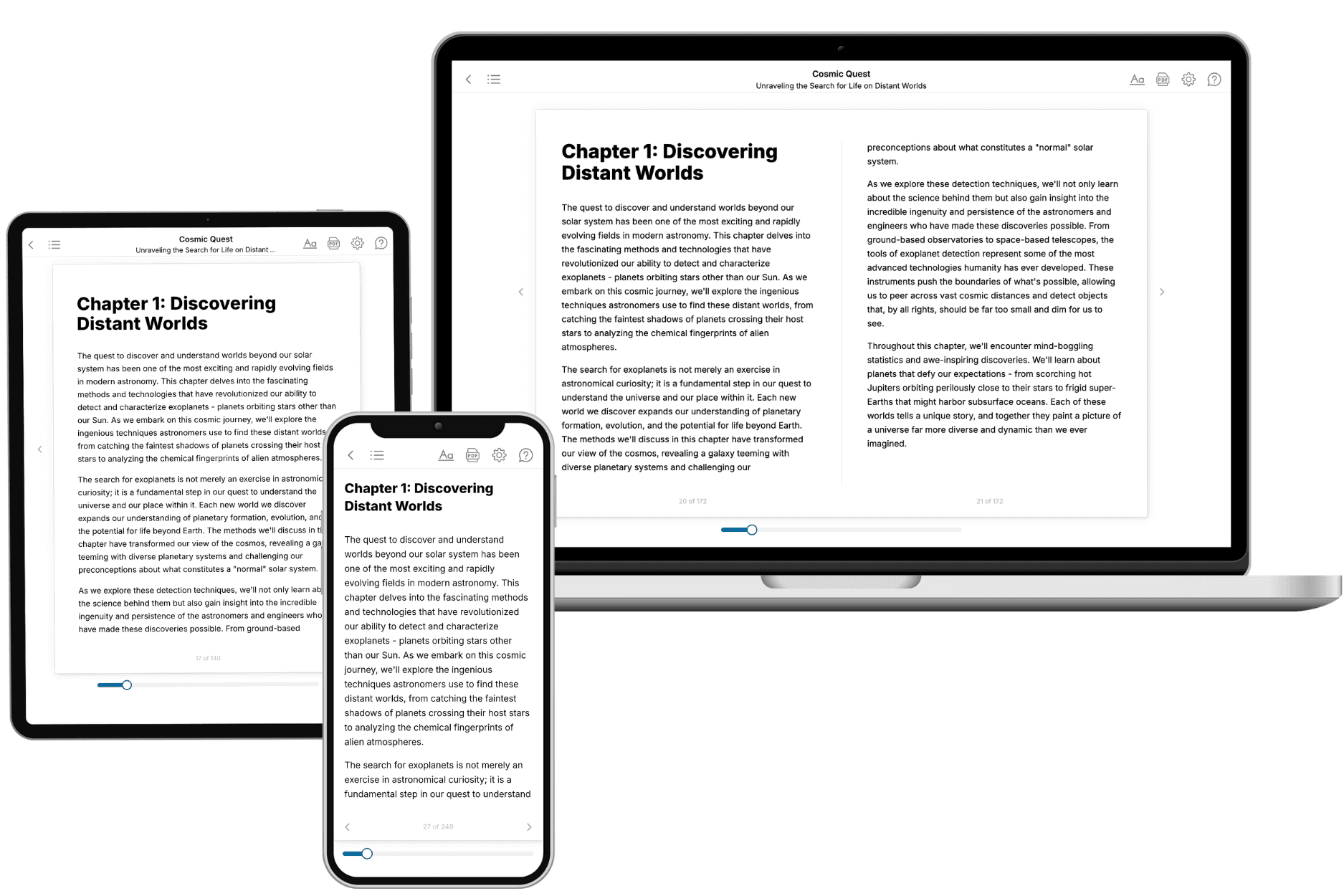
Your book is ready in 10 minutes. Read it online, download as EPUB or PDF, or send to Kindle.

Frequently asked questions
- What is TailoredRead?
TailoredRead creates complete, full-length nonfiction ebooks, written specifically for you. Tell us what you want to learn and why, and TailoredRead writes you a complete ebook on it, with charts, tables, and diagrams throughout. Read it online, on Kindle, or on any e-reader, or download it as a PDF or EPUB. Every book is written fresh the day you order it.
- How is the book tailored to me?
Before anything is written, you answer a few short questions about your goals, your background, and the topics you care about. Your book is then planned around your answers: written at your level, focused on your goals, and covering the topics you chose, instead of the one-size-fits-all book a store sells everyone.
- Will it read like generic AI content?
No. Your book isn't a chat transcript: it's planned chapter by chapter before a single word is written, told in a clear book voice, and explains ideas visually with charts, tables, and diagrams. After writing, every book goes through an editorial pass that polishes chapters so the book reads consistent from start to finish. Judge for yourself: browse thousands of sample books on our Explore Books page.
- How accurate is the content?
Our AI first checks whether your subject needs live research. Niche and fast-moving subjects are researched before writing, and the book plan and chapters are grounded in what it finds. After writing, every book goes through a quality pass that checks its facts and consistency, and researched books list their sources in a Notes section at the back.
- How long is the book?
You choose the length: Comprehensive (250-300 pages), Detailed (150-200 pages), Essential (70-100 pages), or Short (30-50 pages).
- Does the book include visuals?
Yes. Every book includes charts, tables, and diagrams: timelines, checklists, step-by-step guides, decision trees, comparison tables, matrices, and bar charts. A typical book includes dozens of these visual elements.
- Can I read it on Kindle? What formats can I download?
Yes. Every book can be read in our online reader or downloaded as a PDF or EPUB. The EPUB can be opened with Kindle, Apple Books, Kobo, and any e-reader. The Commercial and Author licenses also include an editable Word (DOCX) and Markdown download.
- How much does it cost?
About the price of a regular ebook. The exact price depends on your book's length and complexity, from $2 for the shortest books to $35 for the most comprehensive, and it's shown when you review your book, before you commit to anything. Each book is a one-time purchase, yours to keep, no subscription. Licenses that let you share, teach, or publish your book range from $35.99 to $49.99.
- Can I preview the book before purchasing?
Before you pay, you'll see what your book will cover: the title, a detailed description, the estimated length, and the complete chapter-by-chapter table of contents, so you know what you're getting before you decide. The full text itself is written after you purchase.
- How long does it take to create a book?
About 10 minutes. You can start reading the opening chapters while the rest is still being written.