Send Later, Stress Less
Master Gmail's Email Scheduling to Reclaim Your Time and Inbox Control
Most people treat email as a constant interruption, responding reactively throughout the day and losing hours to inbox chaos.
207 pages9 chaptersJun 12, 2026Email Marketing
About this book
But what if you could write emails whenever inspiration strikes, then send them at the exact moment your recipient is most likely to read and respond? Gmail's email scheduling feature is the solution you've been missing. This practical guide reveals how to leverage Gmail's built-in scheduling tools to transform your email communication from a source of stress into a strategic advantage. You'll discover the psychology behind optimal send times, learn proven scheduling strategies for different email types, and master techniques that top professionals use to maintain work-life balance while staying responsive. Whether you're managing a packed inbox, coordinating across time zones, or simply tired of email dominating your day, this book provides actionable strategies you can implement immediately to reclaim your time and communicate more effectively.
Table of contents
- IntroductionThe Email Overwhelm Problem, How Scheduling Changes Everything, What You'll Learn in This BookRead below
- Chapter 1: Understanding Gmail's Scheduling FeatureThe Evolution of Gmail Scheduling, Why Email Scheduling Matters Now More Than Ever, Common Misconceptions About Scheduled Emails
- Chapter 2: Getting Started: Accessing and Using the SchedulerEnabling the Schedule Send Feature, Step-by-Step: Scheduling Your First Email, Navigating the Scheduling Interface, Scheduling Emails on Mobile Devices
- Chapter 3: The Psychology of Send TimesUnderstanding Recipient Email Behavior, Finding Your Optimal Send Times, Industry-Specific Timing Patterns
- Chapter 4: Scheduling Strategies for Different Email TypesProfessional and Business Emails, Strategic Follow-Up Emails, Newsletters and Marketing Campaigns, Personal and Relationship-Building Emails
- Chapter 5: Managing Time Zones and Global CommunicationOvercoming Time Zone Challenges, Scheduling for International Recipients, Automating Communication Across Zones
- Chapter 6: Advanced Scheduling TechniquesBatch Scheduling for Efficiency, Combining Templates with Scheduling, Using Filters and Labels with Scheduled Emails, Tracking and Analyzing Scheduled Email Performance
- Chapter 7: Building Healthy Email HabitsUsing Scheduling to Protect Work-Life Balance, Reducing Email Anxiety and Decision Fatigue, Establishing Communication Boundaries
- Chapter 8: Troubleshooting and Best PracticesCommon Scheduling Issues and Solutions, Best Practices for Reliable Scheduling, Avoiding Common Scheduling Mistakes
- Chapter 9: Integrating Scheduling with Your WorkflowIncorporating Scheduling into Daily Routines, Complementary Gmail Tools and Features, Measuring Your Scheduling Success
- ConclusionRecapping Your Scheduling Journey, Your Next Steps Forward
- Frequently Asked Questions
- Further Reading and Resources
Introduction
Picture this: it's 11:30 on a Sunday night, and you've just remembered an important email you need to send to a client first thing Monday morning. You have two options. You can either write it now and hit send, knowing it will land in their inbox over the weekend and possibly signal that you have no boundaries, or you can try to remember to send it Monday morning when you're already juggling three meetings and a growing to-do list. Neither option feels great. This is the kind of low-grade email stress that millions of people deal with every single day, and most of them don't realize there's a simple, built-in solution sitting right inside Gmail.
Email was supposed to make communication easier. And in many ways, it did. But somewhere along the way, it became a source of constant pressure. The average professional receives around 121 emails per day and spends roughly 28% of their workweek reading and responding to them.[1] That's more than a full day of every five-day workweek consumed by a single tool. Worse, the always-on nature of email has blurred the line between work time and personal time, creating a culture where people feel obligated to respond at all hours just to keep up.
The good news is that you don't need a new app, a complicated system, or a productivity overhaul to fix this. Gmail already has a feature that can fundamentally change how you relate to email: Schedule Send. This one tool lets you write emails whenever it's convenient for you and deliver them at exactly the right moment for your recipient. It sounds simple, and it is. But the impact it can have on your productivity, your stress levels, and your professional relationships is anything but small. This book is your complete guide to using it well.
Whether you're a freelancer managing client relationships, a manager coordinating a distributed team, or someone who just wants to stop feeling like email is running their life, the strategies in this book are built for you. The chapters ahead cover everything from the basics of Gmail's scheduling interface to advanced techniques for batching emails, working across time zones, and building a communication system that actually supports your goals. By the time you finish, scheduling emails won't just be something you know how to do. It will be something you do automatically, as a natural part of how you work.
The Email Overwhelm Problem
Email overwhelm is real, and it's not just about having too many messages. It's about the mental load that comes with managing a constant stream of communication that never fully stops. Every unread email is a small open loop in your brain, a task that hasn't been resolved yet. When you have dozens or hundreds of those loops open at once, it creates a background hum of anxiety that makes it hard to focus on anything else. Researchers call this attention residue, the cognitive cost of switching between tasks and leaving things unfinished.[2]
The reactive nature of email makes this problem worse. Most people open their inbox first thing in the morning and immediately start responding to whatever landed overnight. This puts other people's priorities at the center of your day before you've had a chance to set your own. You're essentially letting your inbox write your to-do list. By the time you've cleared the morning backlog, your best hours for focused work are already gone, and the cycle repeats itself the next day.
There's also the social pressure dimension. When someone sends you an email, there's an unspoken expectation of a timely response. That expectation has gotten shorter over time as communication technology has sped up. A 2019 study found that most people expect a reply to a work email within a few hours, and many expect one within the same business day.[3] This creates a pressure loop where you feel compelled to check your inbox constantly, just in case something urgent has arrived that needs an immediate response.
The problem compounds when you factor in time zones. If you work with colleagues or clients in different parts of the world, the window for "normal business hours" becomes almost meaningless. An email sent at 3 PM your time might arrive at 10 PM for your recipient, or 6 AM the next morning. Without a strategy for managing this, you either end up sending emails at odd hours that disrupt people's personal time, or you hold off and risk forgetting entirely.
Late-night and weekend emails create their own set of problems. When you send a message outside of business hours, you're not just communicating information. You're also communicating something about your expectations and your work culture. A manager who regularly sends emails at midnight, even with no intention of expecting an immediate reply, can inadvertently create a culture where team members feel they need to be available around the clock. This is one of the leading contributors to workplace burnout, and it often happens without anyone intending it.
The irony is that most of these problems aren't caused by email itself. They're caused by the way people use email, specifically the habit of writing and sending in the same moment, without any thought given to timing or strategy. That's the habit this book is designed to help you break. Once you separate the act of writing from the act of sending, a whole new level of control becomes available to you.
The core problem isn't that you get too many emails. It's that you're reacting to email instead of managing it. Scheduling is the shift from reactive to intentional communication.
Understanding the scope of the problem is the first step toward solving it. Email overwhelm isn't a personal failing or a sign that you're bad at your job. It's a structural issue created by tools and habits that were never designed with your wellbeing in mind. The solution isn't to work harder or respond faster. It's to work smarter, and scheduling is one of the most powerful ways to do exactly that.
How Scheduling Changes Everything
Email scheduling is a deceptively simple idea: write your email now, choose when it gets delivered, and let Gmail handle the rest. But the downstream effects of this simple shift are surprisingly far-reaching. When you stop sending emails the moment you write them, you gain something that most people never have in their email workflow: intentionality. Every email you send becomes a deliberate choice, not just a reflex.
The most immediate benefit is timing control. Research on email open rates consistently shows that the time an email arrives has a significant impact on whether it gets read promptly and whether it gets a response. Emails sent on Tuesday, Wednesday, or Thursday mornings between 8 AM and 10 AM tend to perform significantly better than those sent late in the afternoon or over the weekend.[4] When you schedule your emails to land at these optimal windows, you're not just being strategic. You're actively improving the chances that your communication achieves its goal.
Consider a practical example. Suppose you're a consultant who does your best thinking in the evening. You draft a detailed proposal for a client at 9 PM on a Wednesday. Without scheduling, you'd either send it immediately (arriving in their inbox late at night, likely to be buried by morning) or save it as a draft and hope you remember to send it the next day. With scheduling, you write it when inspiration is fresh, set it to deliver at 8:30 AM Thursday, and move on with your evening. The client gets a polished proposal at the start of their workday, when they're most likely to read it carefully and respond.
Scheduling also changes the dynamic of follow-up emails. One of the most common email challenges is knowing when and how to follow up without seeming pushy. When you schedule a follow-up at the time you send the original email, you remove the mental burden of remembering to do it later. You also ensure the follow-up arrives at a strategic time, not just whenever you happen to remember. This kind of systematic approach to follow-ups can meaningfully improve your response rates and keep projects moving forward.
For work-life balance, the benefits are even more significant. Scheduling lets you do your email work during your most productive hours, then step away from your inbox without worrying that something important will slip through. You can batch all your email writing into one or two focused sessions per day, schedule everything to go out at appropriate times, and then close Gmail entirely. This is a fundamentally different relationship with email than most people have, and it's one that supports focus, reduces anxiety, and protects your personal time.
There's also a professional perception benefit worth noting. When your emails consistently arrive during business hours, at thoughtful times, with well-crafted content, you come across as organized, professional, and respectful of your recipient's time. Even if you wrote that email at midnight in your pajamas, the recipient experiences it as a considered, timely communication. Scheduling lets you present your best professional self regardless of when you actually do your work.
The shift that scheduling enables isn't just tactical. It's psychological. When you know that your emails are queued and will go out at the right time, you can let go of the mental task of tracking them. That's one fewer open loop in your brain, one fewer source of low-level stress. Multiply that across dozens of emails per week, and the cumulative effect on your mental clarity and focus is substantial. This is why professionals who adopt email scheduling often describe it as one of the most impactful productivity changes they've ever made, even though the feature itself takes about thirty seconds to learn.
- Timing control: Deliver emails when recipients are most likely to read and respond
- Reduced mental load: Write once, schedule, and stop tracking it mentally
- Better follow-up discipline: Set follow-ups at the moment you send the original
- Work-life separation: Do email work on your schedule, not your inbox's schedule
- Professional perception: Always appear organized and considerate of others' time
What You'll Learn in This Book
This book is organized to take you from understanding the basics of Gmail's scheduling feature all the way through to building a complete, sustainable email management system. Each chapter builds on the last, but they're also designed to stand alone if you want to jump to a specific topic. Whether you're brand new to scheduled sending or you've used it occasionally and want to go deeper, there's something here for every level of familiarity.
The first two chapters lay the foundation. Chapter 1 covers the history and evolution of Gmail's scheduling feature, why it matters in today's work environment, and clears up some common misconceptions that might be holding you back from using it fully. Chapter 2 is your hands-on getting-started guide, walking through the exact steps to schedule your first email on both desktop and mobile, with clear navigation instructions for Gmail's interface.
From there, the book moves into strategy. Chapter 3 dives into the psychology of send times, exploring how recipient behavior, industry patterns, and communication goals should influence when you schedule your emails. This isn't guesswork. There's real research behind optimal timing, and this chapter translates that research into practical rules you can apply immediately. Chapter 4 then breaks down scheduling strategies by email type, because a follow-up email, a newsletter, and a personal note all have different timing needs and different goals.
Global communication gets its own dedicated chapter. Chapter 5 tackles the specific challenges of scheduling emails across time zones, including how to figure out the right local time for your recipient, how to handle teams spread across multiple regions, and how to automate some of this thinking so you're not doing mental math every time you write to someone in a different country.
The advanced techniques in Chapter 6 are where things get really powerful. You'll learn how to batch your email writing for maximum efficiency, how to combine Gmail's template feature with scheduling to create a semi-automated communication system, and how to use filters and labels to keep your scheduled emails organized. There's also a section on tracking and analyzing your scheduled email performance so you can refine your approach over time.
Chapters 7 and 8 address the human side of email management. Chapter 7 focuses on building healthy email habits, using scheduling to protect your work-life balance, reduce anxiety, and establish clear communication boundaries with colleagues and clients. Chapter 8 is your troubleshooting guide, covering the most common scheduling mistakes, how to fix them, and best practices for making sure your scheduled emails always go out as intended.
The final chapter, Chapter 9, brings everything together by showing you how to integrate scheduling into your broader daily workflow. This includes how to pair scheduling with other Gmail features like Snooze, Tasks, and Labels, and how to measure whether your new approach is actually working. By the end, you'll have a complete picture of how to use Gmail's scheduling tools as part of a coherent, stress-reducing email strategy.
Throughout the book, you'll find concrete examples, step-by-step instructions, and practical frameworks you can apply right away. The goal isn't to give you more theory to think about. It's to give you tools you can use today to make email feel less like a burden and more like the communication asset it was always meant to be. Here's a quick overview of what each chapter delivers:
- Chapter 1: The history, context, and importance of Gmail scheduling
- Chapter 2: Step-by-step setup and navigation on desktop and mobile
- Chapter 3: The psychology and data behind optimal send times
- Chapter 4: Tailored strategies for different email types and goals
- Chapter 5: Managing time zones and global communication effectively
- Chapter 6: Advanced techniques including batching, templates, and analytics
- Chapter 7: Building healthy email habits and protecting your personal time
- Chapter 8: Troubleshooting common issues and avoiding mistakes
- Chapter 9: Integrating scheduling into your full daily workflow
One thing worth saying upfront: you don't need to be a power user or a tech enthusiast to get value from this book. Gmail's scheduling feature is genuinely accessible, and the strategies here are designed for real people with real inboxes and real time constraints. The goal is to make your email life simpler, not more complicated. If you've ever felt like email is controlling you instead of the other way around, this book is the starting point for changing that dynamic for good.
The tools are already in your Gmail account, waiting to be used. All that's missing is the knowledge of how to use them well, and the strategy to make them work for your specific situation. That's exactly what the chapters ahead provide. Let's get started.
Notes
Introduction
- 1. McKinsey Global Institute, The social economy: Unlocking value and productivity through social technologies, McKinsey & Company, 2012
- 2. Sophie Leroy, "Why is it so hard to do my work?," The challenge of attention residue when switching between work tasks. Organizational Behavior and Human Decision Processes, 2009
- 3. Laura Vanderkam, Off the Clock, Portfolio/Penguin, 2019
- 4. HubSpot Research, The Best Time to Send Email: A Data-Backed Guide, HubSpot Blog, 2023
This is the end of the free sample. The full book has 9 chapters.
Want this book written for you?
Tell us your goals and background, and get your own version of this book, tailored by AI to you.






Benefits of AI-tailored books
- Read one book, not ten:
- all the Email Marketing knowledge you need, gathered into a single book.
- Save days of learning:
- tell us your goals, choose your topics, and the whole book is built around them.
- Learn effortlessly:
- Email Marketing book written for your specific background and expertise.
- Understand at a glance:
- includes charts, tables, timelines, checklists, decision trees, and more.
- Stay current:
- written the day you order it, not years ago.
- Trust what you read:
- every book is checked for accuracy, with real research when your subject needs it.
Create your unique book in 3 steps
- 1. Select your focus
Select the focus of your Email Marketing book and share your background
- 2. Personalize your book
Specify your goals and choose sub-topics to include
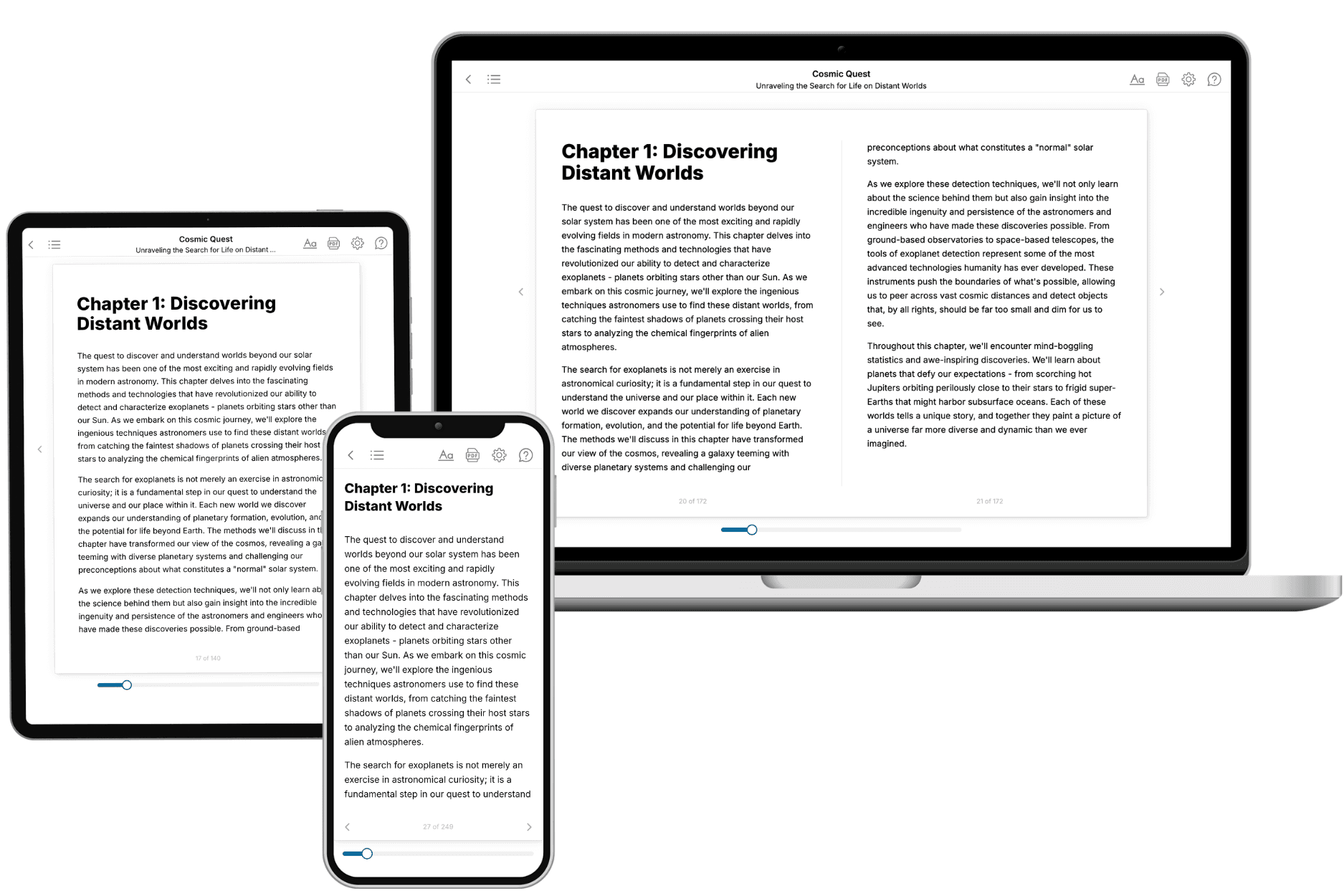
- 3. Get your tailored book
Your book is ready in 10 minutes. Read it online, download as EPUB or PDF, or send to Kindle.
Frequently asked questions
- What is TailoredRead?
TailoredRead creates complete, full-length nonfiction ebooks, written specifically for you. Tell us what you want to learn and why, and TailoredRead writes you a complete ebook on it, with charts, tables, and diagrams throughout. Read it online, on Kindle, or on any e-reader, or download it as a PDF or EPUB. Every book is written fresh the day you order it.
- How is the book tailored to me?
Before anything is written, you answer a few short questions about your goals, your background, and the topics you care about. Your book is then planned around your answers: written at your level, focused on your goals, and covering the topics you chose, instead of the one-size-fits-all book a store sells everyone.
- Will it read like generic AI content?
No. Your book isn't a chat transcript: it's planned chapter by chapter before a single word is written, told in a clear book voice, and explains ideas visually with charts, tables, and diagrams. After writing, every book goes through an editorial pass that polishes chapters so the book reads consistent from start to finish. Judge for yourself: browse thousands of sample books on our Explore Books page.
- How accurate is the content?
Our AI first checks whether your subject needs live research. Niche and fast-moving subjects are researched before writing, and the book plan and chapters are grounded in what it finds. After writing, every book goes through a quality pass that checks its facts and consistency, and researched books list their sources in a Notes section at the back.
- How long is the book?
You choose the length: Comprehensive (250-300 pages), Detailed (150-200 pages), Essential (70-100 pages), or Short (30-50 pages).
- Does the book include visuals?
Yes. Every book includes charts, tables, and diagrams: timelines, checklists, step-by-step guides, decision trees, comparison tables, matrices, and bar charts. A typical book includes dozens of these visual elements.
- Can I read it on Kindle? What formats can I download?
Yes. Every book can be read in our online reader or downloaded as a PDF or EPUB. The EPUB can be opened with Kindle, Apple Books, Kobo, and any e-reader. The Commercial and Author licenses also include an editable Word (DOCX) and Markdown download.
- How much does it cost?
About the price of a regular ebook. The exact price depends on your book's length and complexity, from $2 for the shortest books to $35 for the most comprehensive, and it's shown when you review your book, before you commit to anything. Each book is a one-time purchase, yours to keep, no subscription. Licenses that let you share, teach, or publish your book range from $35.99 to $49.99.
- Can I preview the book before purchasing?
Before you pay, you'll see what your book will cover: the title, a detailed description, the estimated length, and the complete chapter-by-chapter table of contents, so you know what you're getting before you decide. The full text itself is written after you purchase.
- How long does it take to create a book?
About 10 minutes. You can start reading the opening chapters while the rest is still being written.