Server-Side Blazor with ASP.NET 10
Build Interactive Web Applications with Modern Component Architecture
Many developers struggle to transition from traditional server-side web development to building truly interactive applications.
207 pages11 chaptersJan 17, 2026BlazorCreated by Kaj
About this book
You might think you need to learn JavaScript to create responsive user experiences, but Server-Side Blazor changes that equation entirely. This book teaches you how to build modern, interactive web applications using C# and ASP.NET 10—languages you already know. You'll start with the fundamentals of semantic HTML and responsive CSS layouts, then progress through Blazor's component architecture, state management, and data binding. Each chapter builds practical skills with real-world examples, from creating reusable components to managing complex application state. By the end, you'll understand how to architect scalable applications, handle form validation, and integrate databases seamlessly. Whether you're building your first web application or expanding your development toolkit, this guide provides the knowledge and patterns you need to succeed with Server-Side Blazor.
Table of contents
- IntroductionWhy Server-Side Blazor Matters, What You'll Learn in This Book, How to Use This Book, Prerequisites and SetupRead below
- Chapter 1: Semantic HTML Markup StandardsHTML Fundamentals and Document Structure, Semantic Elements and Accessibility, Forms, Inputs, and Data Attributes
- Chapter 2: CSS Grid and Flexbox LayoutsFlexbox Fundamentals and Common Patterns, CSS Grid for Complex Layouts, Responsive Design with Media Queries
- Chapter 3: Server-Side Rendering FundamentalsUnderstanding Server-Side Rendering, Blazor Architecture and Execution Model, Performance and SEO Benefits of SSR
- Chapter 4: Blazor Component ArchitectureComponent Structure and Syntax, Parameters and Property Binding, Organizing Components in Your Application
- Chapter 5: Interactive Component LifecycleLifecycle Methods and Initialization, The Rendering Cycle and Change Detection, Disposal and Resource Cleanup
- Chapter 6: State Management in Blazor AppsManaging Component State, Service-Based State Management, Persisting State Across Sessions
- Chapter 7: HTML Form Binding in BlazorTwo-Way Data Binding with @bind, Building Form Components, Advanced Binding Scenarios
- Chapter 8: Data Validation in Web FormsClient-Side and Server-Side Validation, Using Blazor Validation Components, Creating Custom Validators
- Chapter 9: Component Communication StrategiesParent-to-Child Communication, Child-to-Parent Communication with Events, Sibling and Complex Communication Patterns
- Chapter 10: Cascading Parameters and EventsUnderstanding Cascading Parameters, Cascading Values and Cascading Parameters, Event Propagation and Cascading Events
- Chapter 11: Building Database-Driven ApplicationsEntity Framework Core Integration, Data Access Patterns and Repositories, Implementing CRUD Operations in Blazor
- ConclusionKey Takeaways, Your Next Steps
Introduction
Building interactive web applications has traditionally meant mastering multiple programming languages and frameworks. You write server-side logic in C#, client-side interactivity in JavaScript, and somehow coordinate between these two worlds. This context switching creates cognitive overhead, increases the potential for bugs, and slows development velocity. Server-Side Blazor fundamentally changes this paradigm by enabling you to build fully interactive web applications using only C# and .NET. Instead of maintaining separate codebases for client and server logic, you write components that handle both presentation and interactivity in a unified language ecosystem.
The web development landscape has evolved dramatically over the past decade. Single-page applications brought desktop-like experiences to browsers but required JavaScript expertise. Progressive web apps promised native-like functionality but added complexity. Meanwhile, developers comfortable with C# and .NET found themselves forced to learn JavaScript frameworks just to add basic interactivity to their applications. Blazor emerged as Microsoft's answer to this challenge, leveraging WebAssembly and SignalR to bring C# to the browser. With ASP.NET 10, Server-Side Blazor has matured into a production-ready framework that combines the performance benefits of server-side rendering with the interactivity users expect from modern web applications.
This book takes a practical, hands-on approach to mastering Server-Side Blazor. Rather than overwhelming you with theoretical concepts, each chapter builds concrete skills through real-world examples and working code. You'll start with the foundational web technologies—semantic HTML and modern CSS layouts—that underpin every Blazor application. From there, you'll progress through component architecture, state management, form handling, and database integration. By the time you complete this book, you'll have the knowledge and confidence to architect scalable, maintainable web applications that leverage the full power of the .NET ecosystem. Whether you're building your first web application or expanding your development toolkit, this guide provides the patterns and practices you need to succeed.
The approach taken here differs from typical framework documentation in several important ways. First, it assumes you're a computer science student or developer with foundational programming knowledge but limited web development experience. Second, it emphasizes understanding why architectural decisions matter, not just how to implement features. Third, it provides complete, working examples that demonstrate best practices rather than minimal code snippets. Finally, it acknowledges that building real applications requires integrating multiple technologies—HTML, CSS, C#, databases—and shows you how these pieces fit together cohesively.
Why Server-Side Blazor Matters
The decision to learn a new framework represents a significant investment of time and effort. Before diving into technical details, you need to understand why Server-Side Blazor deserves your attention and how it compares to alternative approaches. The framework addresses several fundamental challenges that have plagued web development for years, offering solutions that improve both developer productivity and application performance. Understanding these advantages helps you make informed architectural decisions and explains the design patterns you'll encounter throughout this book.
Traditional web development requires maintaining separate codebases for client and server logic. Your server-side code handles business logic, data access, and security in C#. Your client-side code manages interactivity, validation, and dynamic updates in JavaScript. This separation creates several problems. First, you must context-switch between languages, each with different syntax, conventions, and ecosystems. Second, you often duplicate logic—validation rules exist in both C# and JavaScript, creating maintenance headaches. Third, coordinating between client and server requires careful API design and error handling. Server-Side Blazor eliminates these issues by running your C# code on the server while maintaining a persistent connection to update the browser in real-time.
Consider a practical example: building a product search feature with filtering and sorting. In a traditional architecture, you might write the following components:
- Server-side API endpoint in C# that queries the database and returns JSON
- Client-side JavaScript that calls the API and updates the DOM
- Validation logic duplicated in both C# (server) and JavaScript (client)
- Error handling code in both environments
- State management to track filter selections and search results
Performance represents another critical advantage of Server-Side Blazor. When a user first visits your application, the server generates complete HTML and sends it to the browser. This server-side rendering provides immediate content visibility, improving perceived performance and enabling search engines to index your content effectively. After the initial page load, Blazor establishes a SignalR WebSocket connection that enables real-time interactivity. When users interact with your application, only the changed data travels over the network—not entire page refreshes or large JavaScript bundles. This architecture delivers fast initial loads combined with responsive interactivity.
Security benefits emerge naturally from Server-Side Blazor's architecture. Because your C# code executes on the server, sensitive business logic never reaches the client. Database connection strings, API keys, and proprietary algorithms remain secure on the server. Users cannot inspect your code in browser developer tools or reverse-engineer your logic. Authentication and authorization checks happen server-side, where users cannot bypass them. This security model contrasts sharply with client-side frameworks where all code executes in the browser, potentially exposing sensitive information or logic to malicious users.
The .NET ecosystem provides another compelling reason to choose Blazor. You gain access to the entire .NET library ecosystem, including Entity Framework Core for database access, ASP.NET Core Identity for authentication, and thousands of NuGet packages. You can share code between your Blazor components, Web APIs, background services, and even mobile applications built with .NET MAUI. This code reuse reduces duplication, ensures consistency, and accelerates development. If you've already invested in learning C# and .NET, Blazor leverages that knowledge rather than requiring you to master an entirely new technology stack.
Developer productivity improves significantly with Server-Side Blazor. Visual Studio and Visual Studio Code provide excellent tooling support, including IntelliSense, debugging, and refactoring tools that work seamlessly with Blazor components. You can set breakpoints in your component code and step through execution just as you would with any C# application. The compiler catches type errors at build time rather than runtime, reducing bugs. Hot reload enables you to modify components and see changes immediately without restarting your application. These productivity enhancements compound over time, enabling you to build features faster and with fewer defects.
Real-world adoption demonstrates Blazor's viability for production applications. Companies across industries have successfully deployed Blazor applications serving millions of users. Microsoft uses Blazor internally for several products. The framework has matured through multiple releases, addressing early limitations and adding enterprise features like improved performance, better debugging tools, and enhanced component libraries. The active community contributes components, libraries, and learning resources. While Blazor may not suit every scenario—applications requiring offline functionality or minimal server resources might prefer client-side alternatives—it excels for line-of-business applications, dashboards, administrative interfaces, and data-driven web applications where server-side processing makes sense.
Understanding when not to use Server-Side Blazor proves equally important. Applications requiring offline functionality struggle with Blazor's server dependency. High-latency connections can make interactivity feel sluggish since every interaction requires a round trip to the server. Applications with extremely high user concurrency might face scaling challenges since each connected user maintains a server-side circuit. For these scenarios, Blazor WebAssembly (which runs C# in the browser via WebAssembly) or traditional JavaScript frameworks might prove more appropriate. However, for the majority of web applications—especially those built by teams already proficient in C# and .NET—Server-Side Blazor offers a compelling combination of productivity, performance, and maintainability.
What You'll Learn in This Book
This book follows a carefully structured progression that builds your skills incrementally. Rather than jumping directly into Blazor-specific features, you'll first establish a solid foundation in the web technologies that underpin every Blazor application. This approach ensures you understand not just how to use Blazor, but why it works the way it does. Each chapter introduces concepts through practical examples, then builds on those concepts in subsequent chapters. By the end, you'll have created multiple working applications that demonstrate professional patterns and practices.
The journey begins with semantic HTML markup standards in Chapter 1. You'll learn how to structure documents using appropriate HTML elements that convey meaning, not just presentation. This foundation proves critical because Blazor components ultimately render HTML—understanding semantic markup ensures your applications remain accessible, maintainable, and SEO-friendly. You'll explore document structure, semantic elements like <article> and <nav>, form elements, and data attributes. These concepts might seem basic, but they form the building blocks of every component you'll create.
Chapter 2 covers modern CSS layout techniques using Flexbox and CSS Grid. While Blazor handles interactivity and state management, CSS controls how your application looks and responds to different screen sizes. You'll master Flexbox for one-dimensional layouts, CSS Grid for complex two-dimensional layouts, and media queries for responsive design. These skills enable you to create professional-looking applications that work seamlessly across desktop, tablet, and mobile devices. The chapter includes practical examples like navigation bars, card layouts, and responsive dashboards that you'll use throughout the book.
With web fundamentals established, Chapter 3 introduces server-side rendering concepts. You'll understand how servers generate HTML, why this approach benefits performance and SEO, and how Blazor's architecture differs from traditional server-side frameworks like Razor Pages or MVC. This chapter demystifies the "magic" of Blazor by explaining the SignalR connection, the component rendering pipeline, and how interactivity works despite code executing on the server. Understanding these architectural concepts helps you make informed decisions about component design and performance optimization.
Chapters 4 and 5 dive deep into Blazor component architecture and lifecycle. You'll learn how to structure components using Razor syntax, pass data between components using parameters, and organize components within your application. The lifecycle chapter explores initialization methods, the rendering cycle, and proper resource cleanup. These chapters include numerous examples demonstrating common patterns:
- Creating reusable UI components like buttons, cards, and modals
- Building data display components that fetch and render information
- Implementing loading states and error handling
- Managing component initialization and cleanup
- Optimizing rendering performance by controlling when components update
State management, covered in Chapter 6, represents one of the most challenging aspects of building interactive applications. As applications grow, managing where data lives and how it flows between components becomes increasingly complex. This chapter teaches you multiple approaches to state management, from simple component-level state to sophisticated service-based patterns. You'll learn when to use each approach, how to avoid common pitfalls like prop drilling, and techniques for persisting state across browser sessions. Real-world examples demonstrate managing shopping cart state, user preferences, and application-wide settings.
Chapters 7 and 8 focus on forms—the primary mechanism for collecting user input in web applications. Chapter 7 covers Blazor's two-way data binding system, which automatically synchronizes form inputs with your C# models. You'll build various form components including text inputs, dropdowns, checkboxes, and date pickers. Chapter 8 extends this knowledge with comprehensive validation techniques. You'll implement both client-side validation for immediate user feedback and server-side validation for security. The chapter demonstrates using built-in validation attributes, creating custom validators, and displaying validation messages in user-friendly ways.
Component communication patterns, explored in Chapters 9 and 10, determine how data flows through your application. Chapter 9 covers fundamental communication strategies: passing data from parent to child components, emitting events from child to parent, and coordinating between sibling components. Chapter 10 introduces cascading parameters and cascading values, which enable you to share data across component hierarchies without explicitly passing parameters through every level. These chapters include architectural guidance about when to use each pattern and how to avoid creating tightly coupled components that become difficult to maintain.
The book culminates in Chapter 11 with database integration using Entity Framework Core. You'll learn how to design database schemas, create entity models, implement repository patterns for data access, and build complete CRUD (Create, Read, Update, Delete) functionality in Blazor components. This chapter ties together everything you've learned—components, state management, forms, validation, and communication patterns—into a cohesive, database-driven application. You'll build a realistic example application that demonstrates professional patterns for data access, error handling, and user feedback.
Throughout the book, you'll encounter practical examples drawn from real-world scenarios. Rather than trivial "hello world" demonstrations, the examples tackle actual challenges you'll face when building production applications. You'll see how to handle loading states while fetching data, display error messages when operations fail, implement optimistic UI updates for better perceived performance, and structure components for reusability. Each chapter includes troubleshooting guidance for common issues, helping you develop the debugging skills necessary for independent problem-solving.
How to Use This Book
This book is designed for sequential reading, with each chapter building on concepts introduced in previous chapters. While you might be tempted to skip ahead to specific topics, the foundational chapters establish critical knowledge that later chapters assume you possess. Even if you have some web development experience, reviewing the HTML and CSS chapters ensures you understand the semantic and layout approaches used throughout the book. The progression from fundamentals to advanced topics mirrors how you should approach learning any new framework—master the basics before tackling complex scenarios.
Each chapter follows a consistent structure designed to maximize learning effectiveness. Chapters begin with conceptual explanations that establish why a topic matters and how it fits into the broader Blazor ecosystem. These introductions provide context and motivation, helping you understand not just the mechanics but the reasoning behind architectural decisions. Following the introduction, chapters present core concepts with detailed explanations and code examples. These examples are complete and runnable—you can type them into your development environment and see them work immediately.
The code examples deserve special attention. Rather than showing minimal snippets that demonstrate syntax, the examples include realistic context: proper error handling, loading states, and user feedback. When an example shows a component, it includes the complete component code, not just fragments. This approach helps you understand how pieces fit together in real applications. You should type these examples yourself rather than copying and pasting. The act of typing reinforces learning and helps you internalize syntax and patterns. As you type, pay attention to IntelliSense suggestions and compiler errors—these provide valuable feedback about how Blazor works.
After presenting concepts and examples, chapters include practical exercises and challenges. These exercises ask you to apply what you've learned by modifying examples or building similar functionality independently. Resist the temptation to skip these exercises. The difference between reading about a concept and implementing it yourself is substantial. Exercises reveal gaps in understanding and build the muscle memory necessary for fluent development. Some exercises include solutions, but attempt them yourself before reviewing the provided answers. Struggling with a problem and eventually solving it produces deeper learning than immediately reading the solution.
The book includes several types of special content marked with specific formatting:
- Key concepts appear in bold when first introduced, signaling important terminology you should understand
- Emphasized points use italics to highlight critical distinctions or common misconceptions
Code elementsappear in monospace font, whether inline references or multi-line blocksImportant notes and warnings appear in blockquotes, calling attention to common pitfalls or critical information
As you progress through the book, maintain a working development environment where you can experiment with examples and build practice applications. Create a dedicated folder for book projects, with separate subfolders for each chapter's examples. This organization helps you reference earlier work and track your progress. When you encounter concepts that seem unclear, experiment with variations. Change parameter values, modify component structure, or intentionally introduce errors to see what happens. This exploratory learning builds intuition about how Blazor behaves and strengthens your debugging skills.
The book assumes you'll work through it over several weeks, dedicating focused time to each chapter. Rushing through chapters without fully understanding the material creates a shaky foundation for later topics. A sustainable pace might involve completing one chapter per week, spending time both reading and practicing. This schedule allows concepts to solidify before moving forward. If you find a chapter particularly challenging, spend extra time with it before proceeding. Blazor's component model and state management patterns require time to internalize—don't expect immediate mastery.
Consider forming a study group with other learners working through the book. Discussing concepts with peers reveals different perspectives and helps identify misunderstandings. You might create a shared repository where group members post their solutions to exercises, enabling you to see alternative approaches. Teaching concepts to others represents one of the most effective learning techniques—explaining how cascading parameters work or why component lifecycle matters forces you to organize your understanding clearly. Online communities like Discord servers or Reddit forums dedicated to Blazor provide additional opportunities for discussion and questions.
Keep a learning journal as you progress through the book. After completing each chapter, write a brief summary of what you learned, concepts that seemed challenging, and questions that remain unclear. This reflection reinforces learning and creates a personalized reference you can review later. Your journal might include code snippets that demonstrate patterns you found particularly useful, links to additional resources that clarified confusing topics, or notes about how concepts relate to projects you want to build. This active engagement with the material produces significantly better retention than passive reading.
Finally, remember that learning web development with Blazor is a journey, not a destination. This book provides a comprehensive foundation, but mastery comes from building real applications and encountering real challenges. After completing the book, apply your knowledge to personal projects. Build a blog, create a task management application, or develop a tool that solves a problem you face. These projects reveal gaps in your knowledge and provide motivation to explore advanced topics beyond this book's scope. The Blazor ecosystem continues evolving, with new features and patterns emerging regularly. Cultivate the habit of continuous learning through official documentation, community blogs, and open-source projects.
Prerequisites and Setup
Before diving into Blazor development, you need to establish a proper development environment and verify you possess the prerequisite knowledge. This section outlines the technical requirements, recommended tools, and foundational skills necessary for success with this book. Taking time to properly configure your environment prevents frustrating technical issues later and ensures you can focus on learning Blazor rather than troubleshooting installation problems. The setup process typically takes 30-60 minutes depending on your internet connection speed and existing software installations.
The most critical prerequisite is foundational programming knowledge, particularly in C#. This book assumes you understand variables, data types, control flow (if statements, loops), functions, classes, and objects. You should be comfortable reading C# code and understanding what it does, even if you couldn't write it from scratch without reference materials. Specifically, you need familiarity with the following C# concepts:
- Object-oriented programming principles including classes, inheritance, and interfaces
- Properties and methods, including access modifiers like public and private
- Collections such as List<T> and Dictionary<TKey, TValue>
- LINQ queries for filtering and transforming data
- Async/await patterns for asynchronous programming
- Basic exception handling with try-catch blocks
You need to install the .NET 10 SDK (Software Development Kit) on your development machine. The SDK includes the runtime, compiler, and command-line tools necessary for building Blazor applications. Download the SDK from Microsoft's official .NET website at https://dotnet.microsoft.com/download. Choose the installer appropriate for your operating system—Windows, macOS, or Linux. After installation, verify it succeeded by opening a terminal or command prompt and running dotnet --version. This command should display version 10.0.0 or higher. If you see an error message, the SDK didn't install correctly and you'll need to troubleshoot before continuing.
For your integrated development environment (IDE), this book recommends either Visual Studio 2025 or Visual Studio Code with the C# extension. Visual Studio provides a comprehensive development experience with excellent debugging tools, IntelliSense, and project templates specifically designed for Blazor. The Community edition is free and includes all features necessary for this book. Visual Studio Code offers a lighter-weight alternative that works well across all operating systems. If you choose Visual Studio Code, install the C# Dev Kit extension from the marketplace. Both IDEs provide hot reload functionality, which enables you to modify components and see changes immediately without restarting your application—a significant productivity boost during development.
Database integration in Chapter 11 requires SQL Server or an alternative database supported by Entity Framework Core. For learning purposes, SQL Server Express provides a free, full-featured database engine suitable for development. Alternatively, you can use SQLite, which requires no separate installation and stores the database in a single file. The book's examples use SQL Server syntax, but the concepts apply to any relational database. If you prefer avoiding database installation entirely during initial learning, you can use Entity Framework Core's in-memory database provider, though this doesn't persist data between application restarts.
A modern web browser with developer tools is essential for testing and debugging your Blazor applications. Chrome, Edge, Firefox, or Safari all work well. Familiarize yourself with your browser's developer tools, particularly the Console tab (for viewing errors and log messages), Network tab (for inspecting HTTP requests), and Elements tab (for examining rendered HTML). Blazor applications generate detailed error messages in the browser console when things go wrong—learning to read these messages accelerates debugging. The browser's responsive design mode enables you to test how your application appears on different screen sizes without deploying to actual devices.
While not strictly required, familiarity with basic HTML and CSS proves helpful. You don't need to be an expert, but understanding that HTML provides structure, CSS controls presentation, and JavaScript adds interactivity provides useful context. If you've never written HTML before, spend a few hours with an introductory tutorial before starting this book. The HTML and CSS chapters provide comprehensive coverage of the specific techniques used in Blazor applications, but some baseline familiarity makes these chapters easier to absorb. Understanding concepts like elements, attributes, selectors, and the box model gives you a head start.
Version control with Git is strongly recommended, though not absolutely required. Git enables you to track changes to your code, experiment with new approaches without fear of breaking working code, and collaborate with others. Install Git from https://git-scm.com and create a free GitHub account for hosting your repositories. Initialize a Git repository for each project you create while working through this book. Commit your changes regularly with descriptive messages. This practice not only protects your work but also builds professional development habits. Many employers expect developers to be comfortable with version control, making this skill valuable beyond just learning Blazor.
To verify your environment is properly configured, create a test Blazor application using the command line. Open a terminal, navigate to a folder where you want to create the project, and run the following commands:
dotnet new blazor -o TestBlazorApp
cd TestBlazorApp
dotnet runhttps://localhost:5001. Open this URL in your browser. If you see the default Blazor application with a "Hello, world!" message and a counter button that increments when clicked, your environment is correctly configured and you're ready to begin learning.
If you encounter errors during setup, consult the official ASP.NET Core documentation at https://docs.microsoft.com/aspnet/core. The documentation includes detailed troubleshooting guides for common installation issues. Community forums like Stack Overflow and the Blazor subreddit provide additional support when you encounter problems. Don't let technical setup issues discourage you—nearly every developer faces installation challenges when learning new frameworks. Persistence in resolving these issues builds valuable troubleshooting skills that serve you throughout your development career. Once your environment works correctly, you're ready to begin your journey into Server-Side Blazor development.
This is the end of the free sample. The full book has 11 chapters.
Want this book written for you?
Tell us your goals and background, and get your own version of this book, tailored by AI to you.


Benefits of AI-tailored books
- Read one book, not ten:
- all the Blazor knowledge you need, gathered into a single book.
- Save days of learning:
- tell us your goals, choose your topics, and the whole book is built around them.
- Learn effortlessly:
- Blazor book written for your specific background and expertise.
- Understand at a glance:
- includes charts, tables, timelines, checklists, decision trees, and more.
- Stay current:
- written the day you order it, not years ago.
- Trust what you read:
- every book is checked for accuracy, with real research when your subject needs it.
Create your unique book in 3 steps
- 1. Select your focus
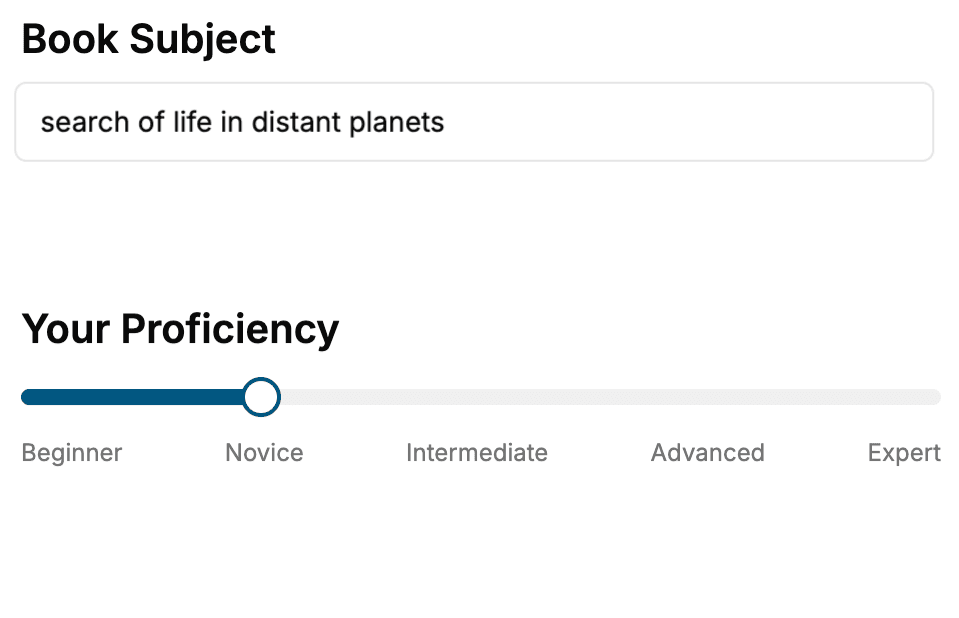
Select the focus of your Blazor book and share your background
- 2. Personalize your book
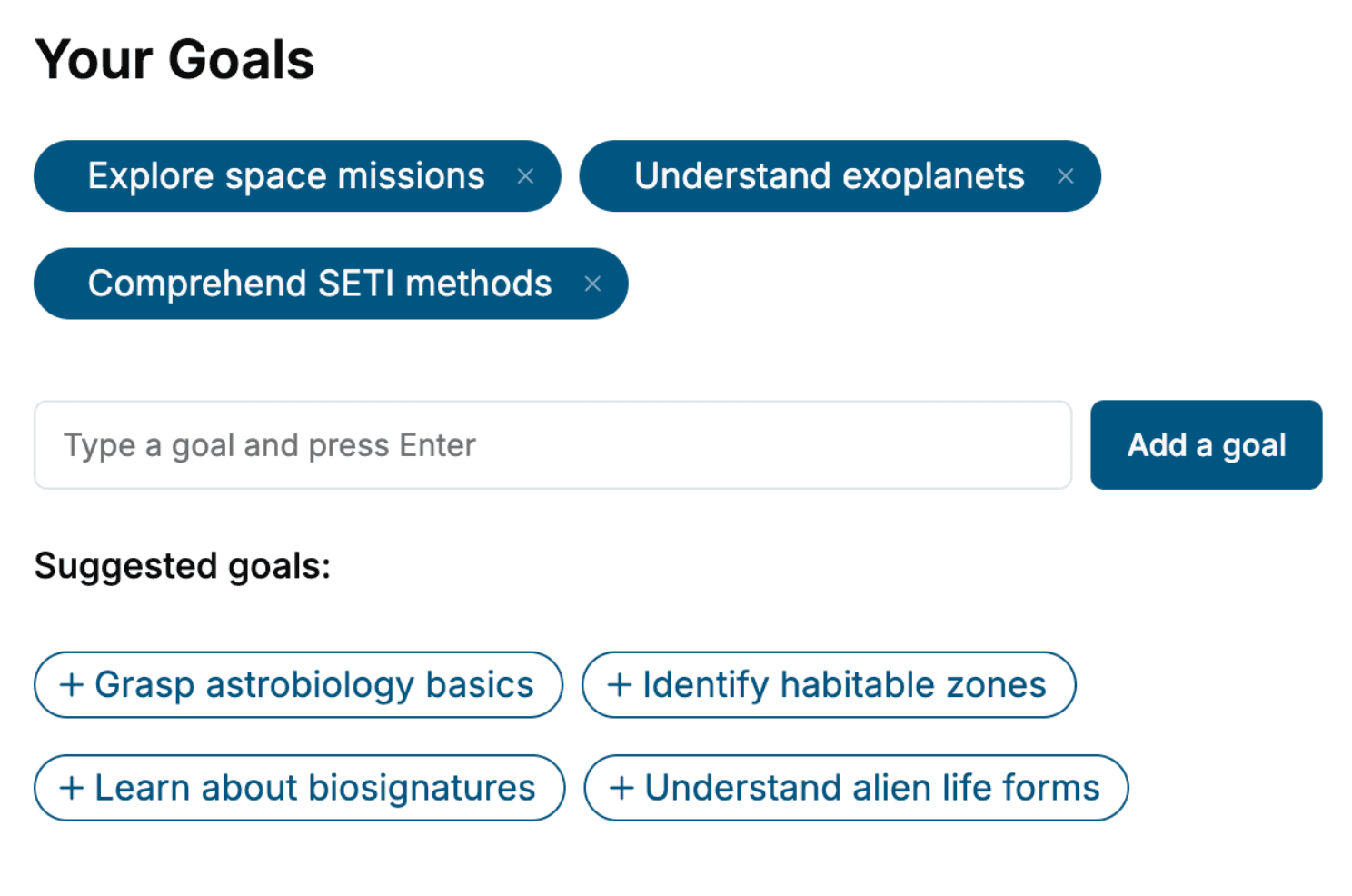
Specify your goals and choose sub-topics to include
- 3. Get your tailored book
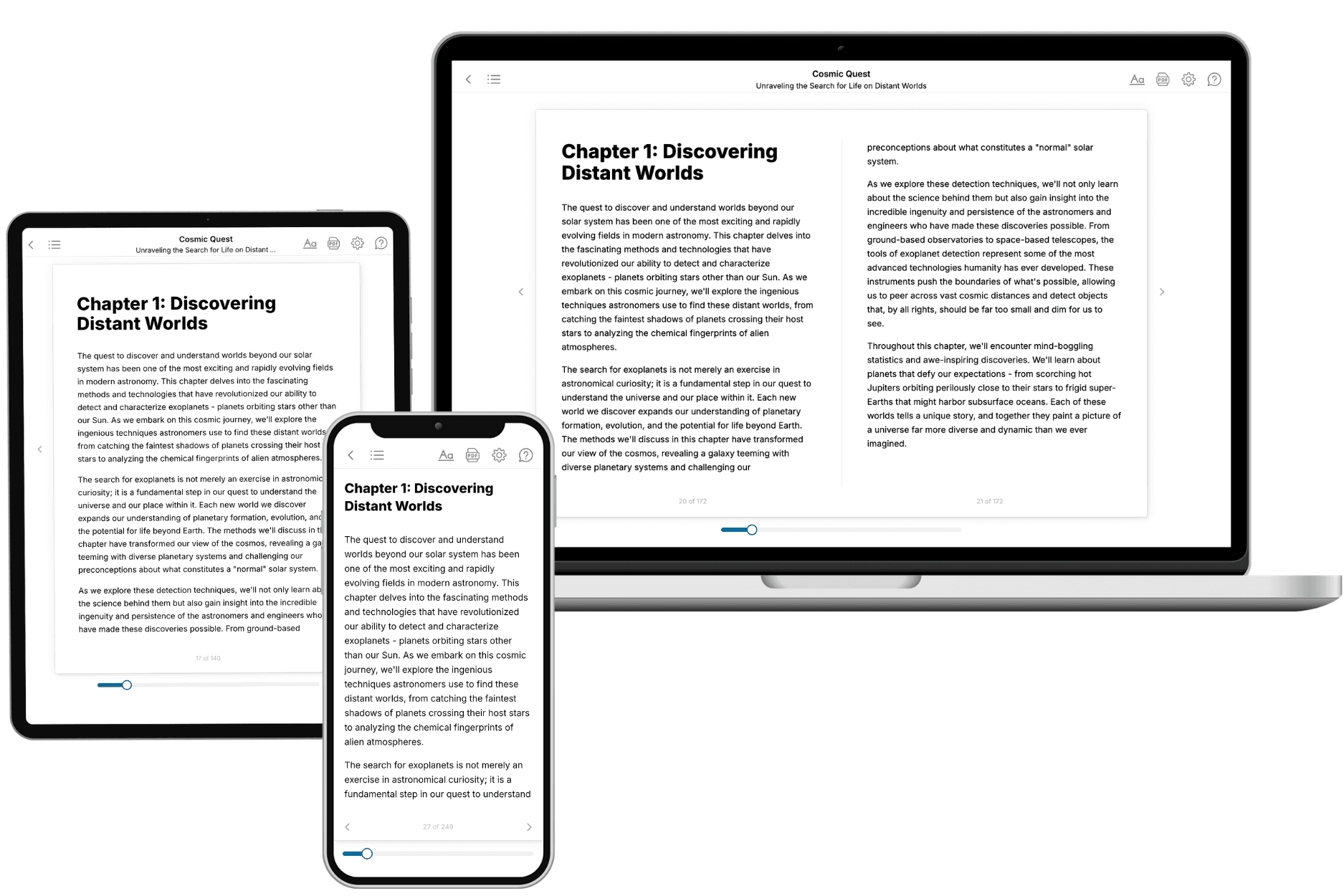
Your book is ready in 10 minutes. Read it online, download as EPUB or PDF, or send to Kindle.
Frequently asked questions
- What is TailoredRead?
TailoredRead creates complete, full-length nonfiction ebooks, written specifically for you. Tell us what you want to learn and why, and TailoredRead writes you a complete ebook on it, with charts, tables, and diagrams throughout. Read it online, on Kindle, or on any e-reader, or download it as a PDF or EPUB. Every book is written fresh the day you order it.
- How is the book tailored to me?
Before anything is written, you answer a few short questions about your goals, your background, and the topics you care about. Your book is then planned around your answers: written at your level, focused on your goals, and covering the topics you chose, instead of the one-size-fits-all book a store sells everyone.
- Will it read like generic AI content?
No. Your book isn't a chat transcript: it's planned chapter by chapter before a single word is written, told in a clear book voice, and explains ideas visually with charts, tables, and diagrams. After writing, every book goes through an editorial pass that polishes chapters so the book reads consistent from start to finish. Judge for yourself: browse thousands of sample books on our Explore Books page.
- How accurate is the content?
Our AI first checks whether your subject needs live research. Niche and fast-moving subjects are researched before writing, and the book plan and chapters are grounded in what it finds. After writing, every book goes through a quality pass that checks its facts and consistency, and researched books list their sources in a Notes section at the back.
- How long is the book?
You choose the length: Comprehensive (250-300 pages), Detailed (150-200 pages), Essential (70-100 pages), or Short (30-50 pages).
- Does the book include visuals?
Yes. Every book includes charts, tables, and diagrams: timelines, checklists, step-by-step guides, decision trees, comparison tables, matrices, and bar charts. A typical book includes dozens of these visual elements.
- Can I read it on Kindle? What formats can I download?
Yes. Every book can be read in our online reader or downloaded as a PDF or EPUB. The EPUB can be opened with Kindle, Apple Books, Kobo, and any e-reader. The Commercial and Author licenses also include an editable Word (DOCX) and Markdown download.
- How much does it cost?
About the price of a regular ebook. The exact price depends on your book's length and complexity, from $2 for the shortest books to $35 for the most comprehensive, and it's shown when you review your book, before you commit to anything. Each book is a one-time purchase, yours to keep, no subscription. Licenses that let you share, teach, or publish your book range from $35.99 to $49.99.
- Can I preview the book before purchasing?
Before you pay, you'll see what your book will cover: the title, a detailed description, the estimated length, and the complete chapter-by-chapter table of contents, so you know what you're getting before you decide. The full text itself is written after you purchase.
- How long does it take to create a book?
About 10 minutes. You can start reading the opening chapters while the rest is still being written.