Smart Home Networks Mastered
The Professional Guide to Designing, Securing, and Optimizing Wireless Connectivity for Modern Homes
Navigate the complete process of building professional-grade smart home networks that deliver exceptional performance and security.
52 pages3 chaptersJun 9, 2026Smart Home
About this book
This guide walks you through designing mesh architectures that eliminate dead zones, implementing encryption standards that protect against unauthorized access, and managing the complex interference landscape of modern homes. You'll learn to monitor network performance in real-time, plan capacity for dozens of connected devices, and reduce latency that impacts automation reliability. Discover how to identify and address IoT security vulnerabilities before they become problems, segment your network architecture for optimal traffic flow, and troubleshoot interference from neighboring networks and household devices. Whether you're optimizing signal coverage across multi-story homes, securing customer networks against threats, or managing the growing complexity of smart device ecosystems, this book provides the practical frameworks and technical strategies that transform you from a competent installer into a trusted network architect. Enhance your professional reputation and customer satisfaction by delivering networks that simply work.
Table of contents
- Chapter 1: Mesh Network Architecture DesignUnderstanding Mesh Topology and Node Placement Strategies, Optimizing Signal Coverage Across Multi-Story HomesRead below
- Chapter 2: Network Security and Encryption StandardsImplementing WPA3 and WPA2 Encryption Protocols, Identifying and Mitigating IoT Security Vulnerabilities, Preventing Unauthorized Network Access and Device Management
- Chapter 3: Performance Monitoring and OptimizationWiFi Interference Mitigation and Channel Management, Network Latency Reduction and QoS Configuration, Network Capacity Planning for Multiple Connected Devices
Chapter 1: Mesh Network Architecture Design
The days of plugging a single router into a cable modem and calling it a day are largely behind us. Modern homes are bigger, more complex, and packed with devices that demand reliable wireless connectivity in every corner. A single router, no matter how powerful, simply cannot deliver consistent signal strength through multiple floors, thick concrete walls, and the maze of appliances and furniture that make up a real home. Mesh networking was developed specifically to solve this problem, and understanding how it works is the foundation of everything else in professional smart home installation.
A mesh network replaces the single-point model with a distributed system of nodes that work together as one unified network. Each node communicates with the others, and devices on the network connect to whichever node offers the strongest signal at any given moment. From the user's perspective, there is one network name and one seamless experience. From your perspective as an installer, there is a carefully designed system of hardware placement, channel configuration, and backhaul management that makes that seamless experience possible. Getting the design right before you install a single node is what separates a professional deployment from a frustrating callback situation.
This chapter covers the two core pillars of mesh architecture design. First, you will learn how mesh topology actually works at a technical level, and how to make smart decisions about node placement based on the physical environment. Second, you will explore the specific challenges of multi-story homes, where signal propagation behaves differently than in single-floor layouts, and where strategic planning pays off most visibly. Both topics are deeply practical. By the end of this chapter, you will have a repeatable framework for designing mesh deployments that deliver strong, consistent coverage across any residential environment you encounter.
Understanding Mesh Topology and Node Placement Strategies
At its core, a mesh network is a collection of wireless access points, called nodes, that share a common network identity and coordinate with each other to route traffic efficiently. Unlike a traditional setup where every device connects back to one central router, mesh nodes can relay traffic through each other. A device in the far corner of a home might connect to a satellite node, which then passes that traffic to a second node, which finally delivers it to the gateway node connected to the internet. This multi-hop capability is what gives mesh networks their flexibility and resilience.
There are two main types of mesh backhaul, which is the communication channel between nodes. Wireless backhaul uses a dedicated radio band (typically 5 GHz) to carry traffic between nodes, keeping that channel separate from the bands used by client devices. Wired backhaul uses Ethernet cables run between nodes, which is significantly faster and more reliable. When you have the option to run Ethernet, always take it. A wired backhaul eliminates the bandwidth penalty that wireless backhaul introduces and dramatically improves throughput for devices connected to satellite nodes.[1]
Node placement is where most amateur installations go wrong. The instinct is to place nodes where they are convenient, such as near power outlets or in closets. The professional approach is to place nodes where the physics of radio frequency propagation demands them. Signal strength drops with distance and degrades through obstacles. Every wall, floor, and large appliance between a node and a client device costs you signal. The goal is to position nodes so that every area of the home is within reasonable range of at least one node, with enough overlap between coverage zones to support smooth roaming.
A practical rule of thumb for wireless backhaul deployments is the 50% rule: each satellite node should be placed where it receives at least 50% signal strength from its upstream node. If you place a satellite node too far from its upstream neighbor, the backhaul link becomes weak, and the entire branch of the network suffers. You can verify signal strength during installation using the mesh system's companion app or a dedicated tool like WiFi Analyzer on Android. Walk the space with a laptop or phone before finalizing node positions.
Example scenario: Consider a 2,400 square foot single-story home with an open-plan living area, two bedrooms at one end, and a home office at the other. The gateway node is placed near the ISP connection point in the living area. A satellite node placed in the hallway between the bedrooms covers both rooms adequately. A second satellite node in the home office handles that zone. The result is three nodes covering the entire home, each with a strong backhaul link to its neighbor. No dead zones, no weak spots.
Physical obstacles have a measurable impact on signal quality, and knowing the approximate attenuation values helps you plan more accurately. Here is a general reference for common household materials:
- Drywall (single layer): 3–4 dB signal loss
- Wood doors and interior walls: 5–6 dB signal loss
- Brick or concrete walls: 10–15 dB signal loss
- Reinforced concrete floors/ceilings: 15–20 dB signal loss
- Metal surfaces (appliances, HVAC ducts): 20–30 dB signal loss or near-total reflection
These numbers are approximate, but they give you a working model for predicting where signal will struggle. A home with poured concrete walls between rooms will need more nodes placed closer together than a home built with standard wood-frame and drywall construction. When you walk a new installation site, note the construction materials as part of your site survey. This information directly informs your node count estimate and placement plan.
The number of nodes required for a deployment depends on three factors: the total square footage, the construction materials, and the layout complexity. A rough starting point is one node per 1,000–1,500 square feet in a standard wood-frame home. Homes with concrete or brick construction may need one node per 600–800 square feet. Complex layouts with many small rooms, long hallways, or detached structures like garages require additional nodes regardless of square footage. Always plan for one more node than your minimum estimate, because it is far easier to remove an extra node than to return for a callback.
Channel selection is another critical element of mesh design that is often overlooked during initial deployment. Most modern mesh systems handle channel selection automatically through a process called Dynamic Frequency Selection (DFS) or through their own proprietary algorithms. However, automatic selection does not always produce optimal results, especially in dense neighborhoods where many competing networks occupy the same channels. After installation, use a spectrum analyzer or WiFi scanning tool to verify that your nodes are operating on channels with minimal interference from neighboring networks. In the 2.4 GHz band, only channels 1, 6, and 11 are non-overlapping. In the 5 GHz band, there are many more non-overlapping options, which is one reason 5 GHz is preferred for backhaul.
One common mistake in mesh deployments is treating all nodes as equal. In reality, the gateway node carries the most responsibility because all internet traffic ultimately flows through it. Place the gateway node in a central location whenever possible, not just wherever the ISP connection happens to land. If the ISP connection point is in a corner of the home, consider running a longer Ethernet cable to a more central location for the gateway. This reduces the number of hops required for devices throughout the home and improves overall network performance.
Finally, document your node placement decisions. Create a simple floor plan sketch that shows node locations, backhaul type (wired or wireless), and the coverage zone for each node. This documentation serves two purposes. It gives you a reference for future troubleshooting, and it gives the homeowner a clear picture of what was installed and why. Customers who understand the design of their network are more likely to trust your recommendations and less likely to move nodes to inconvenient locations after you leave.
Optimizing Signal Coverage Across Multi-Story Homes
Multi-story homes present a unique set of challenges that single-floor deployments do not. Signal propagation behaves differently in the vertical dimension than it does horizontally. Radio waves from a node on the ground floor must pass through a floor/ceiling assembly to reach the second floor, and that assembly typically includes wood joists, subfloor material, insulation, and drywall. Each layer adds attenuation. In homes with concrete slab construction between floors, the signal loss can be severe enough that a node on one floor provides almost no usable coverage on the floor above or below.
The fundamental principle for multi-story coverage is simple: each floor should have at least one dedicated node. Relying on a single node to cover multiple floors through a ceiling assembly is a recipe for weak signal and poor performance on the upper floors. This is true even in homes where the floor plan is relatively open. The vertical signal path is almost always more obstructed than the horizontal path, and the physics do not make exceptions for budget constraints.
Node height within a floor matters more than most installers realize. A node placed on a shelf at waist height radiates signal in a roughly spherical pattern, but that pattern is distorted by nearby surfaces. Placing a node at ceiling height or on a high shelf improves horizontal coverage because the signal radiates outward and downward rather than being partially absorbed by furniture and flooring. For second-floor nodes, placing the node near the floor (rather than at ceiling height) can improve coverage to the first floor below, because the signal has a shorter path through the floor assembly.
Example scenario: A three-story townhouse has the ISP connection point in the basement. The installer places the gateway node in the basement, a satellite node on the main floor (connected via Ethernet run through the wall), and a second satellite node on the top floor (also wired). Each node is positioned near the center of its respective floor. The result is full coverage on all three floors with no wireless backhaul penalty, because all inter-node links are wired. The homeowner reports strong signal in every room, including the basement home theater and the top-floor bedroom.
Stairwells are often overlooked as signal pathways, but they can be useful. An open staircase creates a line-of-sight path between floors that allows signal to travel more freely than through a solid floor assembly. Placing a node near the top of a staircase can provide coverage both on the upper landing and down into the stairwell itself. This is not a substitute for a dedicated node on each floor, but it can help fill gaps in coverage near stairwells and adjacent rooms.
When wired backhaul is not possible, the placement of wireless backhaul nodes in multi-story homes requires extra care. The backhaul link between a ground-floor node and a second-floor node must pass through the same floor assembly that attenuates client signals. This means the backhaul link is weaker than it would be between two nodes on the same floor at the same distance. To compensate, place wireless backhaul nodes closer together in multi-story deployments than you would in a single-floor layout. A distance that works fine horizontally may produce an unacceptably weak backhaul link vertically.
Tri-band mesh systems offer a significant advantage in multi-story deployments. These systems use three separate radio bands: one 2.4 GHz band and two 5 GHz bands. One of the 5 GHz bands is dedicated exclusively to backhaul communication between nodes, while the other bands serve client devices. This dedicated backhaul band eliminates the bandwidth sharing problem that affects dual-band systems, where backhaul and client traffic compete for the same radio resources. In a multi-story home where backhaul links are already weakened by floor attenuation, a dedicated backhaul band helps maintain acceptable throughput.[2]
Here is a practical checklist for planning a multi-story mesh deployment:
- Conduct a physical site survey before selecting node locations. Walk every floor and note construction materials, wall thickness, and potential obstacles.
- Identify Ethernet routing paths between floors. Even running a single Ethernet cable between floors for the primary backhaul link dramatically improves performance.
- Assign at least one node per floor, positioned near the center of that floor's footprint.
- Test backhaul signal strength between nodes before finalizing placement. Use the mesh system's app or a WiFi analyzer to confirm adequate signal levels.
- Check for dead zones by walking the entire home with a connected device after installation. Pay special attention to rooms directly above or below the floor boundary between nodes.
- Document node locations and backhaul types on a floor plan for future reference.
Roaming behavior is a critical performance factor in multi-story homes. When a device moves from one floor to another, it should automatically connect to the nearest node. However, many client devices are "sticky," meaning they hold onto a connection to a distant node even when a closer node is available. This is a client-side behavior that the mesh system cannot fully control. Modern mesh systems address this through a feature called Band Steering and 802.11r Fast BSS Transition (Fast Roaming), which encourage devices to roam more aggressively. Verify that these features are enabled in your mesh system's configuration before completing an installation.
Outdoor coverage is increasingly relevant in smart home deployments, as homeowners add outdoor cameras, smart lighting, and entertainment systems. A node placed near an exterior wall or window can extend coverage to a patio, deck, or garage. However, standard indoor nodes are not rated for outdoor use. If outdoor coverage is required, use a node specifically designed for outdoor installation, or place an indoor node near a window with line of sight to the outdoor area. Be aware that window glass, especially double-pane or low-emissivity glass, can attenuate signal significantly.
After completing a multi-story installation, run a throughput test on each floor using a tool like iPerf3 or a consumer-friendly option like the Speedtest app. Record the results at multiple locations on each floor. Compare the results against the customer's internet service speed and against the theoretical maximum of the mesh hardware. If throughput on upper floors is significantly lower than on the ground floor, investigate the backhaul link quality between nodes. A weak backhaul link is almost always the cause of floor-to-floor performance discrepancies, and addressing it early prevents customer complaints later.
One final consideration for multi-story homes is the impact of HVAC systems and ductwork. Metal ducts running through walls and ceilings act as reflectors and absorbers of radio frequency energy. A node placed directly adjacent to a large HVAC duct may experience significant signal distortion in certain directions. During your site survey, note the location of major ductwork and avoid placing nodes immediately adjacent to it. A few feet of separation between a node and a metal duct can make a measurable difference in signal quality and coverage consistency.
This is the end of the free sample. The full book has 3 chapters.
Want this book written for you?
Tell us your goals and background, and get your own version of this book, tailored by AI to you.


Benefits of AI-tailored books
- Read one book, not ten:
- all the Smart Home knowledge you need, gathered into a single book.
- Save days of learning:
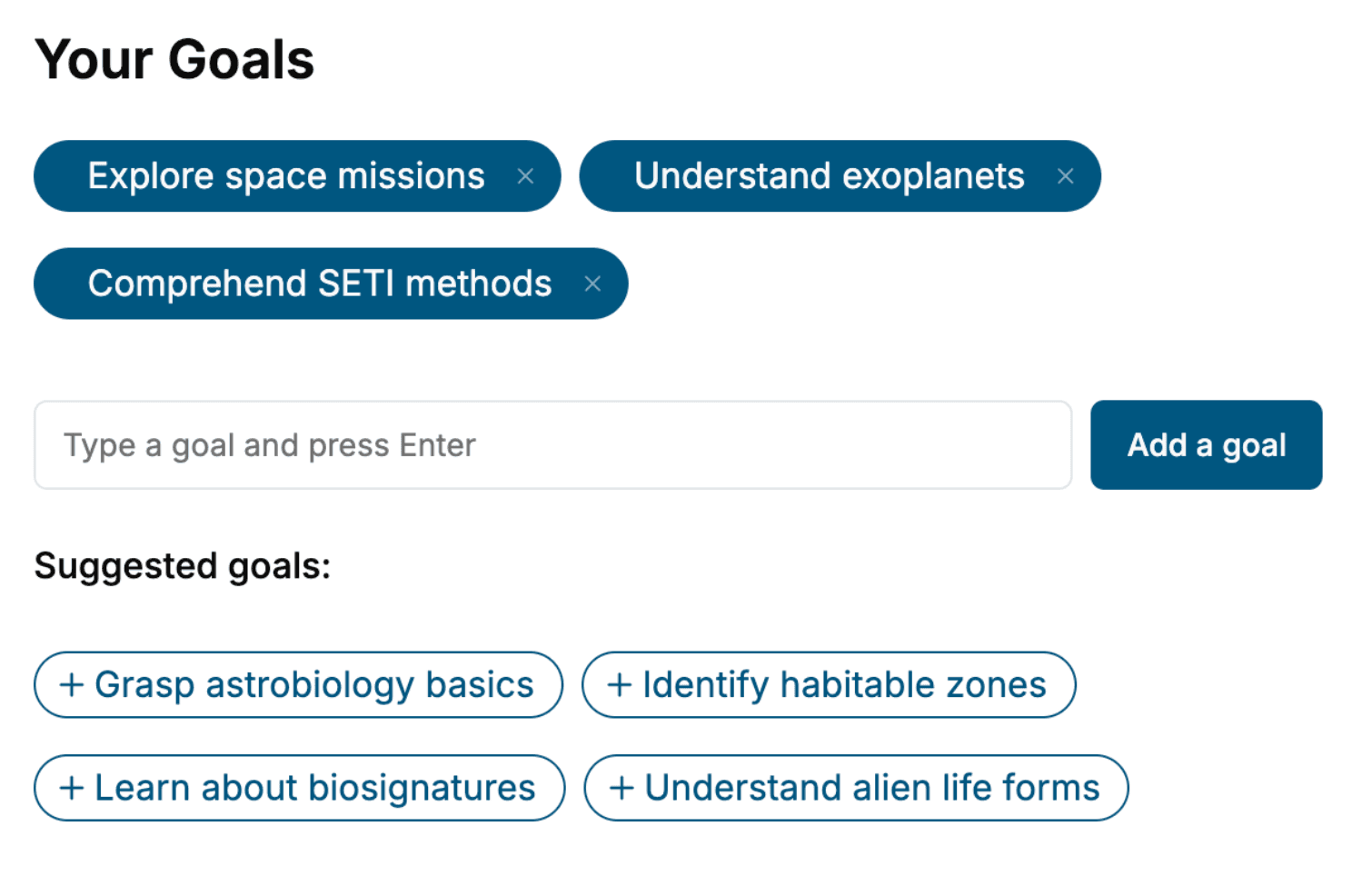
- tell us your goals, choose your topics, and the whole book is built around them.
- Learn effortlessly:
- Smart Home book written for your specific background and expertise.
- Understand at a glance:
- includes charts, tables, timelines, checklists, decision trees, and more.
- Stay current:
- written the day you order it, not years ago.
- Trust what you read:
- every book is checked for accuracy, with real research when your subject needs it.
Create your unique book in 3 steps
- 1. Select your focus
Select the focus of your Smart Home book and share your background
- 2. Personalize your book
Specify your goals and choose sub-topics to include
- 3. Get your tailored book
Your book is ready in 10 minutes. Read it online, download as EPUB or PDF, or send to Kindle.

Frequently asked questions
- What is TailoredRead?
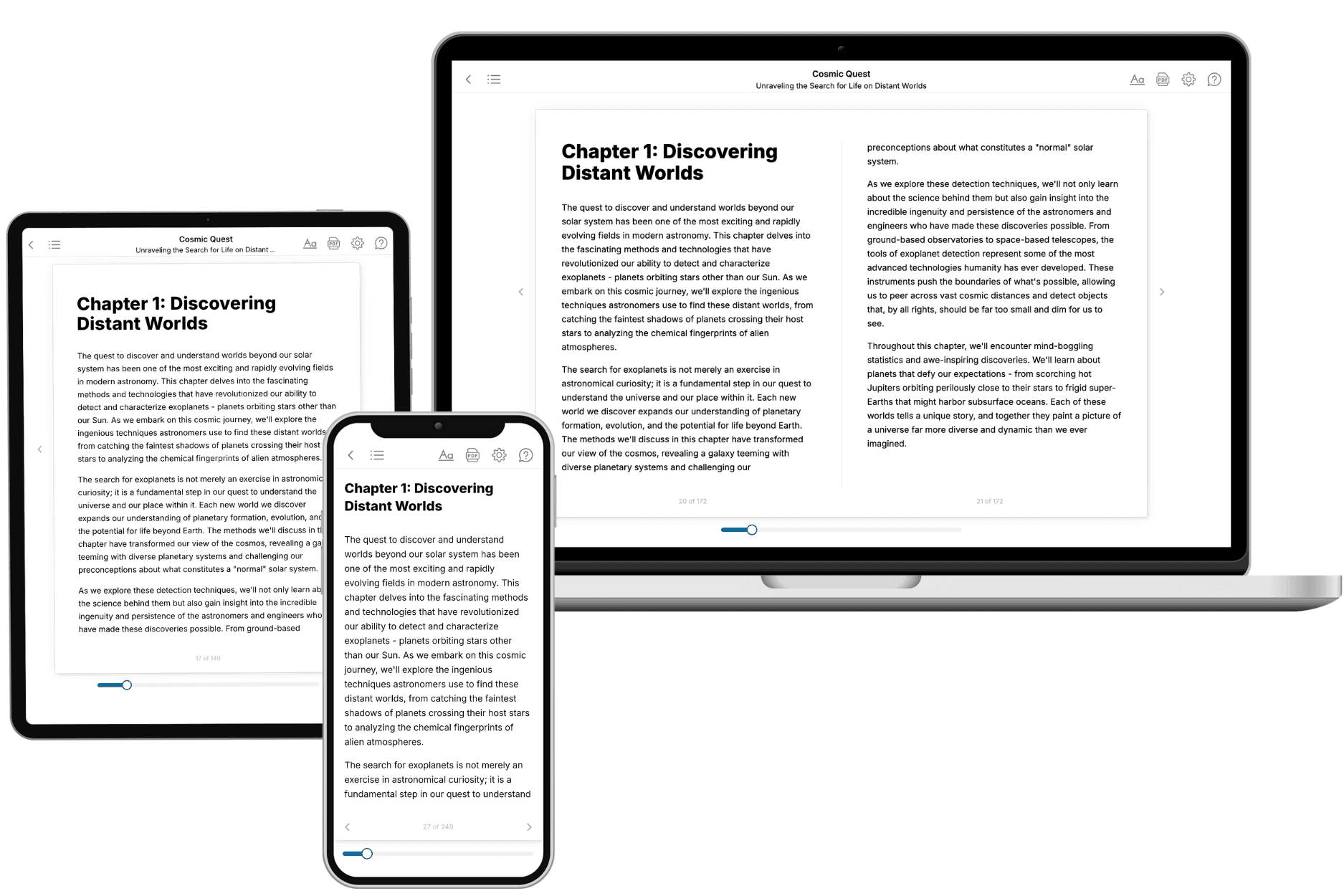
TailoredRead creates complete, full-length nonfiction ebooks, written specifically for you. Tell us what you want to learn and why, and TailoredRead writes you a complete ebook on it, with charts, tables, and diagrams throughout. Read it online, on Kindle, or on any e-reader, or download it as a PDF or EPUB. Every book is written fresh the day you order it.
- How is the book tailored to me?
Before anything is written, you answer a few short questions about your goals, your background, and the topics you care about. Your book is then planned around your answers: written at your level, focused on your goals, and covering the topics you chose, instead of the one-size-fits-all book a store sells everyone.
- Will it read like generic AI content?
No. Your book isn't a chat transcript: it's planned chapter by chapter before a single word is written, told in a clear book voice, and explains ideas visually with charts, tables, and diagrams. After writing, every book goes through an editorial pass that polishes chapters so the book reads consistent from start to finish. Judge for yourself: browse thousands of sample books on our Explore Books page.
- How accurate is the content?
Our AI first checks whether your subject needs live research. Niche and fast-moving subjects are researched before writing, and the book plan and chapters are grounded in what it finds. After writing, every book goes through a quality pass that checks its facts and consistency, and researched books list their sources in a Notes section at the back.
- How long is the book?
You choose the length: Comprehensive (250-300 pages), Detailed (150-200 pages), Essential (70-100 pages), or Short (30-50 pages).
- Does the book include visuals?
Yes. Every book includes charts, tables, and diagrams: timelines, checklists, step-by-step guides, decision trees, comparison tables, matrices, and bar charts. A typical book includes dozens of these visual elements.
- Can I read it on Kindle? What formats can I download?
Yes. Every book can be read in our online reader or downloaded as a PDF or EPUB. The EPUB can be opened with Kindle, Apple Books, Kobo, and any e-reader. The Commercial and Author licenses also include an editable Word (DOCX) and Markdown download.
- How much does it cost?
About the price of a regular ebook. The exact price depends on your book's length and complexity, from $2 for the shortest books to $35 for the most comprehensive, and it's shown when you review your book, before you commit to anything. Each book is a one-time purchase, yours to keep, no subscription. Licenses that let you share, teach, or publish your book range from $35.99 to $49.99.
- Can I preview the book before purchasing?
Before you pay, you'll see what your book will cover: the title, a detailed description, the estimated length, and the complete chapter-by-chapter table of contents, so you know what you're getting before you decide. The full text itself is written after you purchase.
- How long does it take to create a book?
About 10 minutes. You can start reading the opening chapters while the rest is still being written.