Stay Protected
The Complete Guide to Operating System Updates for Personal Safety and Cybersecurity
Imagine a digital life where you're never caught off guard by security vulnerabilities or system failures.
238 pages10 chaptersJul 5, 2026Cyber Security
About this book
You confidently manage updates across all your devices, knowing exactly what's being installed and why it matters. Your personal data remains protected, your devices run smoothly, and you've eliminated the anxiety that comes from wondering if you're doing enough to stay safe online. This guide demystifies operating system updates and shows you why they're your first line of defense against cyber threats. You'll learn the real risks of outdated systems, discover how to create an update strategy that works for your lifestyle, and master the practical skills needed to keep every device secure. Whether you're managing a single computer or coordinating updates across multiple devices, you'll gain the knowledge and confidence to take control of your digital safety. Stop treating updates as annoying interruptions and start seeing them as your most powerful security tool.
Table of contents
- IntroductionWhy Operating System Updates Matter More Than You Think, Common Misconceptions About Updates, What You'll Learn in This GuideRead below
- Chapter 1: Understanding Operating System UpdatesWhat Is an Operating System Update?, Types of Updates: Security, Features, and Maintenance, How Updates Work Behind the Scenes
- Chapter 2: The Security Threats You're Protecting AgainstWhat Are Vulnerabilities and Why They Matter, Real-World Threats: Malware, Ransomware, and Data Breaches, The Real Cost of Outdated Operating Systems
- Chapter 3: Creating Your Personal Update StrategyAssessing Your Device Ecosystem and Update Needs, Developing a Timing Strategy That Works for You, Prioritizing Critical Updates vs. Optional Updates
- Chapter 4: Preparing Your System for UpdatesBackup Essentials: Protecting Your Data Before Updates, Pre-Update System Checks and Preparations, Understanding Storage Requirements and Freeing Up Space
- Chapter 5: Windows Operating System UpdatesNavigating Windows Update: Step-by-Step, Understanding Windows Versions and Support Lifecycles, Troubleshooting Common Windows Update Issues
- Chapter 6: macOS and Apple Device UpdatesManaging macOS Updates on Your Mac, Keeping Your iPhone, iPad, and Apple Watch Current, Coordinating Updates Across Your Apple Ecosystem
- Chapter 7: Linux and Mobile Operating System UpdatesManaging Updates on Linux Systems, Securing Your Android Devices with Regular Updates, Updates for Tablets, Smartwatches, and IoT Devices
- Chapter 8: Managing Updates Across Multiple DevicesCoordinating Updates Across Your Device Portfolio, Tracking and Monitoring Updates Across Devices, Managing Updates for Family Members and Shared Devices
- Chapter 9: Troubleshooting Update ProblemsIdentifying Common Update Problems and Their Causes, Recovery Procedures When Updates Go Wrong, When to Seek Professional Help and Where to Find It
- Chapter 10: Advanced Security Practices Beyond UpdatesComplementary Security Measures That Work with Updates, Monitoring Your System for Signs of Compromise, Staying Informed About New Threats and Security News
- ConclusionYour Ongoing Security Journey, Immediate Action Steps to Take Today
- Frequently Asked Questions
- Glossary of Key Terms
- Additional Resources and Further Reading
Introduction
There's a moment most people recognize. A small notification appears in the corner of your screen, or a pop-up interrupts what you were doing, asking you to install updates and restart your device. The most common response? Click "Remind me later" and move on. It feels harmless. The device is working fine, the timing is inconvenient, and the update can always wait until tomorrow. The problem is that tomorrow has a way of turning into next week, then next month, and sometimes never.
That habit of postponing updates is one of the most widespread and underestimated security risks in personal computing today. Cybercriminals don't wait for convenient moments. They actively scan for devices running outdated software, looking for known vulnerabilities they can exploit. When a security patch is released, it essentially announces to the world that a flaw exists in the older version. Every device that hasn't installed that patch becomes a visible target. The window between a patch being released and attackers exploiting the underlying flaw can be as short as 24 to 48 hours.[1]
This guide exists because operating system updates deserve to be understood, not just tolerated. Most people treat them as a technical chore, something the computer demands without explanation. But once you understand what updates actually do, why they exist, and what happens when they're skipped, the entire experience changes. Updates stop feeling like interruptions and start feeling like the essential protection they truly are. This guide will walk you through everything you need to know, from the basics of how updates work to building a practical strategy that keeps every device in your life secure without disrupting your daily routine.
The chapters ahead cover a wide range of topics, including the specific threats that updates protect against, how to prepare your system before installing updates, platform-specific guidance for Windows, macOS, iOS, Android, and Linux, and how to manage updates across multiple devices. Whether you're protecting a single laptop or coordinating security across a household full of phones, tablets, and computers, you'll find practical, actionable guidance throughout. No deep technical background is required. The goal is clarity, confidence, and control over your own digital safety.
Why Operating System Updates Matter More Than You Think
Your operating system is the foundation of everything your device does. It manages your files, runs your applications, connects you to the internet, and handles the security of every piece of data on your machine. When a flaw is discovered in that foundation, it doesn't just affect one app or one feature. It can potentially expose everything. Operating system updates are the mechanism by which those flaws get fixed, and that makes them one of the most direct and powerful tools available for protecting your personal data.
To understand why this matters so much, consider what happened in May 2017 when the WannaCry ransomware attack swept across the globe. The attack exploited a vulnerability in older versions of Windows. Microsoft had actually released a security patch for that exact vulnerability two months earlier, in March 2017. Organizations and individuals who had installed that patch were protected. Those who hadn't were exposed. The attack infected more than 200,000 computers across 150 countries, causing an estimated $4 billion to $8 billion in damages.[2] A single update, already available, would have prevented the damage for most of those affected.
WannaCry is an extreme example, but the underlying dynamic plays out constantly at a smaller scale. Malware campaigns routinely target known vulnerabilities in unpatched systems. Attackers use automated tools that scan the internet for devices running outdated software versions, then attempt to exploit those devices without any human interaction required. Your device doesn't need to visit a suspicious website or open a malicious email for this kind of attack to succeed. Simply being connected to the internet with an unpatched vulnerability can be enough.
Beyond security, updates also affect the stability and performance of your device. Bugs that cause crashes, slowdowns, or unexpected behavior get fixed through maintenance updates. Compatibility issues with newer apps and services get resolved. Over time, a device that never receives updates doesn't just become less secure. It becomes less functional, less compatible with modern software, and more prone to errors. Staying current with updates is genuinely good for your device's health in multiple ways, not just its security.
It's also worth recognizing that the stakes are personal. Your operating system has access to your photos, your financial documents, your saved passwords, your email, and your browsing history. A successful attack on an unpatched system doesn't just inconvenience you. It can result in identity theft, financial loss, or the permanent loss of irreplaceable files. The data on your devices represents years of your life. Protecting it through regular updates is one of the simplest and most effective steps available to any individual user.
The good news is that operating system updates have become significantly easier to manage over the past decade. Modern systems handle much of the process automatically, and the tools available for scheduling, monitoring, and verifying updates are more accessible than ever. The barrier isn't technical complexity. For most people, it's simply a lack of understanding about why updates matter and what a sensible approach to managing them looks like. That's exactly what this guide addresses.
Key insight: The gap between a security patch being released and attackers exploiting the underlying vulnerability is shrinking. In many cases, exploit code targeting a newly disclosed flaw appears within days of the patch announcement. Every day a device goes unpatched after a security update is released is a day of unnecessary exposure.
Understanding the stakes also means understanding that updates aren't just about protecting yourself. Devices that are compromised through unpatched vulnerabilities are frequently used to attack others. Infected machines become part of botnets that send spam, launch attacks on other systems, or distribute malware to new victims. Keeping your devices updated is a form of digital citizenship. It protects not just your own data but also the people and organizations your devices interact with.
Common Misconceptions About Updates
A surprising number of people actively avoid or delay updates based on beliefs that don't hold up under scrutiny. These misconceptions are understandable. They often come from real experiences, like an update that once caused a problem, or from advice that made sense years ago but no longer applies. Clearing up these misunderstandings is an important first step toward building better update habits.
Misconception 1: "If my device is working fine, it doesn't need updates." This is probably the most common belief, and it's also the most dangerous. A device can be fully functional and simultaneously harboring a serious security vulnerability. Vulnerabilities don't announce themselves with error messages or slowdowns. They sit quietly in the code, invisible to the user, until someone with the right tools decides to exploit them. Feeling fine is not the same as being secure.
Misconception 2: "Updates break things, so it's safer to wait." This belief has some historical basis. In the early days of automatic updates, poorly tested patches occasionally caused problems. However, modern operating systems from major vendors go through extensive testing before updates are released to the general public. Serious update-related issues are now relatively rare. More importantly, the risk of skipping a security update almost always outweighs the small risk of an update causing a temporary issue. And as you'll learn in later chapters, proper backup procedures eliminate most of the risk from update problems entirely.
Misconception 3: "I have antivirus software, so I'm already protected." Antivirus software is a valuable layer of security, but it operates differently from operating system updates. Antivirus tools detect and block known malicious software. Operating system updates fix the underlying vulnerabilities that allow malicious software to gain access in the first place. These two protections work at different levels and complement each other. Relying on antivirus alone while skipping OS updates is like locking your front door but leaving a window wide open.
Misconception 4: "Updates are just about adding new features I don't want." Feature updates do exist, and they're often the most visible type of update because they change how things look or work. But the majority of updates released throughout the year are security patches and bug fixes that don't change the user experience at all. Many security updates install silently in the background without altering anything visible. The updates that matter most for your safety are often the ones you'd never notice if they weren't pointed out.
Misconception 5: "My device is too old to bother updating." Older devices that are still receiving updates from their manufacturers absolutely should be kept current. The age of the hardware doesn't reduce the importance of software security. However, this misconception does point to a real issue: devices that are no longer receiving updates from their manufacturers represent a genuine security risk. When a device reaches its end-of-support date, it stops receiving security patches, and continuing to use it for sensitive tasks becomes increasingly risky. Chapter 2 covers this topic in detail.
Misconception 6: "Automatic updates handle everything, so I don't need to think about it." Automatic updates are a genuinely useful feature, and enabling them is strongly recommended. But they don't cover every scenario. Some updates require manual approval. Some devices have automatic updates disabled by default. Some updates fail silently without notifying the user. Relying entirely on automation without ever checking the status of your updates means you might be running behind without knowing it. Active awareness, even minimal, makes a real difference.
Recognizing these misconceptions matters because they shape behavior. Someone who believes updates are dangerous will actively avoid them. Someone who thinks antivirus software is sufficient will feel falsely secure. The goal isn't to create anxiety but to replace inaccurate beliefs with accurate ones, so that the decisions you make about updates are based on how things actually work rather than how they're commonly misunderstood.
Real-world example: In 2021, a critical vulnerability called PrintNightmare was discovered in Windows. Microsoft released an emergency patch within days. Users who had automatic updates enabled received the fix quickly and were protected. Users who had disabled automatic updates or were in the habit of postponing remained vulnerable for weeks or months, during which active exploitation of the flaw was documented in the wild.[3]
One more misconception worth addressing is the idea that updates are primarily a concern for businesses and IT professionals, not regular home users. In reality, individual users are frequently targeted precisely because they're less likely to have robust security practices in place. Home computers often contain valuable personal and financial data, and they're typically less protected than corporate systems. The threats are real for everyone, and the solutions are accessible to everyone. You don't need to be a technical expert to manage updates effectively.
What You'll Learn in This Guide
This guide is organized to take you from foundational understanding to practical mastery. Each chapter builds on the previous one, but the structure also allows you to jump directly to the topics most relevant to your situation. If you're already comfortable with the basics and want to focus on a specific platform like Windows or macOS, those chapters stand on their own. If you're starting from scratch, reading straight through will give you a complete picture of how to approach update management as part of your overall digital safety.
Here's a clear overview of what each part of the guide covers:
- Chapters 1 and 2 build the foundation. You'll learn exactly what operating system updates are, the different types that exist, and how they work technically. You'll also get a clear picture of the security threats that updates protect against, including real-world examples of what happens when systems go unpatched.
- Chapter 3 helps you develop a personal update strategy. This isn't a one-size-fits-all topic. The right approach depends on how many devices you have, how you use them, and what your tolerance is for disruption. This chapter gives you a framework for making those decisions thoughtfully.
- Chapter 4 covers preparation. Before any significant update, there are steps worth taking to protect your data and ensure a smooth process. Backup procedures, system checks, and storage management are all covered here.
- Chapters 5, 6, and 7 provide platform-specific guidance for Windows, macOS, iOS, Android, and Linux. Each platform has its own update process, its own quirks, and its own common issues. These chapters give you step-by-step instructions tailored to each system.
- Chapter 8 addresses multi-device management. Most people today use several devices, and keeping all of them updated requires a coordinated approach. This chapter covers strategies for tracking and managing updates across your entire device portfolio, including devices used by family members.
- Chapter 9 is your troubleshooting resource. When updates go wrong, knowing what to do next is essential. This chapter covers the most common problems, how to diagnose them, and how to recover when things don't go as planned.
- Chapter 10 looks beyond updates to the broader security picture. Updates are your most important security tool, but they work best as part of a layered approach. This chapter covers complementary practices that strengthen your overall security posture.
Throughout the guide, you'll find concrete examples, step-by-step instructions, and practical frameworks you can apply immediately. The goal is never to overwhelm you with technical detail but to give you exactly what you need to make confident, informed decisions about your devices. Security doesn't have to be complicated. With the right knowledge, it becomes a manageable part of your digital routine rather than a source of anxiety.
You'll also notice that this guide takes a platform-neutral approach where possible. The principles of good update management apply across all operating systems, even though the specific steps differ. If you use a mix of Windows, Apple, and Android devices, as many people do, you'll find relevant guidance for each. The underlying logic remains consistent: understand what you're updating, why it matters, and how to do it safely.
One thing this guide won't do is tell you that staying secure is effortless or that a single action will solve everything. Cybersecurity is an ongoing practice, not a one-time fix. The threat landscape changes, new vulnerabilities are discovered, and the devices you use evolve over time. What this guide will give you is a durable framework for thinking about updates and security, one that remains useful as technology changes around you. The habits you build from reading this guide will serve you for years.
By the time you finish, you'll be able to answer questions that many people can't. You'll know the difference between a security patch and a feature update. You'll understand why end-of-support dates matter and what to do when a device reaches one. You'll have a backup strategy in place before you run your next major update. You'll know how to check whether your devices are actually current, not just assume they are. And you'll have a clear picture of how updates fit into the broader landscape of personal cybersecurity.
Most importantly, you'll have replaced the vague anxiety that many people feel about their digital security with something much more useful: specific knowledge and a practical plan. That shift, from passive worry to active management, is what this guide is designed to create. Your devices hold a significant portion of your personal and financial life. You deserve to understand how to protect them, and you're fully capable of doing so. Let's get started.
A note on scope: This guide focuses on operating system updates for personal devices, including desktop computers, laptops, smartphones, and tablets. While many principles apply to business environments, the guidance here is specifically designed for individual users managing their own devices and, in some cases, devices used by their families. Enterprise IT management involves additional tools and considerations that fall outside the scope of this guide.
Notes
Introduction
- 1. Ponemon Institute, The Costs and Consequences of Inadequate Cybersecurity, Sponsored by Keeper Security, 2019
- 2. Berr, Jonathan (May 15, 2017). 'WannaCry' ransomware attack losses could reach $4 billion. CBS News.
- 3. Goodin, Dan (July 1, 2021). Researchers accidentally publish working exploit for critical Windows bug. Ars Technica.
This is the end of the free sample. The full book has 10 chapters.
Want this book written for you?
Tell us your goals and background, and get your own version of this book, tailored by AI to you.


Benefits of AI-tailored books
- Read one book, not ten:
- all the Cyber Security knowledge you need, gathered into a single book.
- Save days of learning:
- tell us your goals, choose your topics, and the whole book is built around them.
- Learn effortlessly:
- Cyber Security book written for your specific background and expertise.
- Understand at a glance:
- includes charts, tables, timelines, checklists, decision trees, and more.
- Stay current:
- written the day you order it, not years ago.
- Trust what you read:
- every book is checked for accuracy, with real research when your subject needs it.
Create your unique book in 3 steps
- 1. Select your focus
Select the focus of your Cyber Security book and share your background
- 2. Personalize your book
Specify your goals and choose sub-topics to include
- 3. Get your tailored book
Your book is ready in 10 minutes. Read it online, download as EPUB or PDF, or send to Kindle.


Frequently asked questions
- What is TailoredRead?
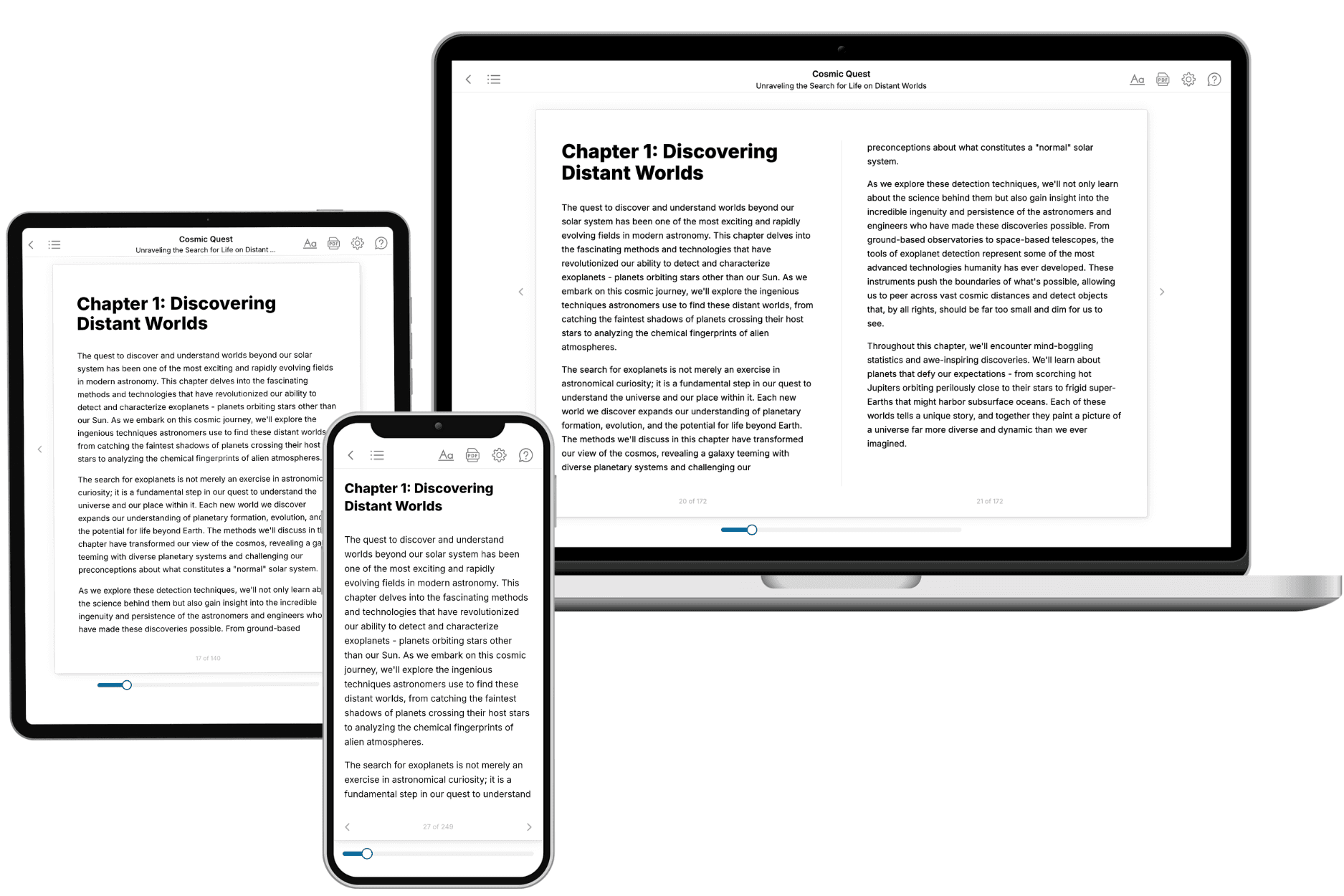
TailoredRead creates complete, full-length nonfiction ebooks, written specifically for you. Tell us what you want to learn and why, and TailoredRead writes you a complete ebook on it, with charts, tables, and diagrams throughout. Read it online, on Kindle, or on any e-reader, or download it as a PDF or EPUB. Every book is written fresh the day you order it.
- How is the book tailored to me?
Before anything is written, you answer a few short questions about your goals, your background, and the topics you care about. Your book is then planned around your answers: written at your level, focused on your goals, and covering the topics you chose, instead of the one-size-fits-all book a store sells everyone.
- Will it read like generic AI content?
No. Your book isn't a chat transcript: it's planned chapter by chapter before a single word is written, told in a clear book voice, and explains ideas visually with charts, tables, and diagrams. After writing, every book goes through an editorial pass that polishes chapters so the book reads consistent from start to finish. Judge for yourself: browse thousands of sample books on our Explore Books page.
- How accurate is the content?
Our AI first checks whether your subject needs live research. Niche and fast-moving subjects are researched before writing, and the book plan and chapters are grounded in what it finds. After writing, every book goes through a quality pass that checks its facts and consistency, and researched books list their sources in a Notes section at the back.
- How long is the book?
You choose the length: Comprehensive (250-300 pages), Detailed (150-200 pages), Essential (70-100 pages), or Short (30-50 pages).
- Does the book include visuals?
Yes. Every book includes charts, tables, and diagrams: timelines, checklists, step-by-step guides, decision trees, comparison tables, matrices, and bar charts. A typical book includes dozens of these visual elements.
- Can I read it on Kindle? What formats can I download?
Yes. Every book can be read in our online reader or downloaded as a PDF or EPUB. The EPUB can be opened with Kindle, Apple Books, Kobo, and any e-reader. The Commercial and Author licenses also include an editable Word (DOCX) and Markdown download.
- How much does it cost?
About the price of a regular ebook. The exact price depends on your book's length and complexity, from $2 for the shortest books to $35 for the most comprehensive, and it's shown when you review your book, before you commit to anything. Each book is a one-time purchase, yours to keep, no subscription. Licenses that let you share, teach, or publish your book range from $35.99 to $49.99.
- Can I preview the book before purchasing?
Before you pay, you'll see what your book will cover: the title, a detailed description, the estimated length, and the complete chapter-by-chapter table of contents, so you know what you're getting before you decide. The full text itself is written after you purchase.
- How long does it take to create a book?
About 10 minutes. You can start reading the opening chapters while the rest is still being written.