STM32G0 Mastery
A Hands-On Guide to Programming the Nucleo Board with STM32CubeIDE
Level up your embedded systems skills with "STM32G0 Mastery: A Hands-On Guide to Programming the Nucleo Board with STM32CubeIDE." This comprehensive guide is tailored for computer engineering students and hobbyists eager to dive into the world of microcontroller programming.
253 pages13 chaptersFeb 9, 2025Embedded Development
About this book
You'll start with the basics of GPIO configuration and quickly progress to more advanced topics like ADC initialization, DAC output control, and communication protocols such as SPI, I2C, and UART. Through practical examples and step-by-step instructions, you'll gain hands-on experience in implementing PWM signal generation, handling interrupts, and configuring timers. But this book doesn't stop at just teaching you how to use the STM32G0. It goes further by introducing you to essential embedded systems concepts like finite state machines, memory management, and C pointer arithmetic. You'll also learn valuable debugging techniques and debounce methods that will prove invaluable in your future projects. By the end of this book, you'll have a solid foundation in STM32G0 programming and be well-equipped to tackle complex embedded systems projects with confidence. Whether you're looking to enhance your academic knowledge or prepare for a career in embedded systems development, "STM32G0 Mastery" is your ultimate companion for success.
Table of contents
- IntroductionOverview of STM32G0 Microcontroller, Introduction to the Nucleo Board, Getting Started with STM32CubeIDE, Book Structure and How to Use ItRead below
- Chapter 1: GPIO FundamentalsUnderstanding GPIO Architecture, Configuring GPIO Pins, Reading Inputs and Setting Outputs, GPIO Interrupts
- Chapter 2: Analog-to-Digital and Digital-to-Analog ConversionADC Fundamentals, Initializing and Configuring ADC, DAC Fundamentals, Controlling DAC Output
- Chapter 3: Communication ProtocolsUART Fundamentals, Implementing UART Communication, SPI Protocol Basics, Implementing SPI Communication
- Chapter 4: I2C Protocol Deep DiveI2C Protocol Fundamentals, Implementing I2C Master Mode, Implementing I2C Slave Mode, I2C Error Handling and Debugging
- Chapter 5: PWM and Timer ConfigurationPWM Fundamentals, Generating PWM Signals, Timer Fundamentals, Configuring and Using Timers
- Chapter 6: Advanced Interrupt HandlingInterrupt Concepts and Priority, Configuring NVIC, Writing Effective Interrupt Handlers, Interrupt Handling Best Practices
- Chapter 7: Debugging TechniquesSTM32CubeIDE Debugging Tools, Using Breakpoints and Watchpoints, Monitoring Live Variables, Debugging Peripheral Configurations
- Chapter 8: Finite State MachinesFinite State Machine Concepts, Designing State Machines, Implementing State Machines in C, Real-world FSM Example
- Chapter 9: Memory Management and PointersSTM32G0 Memory Architecture, Understanding Stack and Heap, C Pointer Basics, Advanced Pointer Arithmetic
- Chapter 10: Input Debounce TechniquesUnderstanding the Debounce Problem, Software Debounce Methods, Hardware Debounce Techniques, Implementing Debounce in STM32G0
- Chapter 11: Low Power Modes and Energy EfficiencyOverview of STM32G0 Power Modes, Implementing Sleep Mode, Utilizing Stop Mode, Standby Mode and Wakeup Sources
- Chapter 12: Introduction to RTOS ConceptsRTOS Fundamentals, Task Creation and Management, Inter-task Communication, Managing Shared Resources
- Chapter 13: Capstone Project: Weather StationProject Overview and Requirements, Hardware Setup and Connections, Software Design and Implementation, Testing and Optimization
- ConclusionKey Takeaways, Further Learning Resources
- AppendixSTM32G0 Register Quick Reference, Common Errors and Solutions
Introduction
Welcome to the world of STM32G0 microcontroller programming! This introduction serves as your gateway to understanding the powerful capabilities of the STM32G0 series and the tools you'll be using throughout this book. As you embark on this journey, you'll gain a solid foundation in embedded systems programming, focusing on practical implementations that will enhance your skills as a computer engineering student or hobbyist.
The STM32G0 series represents a significant leap forward in microcontroller technology, offering a perfect balance of performance, power efficiency, and versatility. Throughout this book, you'll discover how to harness these features to create sophisticated embedded systems applications. By the end of this introduction, you'll have a clear understanding of the STM32G0's capabilities, the Nucleo development board, and the STM32CubeIDE environment, setting the stage for the in-depth explorations that follow in subsequent chapters.
As we progress through this introduction, we'll break down complex concepts into digestible segments, ensuring that you build a strong conceptual framework before diving into hands-on programming. Remember, mastering microcontroller programming is a journey of continuous learning and practice. The skills you develop here will serve as a springboard for tackling more advanced topics and real-world projects in the future.
Let's begin by exploring the STM32G0 microcontroller, understanding its place in the broader landscape of embedded systems, and getting acquainted with the tools that will become your constant companions throughout this learning adventure.
Overview of STM32G0 Microcontroller
The STM32G0 series, developed by STMicroelectronics, represents a cutting-edge line of 32-bit microcontrollers based on the ARM Cortex-M0+ core. These microcontrollers are designed to offer an optimal balance between performance, power efficiency, and cost-effectiveness, making them ideal for a wide range of embedded applications. The STM32G0 series is particularly well-suited for projects that require low power consumption without compromising on processing capabilities.
At the heart of the STM32G0 is the ARM Cortex-M0+ processor, which operates at frequencies up to 64 MHz. This processor is known for its exceptional energy efficiency, achieving an impressive performance of 188 CoreMark/mA. The Cortex-M0+ architecture is designed with simplicity in mind, featuring a reduced instruction set that makes it easier for beginners to understand and program while still providing the power needed for complex applications[1].
One of the standout features of the STM32G0 series is its versatile memory options. Depending on the specific model, these microcontrollers offer Flash memory ranging from 8 KB to 512 KB, and SRAM from 2 KB to 144 KB. This flexibility allows you to choose the right balance of program and data storage for your specific project needs. The STM32G0 also incorporates advanced memory protection units, ensuring the integrity and security of your code and data.
The STM32G0's peripheral set is both comprehensive and highly configurable, catering to a diverse array of application requirements. Key features include:
- Multiple timers, including advanced control timers for precise timing and PWM generation
- 12-bit ADC with up to 19 channels, enabling accurate analog signal measurement
- 12-bit DAC for analog signal output
- Communication interfaces including USART, SPI, and I2C, facilitating easy integration with various sensors and devices
- DMA controller for efficient data transfer without CPU intervention
- Real-time clock (RTC) for accurate timekeeping and low-power operation
One of the most significant advantages of the STM32G0 series is its focus on low power consumption. These microcontrollers feature multiple power modes, including Run, Sleep, Stop, and Standby modes. In the lowest power Standby mode, the STM32G0 can consume as little as 0.3 µA, making it ideal for battery-operated devices and energy-harvesting applications. The ability to quickly wake up from low-power modes (as fast as 3.5 µs) ensures responsive performance even in power-constrained scenarios.
The STM32G0 series also excels in terms of analog performance. The integrated analog peripherals, such as the 12-bit ADC and comparators, are designed to operate with minimal noise and high accuracy. This makes the STM32G0 particularly well-suited for applications requiring precise sensor measurements or motor control.
Security is another area where the STM32G0 shines. It includes features like a true random number generator (RNG) and hardware acceleration for AES encryption, enabling the implementation of robust security measures in your embedded applications. This is particularly important in today's interconnected world, where even small embedded devices may need protection against potential security threats.
For developers, the STM32G0 series is supported by a rich ecosystem of development tools and software libraries. The STM32CubeG0 software package, which we'll explore in detail later, provides a comprehensive set of middleware, drivers, and code examples that significantly accelerate the development process. This ecosystem support is a crucial factor in the popularity of the STM32 family among both professional developers and hobbyists.
As you progress through this book, you'll gain hands-on experience with many of these features, learning how to leverage the STM32G0's capabilities to create efficient and powerful embedded systems. The knowledge you gain will be applicable not just to the specific microcontroller we're using, but will form a solid foundation for working with a wide range of ARM-based microcontrollers.
In the next section, we'll introduce you to the Nucleo development board, which will serve as your primary hardware platform for experimenting with the STM32G0. This board is designed to make it easy for you to access and utilize the various features of the STM32G0, providing a user-friendly environment for learning and prototyping.
Introduction to the Nucleo Board
The STM32 Nucleo board is an essential tool in your journey to master STM32G0 programming. Designed by STMicroelectronics, this development board provides an accessible and cost-effective platform for exploring the capabilities of the STM32G0 microcontroller. The Nucleo board is specifically crafted to lower the barrier to entry for embedded systems development, making it an ideal choice for students, hobbyists, and professionals alike.
At the core of the Nucleo board is the STM32G0 microcontroller, which we discussed in the previous section. The board exposes the microcontroller's pins and peripherals in a user-friendly layout, allowing you to easily connect external components and sensors. This accessibility is crucial for hands-on learning and prototyping, as it enables you to quickly test and implement various embedded systems concepts.
One of the standout features of the Nucleo board is its integrated ST-LINK debugger and programmer. This on-board debugger eliminates the need for a separate programming device, streamlining the development process. You can simply connect the Nucleo board to your computer via USB, and you're ready to program and debug your STM32G0 applications. This integrated approach not only reduces costs but also simplifies the setup process, allowing you to focus more on learning and coding rather than dealing with hardware configurations[2].
The Nucleo board comes in a standardized form factor known as the Arduino Uno layout. This design choice is significant for several reasons:
- Compatibility: The Arduino Uno layout is widely recognized in the maker community. This means you can use a vast array of existing Arduino shields and expansion boards with your Nucleo board, greatly expanding its capabilities.
- Flexibility: The standardized headers make it easy to connect external components and modules, facilitating rapid prototyping and experimentation.
- Familiarity: If you have prior experience with Arduino boards, the similar layout will help you transition more easily to STM32 development.
Power options on the Nucleo board are versatile, catering to various development scenarios. You can power the board through the USB connection, which is convenient for desktop development. Alternatively, external power can be supplied through the Vin pin or the battery connector, allowing for standalone operation in your projects. This flexibility is particularly useful when you're developing battery-operated or portable devices.
The Nucleo board also features several user-interactive elements that are invaluable for learning and debugging:
- User LED: Often referred to as the "heartbeat" LED, this can be programmed to indicate the status of your application or for simple visual debugging.
- User Button: This push-button is directly connected to a GPIO pin of the STM32G0, allowing you to easily implement user input in your applications.
- Reset Button: Provides a quick way to restart your program during development and testing.
For communication and expansion, the Nucleo board offers several options:
- USB Port: Besides providing power, this port can be used for programming, debugging, and serial communication with your computer.
- ST Morpho Headers: These headers expose all STM32G0 I/Os, providing maximum flexibility for connecting external devices.
- Arduino Uno V3 Headers: As mentioned earlier, these allow for easy connection of Arduino-compatible shields.
One of the most powerful features of the Nucleo board is its ability to support Mbed OS, an open-source embedded operating system designed for Internet of Things (IoT) devices. While we won't be using Mbed OS extensively in this book, it's worth noting that this capability opens up a world of possibilities for more advanced projects, especially those involving connectivity and IoT applications.
The Nucleo board's design also emphasizes ease of use in educational settings. Its robust construction can withstand the rigors of classroom use, while its affordable price point makes it accessible for students and educational institutions. The board's simplicity allows beginners to start with basic projects and gradually progress to more complex applications as their skills develop.
As you work through the examples and projects in this book, you'll find that the Nucleo board's features greatly facilitate the learning process. For instance, when you're learning about GPIO programming, you can easily use the on-board LED and button for immediate visual feedback. When exploring communication protocols like UART, SPI, or I2C, the exposed pins make it straightforward to connect external devices and sensors.
It's important to note that while the Nucleo board is an excellent learning and prototyping tool, the skills you develop are directly transferable to other STM32 development boards and even custom PCB designs using the STM32G0 microcontroller. This means that as your projects grow in complexity, you can easily transition from the Nucleo board to more specialized hardware solutions while leveraging the same programming knowledge and techniques.
In the next section, we'll introduce you to STM32CubeIDE, the integrated development environment that you'll be using to write, compile, and debug your STM32G0 programs. Together with the Nucleo board, STM32CubeIDE forms a powerful development ecosystem that will support you throughout your journey in mastering STM32G0 programming.
Getting Started with STM32CubeIDE
STM32CubeIDE is a powerful, all-in-one development environment specifically designed for STM32 microcontrollers. It combines the ease of use of an integrated development environment (IDE) with advanced debugging capabilities and intuitive code generation tools. As you embark on your journey to master STM32G0 programming, STM32CubeIDE will be your primary software tool, providing a comprehensive platform for writing, compiling, and debugging your embedded applications.
At its core, STM32CubeIDE is based on the Eclipse IDE, a widely used open-source development environment. This foundation provides a familiar interface for many developers and ensures a robust, extensible platform. However, STMicroelectronics has significantly enhanced the basic Eclipse IDE with STM32-specific features, making it an ideal tool for STM32 development[3].
One of the standout features of STM32CubeIDE is its integration with STM32CubeMX, a graphical tool for configuring STM32 microcontrollers. This integration allows you to:
- Visually configure your STM32G0 microcontroller's pins and peripherals
- Set up clock trees and power modes
- Automatically generate initialization code based on your configuration
- Seamlessly switch between graphical configuration and manual coding
This visual approach to initial setup can be particularly helpful when you're learning about new peripherals or trying to understand the complex relationships between different parts of the microcontroller. As you become more experienced, you may find yourself relying less on the graphical interface and more on direct code manipulation, but the option to use visual tools remains a valuable time-saver even for experienced developers.
STM32CubeIDE comes with a built-in compiler based on the GNU Compiler Collection (GCC). This means you don't need to install or configure any external toolchains to start developing for the STM32G0. The IDE handles all the complexities of compiling your C code into machine code that can run on the ARM Cortex-M0+ core of the STM32G0. Additionally, the IDE includes:
- A source code editor with syntax highlighting and code completion
- Project management tools for organizing your source files and build configurations
- Build automation tools to compile your project with a single click
Debugging is a critical part of embedded systems development, and STM32CubeIDE excels in this area. The IDE integrates seamlessly with the ST-LINK debugger on your Nucleo board, providing a range of powerful debugging features:
- Breakpoint setting and management
- Step-by-step code execution
- Real-time variable watching
- Memory viewing and editing
- Peripheral register inspection
These debugging capabilities allow you to closely monitor the behavior of your program as it runs on the STM32G0, making it easier to identify and fix issues in your code. The ability to inspect peripheral registers is particularly useful when working with hardware-level programming, as it allows you to verify that your peripheral configurations are correct.
Another key feature of STM32CubeIDE is its integration with STM32Cube firmware packages. These packages provide:
- Low-level drivers for all STM32G0 peripherals
- Higher-level middleware components for functions like USB, file systems, and real-time operating systems
- Extensive example projects demonstrating various features and use cases
This integration means that you have easy access to a wealth of pre-written, optimized code that you can use in your projects. As you're learning, these examples and libraries can serve as valuable references and starting points for your own code.
STM32CubeIDE also includes several tools to help you optimize your code for the resource-constrained environment of an embedded system:
- A static analyzer to identify potential issues in your code before runtime
- A runtime analyzer to profile your code's performance and memory usage
- A trace tool to capture and analyze the real-time behavior of your application
These tools are invaluable as you move from basic programs to more complex applications, helping you ensure that your code is efficient and robust.
As you progress through this book, you'll become increasingly familiar with the various features of STM32CubeIDE. You'll learn how to create new projects, configure your STM32G0 microcontroller, write and debug code, and leverage the various tools and libraries available in the IDE. While the learning curve may seem steep at first, remember that mastering these tools is an integral part of becoming proficient in STM32G0 programming.
To get started with STM32CubeIDE:
- Download the latest version from the STMicroelectronics website
- Install the software, following the provided instructions for your operating system
- Launch STM32CubeIDE and create a new STM32 project, selecting your specific Nucleo board model
- Explore the interface, paying particular attention to the Project Explorer, Editor, and Debug perspectives
In the next section, we'll provide an overview of the book's structure and offer guidance on how to make the most of the content as you work through the chapters. Remember, becoming proficient with STM32CubeIDE is a gradual process, and you'll gain more comfort and expertise as you work through the practical examples in this book.
Book Structure and How to Use It
This book is designed to take you on a comprehensive journey through STM32G0 programming, starting from the basics and progressing to advanced topics. The structure is carefully crafted to build your knowledge incrementally, ensuring that each new concept builds upon what you've already learned. Here's an overview of how the book is organized and how you can make the most of its content.
The book is divided into 13 main chapters, each focusing on a specific aspect of STM32G0 programming or embedded systems concepts. Here's a brief overview of what you can expect:
- GPIO Fundamentals: This chapter lays the foundation for microcontroller programming, covering the basics of digital input and output.
- Analog-to-Digital and Digital-to-Analog Conversion: Here, you'll learn how to interface with the analog world using the STM32G0's ADC and DAC capabilities.
- Communication Protocols: This chapter covers UART and SPI, essential for connecting your microcontroller to other devices.
- I2C Protocol Deep Dive: A detailed exploration of the I2C protocol, crucial for many sensor interfaces.
- PWM and Timer Configuration: Learn how to generate precise timing signals and control motors or other analog devices.
- Advanced Interrupt Handling: Master the art of writing efficient, responsive embedded systems using interrupts.
- Debugging Techniques: Develop essential skills for troubleshooting your embedded applications.
- Finite State Machines: Learn how to structure your code for complex, state-based applications.
- Memory Management and Pointers: Dive deep into efficient memory usage and advanced C programming concepts.
- Input Debounce Techniques: Understand how to handle real-world input signals reliably.
- Low Power Modes and Energy Efficiency: Explore techniques for creating energy-efficient embedded systems.
- Introduction to RTOS Concepts: Get a taste of real-time operating systems and their application in embedded systems.
- Capstone Project: Weather Station: Apply everything you've learned in a comprehensive, real-world project.
Each chapter is structured to provide both theoretical understanding and practical application. You'll find:
- Conceptual explanations to build your understanding of the underlying principles
- Step-by-step tutorials to guide you through implementing the concepts
- Code examples that you can try and modify on your Nucleo board
- Practical tips and best practices drawn from real-world embedded systems development
- Exercises and challenges to reinforce your learning and encourage experimentation
To get the most out of this book, here are some recommendations:
- Read sequentially: The chapters are designed to build upon each other. While it's possible to jump to specific topics of interest, you'll gain the most comprehensive understanding by working through the book from start to finish.
- Hands-on practice: Don't just read the code examples – type them out, compile them, and run them on your Nucleo board. Experiment with modifications to deepen your understanding.
- Take on the challenges: At the end of each chapter, you'll find additional exercises and project ideas. These are crucial for reinforcing your learning and developing problem-solving skills.
- Explore the STM32CubeIDE: As you work through the examples, take time to explore different features of the IDE. The more comfortable you become with the development environment, the more efficiently you'll be able to work on your own projects.
- Refer to additional resources: While this book aims to be comprehensive, embedded systems is a vast field. Don't hesitate to refer to the STM32G0 datasheet, reference manual, and other resources mentioned throughout the book for deeper dives into specific topics.
- Join the community: Consider joining online forums or local meetups focused on STM32 or embedded systems development. Sharing your experiences and learning from others can greatly enhance your learning journey.
Remember, learning embedded systems programming is as much about understanding concepts as it is about gaining practical experience. As you work through this book, you'll not only learn about the STM32G0 specifically but also develop a broader understanding of microcontroller programming and embedded systems design principles.
The capstone project in Chapter 13 is designed to bring together everything you've learned. As you progress through the earlier chapters, keep this final project in mind. Think about how each new concept or technique you learn could be applied to building a weather station or similar complex embedded system.
Finally, don't be discouraged if you find some concepts challenging at first. Embedded systems programming involves a unique blend of software and hardware knowledge, and it's normal for some topics to take time to fully grasp. Persistence and practice are key – each time you successfully implement a new feature or solve a tricky problem, you're building valuable skills that will serve you well in your future as an embedded systems developer.
With this roadmap in mind, you're now ready to dive into the world of STM32G0 programming. The journey ahead is exciting and full of opportunities to create innovative embedded systems. Let's begin with Chapter 1, where we'll explore the fundamental building blocks of microcontroller programming: General-Purpose Input/Output (GPIO) pins.
This is the end of the free sample. The full book has 13 chapters.
Want this book written for you?
Tell us your goals and background, and get your own version of this book, tailored by AI to you.


Benefits of AI-tailored books
- Read one book, not ten:
- all the Embedded Development knowledge you need, gathered into a single book.
- Save days of learning:
- tell us your goals, choose your topics, and the whole book is built around them.
- Learn effortlessly:
- Embedded Development book written for your specific background and expertise.
- Understand at a glance:
- includes charts, tables, timelines, checklists, decision trees, and more.
- Stay current:
- written the day you order it, not years ago.
- Trust what you read:
- every book is checked for accuracy, with real research when your subject needs it.
Create your unique book in 3 steps
- 1. Select your focus
Select the focus of your Embedded Development book and share your background
- 2. Personalize your book
Specify your goals and choose sub-topics to include
- 3. Get your tailored book
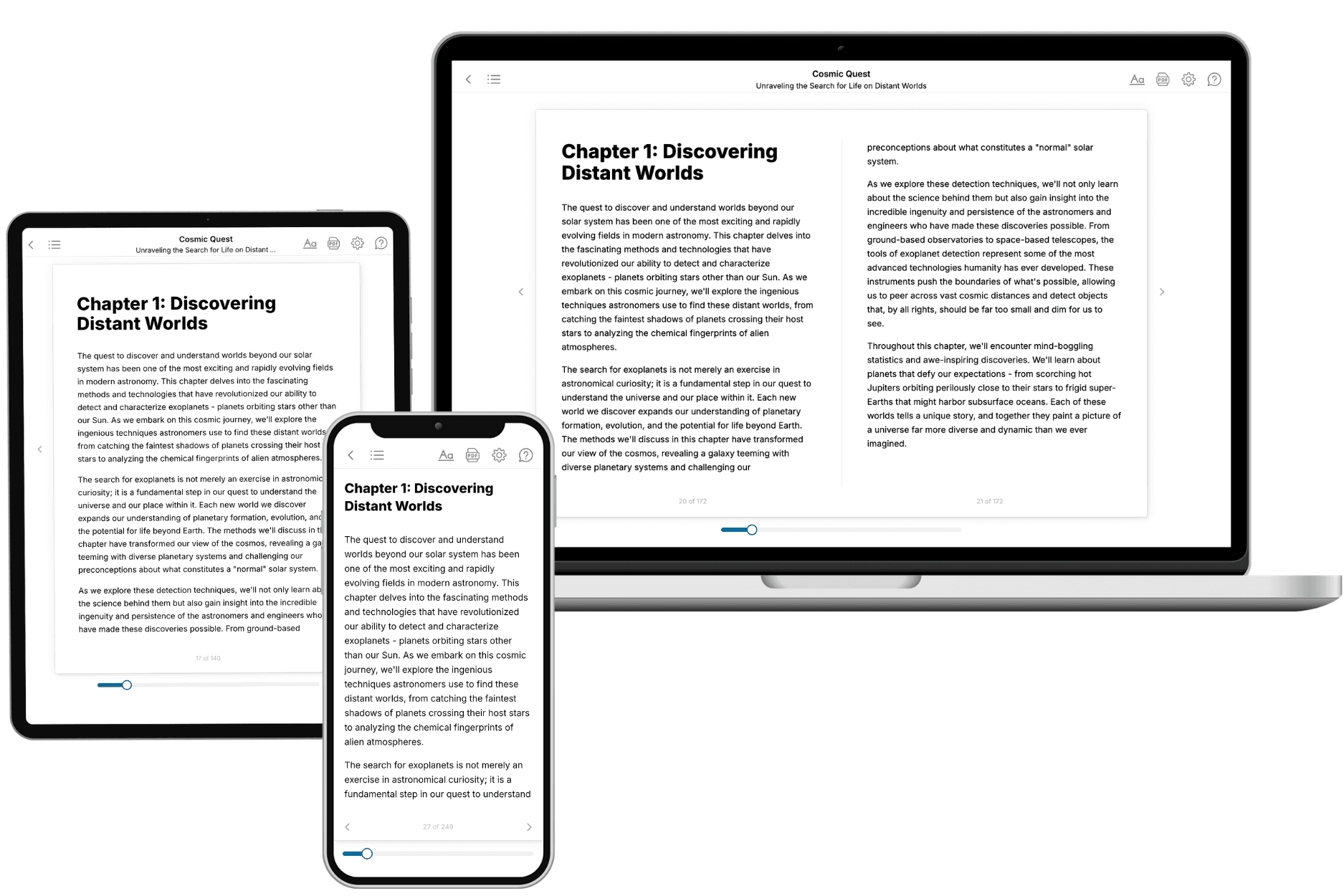
Your book is ready in 10 minutes. Read it online, download as EPUB or PDF, or send to Kindle.
Frequently asked questions
- What is TailoredRead?
TailoredRead creates complete, full-length nonfiction ebooks, written specifically for you. Tell us what you want to learn and why, and TailoredRead writes you a complete ebook on it, with charts, tables, and diagrams throughout. Read it online, on Kindle, or on any e-reader, or download it as a PDF or EPUB. Every book is written fresh the day you order it.
- How is the book tailored to me?
Before anything is written, you answer a few short questions about your goals, your background, and the topics you care about. Your book is then planned around your answers: written at your level, focused on your goals, and covering the topics you chose, instead of the one-size-fits-all book a store sells everyone.
- Will it read like generic AI content?
No. Your book isn't a chat transcript: it's planned chapter by chapter before a single word is written, told in a clear book voice, and explains ideas visually with charts, tables, and diagrams. After writing, every book goes through an editorial pass that polishes chapters so the book reads consistent from start to finish. Judge for yourself: browse thousands of sample books on our Explore Books page.
- How accurate is the content?
Our AI first checks whether your subject needs live research. Niche and fast-moving subjects are researched before writing, and the book plan and chapters are grounded in what it finds. After writing, every book goes through a quality pass that checks its facts and consistency, and researched books list their sources in a Notes section at the back.
- How long is the book?
You choose the length: Comprehensive (250-300 pages), Detailed (150-200 pages), Essential (70-100 pages), or Short (30-50 pages).
- Does the book include visuals?
Yes. Every book includes charts, tables, and diagrams: timelines, checklists, step-by-step guides, decision trees, comparison tables, matrices, and bar charts. A typical book includes dozens of these visual elements.
- Can I read it on Kindle? What formats can I download?
Yes. Every book can be read in our online reader or downloaded as a PDF or EPUB. The EPUB can be opened with Kindle, Apple Books, Kobo, and any e-reader. The Commercial and Author licenses also include an editable Word (DOCX) and Markdown download.
- How much does it cost?
About the price of a regular ebook. The exact price depends on your book's length and complexity, from $2 for the shortest books to $35 for the most comprehensive, and it's shown when you review your book, before you commit to anything. Each book is a one-time purchase, yours to keep, no subscription. Licenses that let you share, teach, or publish your book range from $35.99 to $49.99.
- Can I preview the book before purchasing?
Before you pay, you'll see what your book will cover: the title, a detailed description, the estimated length, and the complete chapter-by-chapter table of contents, so you know what you're getting before you decide. The full text itself is written after you purchase.
- How long does it take to create a book?
About 10 minutes. You can start reading the opening chapters while the rest is still being written.