Swift Mastery for Mac Development
Build Professional macOS Applications with Advanced Swift Programming Techniques
Elevate your Mac development skills and create sophisticated applications that stand out in the App Store.
284 pages17 chaptersOct 9, 2025Swift
About this book
This comprehensive guide takes your existing programming knowledge and transforms it into Swift expertise specifically tailored for macOS development. You'll discover how to harness Swift's most powerful features—from protocol-oriented programming to advanced concurrency patterns—while building real-world Mac applications. Learn to seamlessly integrate SwiftUI with AppKit, implement robust error handling, and create responsive user interfaces that feel native to the Mac platform. Through practical examples and hands-on projects, you'll master the nuances of Mac-specific development, including menu systems, window management, and system integration. The book covers essential topics like memory management, performance optimization, and architectural patterns that separate amateur apps from professional-grade software. Whether you're transitioning from iOS development or expanding your desktop programming skills, this guide provides the deep Swift knowledge and Mac development insights you need to build applications that users love and that perform flawlessly across all Mac devices.
Table of contents
- IntroductionThe Swift and Mac Development Landscape, How This Book Approaches Swift Mastery, What You Need to Get Started, Setting Up Your Development EnvironmentRead below
- Chapter 1: Swift Language FundamentalsUnderstanding Swift's Type System, Mastering Optionals and Nil Safety, Value Types vs Reference Types, Working with Swift Collections
- Chapter 2: Protocol-Oriented ProgrammingProtocol Fundamentals and Design, Protocol Extensions and Default Implementations, Associated Types and Generic Protocols, Protocol Composition and Inheritance
- Chapter 3: Generics and Advanced Type FeaturesGeneric Functions and Methods, Creating Generic Types and Classes, Type Constraints and Where Clauses, Opaque Types and Type Erasure
- Chapter 4: Memory Management and PerformanceAutomatic Reference Counting Fundamentals, Identifying and Breaking Retain Cycles, Weak and Unowned References, Performance Optimization Techniques
- Chapter 5: Error Handling and DebuggingSwift Error Types and Throwing Functions, Error Propagation and Handling Strategies, Using Result Type for Error Management, Advanced Debugging Techniques
- Chapter 6: Concurrency and Async ProgrammingUnderstanding Async/Await Syntax, Task Creation and Management, The Actor Model for Thread Safety, Structured Concurrency Patterns
- Chapter 7: Mac Development FundamentalsUnderstanding macOS Application Architecture, Mac App Lifecycle and Delegate Patterns, Working with App Bundles and Resources, App Sandboxing and Security Fundamentals
- Chapter 8: SwiftUI for Mac ApplicationsSwiftUI View Fundamentals, State Management and Data Flow, SwiftUI Layout System and Modifiers, Mac-Specific SwiftUI Views and Controls
- Chapter 9: AppKit Integration and Legacy SupportAppKit Framework Fundamentals, Integrating NSView with SwiftUI, Advanced Window Management, Creating Custom Menu Systems
- Chapter 10: Advanced User Interface DesignBuilding Custom UI Controls, Animations and Smooth Transitions, Implementing Accessibility Features, Responsive Design for Different Screen Sizes
- Chapter 11: Data Persistence and StorageCore Data Integration with Swift, File System Operations and Management, UserDefaults and App Preferences, Data Serialization with Codable
- Chapter 12: Networking and API IntegrationURLSession and Network Requests, Async Networking with Modern Swift, JSON Parsing and API Response Handling, Network Security and Authentication
- Chapter 13: System Integration and ServicesLocal and Remote Notifications, Integrating with macOS System Services, Inter-App Communication and URL Schemes, Background Processing and Scheduling
- Chapter 14: Testing and Quality AssuranceUnit Testing with XCTest, UI Testing and Automation, Performance Testing and Profiling, Continuous Integration Setup
- Chapter 15: Application Architecture PatternsMVC and MVVM Patterns in Swift, Coordinator Pattern for Navigation, Dependency Injection and Service Locator, Clean Architecture Principles
- Chapter 16: Swift Package Manager and ModularizationSwift Package Manager Fundamentals, Creating and Publishing Swift Packages, Designing Modular Application Architecture, Managing External Dependencies
- Chapter 17: App Deployment and DistributionBuild Configurations and Schemes, Code Signing and Certificates, Preparing for App Store Submission, Alternative Distribution Methods
Introduction
Mac development has undergone a remarkable transformation since Apple introduced Swift in 2014. What began as a modern alternative to Objective-C has evolved into the primary language for creating sophisticated macOS applications that leverage the full power of Apple's desktop platform. Today's Mac developers have access to an unprecedented combination of Swift's advanced language features, SwiftUI's declarative interface framework, and the mature AppKit ecosystem that has powered Mac applications for decades. This convergence creates unique opportunities for building applications that are both cutting-edge and deeply integrated with the Mac experience users expect.
The landscape of Mac development continues to evolve rapidly, with each new version of Swift and macOS introducing powerful capabilities that enable developers to create more responsive, secure, and user-friendly applications. Swift's type safety, memory management, and concurrency features provide the foundation for building reliable software, while SwiftUI offers a modern approach to interface design that can adapt seamlessly across different Mac form factors. Meanwhile, the integration possibilities with AppKit ensure that your applications can leverage decades of Mac-specific functionality and maintain compatibility with established user workflows and expectations.
For intermediate developers looking to master Mac development, the challenge isn't just learning Swift syntax or understanding individual frameworks—it's developing the architectural thinking and platform-specific knowledge that separates amateur applications from professional-grade software. This book addresses that challenge by focusing on the advanced Swift concepts, development patterns, and Mac-specific techniques that enable you to build applications worthy of the App Store and capable of competing with established Mac software. You'll discover how to think like a Mac developer while leveraging Swift's most powerful features to create applications that feel native, perform excellently, and provide the kind of polished user experience that Mac users demand.
The Swift and Mac Development Landscape
Swift's evolution from a promising new language to the cornerstone of Apple's development ecosystem represents one of the most successful programming language transitions in recent history. Since its introduction, Swift has consistently added features that make it particularly well-suited for Mac development: advanced type inference, protocol-oriented programming, powerful generics, and most recently, structured concurrency with async/await. These features aren't just academic improvements—they directly translate into more maintainable code, fewer runtime crashes, and better performance for your Mac applications. The language's emphasis on safety and expressiveness means you can focus on solving business problems rather than debugging memory management issues or tracking down null pointer exceptions.
The Mac platform itself has experienced a renaissance, driven by Apple Silicon's performance improvements and renewed focus on professional workflows. Modern Mac users expect applications that can handle complex tasks efficiently while maintaining the responsive, intuitive interface that defines the Mac experience. This creates opportunities for developers who understand how to leverage Swift's capabilities within the context of Mac-specific frameworks and design patterns. Applications built with modern Swift techniques can take advantage of features like:
- Native performance through Swift's compiled nature and optimization capabilities
- Memory efficiency via automatic reference counting and value type semantics
- Concurrent processing using Swift's actor model and structured concurrency
- Type safety that prevents entire categories of runtime errors
- Protocol-oriented design that enables flexible, testable architectures
The integration between Swift and macOS frameworks has reached a level of maturity that enables developers to build sophisticated applications without the complexity that characterized earlier Mac development. SwiftUI provides a declarative approach to interface construction that can automatically adapt to different window sizes and user preferences, while maintaining full access to AppKit when you need platform-specific functionality. This hybrid approach means you're not forced to choose between modern development practices and Mac-native capabilities—you can leverage both to create applications that feel authentically Mac while using contemporary development techniques.
Understanding the current Mac development landscape also means recognizing the diverse range of applications that succeed on the platform. From productivity tools that integrate deeply with system services to creative applications that push the boundaries of performance, successful Mac applications share common characteristics: they respect Mac interface conventions, provide keyboard-driven workflows, integrate with system features like Spotlight and Quick Look, and offer the kind of customization and power that Mac users expect. Swift's language features enable you to build these characteristics into your applications from the ground up, rather than retrofitting them later.
The developer tools ecosystem surrounding Swift and Mac development has also matured significantly. Xcode's integration with Swift Package Manager, improved debugging capabilities, and enhanced performance profiling tools provide a comprehensive development environment. The Swift community has contributed thousands of open-source packages that solve common development challenges, from networking and data persistence to user interface components and testing utilities. This ecosystem means you can focus on the unique aspects of your application rather than rebuilding fundamental functionality from scratch.
Market dynamics also favor developers who can create high-quality Mac applications. The Mac App Store provides a distribution channel that reaches millions of users, while direct distribution options allow for more flexible business models. Mac users have demonstrated willingness to pay for quality software, particularly applications that enhance productivity or provide professional capabilities. This creates opportunities for developers who can combine Swift's technical capabilities with deep understanding of Mac user needs and platform conventions.
Looking ahead, the convergence of Mac and iOS development through technologies like Mac Catalyst and universal apps creates additional opportunities for developers with strong Swift skills. Understanding how to architect applications that can potentially span multiple Apple platforms while maintaining platform-specific optimizations becomes increasingly valuable. Swift's design principles and cross-platform capabilities position it well for this multi-platform future, making mastery of advanced Swift concepts an investment that extends beyond Mac development alone.
The competitive landscape for Mac applications rewards developers who can deliver both technical excellence and user experience sophistication. Applications that leverage Swift's advanced features—like generics for type-safe APIs, protocols for flexible architectures, and concurrency for responsive interfaces—have distinct advantages over those built with older approaches or less capable languages. This technical foundation enables you to implement features that would be difficult or impossible with other tools, creating opportunities for differentiation in crowded application categories.
How This Book Approaches Swift Mastery
This book takes a deliberately practical approach to Swift mastery, focusing on the language features and development patterns that directly impact your ability to build professional Mac applications. Rather than covering every Swift feature exhaustively, the content emphasizes the concepts that experienced Mac developers use daily: protocol-oriented programming for flexible architectures, generics for type-safe reusable components, memory management for performance optimization, and concurrency for responsive user interfaces. Each concept is presented in the context of real Mac development scenarios, with examples drawn from the types of applications you'll actually build rather than contrived academic exercises.
The progression through Swift concepts follows a carefully designed learning path that builds complexity gradually while maintaining practical relevance. You'll start with Swift fundamentals that may seem familiar but contain nuances crucial for Mac development, then advance through increasingly sophisticated topics that enable more powerful application architectures. This approach ensures that you develop both breadth and depth in your Swift knowledge, understanding not just how language features work but when and why to apply them in Mac development contexts. The goal is to develop the kind of intuitive understanding that allows you to choose the right Swift approach for each development challenge you encounter.
Code examples throughout the book are specifically crafted for Mac development scenarios, demonstrating Swift concepts through realistic implementations rather than simplified demonstrations. You'll see how protocol-oriented programming enables flexible data source architectures for Mac table views, how generics create reusable networking components that maintain type safety, and how Swift's concurrency features integrate with Mac application lifecycles. These examples are designed to be immediately applicable to your own projects while illustrating broader principles you can adapt to different situations.
The book's treatment of Mac-specific development goes beyond basic framework usage to explore the architectural decisions that distinguish professional applications from amateur efforts. You'll learn how to structure applications that can grow in complexity without becoming unmaintainable, how to integrate SwiftUI and AppKit in ways that leverage the strengths of both frameworks, and how to implement the kind of polish and attention to detail that Mac users expect. This includes practical guidance on topics like:
- Application architecture patterns that scale with team size and feature complexity
- User interface design approaches that feel native across different Mac form factors
- Performance optimization techniques specific to Mac applications and user workflows
- Integration strategies for system services and third-party frameworks
- Testing methodologies that ensure reliability without slowing development
Each chapter includes both conceptual explanations and hands-on implementation guidance, with a strong emphasis on understanding the reasoning behind different approaches. You'll learn not just how to implement specific features, but how to evaluate trade-offs between different Swift techniques and choose approaches that align with your application's requirements and constraints. This decision-making framework becomes increasingly important as you work on larger, more complex applications where architectural choices have long-term consequences for maintainability and extensibility.
The book also addresses common challenges that intermediate developers face when transitioning to advanced Swift development. These include understanding when to use classes versus structs, designing protocol hierarchies that remain flexible as requirements evolve, managing memory effectively in complex object graphs, and implementing error handling strategies that provide good user experiences without compromising code clarity. Rather than presenting these as abstract problems, the content shows how these challenges manifest in real Mac development scenarios and provides proven approaches for addressing them.
Throughout the book, there's a consistent focus on code quality and maintainability, reflecting the reality that most professional Mac applications are long-lived projects that evolve over time. You'll learn Swift techniques that make code easier to understand, modify, and extend, including approaches to documentation, testing, and modular design that support collaborative development. This emphasis on sustainable development practices ensures that the applications you build can grow and adapt as requirements change and teams evolve.
The integration of theory and practice extends to the book's treatment of debugging and performance optimization. Rather than treating these as separate topics, the content shows how understanding Swift's underlying behavior helps you write code that's easier to debug and naturally performs well. You'll learn to recognize performance anti-patterns before they become problems and develop debugging strategies that leverage Swift's type system and Xcode's development tools effectively.
What You Need to Get Started
This book assumes you have solid programming fundamentals and some experience with object-oriented or functional programming concepts. You should be comfortable with basic programming constructs like variables, functions, classes, and control flow, and have experience working with at least one modern programming language. While prior Swift experience is helpful, it's not required—the book covers Swift concepts from an intermediate perspective, focusing on the nuances and advanced applications rather than basic syntax. If you've worked with languages like Python, JavaScript, Java, or C#, you'll find the Swift concepts accessible, though you'll need to adapt to Swift's particular approaches to type safety and memory management.
Some familiarity with Mac applications as a user is essential for understanding the development context and user experience expectations that guide technical decisions throughout the book. You should understand basic Mac interface conventions like menu bars, toolbars, sidebars, and window management, as well as common Mac workflows like drag-and-drop, keyboard shortcuts, and system integration features. This user-level familiarity provides the foundation for understanding why certain technical approaches are preferred for Mac development and how implementation decisions impact the user experience.
Basic understanding of software development concepts beyond just programming syntax will help you get the most from the advanced topics covered in later chapters. This includes familiarity with concepts like:
- Design patterns such as Model-View-Controller and delegation
- Testing approaches including unit testing and integration testing
- Version control with Git for managing code changes
- Debugging techniques using development environment tools
- Performance considerations like memory usage and computational complexity
- API design principles for creating maintainable interfaces
While not strictly required, some exposure to Apple's development ecosystem will accelerate your learning. This might include previous iOS development experience, familiarity with Xcode's interface and basic functionality, or understanding of Apple's Human Interface Guidelines. However, the book is designed to be accessible to developers coming from other platforms who want to focus specifically on Mac development. The key is having enough general development experience to focus on Swift-specific and Mac-specific concepts rather than fundamental programming principles.
You'll need access to a Mac computer capable of running the latest version of Xcode, as Mac development requires Apple's development tools and can only be done on Mac hardware. The specific Mac model isn't critical—even older MacBook Air or iMac models can handle the development tasks covered in this book effectively. However, having sufficient RAM (at least 8GB, preferably 16GB or more) will make the development experience more pleasant, particularly when working with larger projects or running multiple development tools simultaneously.
An Apple Developer account, while not immediately necessary for following along with the book's examples, becomes important when you want to test applications on actual devices or prepare for distribution. The free tier of Apple's developer program allows you to run applications on your own Mac and test most functionality covered in the book. The paid developer program ($99/year) is only required for App Store distribution or access to certain advanced system integration features.
Most importantly, you should approach this book with a willingness to experiment and iterate on the concepts presented. Mac development, like all software development, is learned through practice and experimentation. The book provides guidance and examples, but developing mastery requires applying these concepts to your own projects and challenges. Be prepared to write code, make mistakes, debug problems, and gradually build your understanding through hands-on experience with the tools and techniques covered.
Finally, having a specific Mac application idea or project in mind can help you apply the book's concepts more effectively. Whether it's a productivity tool, creative application, or utility that solves a problem you've encountered, having a concrete goal provides context for the technical concepts and helps you understand how different Swift features contribute to building complete applications. This project doesn't need to be complex—even a simple application provides opportunities to apply advanced Swift concepts in meaningful ways.
Setting Up Your Development Environment
Creating an effective Mac development environment involves more than just installing Xcode—it requires configuring tools and workflows that support the advanced Swift development techniques covered throughout this book. Start by downloading the latest version of Xcode from the Mac App Store or Apple Developer portal, ensuring you have the most recent Swift compiler and Mac SDK. While Xcode includes everything needed for basic Mac development, you'll want to configure additional tools and settings that enhance productivity for advanced Swift development, including code formatting tools, documentation generators, and performance profiling utilities that help you write and maintain high-quality code.
Xcode's default configuration works well for many developers, but customizing the development environment can significantly improve your productivity when working with complex Swift projects. Configure Xcode's editor settings to match your preferences for indentation, syntax highlighting, and code completion behavior. Enable relevant warnings and static analysis tools that help catch potential issues early in the development process. Set up custom code snippets for common Swift patterns you'll use frequently, such as protocol definitions, generic function signatures, and error handling boilerplate. These customizations become increasingly valuable as you work on larger projects where consistency and efficiency matter.
Swift Package Manager integration deserves particular attention in your development setup, as modern Mac applications increasingly rely on external dependencies and modular architectures. Familiarize yourself with how Xcode integrates with Swift Package Manager for dependency management, and consider setting up a local package development workflow if you plan to create reusable components. Understanding how to configure package dependencies, manage version constraints, and resolve dependency conflicts will be essential for the architectural approaches covered in later chapters. This includes setting up appropriate source control integration to manage both your application code and its dependencies effectively.
Development workflow optimization extends beyond Xcode configuration to include tools that support the entire development lifecycle. Consider setting up:
- Documentation tools like jazzy for generating API documentation from Swift code comments
- Code formatting utilities such as SwiftFormat for maintaining consistent code style across projects
- Static analysis tools like SwiftLint for enforcing coding standards and catching potential issues
- Performance profiling tools including Instruments for analyzing memory usage and performance characteristics
- Version control integration with Git for managing code changes and collaboration
- Continuous integration setup for automated testing and build verification
Simulator configuration plays a crucial role in Mac development, though it differs from iOS development where simulators are essential for testing across device types. For Mac development, you'll primarily test on your development machine, but understanding how to configure different user environments, system preferences, and accessibility settings helps ensure your applications work well for diverse users. Set up test user accounts with different system configurations, language settings, and accessibility preferences to validate that your applications behave correctly across different usage scenarios.
Debugging and profiling tool configuration requires special attention for advanced Swift development. Xcode's debugging tools become increasingly important as you work with complex Swift features like generics, protocols, and concurrent code. Configure breakpoint behaviors, learn to use the LLDB debugger effectively with Swift code, and set up Instruments templates for the types of performance analysis you'll need. Understanding how to debug Swift-specific issues like retain cycles, protocol dispatch behavior, and async/await execution flow will be essential for the advanced topics covered in this book.
Project organization and template setup can significantly impact your long-term productivity. Create Xcode project templates that include your preferred project structure, common dependencies, and standard configuration settings. This becomes particularly valuable when experimenting with concepts from the book or starting new projects that apply advanced Swift techniques. Consider creating templates for different types of Mac applications—document-based apps, utility applications, and system integration tools—each configured with appropriate frameworks and architectural patterns.
Finally, establish a learning and experimentation workflow that supports the hands-on approach this book emphasizes. Create a dedicated workspace or folder for book examples and experiments, separate from your production projects. Set up playground files for testing Swift concepts quickly without the overhead of full application projects. Configure your development environment to make it easy to create small test projects that let you explore specific Swift features or Mac development techniques in isolation before integrating them into larger applications.
Remember that your development environment will evolve as you progress through the book and encounter new tools and techniques. Start with a solid foundation that includes the essential tools and configurations, then gradually add specialized tools as you encounter specific needs. The goal is to create an environment that supports learning and experimentation while providing the reliability and efficiency needed for serious Mac development work. This foundation will serve you well as you dive into the advanced Swift concepts and Mac development techniques covered in the following chapters.
This is the end of the free sample. The full book has 17 chapters.
Want this book written for you?
Tell us your goals and background, and get your own version of this book, tailored by AI to you.


Benefits of AI-tailored books
- Read one book, not ten:
- all the Swift knowledge you need, gathered into a single book.
- Save days of learning:
- tell us your goals, choose your topics, and the whole book is built around them.
- Learn effortlessly:
- Swift book written for your specific background and expertise.
- Understand at a glance:
- includes charts, tables, timelines, checklists, decision trees, and more.
- Stay current:
- written the day you order it, not years ago.
- Trust what you read:
- every book is checked for accuracy, with real research when your subject needs it.
Create your unique book in 3 steps
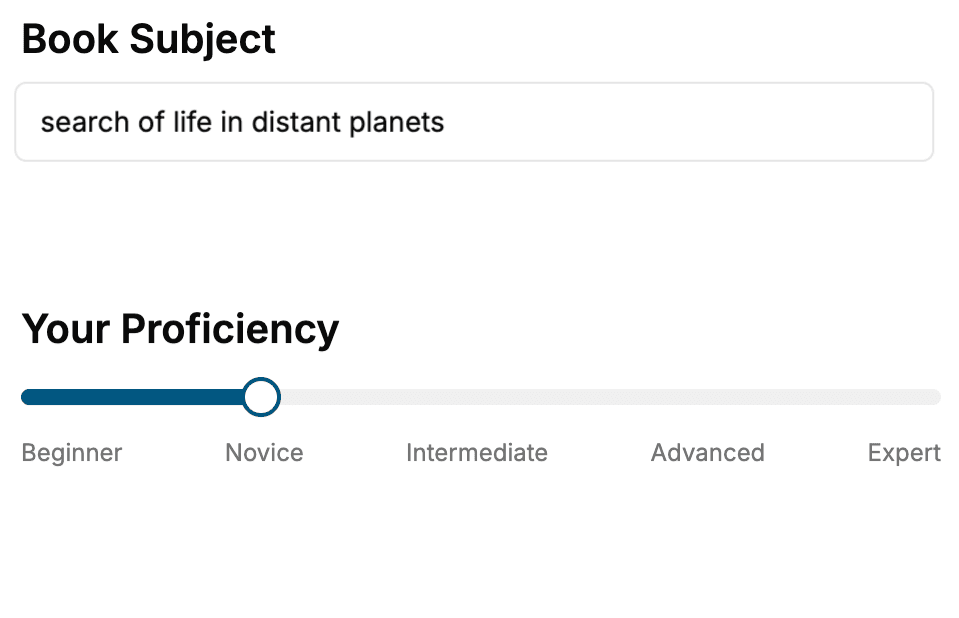
- 1. Select your focus
Select the focus of your Swift book and share your background
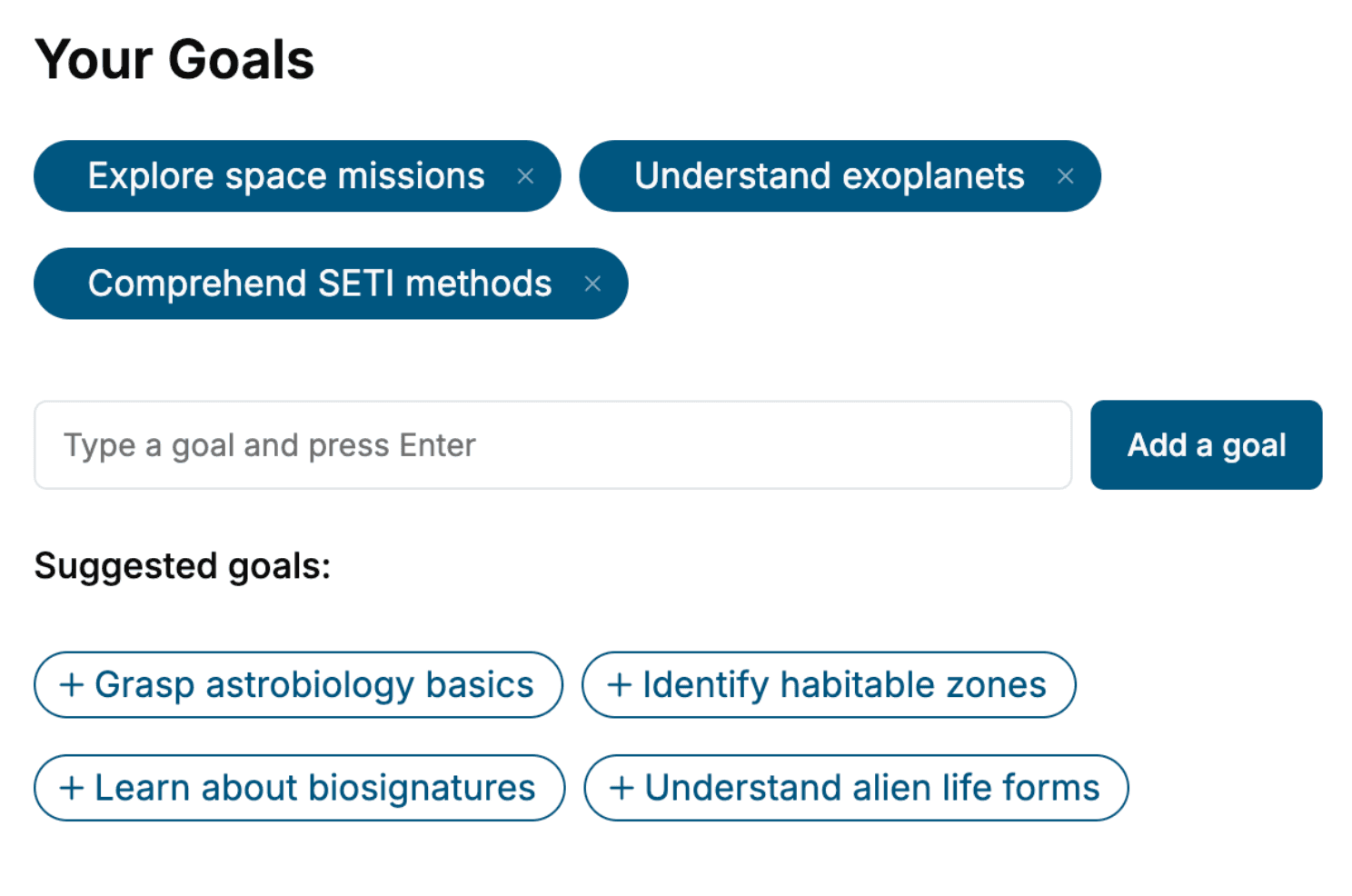
- 2. Personalize your book
Specify your goals and choose sub-topics to include
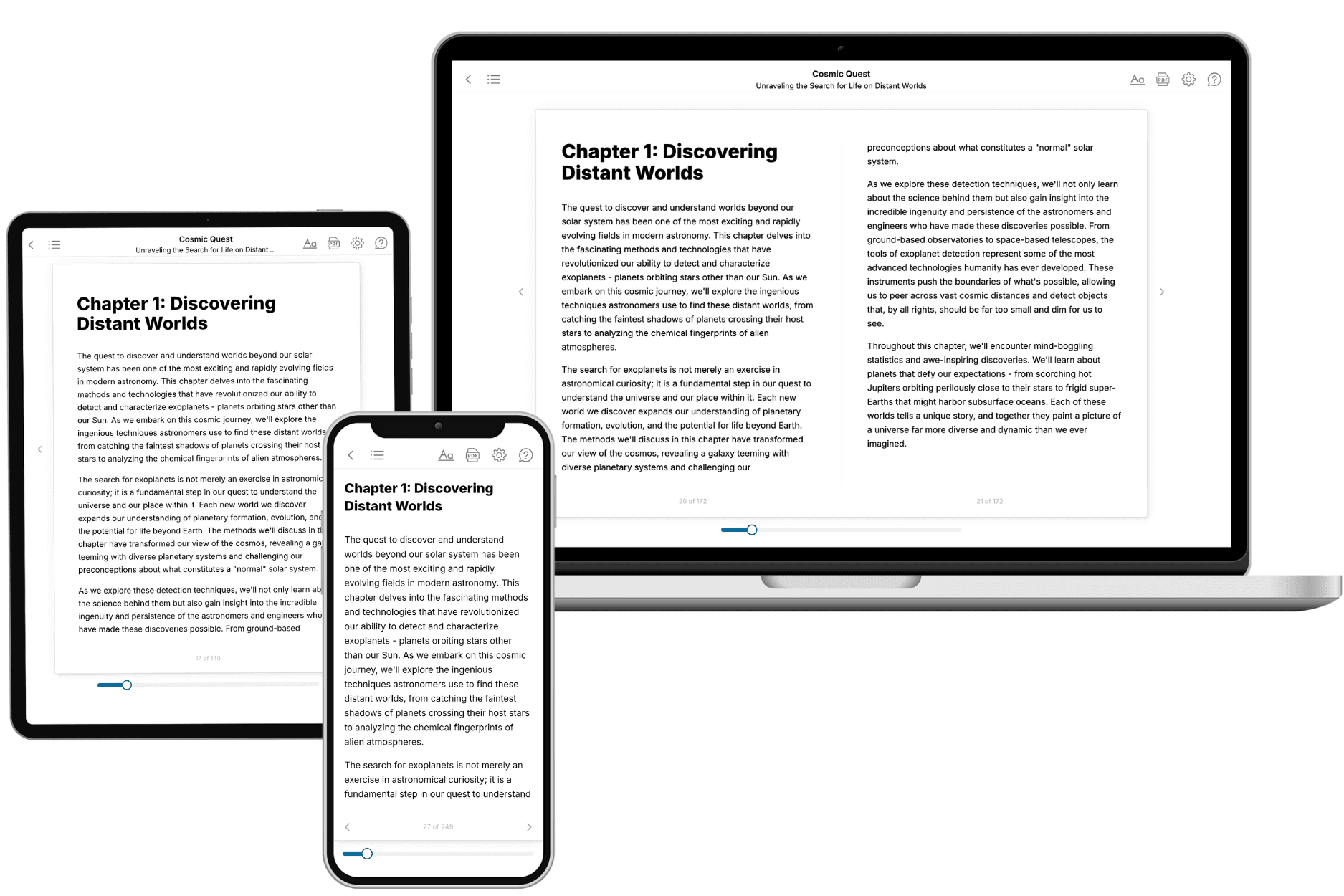
- 3. Get your tailored book
Your book is ready in 10 minutes. Read it online, download as EPUB or PDF, or send to Kindle.
Frequently asked questions
- What is TailoredRead?
TailoredRead creates complete, full-length nonfiction ebooks, written specifically for you. Tell us what you want to learn and why, and TailoredRead writes you a complete ebook on it, with charts, tables, and diagrams throughout. Read it online, on Kindle, or on any e-reader, or download it as a PDF or EPUB. Every book is written fresh the day you order it.
- How is the book tailored to me?
Before anything is written, you answer a few short questions about your goals, your background, and the topics you care about. Your book is then planned around your answers: written at your level, focused on your goals, and covering the topics you chose, instead of the one-size-fits-all book a store sells everyone.
- Will it read like generic AI content?
No. Your book isn't a chat transcript: it's planned chapter by chapter before a single word is written, told in a clear book voice, and explains ideas visually with charts, tables, and diagrams. After writing, every book goes through an editorial pass that polishes chapters so the book reads consistent from start to finish. Judge for yourself: browse thousands of sample books on our Explore Books page.
- How accurate is the content?
Our AI first checks whether your subject needs live research. Niche and fast-moving subjects are researched before writing, and the book plan and chapters are grounded in what it finds. After writing, every book goes through a quality pass that checks its facts and consistency, and researched books list their sources in a Notes section at the back.
- How long is the book?
You choose the length: Comprehensive (250-300 pages), Detailed (150-200 pages), Essential (70-100 pages), or Short (30-50 pages).
- Does the book include visuals?
Yes. Every book includes charts, tables, and diagrams: timelines, checklists, step-by-step guides, decision trees, comparison tables, matrices, and bar charts. A typical book includes dozens of these visual elements.
- Can I read it on Kindle? What formats can I download?
Yes. Every book can be read in our online reader or downloaded as a PDF or EPUB. The EPUB can be opened with Kindle, Apple Books, Kobo, and any e-reader. The Commercial and Author licenses also include an editable Word (DOCX) and Markdown download.
- How much does it cost?
About the price of a regular ebook. The exact price depends on your book's length and complexity, from $2 for the shortest books to $35 for the most comprehensive, and it's shown when you review your book, before you commit to anything. Each book is a one-time purchase, yours to keep, no subscription. Licenses that let you share, teach, or publish your book range from $35.99 to $49.99.
- Can I preview the book before purchasing?
Before you pay, you'll see what your book will cover: the title, a detailed description, the estimated length, and the complete chapter-by-chapter table of contents, so you know what you're getting before you decide. The full text itself is written after you purchase.
- How long does it take to create a book?
About 10 minutes. You can start reading the opening chapters while the rest is still being written.