SwiftUI Mastery
A Hands-On Guide to Building Your First macOS App
Your journey into macOS app development starts here.
269 pages13 chaptersApr 20, 2025Swift
About this book
As an Apple Tech Support professional, you already have a solid foundation in the Apple ecosystem. Now, it's time to leverage that knowledge and take your skills to the next level. This book is your comprehensive guide to creating powerful, user-friendly macOS applications using Swift and SwiftUI. From setting up your development environment to publishing your first app, you'll gain practical, hands-on experience with every turn of the page. You'll learn how to harness the power of Xcode, master the intricacies of Swift programming, and create intuitive user interfaces with SwiftUI. This book doesn't just teach you to code; it empowers you to bring your app ideas to life. By the time you finish this book, you'll have built your very own macOS app from scratch. You'll understand the principles of efficient coding, debugging, and UI/UX design. Most importantly, you'll have the confidence and skills to continue your journey in app development, opening up new career opportunities in the exciting world of software creation.
Table of contents
- IntroductionBook Overview and Goals, The macOS Development Landscape, Introduction to Swift and SwiftUI, Setting Up and What to ExpectRead below
- Chapter 1: Getting Started with macOS DevelopmentSetting Up Your Development Environment, A Tour of Xcode, Creating Your First Xcode Project, Navigating the Xcode Interface
- Chapter 2: Swift Programming FundamentalsSwift Syntax and Structure, Variables and Constants, Basic Data Types in Swift, Control Flow: If Statements and Loops, Functions and Basic Closures
- Chapter 3: Introduction to SwiftUISwiftUI Overview and Philosophy, Understanding Views in SwiftUI, Basic View Modifiers, Layout with Stacks
- Chapter 4: Building User Interfaces with SwiftUIWorking with Text and Images, Buttons and User Inputs, Lists and Navigation, Forms and Pickers
- Chapter 5: macOS App Structure and LifecycleThe App Delegate and Scene Delegate, View Controllers in SwiftUI, Understanding the App Lifecycle, Window Management in macOS Apps
- Chapter 6: Data Flow and State ManagementState and Binding, ObservableObject and Published, Environment and EnvironmentObject, Choosing the Right State Management Approach
- Chapter 7: Advanced Swift ConceptsOptionals and Unwrapping, Error Handling and Result Type, Advanced Closures and Higher-Order Functions, Protocols and Extensions
- Chapter 8: Networking and Data PersistenceMaking Network Requests with URLSession, Working with JSON and Codable, Introduction to Core Data, File Management in macOS Apps
- Chapter 9: Advanced UI TechniquesCreating Custom Views, Animations and Transitions, Gesture Recognition, Implementing Drag and Drop
- Chapter 10: Debugging and Performance OptimizationUsing the Xcode Debugger, Performance Profiling with Instruments, Common SwiftUI Issues and Solutions, Introduction to Unit Testing
- Chapter 11: Design Patterns and ArchitectureMVC and MVVM in SwiftUI, Dependency Injection, Composition Over Inheritance, Introduction to Clean Architecture
- Chapter 12: Preparing Your App for DistributionCreating App Icons and Assets, Localization and Internationalization, Implementing Accessibility Features, Submitting to the App Store
- Chapter 13: Beyond the BasicsIntegrating macOS-Specific Features, Cross-Platform Development with SwiftUI, Continuous Learning and Staying Updated, Community Resources and Further Learning
- Conclusion
- Glossary
- Appendix: Xcode Shortcuts and Tips
Introduction
Welcome to the exciting world of macOS app development! As you embark on this journey from Apple Tech Support to becoming a skilled macOS app developer, you're about to unlock a realm of endless possibilities. This book is your comprehensive guide to mastering SwiftUI and creating powerful, user-friendly macOS applications. Whether you're looking to enhance your career prospects, bring your innovative app ideas to life, or simply explore the fascinating world of software development, you've come to the right place.
In this introduction, we'll set the stage for your learning adventure. We'll explore the current landscape of macOS development, introduce you to the powerful combination of Swift and SwiftUI, and help you set realistic expectations for your journey ahead. By the end of this chapter, you'll have a clear understanding of what lies ahead and be fully prepared to dive into the world of macOS app creation.
Throughout this book, you'll find that we've tailored the content to your unique background as an Apple Tech Support professional. We'll build upon your existing knowledge of the Apple ecosystem, helping you leverage your familiarity with macOS to accelerate your learning. At the same time, we'll introduce new concepts in a clear, accessible manner, ensuring that even those aspects of development that are entirely new to you are easy to grasp and apply.
Remember, every expert developer started as a beginner. Your journey into app development is not just about learning to code; it's about problem-solving, creativity, and bringing ideas to life. As you progress through this book, you'll not only learn the technical skills needed to build macOS apps but also develop the mindset of a software developer. You'll learn to think logically, break down complex problems into manageable parts, and create elegant solutions that delight users.
So, are you ready to transform your career and become a macOS app developer? Let's begin this exciting journey together, one step at a time. Your future in app development starts now!
Book Overview and Goals
Before we dive into the technical aspects of macOS app development, let's take a moment to understand the structure and goals of this book. This comprehensive guide is designed to take you from a beginner with some tech background to a confident macOS app developer capable of creating your own applications using Swift and SwiftUI.
The primary goal of this book is to provide you with a solid foundation in macOS app development, equipping you with the knowledge and skills to build your first macOS application. We'll achieve this through a carefully structured learning path that combines theoretical knowledge with practical, hands-on experience. By the end of this book, you'll have not only learned about app development but actually built your own macOS app from scratch.
Here's what you can expect to learn and achieve as you progress through this book:
- Understand the fundamentals of Swift programming language
- Master the basics of SwiftUI and its declarative syntax
- Learn to use Xcode effectively for coding, debugging, and testing
- Develop skills in creating intuitive and appealing user interfaces
- Gain proficiency in managing data flow and state in your applications
- Explore advanced topics like networking, data persistence, and app distribution
- Build a fully functional macOS application from start to finish
The book is structured to provide a logical progression of knowledge and skills. We'll start with the basics, setting up your development environment and introducing you to Swift and SwiftUI. From there, we'll gradually move into more complex topics, always building upon what you've already learned. Each chapter will include practical exercises and coding challenges to reinforce your understanding and give you hands-on experience.
One of the key features of this book is its focus on practical, real-world application. While we'll cover important theoretical concepts, our primary emphasis is on showing you how to apply these concepts in actual app development scenarios. You'll learn best practices, common pitfalls to avoid, and tips and tricks that professional developers use in their day-to-day work.
Throughout the book, we'll be building a sample macOS application. This project-based approach will allow you to see how different concepts and techniques come together in a real app. By the end of the book, you'll have a fully functional app that you can use as a reference for future projects or even publish on the App Store.
We understand that learning a new skill can be challenging, especially when transitioning from a different field. That's why we've designed this book to be as accessible and supportive as possible. We'll explain complex concepts in simple terms, provide plenty of examples, and offer guidance on how to overcome common obstacles in the learning process.
Remember, becoming proficient in app development is a journey. It requires patience, practice, and persistence. This book is designed to guide you through that journey, providing you with the knowledge, skills, and confidence you need to succeed. Whether your goal is to change careers, start a side project, or simply explore a new passion, this book will help you achieve it.
So, are you ready to embark on this exciting journey into macOS app development? Let's get started!
The macOS Development Landscape
As you begin your journey into macOS app development, it's crucial to understand the current landscape of this dynamic field. The world of macOS development has evolved significantly over the years, with new tools, frameworks, and best practices emerging to make app creation more efficient and accessible. In this section, we'll explore the current state of macOS development, highlighting the key players, trends, and opportunities that define this exciting domain.
At the heart of macOS development is Apple's robust ecosystem. As an Apple Tech Support professional, you're already familiar with the user side of this ecosystem. Now, you'll be diving into the developer side, where you'll find a wealth of tools and resources designed to support app creation. The cornerstone of this ecosystem is Xcode, Apple's integrated development environment (IDE) that provides everything you need to design, develop, and debug your macOS applications[1].
One of the most significant recent developments in the macOS development landscape has been the introduction of SwiftUI. Launched in 2019, SwiftUI represents a paradigm shift in how developers create user interfaces for Apple platforms, including macOS. SwiftUI uses a declarative syntax, allowing you to state what your user interface should do. This approach not only simplifies the code but also makes it more intuitive and easier to maintain. As a result, SwiftUI has quickly gained popularity among developers and is becoming the preferred method for building modern macOS applications[2].
While SwiftUI is the future of macOS development, it's important to note that it coexists with older frameworks like AppKit. AppKit has been the traditional framework for building macOS apps, and many existing applications still use it. As a new developer, you'll primarily focus on SwiftUI, but understanding that AppKit exists and how it relates to SwiftUI can be beneficial, especially if you find yourself working on older projects or integrating new features into existing apps.
The macOS development landscape is also characterized by a strong emphasis on user experience and design. Apple has always prioritized sleek, intuitive interfaces, and this philosophy extends to the apps developed for its platforms. As a macOS developer, you'll need to familiarize yourself with Apple's Human Interface Guidelines, which provide detailed recommendations for creating apps that feel native to the macOS environment[3].
Another key aspect of the current macOS development landscape is the growing trend towards cross-platform development. With the introduction of Apple Silicon Macs, which use the same chip architecture as iPhones and iPads, it's becoming increasingly common for developers to create apps that can run seamlessly across multiple Apple platforms. This presents exciting opportunities for developers to reach a wider audience with their apps.
The macOS app market itself is diverse and full of opportunities. While it may not be as large as the iOS app market, it has its own unique advantages. macOS apps often cater to professional and productivity needs, which can translate to higher-value, subscription-based apps. From creative tools and productivity suites to specialized utilities and enterprise software, there's a wide range of niches where innovative macOS apps can thrive.
As you enter this landscape, you'll find a supportive and active developer community. Apple provides extensive documentation, sample code, and video tutorials through its Developer website. Additionally, there are numerous third-party resources, including online courses, forums, and open-source projects, where you can learn from and collaborate with other developers.
It's also worth noting the role of continuous learning in the macOS development landscape. Apple regularly introduces new features and capabilities with each release of macOS, often accompanied by new development tools and APIs. Staying updated with these changes and continuously expanding your skills will be crucial to your success as a macOS developer.
In terms of the job market, macOS development skills are in high demand. Many companies, from small startups to large enterprises, require developers who can create custom macOS applications for internal use or for their customers. Your background in Apple Tech Support, combined with the skills you'll gain from this book, will position you well for these opportunities.
As we move forward in this book, we'll delve deeper into many of these aspects of the macOS development landscape. You'll gain hands-on experience with the tools and technologies that define this field, and you'll develop the skills needed to navigate this landscape successfully. Remember, the world of macOS development is vast and ever-evolving, and this book is your first step into this exciting domain. Are you ready to explore further? Let's continue our journey!
Introduction to Swift and SwiftUI
As we embark on your journey into macOS app development, it's crucial to understand the two primary technologies you'll be working with: Swift and SwiftUI. These powerful tools form the foundation of modern macOS app development, and mastering them will be key to your success as a developer. Let's take a closer look at each of these technologies and understand why they're so important in the world of macOS development.
Swift, introduced by Apple in 2014, is a modern, fast, and safe programming language designed for iOS, macOS, watchOS, and tvOS app development. It was created to replace Objective-C, offering improved syntax, better performance, and enhanced safety features. Swift has quickly become the preferred language for Apple platform development due to its ease of use and powerful capabilities[4].
Some key features of Swift that make it an excellent language for beginners and experienced developers alike include:
- Clear, concise syntax that's easy to read and write
- Type inference, which reduces the amount of code you need to write
- Optionals and error handling, which help prevent crashes and unexpected behavior
- Automatic memory management, eliminating common programming errors
- Interoperability with Objective-C, allowing you to work with existing code
As you progress through this book, you'll discover how these features make Swift a joy to work with, allowing you to focus on solving problems and creating great user experiences rather than getting bogged down in complex syntax or memory management issues.
Now, let's turn our attention to SwiftUI. Introduced in 2019, SwiftUI is a modern way to declare user interfaces for any Apple platform. It provides a Swift-based declarative API for designing screens and building user interfaces. With SwiftUI, you can create full-featured user interfaces with smooth animations using just a few lines of Swift code[5].
Key features of SwiftUI include:
- Declarative syntax that clearly shows what your user interface should look like
- Automatic support for Dynamic Type, Dark Mode, localization, and accessibility
- A unified approach to UI development across all Apple platforms
- Live previews in Xcode that show your changes in real-time
- Easy integration with existing UIKit or AppKit code
SwiftUI represents a significant shift in how user interfaces are built for Apple platforms. Instead of imperatively changing UI elements, you declare your UI using simple Swift structures. SwiftUI takes care of translating these declarations into efficient, high-performance user interfaces.
The combination of Swift and SwiftUI is particularly powerful. Swift's clean, expressive syntax complements SwiftUI's declarative approach to UI design. This synergy allows you to create complex, interactive user interfaces with surprisingly little code. As you learn these technologies, you'll find that they work together seamlessly, enabling you to bring your app ideas to life quickly and efficiently.
It's worth noting that while SwiftUI is the future of Apple platform development, it's still a relatively new technology. This means that as you enter the field of macOS development, you're getting in at an exciting time. You'll be learning cutting-edge technologies that are shaping the future of app development. At the same time, you'll benefit from the rapid improvements and expansions that Apple is making to SwiftUI with each new release.
As we progress through this book, you'll gain hands-on experience with both Swift and SwiftUI. We'll start with the basics of Swift programming, covering fundamental concepts like variables, functions, and control flow. Then, we'll dive into SwiftUI, learning how to create user interfaces, manage state, and handle user interactions.
Remember, learning Swift and SwiftUI is a journey. Don't worry if everything doesn't click immediately. Like any new skill, it takes time and practice to become proficient. The key is to be patient with yourself and to practice regularly. As you work through the examples and exercises in this book, you'll find your understanding growing and your skills improving.
One of the great things about Swift and SwiftUI is the wealth of resources available for learning. In addition to this book, Apple provides extensive documentation, sample code, and video tutorials. There's also a large and active community of developers who share their knowledge through blogs, forums, and open-source projects. We encourage you to explore these resources as you continue your learning journey.
As we conclude this introduction to Swift and SwiftUI, it's important to emphasize that these technologies are more than just tools for building apps. They represent a modern, efficient approach to software development that can make you a more effective and productive developer. By mastering Swift and SwiftUI, you're not just learning how to build macOS apps – you're developing a skill set that will serve you well throughout your career in software development.
Are you excited to start coding? In the next sections, we'll begin our hands-on journey with Swift and SwiftUI. Get ready to write your first lines of Swift code and create your first SwiftUI views!
Setting Up and What to Expect
As we prepare to dive into the world of macOS app development, it's important to set up your development environment and establish clear expectations for the journey ahead. This section will guide you through the initial setup process and help you understand what to expect as you progress through this book and your learning journey.
First, let's talk about setting up your development environment. The primary tool you'll need for macOS app development is Xcode, Apple's integrated development environment (IDE). Xcode is a powerful and comprehensive tool that includes everything you need to create apps for macOS, iOS, watchOS, and tvOS. Here's how to get started:
- Ensure you have a Mac computer running the latest version of macOS. Xcode requires macOS, so a Mac is essential for macOS app development.
- Open the App Store on your Mac and search for "Xcode".
- Click "Get" or the download icon to install Xcode. The download may take some time as Xcode is a large application.
- Once installed, open Xcode to complete any additional installations or setup processes.
It's worth noting that Xcode updates are released regularly, often in conjunction with new versions of macOS or iOS. It's generally a good practice to keep Xcode updated to ensure you have access to the latest features and bug fixes[6].
In addition to Xcode, you might find it helpful to have a text editor for viewing and editing code outside of Xcode. Popular choices among developers include Visual Studio Code, Sublime Text, or Atom. While not essential, a good text editor can be useful for quick edits or viewing code snippets.
Now that we've covered the setup, let's discuss what you can expect as you embark on this learning journey:
Learning Curve: Learning to develop macOS apps involves mastering several new concepts and technologies. You'll be learning Swift programming, understanding the principles of app architecture, and getting to grips with SwiftUI for building user interfaces. This can feel overwhelming at times, but remember that every developer goes through this process. Be patient with yourself and understand that it's normal to feel challenged.
Hands-on Practice: Throughout this book, you'll encounter numerous coding exercises and projects. These aren't just for show – they're an essential part of the learning process. Coding is a skill, and like any skill, it improves with practice. Expect to spend a significant amount of time writing code, experimenting with different approaches, and sometimes debugging when things don't work as expected.
Problem-Solving: A large part of development is problem-solving. You'll often encounter situations where your code doesn't work as expected, or you're not sure how to implement a particular feature. This is normal and is actually a crucial part of the learning process. Expect to spend time researching, experimenting, and sometimes asking for help to overcome these challenges.
Incremental Progress: Learning app development is a gradual process. You'll start with basic concepts and gradually build up to more complex topics. Each chapter in this book builds on the knowledge from previous chapters. Don't worry if you don't understand everything immediately – focus on grasping the core concepts, and understanding will come with time and practice.
Real-World Application: Throughout this book, we'll be working on practical, real-world projects. Expect to build actual macOS applications that you can run on your own computer. This approach will not only make the learning process more engaging but will also provide you with a portfolio of work to showcase your skills.
Continuous Learning: The field of app development is constantly evolving, with new technologies, frameworks, and best practices emerging regularly. This book will give you a strong foundation, but expect to continue learning even after you've finished. Developing a habit of continuous learning is key to long-term success in this field.
Community Engagement: While this book provides comprehensive guidance, engaging with the wider development community can greatly enhance your learning experience. Expect to explore online forums, attend (virtual) meetups, or participate in coding challenges. These activities can provide additional perspectives, help you solve problems, and keep you motivated.
Challenges and Rewards: Learning to develop macOS apps can be challenging, but it's also incredibly rewarding. Expect moments of frustration when things don't work, but also moments of excitement and pride when you successfully implement a feature or complete a project. The feeling of seeing an app you've built running on your Mac is truly satisfying.
As we conclude this section, remember that everyone's learning journey is unique. Some concepts might click immediately, while others might take more time to grasp. The key is to stay curious, persistent, and engaged. Don't hesitate to revisit earlier chapters if you need to reinforce your understanding of certain concepts.
Are you ready to start your journey into macOS app development? With your development environment set up and a clear understanding of what to expect, you're well-prepared to dive into the exciting world of Swift and SwiftUI. Let's begin!
Notes
Introduction
- 1. Apple Inc, Xcode - Apple Developer, 2023
- 2. Apple Inc, SwiftUI - Apple Developer, 2023
- 3. Apple Inc, Human Interface Guidelines - Design - Apple Developer, 2023
- 4. Apple Inc, Swift - Apple Developer, 2023
- 5. Apple Inc, SwiftUI - Apple Developer, 2023
- 6. Apple Inc, Download Xcode - Apple Developer, 2023
This is the end of the free sample. The full book has 13 chapters.
Want this book written for you?
Tell us your goals and background, and get your own version of this book, tailored by AI to you.






Benefits of AI-tailored books
- Read one book, not ten:
- all the Swift knowledge you need, gathered into a single book.
- Save days of learning:
- tell us your goals, choose your topics, and the whole book is built around them.
- Learn effortlessly:
- Swift book written for your specific background and expertise.
- Understand at a glance:
- includes charts, tables, timelines, checklists, decision trees, and more.
- Stay current:
- written the day you order it, not years ago.
- Trust what you read:
- every book is checked for accuracy, with real research when your subject needs it.
Create your unique book in 3 steps
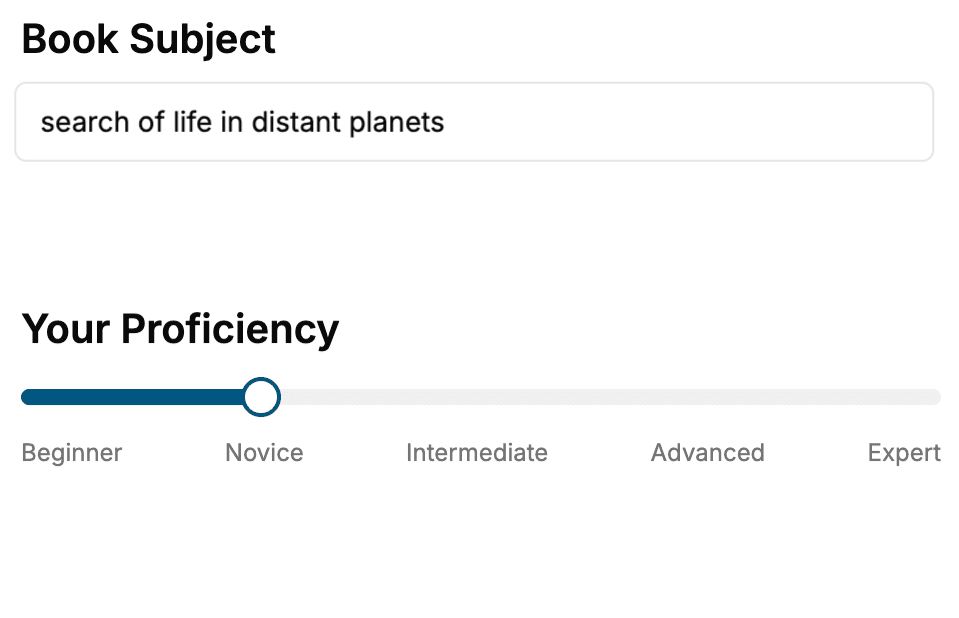
- 1. Select your focus
Select the focus of your Swift book and share your background
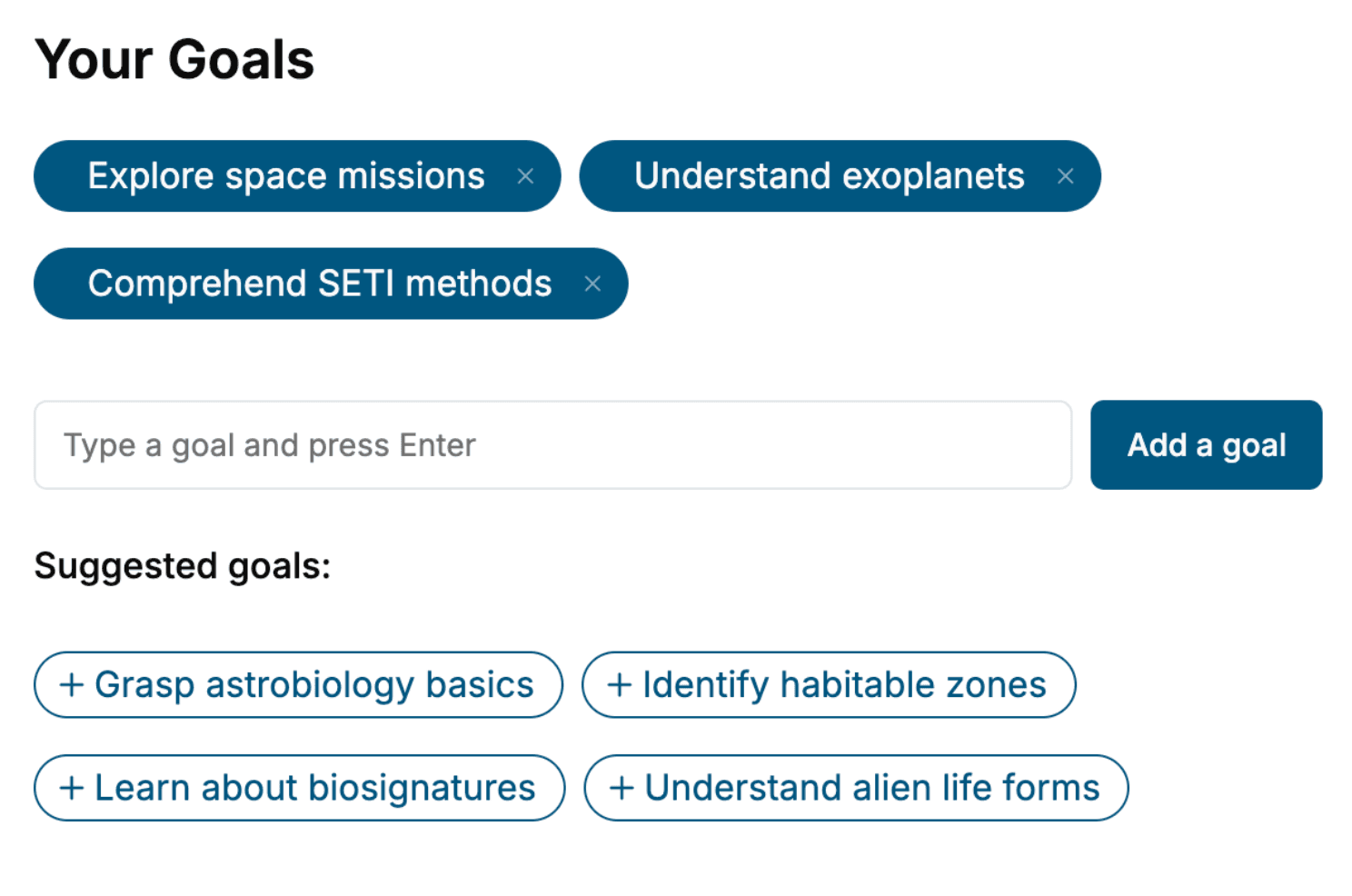
- 2. Personalize your book
Specify your goals and choose sub-topics to include
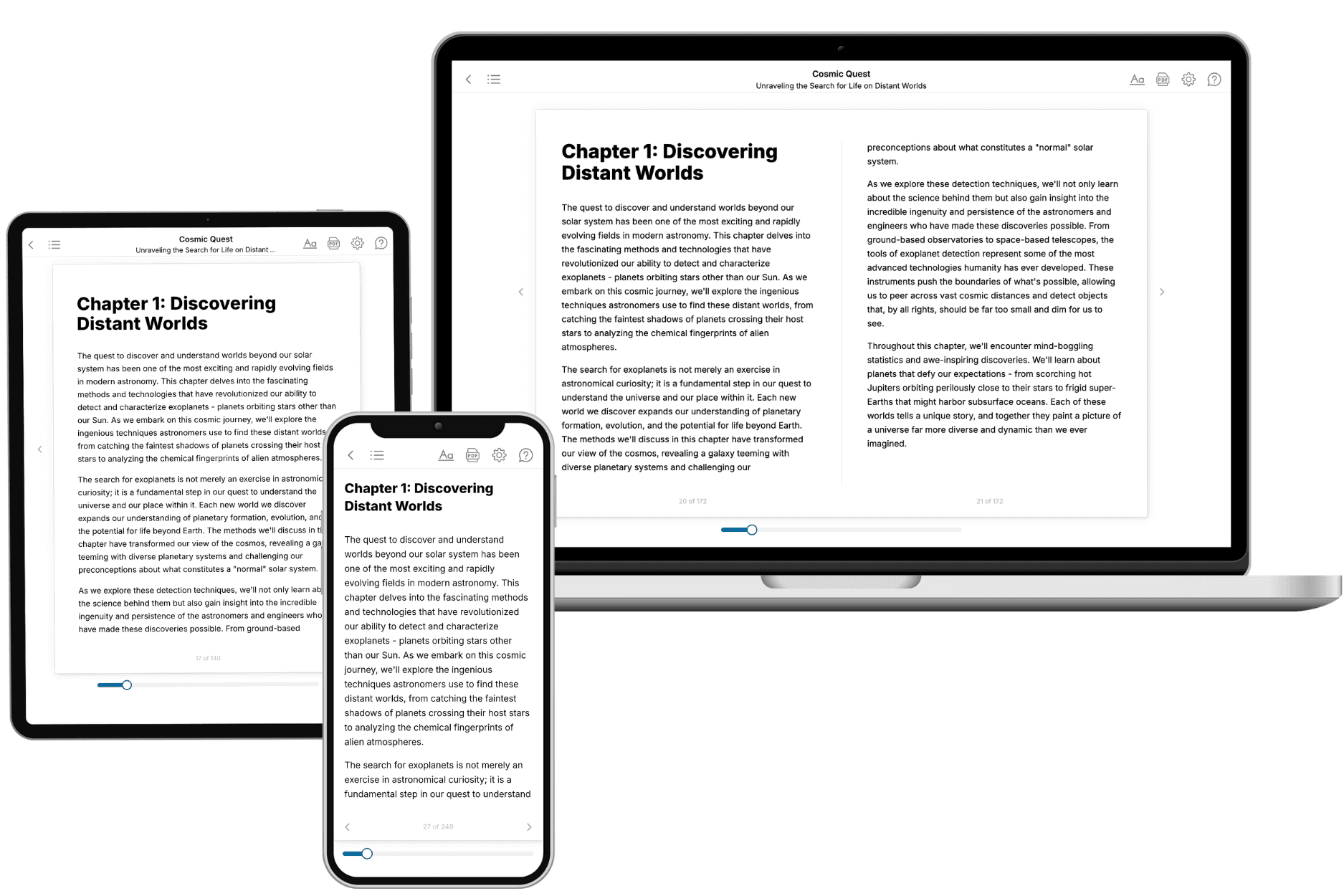
- 3. Get your tailored book
Your book is ready in 10 minutes. Read it online, download as EPUB or PDF, or send to Kindle.
Frequently asked questions
- What is TailoredRead?
TailoredRead creates complete, full-length nonfiction ebooks, written specifically for you. Tell us what you want to learn and why, and TailoredRead writes you a complete ebook on it, with charts, tables, and diagrams throughout. Read it online, on Kindle, or on any e-reader, or download it as a PDF or EPUB. Every book is written fresh the day you order it.
- How is the book tailored to me?
Before anything is written, you answer a few short questions about your goals, your background, and the topics you care about. Your book is then planned around your answers: written at your level, focused on your goals, and covering the topics you chose, instead of the one-size-fits-all book a store sells everyone.
- Will it read like generic AI content?
No. Your book isn't a chat transcript: it's planned chapter by chapter before a single word is written, told in a clear book voice, and explains ideas visually with charts, tables, and diagrams. After writing, every book goes through an editorial pass that polishes chapters so the book reads consistent from start to finish. Judge for yourself: browse thousands of sample books on our Explore Books page.
- How accurate is the content?
Our AI first checks whether your subject needs live research. Niche and fast-moving subjects are researched before writing, and the book plan and chapters are grounded in what it finds. After writing, every book goes through a quality pass that checks its facts and consistency, and researched books list their sources in a Notes section at the back.
- How long is the book?
You choose the length: Comprehensive (250-300 pages), Detailed (150-200 pages), Essential (70-100 pages), or Short (30-50 pages).
- Does the book include visuals?
Yes. Every book includes charts, tables, and diagrams: timelines, checklists, step-by-step guides, decision trees, comparison tables, matrices, and bar charts. A typical book includes dozens of these visual elements.
- Can I read it on Kindle? What formats can I download?
Yes. Every book can be read in our online reader or downloaded as a PDF or EPUB. The EPUB can be opened with Kindle, Apple Books, Kobo, and any e-reader. The Commercial and Author licenses also include an editable Word (DOCX) and Markdown download.
- How much does it cost?
About the price of a regular ebook. The exact price depends on your book's length and complexity, from $2 for the shortest books to $35 for the most comprehensive, and it's shown when you review your book, before you commit to anything. Each book is a one-time purchase, yours to keep, no subscription. Licenses that let you share, teach, or publish your book range from $35.99 to $49.99.
- Can I preview the book before purchasing?
Before you pay, you'll see what your book will cover: the title, a detailed description, the estimated length, and the complete chapter-by-chapter table of contents, so you know what you're getting before you decide. The full text itself is written after you purchase.
- How long does it take to create a book?
About 10 minutes. You can start reading the opening chapters while the rest is still being written.