Tailwind CSS Animations Mastery
Build Smooth, Professional, and Performant Web Animations with Utility-First CSS
Are you creating static interfaces when you could be crafting experiences that captivate and engage?
284 pages16 chaptersSep 25, 2025CSS
About this book
In today's competitive web landscape, smooth animations aren't just nice-to-have features—they're essential for creating professional, modern applications that users love to interact with. This comprehensive guide takes you beyond basic hover effects and simple transitions into the world of sophisticated, performant animations using Tailwind CSS. You'll discover how to leverage Tailwind's utility-first approach to create everything from subtle micro-interactions to complex animation sequences that enhance user experience without sacrificing performance. Through practical examples and real-world scenarios, you'll learn to build responsive animations that work seamlessly across devices, implement advanced techniques like scroll-triggered effects and state-based transitions, and organize your animation code for maximum reusability and maintainability. Each concept is explained with clear examples and best practices that you can immediately apply to your projects. Whether you're building marketing websites, web applications, or interactive dashboards, this book will give you the skills and confidence to create animations that not only look professional but also perform optimally across all browsers and devices. You'll finish with a complete toolkit of animation patterns, optimization techniques, and debugging strategies that will elevate your development skills and the quality of your user interfaces.
Table of contents
- IntroductionWhy Animations Matter in Modern Web Development, The Tailwind CSS Advantage for Animations, How This Book Is Organized, What You Need to Know Before StartingRead below
- Chapter 1: Animation Fundamentals and CSS BasicsUnderstanding CSS Transitions, Mastering CSS Transforms, CSS Keyframe Animations Explained, Timing Functions and Easing
- Chapter 2: Tailwind Animation Utilities OverviewBuilt-in Animation Classes, Transition Utility Classes, Transform Utility Classes, Duration and Timing Control
- Chapter 3: Creating Hover and Focus EffectsBasic Hover Transitions, Focus State Animations, Interactive Button Effects, Link and Navigation Animations
- Chapter 4: Loading States and SpinnersCreating Spinner Animations, Progress Bar Animations, Skeleton Loading Effects, Pulse and Breathing Effects
- Chapter 5: Page and Component TransitionsFade In and Fade Out Effects, Slide Transitions, Scale and Zoom Effects, Rotation and Flip Animations
- Chapter 6: Modal and Dropdown AnimationsModal Entrance Animations, Dropdown Reveal Effects, Overlay and Backdrop Transitions, Dismissal and Exit Animations
- Chapter 7: Scroll-Triggered AnimationsUsing Intersection Observer with Tailwind, Scroll Reveal Animations, Parallax Scrolling Effects, Sticky Element Animations
- Chapter 8: Form and Input AnimationsInput Focus and Blur Effects, Floating Label Animations, Validation Feedback Animations, Form Submission States
- Chapter 9: Card and List Item AnimationsCard Hover and Interaction Effects, List Item Entrance Animations, Staggered Animation Sequences, Grid Layout Animations
- Chapter 10: Navigation and Menu AnimationsHamburger Menu Animations, Tab Switching Animations, Breadcrumb Navigation Effects, Sidebar Slide Animations
- Chapter 11: Micro-interactions and FeedbackButton Press Feedback, Toggle and Switch Animations, Notification and Toast Animations, Icon State Animations
- Chapter 12: Responsive Animation DesignAnimations Across Breakpoints, Mobile Animation Considerations, Touch and Gesture Animations, Respecting Reduced Motion Preferences
- Chapter 13: Performance and OptimizationGPU Acceleration Techniques, Measuring Animation Performance, Optimization Strategies, Debugging Animation Issues
- Chapter 14: Custom Animation CreationCreating Custom Keyframe Animations, Extending Tailwind Configuration, Building Custom Animation Utilities, Developing Animation Plugins
- Chapter 15: Advanced Animation TechniquesUsing CSS Variables with Animations, Animation Orchestration and Sequencing, State-Based Animation Systems, Complex Multi-Element Interactions
- Chapter 16: Accessibility and Best PracticesAnimation Accessibility Guidelines, Screen Reader Considerations, Motion Sensitivity and Vestibular Disorders, Inclusive Animation Design
- ConclusionKey Takeaways and Next Steps, Animation Implementation Checklist
Introduction
Web development has evolved dramatically over the past decade, transforming from static pages to dynamic, interactive experiences that rival native applications. At the heart of this transformation lies animation—the subtle art of bringing interfaces to life through motion, transitions, and visual feedback. What once required complex JavaScript libraries or Flash plugins can now be achieved with elegant CSS animations that perform smoothly across all modern browsers. However, creating professional-grade animations that enhance user experience without compromising performance requires more than just knowing the technical syntax; it demands understanding the principles of motion design, user psychology, and performance optimization.
Tailwind CSS has revolutionized how developers approach styling by providing a utility-first framework that promotes consistency, maintainability, and rapid development. When it comes to animations, Tailwind's approach offers unique advantages that traditional CSS methodologies struggle to match. Instead of writing custom CSS classes scattered across multiple files, you can compose complex animations directly in your HTML using intuitive utility classes. This approach not only speeds up development but also ensures that your animations remain consistent across your entire application while being easily maintainable and debuggable.
This book bridges the gap between basic CSS animation knowledge and professional animation implementation using Tailwind CSS. You'll discover how to leverage Tailwind's utility classes to create everything from subtle micro-interactions that provide user feedback to complex page transitions that guide users through your application. More importantly, you'll learn the underlying principles that separate amateur animations from professional ones—understanding timing functions, respecting user preferences, optimizing for performance, and creating animations that enhance rather than distract from the user experience.
The journey ahead will take you through practical, real-world scenarios where animations solve actual user experience problems. You'll learn to think like both a developer and a designer, understanding not just how to implement animations, but when and why to use them. By the end of this book, you'll have a comprehensive toolkit of animation patterns, optimization techniques, and best practices that will elevate your web development skills and enable you to create interfaces that users genuinely enjoy interacting with.
Why Animations Matter in Modern Web Development
User expectations for web applications have reached unprecedented heights, largely influenced by the smooth, responsive interfaces found in mobile applications and modern operating systems. When users interact with a button, they expect immediate visual feedback. When content loads, they expect elegant transitions rather than jarring layout shifts. When navigating between pages, they expect smooth transitions that maintain context and provide visual continuity. These expectations aren't merely aesthetic preferences—they're fundamental to creating interfaces that feel responsive, professional, and trustworthy. Research in user experience design consistently shows that well-implemented animations can reduce perceived loading times, increase user engagement, and improve overall satisfaction with digital products[1].
Animations serve multiple critical functions beyond visual appeal. They provide feedback by confirming user actions through visual responses like button presses or form submissions. They establish spatial relationships by showing how interface elements relate to each other through transitions and transformations. They guide attention by drawing focus to important elements or changes in the interface. They communicate state changes by smoothly transitioning between different interface states rather than abruptly switching. Consider how a loading spinner immediately communicates that the system is working, or how a slide transition between mobile screens helps users understand their navigation path. These aren't decorative flourishes—they're essential communication tools that make interfaces more intuitive and user-friendly.
The business impact of well-implemented animations extends far beyond user satisfaction metrics. E-commerce studies have shown that smooth product image transitions can increase conversion rates, while loading animations can significantly reduce bounce rates during slower network conditions. Interactive animations on call-to-action buttons can improve click-through rates, and smooth form validation feedback can reduce user errors and abandonment. However, the inverse is equally true—poorly implemented animations can harm performance, create accessibility barriers, and frustrate users. This is why understanding both the technical implementation and the design principles behind effective animations is crucial for modern web developers.
Modern web browsers have evolved to support sophisticated animation capabilities with hardware acceleration, making it possible to achieve 60fps animations that rival native applications. CSS animations and transitions can leverage the GPU for smooth performance, while new APIs like the Web Animations API provide programmatic control over complex animation sequences. The key challenge isn't technical capability—it's knowing how to use these tools effectively. This includes understanding which properties can be animated efficiently, how to structure animations for optimal performance, and how to create animations that enhance rather than hinder the user experience across different devices and network conditions.
Accessibility considerations have become increasingly important in animation design, with guidelines like WCAG 2.1 providing specific requirements for motion and animations. Users with vestibular disorders can experience discomfort or disorientation from excessive motion, while users with attention disorders may find distracting animations problematic. The prefers-reduced-motion media query allows developers to respect user preferences for reduced animation, but this requires thoughtful implementation that maintains functionality while reducing motion. Understanding these considerations isn't just about compliance—it's about creating inclusive experiences that work well for all users.
The competitive landscape of web development has made animation skills increasingly valuable. Companies are recognizing that user experience differentiation often comes down to the quality of micro-interactions and interface polish. Developers who can implement smooth, performant animations have a significant advantage in the job market, while teams that can deliver polished, animated interfaces can command premium pricing and client satisfaction. This skill set bridges the gap between development and design, making developers more versatile and valuable team members. The investment in learning professional animation techniques pays dividends throughout a developer's career.
Performance considerations have evolved alongside animation capabilities, with Core Web Vitals and other performance metrics directly impacting search rankings and user experience scores. Animations must be implemented with performance in mind from the beginning, considering factors like Cumulative Layout Shift (CLS), First Input Delay (FID), and overall page load times. This requires understanding how different animation techniques impact browser rendering, when to use CSS versus JavaScript animations, and how to optimize animations for various device capabilities. The goal is creating animations that enhance performance perception while maintaining actual performance standards.
The ecosystem of animation tools and frameworks continues to expand, but CSS-based animations remain the foundation for most web animation implementations. Understanding CSS animations deeply provides the knowledge needed to work effectively with higher-level tools and frameworks. Whether you're using React, Vue, Angular, or vanilla JavaScript, the underlying animation principles and CSS techniques remain consistent. This foundational knowledge enables developers to make informed decisions about when to use different animation approaches and how to debug animation issues across different environments and browsers.
The Tailwind CSS Advantage for Animations
Tailwind CSS transforms animation development by providing a systematic, utility-first approach that eliminates many common pain points associated with traditional CSS animation workflows. Instead of writing custom CSS classes, managing separate stylesheets, and dealing with naming conventions, Tailwind allows you to compose animations directly in your HTML using intuitive utility classes. This approach offers several significant advantages: rapid prototyping where you can quickly test different animation ideas without switching between files, consistent timing through predefined duration and easing scales, maintainable code where animations are co-located with the elements they affect, and responsive design integration where animations can be easily adjusted across different breakpoints using Tailwind's responsive prefixes.
The utility-first approach particularly shines when creating complex animation sequences that involve multiple elements. Traditional CSS approaches often require creating numerous custom classes with specific names, managing cascade issues, and ensuring consistency across different components. With Tailwind, you can build sophisticated animations by combining simple utilities:
transformutilities for positioning and scaling elementstransitionutilities for smooth property changesdurationutilities for consistent timingeaseutilities for professional easing curvesdelayutilities for orchestrating animation sequences
Tailwind's predefined animation classes provide an excellent starting point for common animation patterns while maintaining the flexibility to create custom animations when needed. The built-in animations like animate-spin, animate-pulse, animate-bounce, and animate-ping cover many standard use cases and serve as excellent examples of well-implemented CSS animations. These animations are optimized for performance, use appropriate timing functions, and respect accessibility preferences out of the box. When you need custom animations, Tailwind's configuration system allows you to extend these patterns while maintaining consistency with the existing design system.
The responsive design integration in Tailwind makes it straightforward to create animations that adapt to different screen sizes and device capabilities. You can easily apply different animation behaviors at different breakpoints using responsive prefixes like md:animate-none to disable animations on larger screens or sm:duration-300 to adjust timing on smaller devices. This level of control is particularly important for mobile optimization, where battery life and performance considerations may require different animation strategies. The ability to make these adjustments directly in the HTML without managing separate media queries significantly streamlines the development process.
Performance optimization becomes more manageable with Tailwind's approach because the framework encourages the use of transform and opacity properties, which are the most performant properties for CSS animations. The utility classes naturally guide developers toward best practices by making it easy to use transform utilities for movement and scaling, opacity utilities for fade effects, and appropriate timing functions for smooth motion. Additionally, Tailwind's purging system ensures that only the animation utilities you actually use are included in your final CSS bundle, keeping file sizes minimal and load times fast.
Debugging and iteration become significantly easier with Tailwind's approach because animations are defined directly in the HTML where they're used. When an animation isn't working as expected, you can immediately see which utilities are applied and make adjustments without hunting through separate CSS files. Browser developer tools show the compiled CSS clearly, making it easy to understand exactly what styles are being applied. This transparency is particularly valuable when working in teams, as other developers can quickly understand and modify animations without needing to understand complex custom CSS architectures.
The consistency benefits of Tailwind extend beyond individual animations to entire animation systems. By using Tailwind's predefined scales for duration, easing, and other animation properties, you automatically create a cohesive animation language across your entire application. This consistency is crucial for professional user experiences, where jarring differences in animation timing or easing can make interfaces feel unpolished. The framework's design tokens ensure that animations feel harmonious with other design elements like spacing, colors, and typography, creating a unified design system that extends to motion design.
Collaboration between designers and developers improves significantly when using Tailwind for animations. Designers can specify animations using the same utility classes that developers will implement, reducing translation errors and miscommunication. Design systems can include animation specifications using Tailwind's naming conventions, making it clear how different animation states should be implemented. This shared vocabulary between design and development teams streamlines the handoff process and ensures that the final implementation matches the design intent more closely than traditional approaches where animation specifications might be vague or difficult to interpret.
The learning curve for Tailwind animations is generally gentler than learning custom CSS animation techniques from scratch. The utility names are intuitive and self-documenting, making it easier for developers to understand what each class does and how to combine them effectively. The framework's documentation provides clear examples and explanations, while the utility-first approach means that developers can build complex animations by combining simple, understandable pieces rather than trying to write complex custom CSS from scratch. This accessibility makes animation techniques available to a broader range of developers, democratizing the ability to create polished, animated interfaces.
How This Book Is Organized
This book follows a carefully structured progression from fundamental concepts to advanced techniques, designed to build your animation skills systematically while providing practical value at every stage. The early chapters establish the theoretical foundation you need to understand how CSS animations work under the hood, why certain techniques perform better than others, and how Tailwind's utility classes map to underlying CSS properties. This foundation is crucial because effective animation development requires understanding not just what to do, but why certain approaches work better than others. You'll learn about the browser's rendering pipeline, how different CSS properties affect performance, and the principles of motion design that separate professional animations from amateur attempts.
The middle chapters focus on practical implementation patterns that you'll use regularly in real-world projects. Each chapter tackles a specific category of animations with multiple examples, code samples, and variations that you can adapt to your own projects. The progression moves from simple hover effects and transitions to more complex scenarios like scroll-triggered animations and form interactions. Every technique is presented with complete code examples, explanations of the underlying principles, and guidance on when to use each approach. You'll also find troubleshooting tips for common issues and variations that address different design requirements or technical constraints.
The structure emphasizes hands-on learning with practical examples that solve real user experience problems. Rather than abstract demonstrations, you'll work with realistic scenarios like:
- Creating loading states that reduce perceived wait times
- Building navigation animations that provide spatial context
- Implementing form feedback that guides users through complex interactions
- Designing page transitions that maintain user focus and orientation
- Developing micro-interactions that provide immediate feedback for user actions
Advanced chapters introduce sophisticated techniques like animation orchestration, state-based animation systems, and performance optimization strategies. These chapters assume you're comfortable with the basic concepts and ready to tackle complex, multi-element animations that require careful coordination and timing. You'll learn how to create animation sequences that involve multiple elements, how to build reusable animation components, and how to optimize animations for different device capabilities and network conditions. The focus shifts from individual techniques to system-level thinking about how animations fit into larger application architectures.
Throughout the book, accessibility considerations are woven into every chapter rather than relegated to a single section. You'll learn how to implement the prefers-reduced-motion media query effectively, how to ensure that animations don't interfere with screen readers, and how to create animations that enhance rather than hinder usability for users with different abilities and preferences. This integrated approach ensures that accessibility becomes a natural part of your animation development process rather than an afterthought that requires retrofitting existing code.
Performance optimization is similarly integrated throughout the content, with each technique explained in terms of its performance implications and optimization opportunities. You'll learn which CSS properties can be animated efficiently, how to use browser developer tools to identify performance bottlenecks, and how to structure animations for optimal rendering performance. The book includes specific guidance on mobile optimization, battery life considerations, and techniques for graceful degradation on lower-powered devices.
Code examples are provided in multiple formats to accommodate different learning styles and project requirements. You'll find:
- Complete HTML examples with all necessary Tailwind classes
- Isolated code snippets that focus on specific techniques
- Configuration examples for extending Tailwind with custom animations
- JavaScript integration examples for dynamic animation control
- Responsive design patterns that work across different screen sizes
The final chapters focus on advanced topics like custom animation creation, plugin development, and integration with JavaScript frameworks. These chapters prepare you to extend Tailwind's animation capabilities, create reusable animation libraries, and integrate animations into complex application architectures. You'll learn how to contribute to Tailwind's ecosystem, how to build animation plugins that can be shared with the community, and how to architect animation systems that scale with large applications and development teams.
Each chapter concludes with practical exercises and challenges that reinforce the concepts covered and encourage experimentation with variations and extensions. These exercises range from simple modifications of the provided examples to more complex challenges that require combining techniques from multiple chapters. The goal is to build confidence and fluency with animation techniques while encouraging creative exploration and problem-solving skills that will serve you well in real-world projects.
What You Need to Know Before Starting
This book assumes you have intermediate experience with HTML, CSS, and Tailwind CSS fundamentals. You should be comfortable with HTML semantic elements, CSS selectors, and the box model, as these concepts form the foundation for understanding how animations affect element positioning and rendering. Regarding Tailwind CSS, you should understand the utility-first philosophy, be familiar with common utility classes for layout and styling, and have experience with Tailwind's responsive design system using breakpoint prefixes. If you're new to Tailwind CSS, consider working through the official documentation and building a few basic layouts before diving into animations. The animation concepts in this book build upon Tailwind's core utilities, so a solid understanding of the framework's fundamentals will make the animation techniques much easier to grasp and implement.
JavaScript knowledge is helpful but not strictly required for most chapters. Many animation techniques can be implemented using pure CSS and Tailwind utilities, particularly for hover effects, transitions, and basic interactive elements. However, some advanced techniques like scroll-triggered animations, dynamic state management, and complex animation orchestration will benefit from JavaScript understanding. You should be comfortable with:
- DOM manipulation and event handling for interactive animations
- Basic ES6+ syntax including arrow functions and destructuring
- Understanding of asynchronous JavaScript for timing-based animations
- Familiarity with modern JavaScript frameworks (React, Vue, Angular) if you plan to integrate animations into component-based applications
A basic understanding of design principles will enhance your ability to create effective animations, though it's not strictly required. Concepts like visual hierarchy, color theory, and typography will help you make better decisions about when and how to use animations. More importantly, understanding user experience principles will help you create animations that enhance rather than distract from the user's goals. If you're primarily focused on the technical implementation, the book provides guidance on design decisions, but additional reading on UX design and motion design principles will deepen your understanding of why certain animation choices work better than others.
Your development environment should include a modern code editor with good CSS and HTML support, though no special animation tools are required. Browser developer tools will be essential for debugging and optimizing animations, so familiarity with Chrome DevTools, Firefox Developer Tools, or similar browser debugging environments will be valuable. You'll use these tools to inspect animation performance, debug timing issues, and optimize rendering performance. The book includes guidance on using these tools effectively for animation development, but basic familiarity with browser debugging will help you follow along more easily.
Version control knowledge, particularly Git, is recommended if you plan to experiment with the code examples and build your own animation library. The techniques in this book are designed to be modular and reusable, so having a system for organizing and versioning your animation patterns will be valuable as you develop your own animation toolkit. Additionally, if you're working in a team environment, version control becomes essential for collaborating on animation implementations and maintaining consistency across different developers' contributions.
Understanding of CSS preprocessors like Sass or Less is not required, as Tailwind CSS handles most preprocessing needs. However, if your project uses these tools, the animation techniques in this book can be integrated with preprocessor workflows. The focus remains on Tailwind's utility-first approach, but understanding how these tools interact can be helpful for complex projects or legacy codebases that combine multiple CSS methodologies.
Performance testing tools and techniques will be covered in the book, but familiarity with web performance concepts will be helpful. Understanding concepts like Critical Rendering Path, paint and composite layers, and basic performance metrics will help you grasp the performance optimization techniques more quickly. The book explains these concepts as they relate to animations, but prior exposure to web performance optimization will provide valuable context for understanding why certain animation techniques perform better than others.
Finally, patience and willingness to experiment are perhaps the most important prerequisites. Animation development often involves iterative refinement, testing different timing values, and fine-tuning effects until they feel right. The best way to learn animation techniques is through hands-on experimentation, so approach the examples with a willingness to modify values, try variations, and explore how different changes affect the final result. Animation development is as much art as science, and developing an intuitive feel for timing and motion takes practice and experimentation.
Notes
Introduction
- 1. Page Laubheimer, The Role of Animation and Motion in UX, Nielsen Norman Group, 2020
This is the end of the free sample. The full book has 16 chapters.
Want this book written for you?
Tell us your goals and background, and get your own version of this book, tailored by AI to you.


Benefits of AI-tailored books
- Read one book, not ten:
- all the CSS knowledge you need, gathered into a single book.
- Save days of learning:
- tell us your goals, choose your topics, and the whole book is built around them.
- Learn effortlessly:
- CSS book written for your specific background and expertise.
- Understand at a glance:
- includes charts, tables, timelines, checklists, decision trees, and more.
- Stay current:
- written the day you order it, not years ago.
- Trust what you read:
- every book is checked for accuracy, with real research when your subject needs it.
Create your unique book in 3 steps
- 1. Select your focus
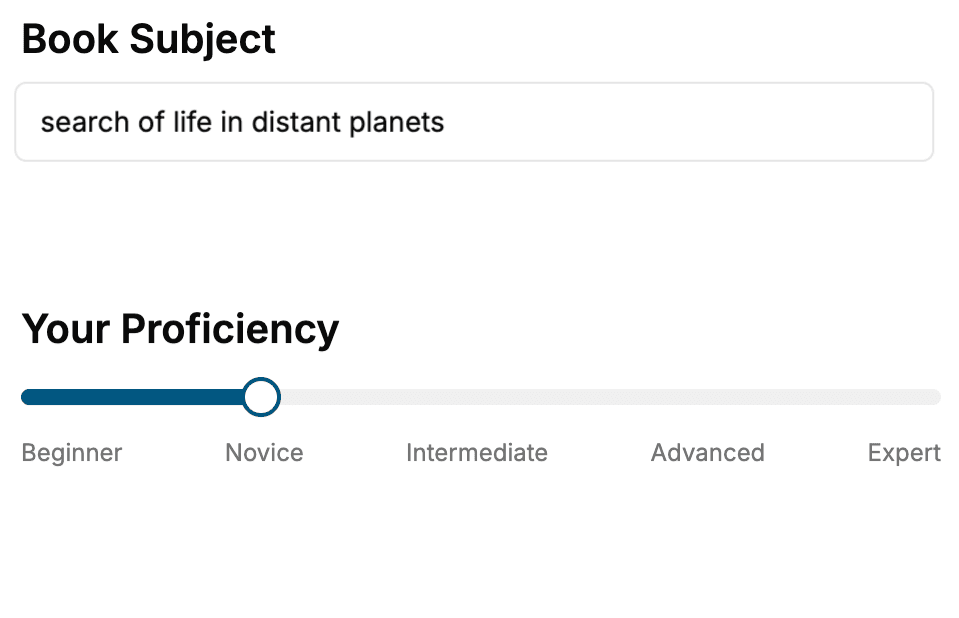
Select the focus of your CSS book and share your background
- 2. Personalize your book
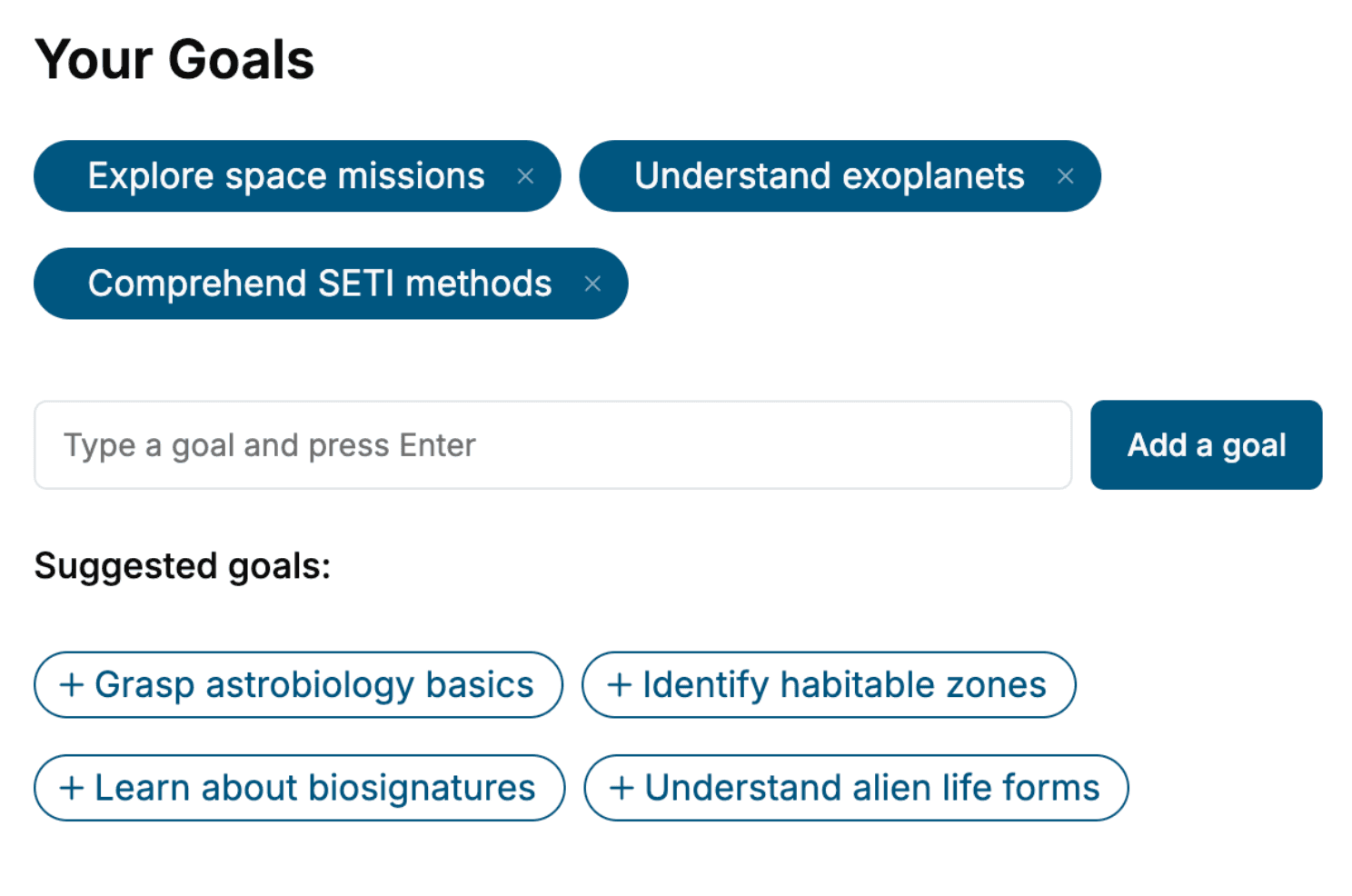
Specify your goals and choose sub-topics to include
- 3. Get your tailored book
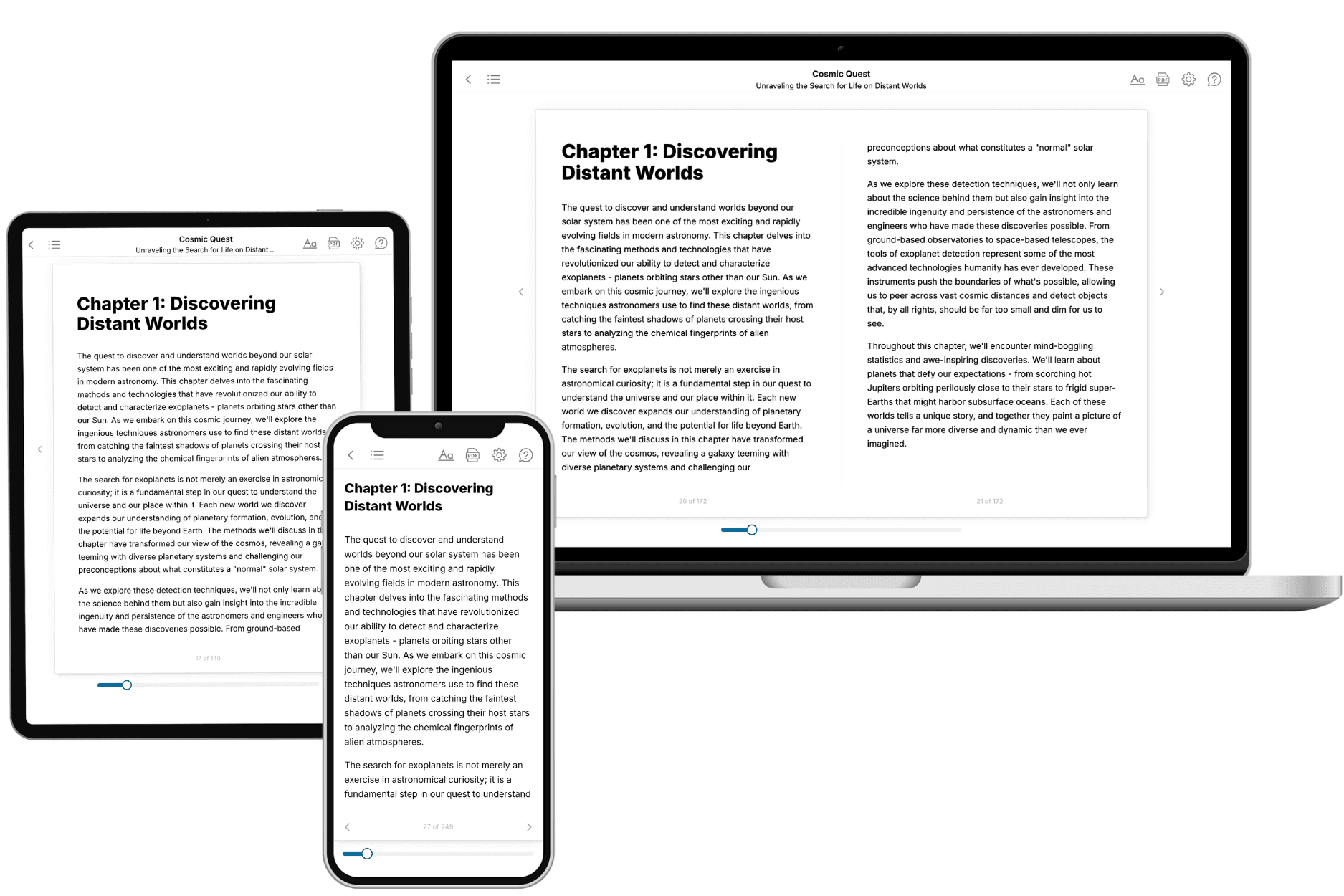
Your book is ready in 10 minutes. Read it online, download as EPUB or PDF, or send to Kindle.
Frequently asked questions
- What is TailoredRead?
TailoredRead creates complete, full-length nonfiction ebooks, written specifically for you. Tell us what you want to learn and why, and TailoredRead writes you a complete ebook on it, with charts, tables, and diagrams throughout. Read it online, on Kindle, or on any e-reader, or download it as a PDF or EPUB. Every book is written fresh the day you order it.
- How is the book tailored to me?
Before anything is written, you answer a few short questions about your goals, your background, and the topics you care about. Your book is then planned around your answers: written at your level, focused on your goals, and covering the topics you chose, instead of the one-size-fits-all book a store sells everyone.
- Will it read like generic AI content?
No. Your book isn't a chat transcript: it's planned chapter by chapter before a single word is written, told in a clear book voice, and explains ideas visually with charts, tables, and diagrams. After writing, every book goes through an editorial pass that polishes chapters so the book reads consistent from start to finish. Judge for yourself: browse thousands of sample books on our Explore Books page.
- How accurate is the content?
Our AI first checks whether your subject needs live research. Niche and fast-moving subjects are researched before writing, and the book plan and chapters are grounded in what it finds. After writing, every book goes through a quality pass that checks its facts and consistency, and researched books list their sources in a Notes section at the back.
- How long is the book?
You choose the length: Comprehensive (250-300 pages), Detailed (150-200 pages), Essential (70-100 pages), or Short (30-50 pages).
- Does the book include visuals?
Yes. Every book includes charts, tables, and diagrams: timelines, checklists, step-by-step guides, decision trees, comparison tables, matrices, and bar charts. A typical book includes dozens of these visual elements.
- Can I read it on Kindle? What formats can I download?
Yes. Every book can be read in our online reader or downloaded as a PDF or EPUB. The EPUB can be opened with Kindle, Apple Books, Kobo, and any e-reader. The Commercial and Author licenses also include an editable Word (DOCX) and Markdown download.
- How much does it cost?
About the price of a regular ebook. The exact price depends on your book's length and complexity, from $2 for the shortest books to $35 for the most comprehensive, and it's shown when you review your book, before you commit to anything. Each book is a one-time purchase, yours to keep, no subscription. Licenses that let you share, teach, or publish your book range from $35.99 to $49.99.
- Can I preview the book before purchasing?
Before you pay, you'll see what your book will cover: the title, a detailed description, the estimated length, and the complete chapter-by-chapter table of contents, so you know what you're getting before you decide. The full text itself is written after you purchase.
- How long does it take to create a book?
About 10 minutes. You can start reading the opening chapters while the rest is still being written.