Tinkercad Mastery for Digital Marketers
Elevate Your Online Presence with Eye-Catching 3D Designs
In "Tinkercad Mastery for Digital Marketers," readers will discover the power of 3D design to revolutionize their online marketing strategies.
269 pages13 chaptersOct 26, 2024Digital MarketingCreated by Dedra
About this book
This comprehensive guide takes you on a journey from Tinkercad basics to advanced techniques, specifically tailored for creating stunning social media posts, email graphics, and unique infographics. Learn how to harness Tinkercad's user-friendly interface to design eye-catching ads and 3D social media frames that will make your content stand out in crowded feeds. Master time-saving shortcuts and efficient workflows to streamline your design process and boost productivity. Whether you're looking to increase sales conversions, enhance brand visibility, or simply add a new dimension to your marketing toolkit, this book provides the knowledge and practical skills you need. Step-by-step tutorials, real-world examples, and insider tips from experienced marketers will help you transform your digital content from flat to fabulous. Dive into the world of 3D design and watch as your engagement rates soar. "Tinkercad Mastery for Digital Marketers" is your ultimate guide to creating a visually stunning and highly effective online presence.
Table of contents
- IntroductionThe Power of 3D in Digital Marketing, Why Tinkercad for Marketers?, What You'll Learn in This Book, Getting Started with TinkercadRead below
- Chapter 1: Tinkercad BasicsNavigating the Tinkercad Interface, Working with Basic Shapes, Transforming Objects: Resize, Rotate, and Move, Grouping and Ungrouping Objects
- Chapter 2: Advanced Modeling TechniquesCreating Complex Shapes, Using Boolean Operations, Working with Text and Typography, Importing and Creating Custom Shapes
- Chapter 3: Colors and Materials in TinkercadColor Theory for Digital Marketing, Applying Colors in Tinkercad, Understanding Material Properties, Creating Custom Materials
- Chapter 4: Designing 3D Social Media PostsUnderstanding Platform-Specific Requirements, Creating Attention-Grabbing 3D Elements, Maintaining Brand Consistency in 3D, Examples of Effective 3D Social Media Posts
- Chapter 5: Crafting 3D Social Media FramesUnderstanding Frame Design Principles, Creating Interactive 3D Frames, Designing Seasonal and Event-Specific Frames, Optimizing Frames for Different Platforms
- Chapter 6: 3D Email Graphics That ConvertUnderstanding Email Design Constraints, Designing 3D Call-to-Action Buttons, Creating 3D Product Showcases, Ensuring Compatibility Across Email Clients
- Chapter 7: Eye-Catching 3D Ad DesignUnderstanding Ad Psychology, Creating 3D Banner Ads, Designing Animated 3D Ads, A/B Testing 3D Ad Designs
- Chapter 8: Crafting Unique 3D Infographics3D Data Visualization Techniques, Designing Effective Infographic Layouts, Adding Interactive 3D Elements, Case Studies of Successful 3D Infographics
- Chapter 9: Mastering Tinkercad ShortcutsEssential Keyboard Shortcuts, Creating Custom Shortcuts, Optimizing Your Workflow, Shortcut Practice Exercises
- Chapter 10: Collaboration and Teamwork in TinkercadSharing and Collaborating on Projects, Integrating Feedback in Your Designs, Version Control in Tinkercad, Establishing Efficient Team Workflows
- Chapter 11: Rendering and Exporting Your DesignsOptimizing Render Settings, Choosing the Right File Formats, Post-Processing Techniques, Optimizing for Different Platforms
- Chapter 12: Analyzing and Optimizing 3D Content PerformanceKey Performance Metrics for 3D Content, Tools for Analyzing 3D Content Performance, Data-Driven Design Improvements, Calculating ROI on 3D Content
- Chapter 13: Future Trends in 3D MarketingAR and VR Integration, AI in 3D Design, The Rise of Interactive 3D Content, Staying Ahead of the Curve
- ConclusionKey Takeaways, Next Steps in Your 3D Marketing Journey
- Glossary
- Further Resources
Introduction
Welcome to the exciting world of 3D design for digital marketing! In this introduction, we'll explore the transformative power of 3D elements in online marketing strategies, discover why Tinkercad is the ideal tool for marketers venturing into 3D design, and provide an overview of what you can expect to learn from this book. We'll also guide you through the initial steps of getting started with Tinkercad, setting you on the path to creating stunning 3D content that will elevate your digital marketing efforts to new heights.
The Power of 3D in Digital Marketing
In today's digital landscape, capturing and retaining audience attention is more challenging than ever. With the constant barrage of content across various platforms, marketers need innovative ways to stand out from the crowd. This is where 3D design comes into play, offering a powerful tool to create visually striking and engaging content that can significantly boost your marketing efforts.
3D design brings a new dimension to digital marketing, quite literally. By incorporating depth and perspective into your visual content, you can create immersive experiences that captivate your audience and leave a lasting impression. The human brain is naturally drawn to three-dimensional objects, as they more closely resemble our real-world experiences. This innate attraction to 3D elements can lead to increased engagement rates, longer viewing times, and improved information retention among your target audience[1].
One of the key advantages of 3D design in digital marketing is its versatility. From eye-catching social media posts and interactive ads to informative infographics and product demonstrations, 3D elements can be incorporated into virtually every aspect of your marketing strategy. This versatility allows you to create a cohesive visual identity across all your marketing channels, reinforcing your brand and message in a memorable way.
Moreover, 3D design opens up new possibilities for storytelling and product showcasing. Instead of relying solely on flat images or text descriptions, you can create dynamic, 360-degree views of products, allowing potential customers to explore items from every angle. This level of interactivity can significantly enhance the online shopping experience, potentially leading to increased conversions and sales[2].
In the realm of social media marketing, 3D elements can help your content stand out in crowded feeds. Animated 3D graphics or interactive 3D frames can stop users mid-scroll, encouraging them to engage with your content and share it with their networks. This increased engagement can lead to improved organic reach and a stronger social media presence for your brand.
The power of 3D in email marketing should not be underestimated either. By incorporating 3D elements into your email designs, you can create more visually appealing and engaging newsletters that are more likely to be opened and read. 3D call-to-action buttons, product showcases, or animated graphics can make your emails more interactive and memorable, potentially boosting click-through rates and conversions.
Furthermore, 3D design allows for more effective data visualization in infographics and presentations. Complex information can be presented in a more intuitive and easily digestible format, making your content more accessible and engaging to a wider audience. This can be particularly valuable when communicating complex ideas, statistics, or processes to stakeholders or potential clients.
As technology continues to advance, the role of 3D in digital marketing is only set to grow. With the increasing adoption of augmented reality (AR) and virtual reality (VR) technologies, 3D content is becoming more immersive and interactive than ever before. By mastering 3D design now, you'll be well-positioned to take advantage of these emerging technologies and stay ahead of the curve in the ever-evolving digital marketing landscape.
In conclusion, the power of 3D in digital marketing lies in its ability to create visually stunning, engaging, and memorable content that can set your brand apart in a crowded digital space. By leveraging 3D design, you can enhance user experiences, improve engagement rates, and ultimately drive better results across all your marketing channels. As we delve deeper into this book, you'll discover how to harness this power using Tinkercad, transforming your digital marketing strategies and taking your online presence to new dimensions.
Why Tinkercad for Marketers?
In the vast landscape of 3D design software, Tinkercad stands out as an exceptional choice for digital marketers venturing into the world of 3D content creation. Its unique combination of accessibility, versatility, and powerful features makes it an ideal tool for marketers looking to enhance their visual content without the steep learning curve associated with more complex 3D modeling software. Let's explore why Tinkercad is particularly well-suited for marketers and how it can revolutionize your approach to creating engaging digital content.
First and foremost, Tinkercad's user-friendly interface is a game-changer for marketers who may not have a background in 3D design. Unlike many professional-grade 3D modeling tools that can be overwhelming for beginners, Tinkercad offers an intuitive, browser-based platform that allows users to start creating 3D designs almost immediately. The software uses a simple drag-and-drop interface, making it easy to manipulate basic shapes and create complex designs without the need for extensive training or technical expertise. This accessibility means that marketers can quickly integrate 3D elements into their campaigns without investing significant time and resources in learning a new skill set[3].
Despite its simplicity, Tinkercad doesn't compromise on functionality. The software offers a wide range of tools and features that allow marketers to create professional-looking 3D designs suitable for various marketing applications. From basic shapes and text to more complex geometric forms, Tinkercad provides all the necessary elements to bring your creative visions to life. The ability to import custom shapes and images further expands the possibilities, allowing you to incorporate brand-specific elements or create entirely unique designs that align perfectly with your marketing objectives.
One of Tinkercad's most significant advantages for marketers is its web-based nature. Being cloud-based means you can access your designs from anywhere, on any device with an internet connection. This flexibility is invaluable in today's fast-paced marketing environment, where you might need to make quick adjustments to a campaign or collaborate with team members remotely. The ability to work on your 3D designs without being tied to a specific workstation enhances productivity and allows for greater agility in responding to market trends or client requests.
Collaboration is another key feature that makes Tinkercad an excellent choice for marketing teams. The software allows multiple users to work on the same project simultaneously, facilitating teamwork and enabling seamless collaboration between designers, copywriters, and other stakeholders. This collaborative approach can lead to more creative outcomes and faster project completion times, which is crucial in the time-sensitive world of digital marketing.
Tinkercad's integration capabilities are particularly beneficial for marketers looking to streamline their workflow. The software allows for easy export of designs in various file formats, making it simple to incorporate your 3D creations into other marketing tools and platforms. Whether you're designing a 3D element for a social media post, an email campaign, or a website banner, Tinkercad's export options ensure that your designs can be seamlessly integrated into your existing marketing ecosystem.
For marketers working with limited budgets, Tinkercad's cost-effectiveness is a significant advantage. The software offers a free version with a comprehensive set of features, allowing you to create professional-quality 3D designs without any financial investment. This accessibility makes it possible for businesses of all sizes to incorporate 3D elements into their marketing strategies, leveling the playing field and enabling smaller companies to compete with larger corporations in terms of visual content quality.
Tinkercad's regular updates and growing community are also valuable assets for marketers. The software is continuously evolving, with new features and improvements being added regularly based on user feedback. This ensures that you'll always have access to the latest tools and capabilities to keep your marketing content fresh and innovative. Additionally, the active Tinkercad community provides a wealth of resources, tutorials, and inspiration, helping you to continually improve your skills and stay up-to-date with the latest trends in 3D design for marketing.
The software's focus on education and skill development is another aspect that makes it ideal for marketers. Tinkercad offers a range of tutorials and learning resources that can help you quickly get up to speed with 3D design principles and techniques. This emphasis on learning aligns well with the ever-evolving nature of digital marketing, where continuous skill development is crucial for staying competitive.
Lastly, Tinkercad's compatibility with 3D printing technology opens up exciting possibilities for marketers looking to bridge the gap between digital and physical marketing. While this book focuses primarily on digital applications, the ability to easily transform your designs into physical objects can be a powerful tool for creating unique promotional items, prototypes, or interactive displays for events and trade shows.
In conclusion, Tinkercad offers a unique combination of accessibility, functionality, and flexibility that makes it an ideal 3D design tool for digital marketers. Its user-friendly interface, powerful features, collaboration capabilities, and cost-effectiveness provide marketers with everything they need to create stunning 3D content that can elevate their digital marketing strategies. As we progress through this book, you'll discover how to leverage Tinkercad's full potential to create eye-catching designs that will set your marketing efforts apart in the competitive digital landscape.
What You'll Learn in This Book
"Tinkercad Mastery for Digital Marketers" is designed to be your comprehensive guide to leveraging the power of 3D design in your digital marketing efforts. Throughout this book, we'll take you on a journey from the basics of Tinkercad to advanced techniques specifically tailored for creating stunning marketing content. Whether you're a seasoned marketer looking to add a new dimension to your skillset or a newcomer to both marketing and 3D design, this book will equip you with the knowledge and practical skills needed to create impactful 3D content that resonates with your audience and drives results.
We'll begin by laying a solid foundation in Tinkercad basics, ensuring that you're comfortable with the software's interface and core functionalities. You'll learn how to navigate the workspace, work with basic shapes, and perform essential operations like resizing, rotating, and moving objects. We'll also cover the crucial skills of grouping and ungrouping objects, which form the basis for creating more complex designs.
As you progress, we'll delve into advanced modeling techniques that will allow you to create sophisticated 3D designs tailored to your marketing needs. You'll discover how to craft complex shapes using Boolean operations, manipulate text for eye-catching typography, and even import custom shapes to incorporate brand-specific elements into your designs. These skills will enable you to create unique and memorable visuals that truly represent your brand identity.
Color theory and material properties play a crucial role in creating visually appealing and effective marketing content. We'll explore how to apply colors strategically in Tinkercad, understanding the psychological impact of different color choices on your audience. You'll also learn about material properties and how to create custom materials, allowing you to achieve the perfect look for your 3D designs, whether you're aiming for a sleek, modern aesthetic or a more organic, textured appearance.
One of the core focuses of this book is applying your Tinkercad skills to various digital marketing channels. We'll dedicate entire chapters to creating 3D social media posts, crafting engaging 3D social media frames, designing email graphics that convert, and developing eye-catching 3D ad designs. You'll learn how to tailor your 3D content to the specific requirements and best practices of different platforms, ensuring that your designs not only look great but also perform well in terms of engagement and conversions.
Infographics are a powerful tool for communicating complex information in a visually appealing way. We'll explore techniques for creating unique 3D infographics that stand out from traditional flat designs. You'll learn how to use 3D elements to enhance data visualization, create effective layouts, and even incorporate interactive elements to boost engagement with your infographic content.
Efficiency is key in the fast-paced world of digital marketing, so we'll dedicate a chapter to mastering Tinkercad shortcuts and optimizing your workflow. You'll discover essential keyboard shortcuts, learn how to create custom shortcuts, and develop practices that will significantly speed up your design process. This knowledge will allow you to create high-quality 3D content more quickly, giving you a competitive edge in responding to market trends and client needs.
Collaboration is often an integral part of marketing projects, and Tinkercad offers powerful features to facilitate teamwork. We'll explore how to effectively share projects, integrate feedback into your designs, and establish efficient team workflows. You'll also learn about version control in Tinkercad, ensuring that you can manage complex projects with multiple contributors without losing track of changes or compromising on quality.
Once you've created your 3D designs, it's crucial to know how to render and export them effectively for different marketing applications. We'll cover optimizing render settings, choosing the right file formats for various platforms, and applying post-processing techniques to enhance your final outputs. This knowledge will ensure that your 3D content looks its best, whether it's being viewed on a social media feed, in an email, or on a large display at a marketing event.
In the digital marketing world, data-driven decision making is key to success. We'll dedicate a chapter to analyzing and optimizing the performance of your 3D content. You'll learn about key performance metrics specific to 3D content, discover tools for tracking and analyzing these metrics, and develop strategies for using this data to continually improve your designs and marketing strategies. We'll also explore methods for calculating the ROI of your 3D content, helping you justify the investment in 3D design to stakeholders and clients.
Looking to the future, we'll explore emerging trends in 3D marketing, including the integration of augmented reality (AR) and virtual reality (VR), the role of AI in 3D design, and the rise of interactive 3D content. This forward-looking perspective will help you stay ahead of the curve and prepare for the next wave of innovations in digital marketing.
Throughout the book, we'll provide practical examples, case studies, and hands-on exercises to reinforce your learning. You'll have the opportunity to apply your new skills to real-world marketing scenarios, ensuring that you're not just learning theory, but developing practical abilities that you can immediately apply to your marketing efforts.
By the end of this book, you'll have a comprehensive understanding of how to use Tinkercad to create stunning 3D content for your digital marketing campaigns. You'll be equipped with the skills to design eye-catching social media posts, engaging email graphics, compelling ads, and informative infographics, all enhanced with the power of 3D design. More importantly, you'll understand how to strategically implement these 3D elements to boost engagement, increase conversions, and elevate your overall marketing effectiveness.
Whether you're looking to refresh your brand's visual identity, create more engaging content for your social media channels, or develop innovative marketing materials that set you apart from the competition, "Tinkercad Mastery for Digital Marketers" will provide you with the knowledge, skills, and inspiration to transform your digital marketing efforts through the power of 3D design. Get ready to embark on an exciting journey that will revolutionize the way you approach visual content creation in your marketing strategies!
Getting Started with Tinkercad
Now that we've explored the power of 3D in digital marketing and why Tinkercad is the ideal tool for marketers, it's time to take your first steps into the world of 3D design. In this section, we'll guide you through the process of getting started with Tinkercad, from setting up your account to navigating the basic interface. By the end of this section, you'll be ready to begin creating your first 3D designs for your marketing campaigns.
The first step in your Tinkercad journey is creating an account. Tinkercad is a web-based application, which means you don't need to download or install any software on your computer. Simply open your web browser and navigate to the Tinkercad website (www.tinkercad.com). Click on the "Sign Up" button in the top right corner of the page. You'll have the option to sign up using your email address or by linking your Google or Facebook account. Choose the method that's most convenient for you and follow the prompts to create your account. If you're signing up as part of a team or organization, make sure to use your work email address to keep your professional designs separate from any personal projects.
Once you've created your account and logged in, you'll be greeted by the Tinkercad dashboard. This is your home base for all your 3D design projects. Take a moment to familiarize yourself with the layout. You'll see options to create a new design, access tutorials, and view your existing projects. For now, let's focus on creating your first design. Click on the "Create new design" button to open the Tinkercad editor.
The Tinkercad editor is where the magic happens. At first glance, it might seem a bit overwhelming, but don't worry – we'll break it down step by step. The main area of the screen is your workplane, which is essentially your 3D canvas. This is where you'll place and manipulate objects to create your designs. On the right side of the screen, you'll see a panel with basic shapes and letters. These are your building blocks for creating 3D designs. To add a shape to your workplane, simply click and drag it from the panel onto the workplane.
Take a moment to experiment with adding different shapes to your workplane. You'll notice that when you select a shape on the workplane, a set of controls appears around it. These controls allow you to resize, rotate, and move the shape. Try clicking and dragging the different handles to see how they affect the shape. Don't worry about creating anything specific at this point – the goal is to get comfortable with the basic interactions.
On the top of the screen, you'll see a toolbar with various options. The most important ones for beginners are the "Workplane" button, which allows you to change the orientation of your workplane, and the "Adjust" button, which provides additional options for manipulating your shapes. There's also a "View" dropdown menu that lets you change how you're looking at your design. Try switching between the different views to get a sense of how your design looks from different angles.
One of the most powerful features of Tinkercad is the ability to combine shapes to create more complex objects. To do this, you'll use the "Group" function. Try placing two shapes so that they overlap, then select both shapes by clicking and dragging a selection box around them. Once both shapes are selected, click the "Group" button in the top toolbar. The shapes will now be combined into a single object. You can also use the "Hole" feature to cut one shape out of another, which is incredibly useful for creating intricate designs.
As you're working, Tinkercad automatically saves your progress, but it's a good habit to manually save your work regularly. You can do this by clicking on the design name in the top left corner and giving your project a name. This will save your design to your Tinkercad account, allowing you to access it from any device with an internet connection.
While you're getting started, don't hesitate to make use of Tinkercad's built-in tutorials and lessons. These can be accessed from your dashboard and provide step-by-step guidance on various aspects of using the software. They're an excellent resource for building your skills and confidence with the tool.
Remember, the key to mastering Tinkercad is practice and experimentation. Don't be afraid to play around with different shapes, combinations, and features. The more you explore, the more comfortable you'll become with the software, and the more creative your designs will be. As you progress through this book, we'll delve deeper into specific techniques and applications for digital marketing, but for now, focus on getting comfortable with the basic interface and controls.
Lastly, keep in mind that Tinkercad has a vibrant community of users who share their designs and offer support to one another. As you begin your journey, don't hesitate to explore the community galleries for inspiration or to ask questions in the forums if you encounter any challenges. The Tinkercad community is known for being welcoming and supportive to newcomers.
With these basics under your belt, you're ready to start exploring the world of 3D design for digital marketing. In the following chapters, we'll build on these foundational skills, introducing you to more advanced techniques and showing you how to apply your Tinkercad skills to create compelling marketing content. Get ready to transform your digital marketing efforts with the power of 3D design!
Notes
Introduction
- 1. Z. Li and S. S. Sundar, "Communicating AR and VR in Advertising," Journal of Advertising, 2018
- 2. M. Y. C. Yim and others, "Is Augmented Reality Technology an Effective Tool for E-commerce?," An Interactivity and Vividness Perspective. Journal of Interactive Marketing, 2017
- 3. B. Mueller and S. Stumm, "The Democratization of 3D Design," Journal of Design, Business & Society, 2019
This is the end of the free sample. The full book has 13 chapters.
Want this book written for you?
Tell us your goals and background, and get your own version of this book, tailored by AI to you.


Benefits of AI-tailored books
- Read one book, not ten:
- all the Digital Marketing knowledge you need, gathered into a single book.
- Save days of learning:
- tell us your goals, choose your topics, and the whole book is built around them.
- Learn effortlessly:
- Digital Marketing book written for your specific background and expertise.
- Understand at a glance:
- includes charts, tables, timelines, checklists, decision trees, and more.
- Stay current:
- written the day you order it, not years ago.
- Trust what you read:
- every book is checked for accuracy, with real research when your subject needs it.
Create your unique book in 3 steps
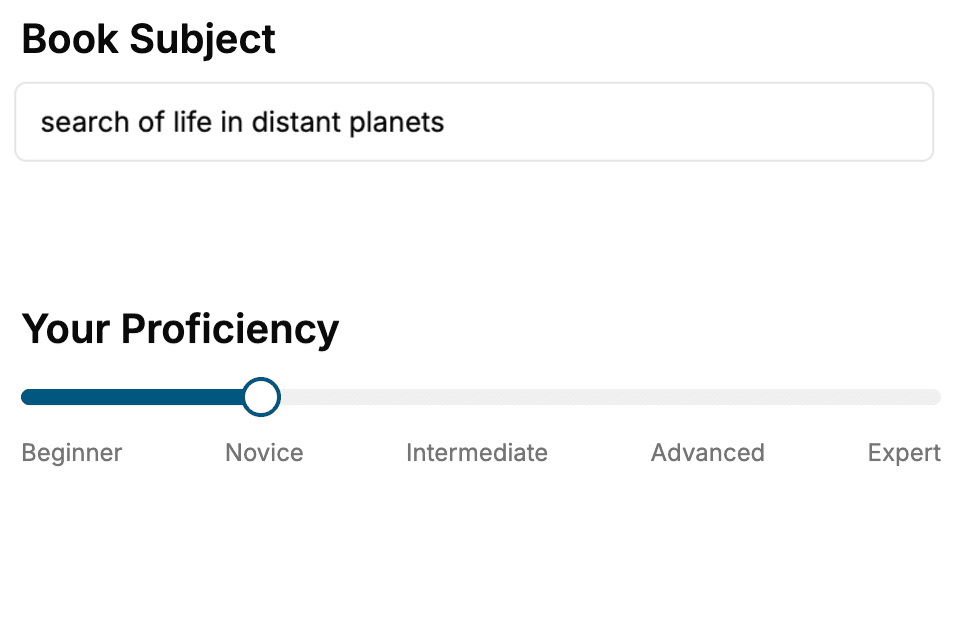
- 1. Select your focus
Select the focus of your Digital Marketing book and share your background
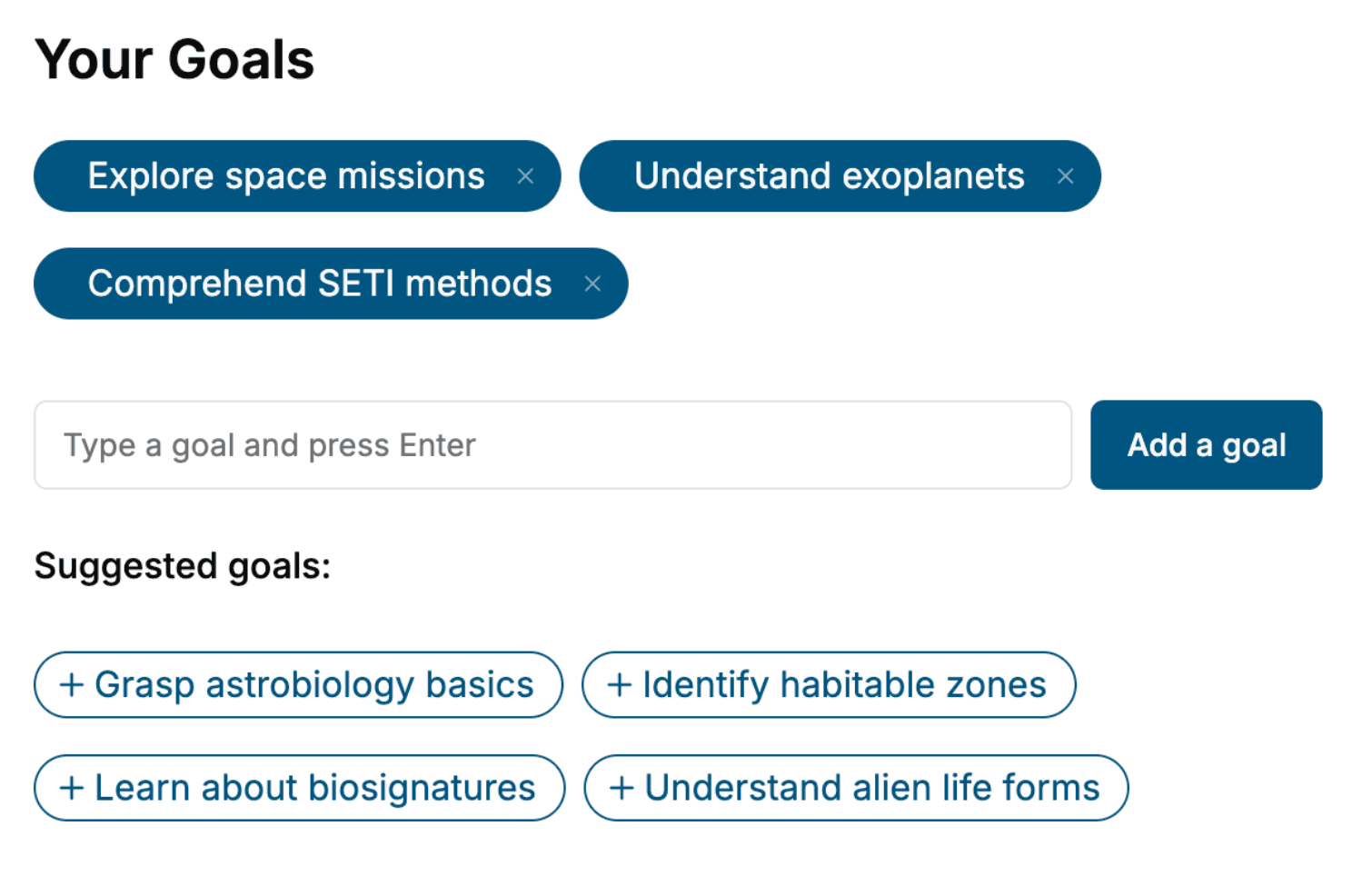
- 2. Personalize your book
Specify your goals and choose sub-topics to include
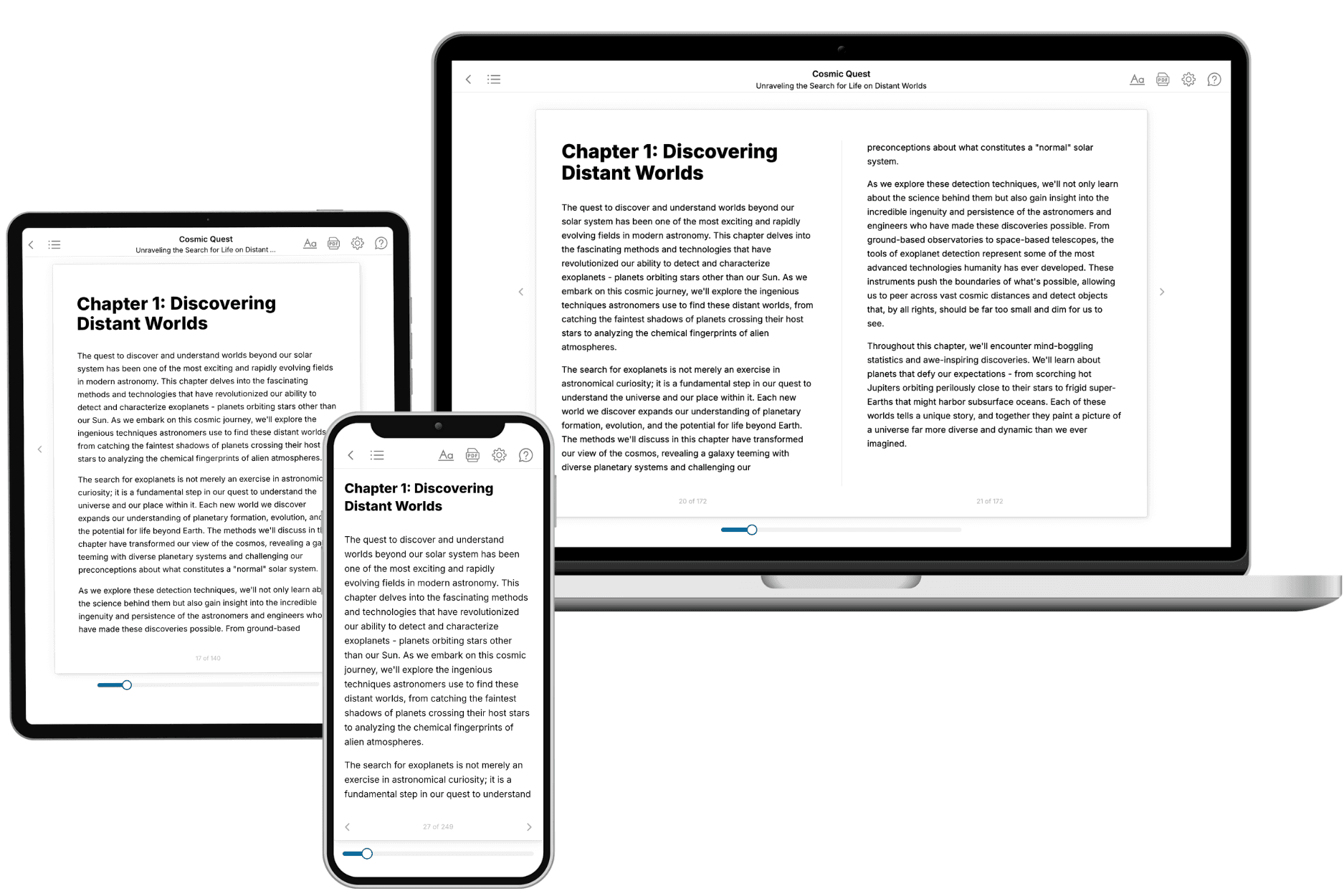
- 3. Get your tailored book
Your book is ready in 10 minutes. Read it online, download as EPUB or PDF, or send to Kindle.
Frequently asked questions
- What is TailoredRead?
TailoredRead creates complete, full-length nonfiction ebooks, written specifically for you. Tell us what you want to learn and why, and TailoredRead writes you a complete ebook on it, with charts, tables, and diagrams throughout. Read it online, on Kindle, or on any e-reader, or download it as a PDF or EPUB. Every book is written fresh the day you order it.
- How is the book tailored to me?
Before anything is written, you answer a few short questions about your goals, your background, and the topics you care about. Your book is then planned around your answers: written at your level, focused on your goals, and covering the topics you chose, instead of the one-size-fits-all book a store sells everyone.
- Will it read like generic AI content?
No. Your book isn't a chat transcript: it's planned chapter by chapter before a single word is written, told in a clear book voice, and explains ideas visually with charts, tables, and diagrams. After writing, every book goes through an editorial pass that polishes chapters so the book reads consistent from start to finish. Judge for yourself: browse thousands of sample books on our Explore Books page.
- How accurate is the content?
Our AI first checks whether your subject needs live research. Niche and fast-moving subjects are researched before writing, and the book plan and chapters are grounded in what it finds. After writing, every book goes through a quality pass that checks its facts and consistency, and researched books list their sources in a Notes section at the back.
- How long is the book?
You choose the length: Comprehensive (250-300 pages), Detailed (150-200 pages), Essential (70-100 pages), or Short (30-50 pages).
- Does the book include visuals?
Yes. Every book includes charts, tables, and diagrams: timelines, checklists, step-by-step guides, decision trees, comparison tables, matrices, and bar charts. A typical book includes dozens of these visual elements.
- Can I read it on Kindle? What formats can I download?
Yes. Every book can be read in our online reader or downloaded as a PDF or EPUB. The EPUB can be opened with Kindle, Apple Books, Kobo, and any e-reader. The Commercial and Author licenses also include an editable Word (DOCX) and Markdown download.
- How much does it cost?
About the price of a regular ebook. The exact price depends on your book's length and complexity, from $2 for the shortest books to $35 for the most comprehensive, and it's shown when you review your book, before you commit to anything. Each book is a one-time purchase, yours to keep, no subscription. Licenses that let you share, teach, or publish your book range from $35.99 to $49.99.
- Can I preview the book before purchasing?
Before you pay, you'll see what your book will cover: the title, a detailed description, the estimated length, and the complete chapter-by-chapter table of contents, so you know what you're getting before you decide. The full text itself is written after you purchase.
- How long does it take to create a book?
About 10 minutes. You can start reading the opening chapters while the rest is still being written.