The Two-Factor Authentication Handbook
Secure Your Digital Life with Multi-Layer Protection in the Modern Threat Landscape
Most people protect their digital accounts with a single password—a practice that leaves them vulnerable to credential theft, phishing, and account takeover.
207 pages9 chaptersMar 2, 2026Cyber Security
About this book
Two-factor authentication adds a critical second layer of defense, but many users implement it incorrectly or abandon it due to complexity and inconvenience. This handbook cuts through the confusion and provides practical, actionable guidance for securing your accounts with 2FA. You'll learn how different authentication methods work, which ones offer the strongest protection, and how to implement them across your most important accounts. Whether you're protecting personal email, financial accounts, or professional systems, this guide covers the technical details you need without overwhelming jargon. Discover why SMS codes are risky, how hardware keys work, and what backup strategies actually protect you when things go wrong. By the end, you'll have a clear implementation strategy tailored to your security needs and threat model.
Table of contents
- IntroductionWhy Two-Factor Authentication Matters Today, The Limitations of Password-Only Security, What You'll Learn in This Handbook, How to Use This Book for Maximum BenefitRead below
- Chapter 1: Understanding Two-Factor Authentication FundamentalsWhat Is Two-Factor Authentication?, The Three Categories of Authentication Factors, Two-Factor vs. Multi-Factor Authentication, Assessing Your Personal Threat Model
- Chapter 2: SMS and Call-Based Authentication MethodsHow SMS-Based 2FA Works, Critical Vulnerabilities in SMS Authentication, SIM Swapping Attacks and Prevention, Voice Call Authentication and Its Risks
- Chapter 3: Time-Based One-Time Passwords (TOTP)How TOTP Works: The Technical Foundation, Choosing and Using Authenticator Applications, Why TOTP Offers Superior Security, Understanding TOTP Limitations and Workarounds
- Chapter 4: Hardware Security Keys and Physical AuthenticationWhat Hardware Security Keys Are and How They Work, The FIDO2 Standard and WebAuthn Protocol, Selecting the Right Hardware Key for Your Needs, Implementing Hardware Keys Across Your Accounts
- Chapter 5: Backup Codes and Account RecoveryUnderstanding Backup Codes and Their Critical Role, Secure Storage Strategies for Backup Codes, Account Recovery When You Lose Access to 2FA, Building Redundancy Into Your 2FA Setup
- Chapter 6: 2FA Implementation Across Account TypesSecuring Email Accounts with 2FA, Two-Factor Authentication for Banking and Cryptocurrency, Protecting Social Media and Online Services, Enterprise and Work Account Security
- Chapter 7: 2FA and Privacy Tools: Tor and Anonymous AccessUnderstanding Tor and Its Privacy Model, How 2FA Can Conflict with Tor-Based Anonymity, Privacy-Preserving Authentication Approaches, Balancing Security and Privacy in Your Threat Model
- Chapter 8: Common Implementation Mistakes and How to Avoid ThemBackup Code Storage Errors and Solutions, Avoiding Single Points of Failure, How Attackers Bypass 2FA Through Phishing, Account Recovery Mistakes That Lock You Out
- Chapter 9: Advanced Topics and Emerging TechnologiesPush Notification-Based Authentication, Biometric Authentication and Its Role in 2FA, The Move Toward Passwordless Authentication, Emerging Threats to 2FA Systems
- ConclusionYour 2FA Implementation Action Plan, Maintaining Your Security Posture Over Time
- Glossary of Key Terms
- Further Reading and Resources
Introduction
Every day, millions of accounts are compromised. Not because their owners were careless or technically unsophisticated, but because they relied on a single password to protect everything that matters to them. Email inboxes, bank accounts, social media profiles, work systems, and cloud storage all sit behind one line of defense that attackers have become remarkably good at breaking. The threat is not theoretical. It is happening right now, at scale, to people who thought their passwords were strong enough.
Two-factor authentication, commonly called 2FA, changes that equation in a fundamental way. Instead of relying on something you know (a password), it requires a second proof of identity, something you have or something you are. Even if an attacker steals your password through a data breach, a phishing email, or malware, they still cannot get into your account without that second factor. This single change can block the vast majority of automated account takeover attempts.[1]
Yet despite how effective 2FA is, adoption remains surprisingly low. Many people have heard of it but never set it up. Others have enabled it on one or two accounts and forgotten about the rest. Some have tried it, found it confusing or inconvenient, and turned it off. And a significant number have enabled 2FA in ways that provide far less protection than they realize, using methods that are vulnerable to the very attacks they are trying to prevent. This handbook exists to fix all of that.
This is not a book about fear. It is a book about practical, achievable security. The goal is not to overwhelm you with every possible threat scenario, but to give you a clear, honest picture of how 2FA works, where it succeeds, where it falls short, and how to implement it in a way that genuinely protects you. Whether you are securing personal accounts, professional systems, or both, the principles here apply directly to your situation.
Why Two-Factor Authentication Matters Today
The scale of credential theft in the modern internet is staggering. In 2023 alone, billions of username and password combinations were circulating on dark web forums and criminal marketplaces, harvested from hundreds of data breaches across industries.[2] When a company you use gets breached, your password may end up in one of these collections even if you did nothing wrong. Attackers then run automated tools that try those credentials across hundreds of other services, a technique called credential stuffing. If you reuse passwords, one breach can cascade into many compromised accounts.
Phishing attacks have also grown more sophisticated. Early phishing emails were easy to spot: poor grammar, suspicious links, implausible scenarios. Today's phishing campaigns are targeted, convincing, and often indistinguishable from legitimate communications. Attackers research their targets, spoof trusted brands with near-perfect accuracy, and use urgency to override careful thinking. Even experienced security professionals have been fooled. A strong password provides no protection against a phishing attack where you willingly type it into a fake login page.
The consequences of account compromise extend far beyond inconvenience. A compromised email account gives attackers the ability to reset passwords on every other account linked to that address, effectively handing them your entire digital life. Compromised financial accounts can result in direct monetary loss. Compromised social media accounts can be used to scam your contacts, spread misinformation, or damage your reputation. For professionals, a compromised work account can expose sensitive client data, intellectual property, or internal systems to attackers.
Two-factor authentication directly addresses these threats. When 2FA is enabled, a stolen password alone is not enough to access your account. The attacker also needs your second factor, which is typically a time-sensitive code generated on your phone or a physical hardware key in your possession. This dramatically raises the cost and complexity of a successful attack. Most automated attacks simply move on to easier targets when they encounter 2FA.
The good news is that 2FA has become significantly easier to use over the past several years. Major platforms including Google, Apple, Microsoft, and most financial institutions now support multiple 2FA methods. Authenticator apps are free, work offline, and take less than a minute to use. Hardware security keys have dropped in price and work seamlessly with modern browsers. The barriers to adoption are lower than ever, which makes the continued low adoption rate all the more frustrating from a security perspective.
Understanding why 2FA matters is the first step, but understanding it well enough to implement it correctly is what this handbook is designed to deliver. The difference between 2FA done right and 2FA done poorly can be the difference between genuine protection and a false sense of security. That distinction matters, and the chapters ahead will make it clear.
The Limitations of Password-Only Security
Passwords were designed for a simpler time. When computer systems first required authentication, the threat model was limited: keep unauthorized users off a shared mainframe. Passwords worked reasonably well for that purpose. But the internet transformed authentication into something far more complex, and passwords have struggled to keep up. Today, the average person manages dozens or even hundreds of accounts, each theoretically requiring a unique, strong password. The cognitive load alone makes the system nearly unworkable.
The most common response to password overload is reuse. Studies consistently show that a large majority of users reuse passwords across multiple accounts.[3] This is entirely understandable from a human behavior standpoint, but it creates a catastrophic security vulnerability. When any one of those services is breached, every account sharing that password becomes vulnerable. Credential stuffing attacks exploit this directly, and they are highly automated and efficient.
Even users who do use unique passwords face significant challenges. Creating and remembering truly random, strong passwords for every account is not realistic without a password manager. And while password managers are excellent tools, they introduce their own considerations: the master password becomes an extremely high-value target, and if the password manager itself is compromised, the damage is severe. Password managers are still strongly recommended, but they are not a complete solution on their own.
Passwords are also vulnerable to attacks that have nothing to do with their strength or uniqueness. Consider the main ways passwords get stolen:
- Data breaches: The service storing your password is hacked, and your credentials are exposed regardless of how strong they were.
- Phishing: You are tricked into entering your password on a fake website that looks legitimate.
- Keyloggers: Malware on your device records every keystroke, including passwords as you type them.
- Man-in-the-middle attacks: An attacker intercepts communication between you and a service to capture credentials.
- Social engineering: An attacker manipulates you or a customer service representative into revealing or resetting credentials.
Notice that most of these attacks bypass password strength entirely. A 30-character random password is just as vulnerable to a phishing attack as a simple one. The fundamental problem is that passwords are a shared secret: both you and the service know it, and anyone who obtains it can use it. There is no way for the service to verify that the person entering the password is actually you, rather than someone who stole it.
This is precisely the gap that two-factor authentication fills. By requiring a second factor that is either physically in your possession or biometrically tied to you, 2FA adds a verification layer that a stolen password cannot satisfy. Even if an attacker has your exact password, they still cannot authenticate without the second factor. This does not make accounts completely unbreakable, but it eliminates the most common and scalable attack vectors that make password-only security so fragile.
It is worth being honest about one more limitation of passwords: the systems that store them are often not as secure as users assume. Many services still store passwords using outdated hashing algorithms, or worse, in plain text. When those services are breached, even a strong password may be quickly cracked. You have no control over how a third-party service stores your credentials. What you do control is whether a stolen password is sufficient to access your account. With 2FA enabled, it is not.
What You'll Learn in This Handbook
This handbook is organized to take you from foundational understanding to practical implementation, covering every major aspect of two-factor authentication along the way. Each chapter builds on the previous ones, but the structure also allows you to jump directly to topics most relevant to your current situation. Here is a clear picture of what each part of the book covers and why it matters.
Chapter 1 establishes the conceptual foundation. You will learn exactly what two-factor authentication is, how the three categories of authentication factors work, and how to think about your own threat model. Understanding your threat model is critical because it determines which 2FA methods are appropriate for your situation. A journalist protecting sensitive sources has different needs than someone primarily concerned with keeping their streaming accounts secure.
Chapters 2 through 4 cover the three main categories of 2FA methods in depth:
- Chapter 2 examines SMS and call-based authentication, explaining how it works and, critically, why it is the weakest form of 2FA available. You will learn about SIM swapping attacks, SS7 protocol vulnerabilities, and when SMS-based 2FA is still better than nothing.
- Chapter 3 covers Time-Based One-Time Passwords (TOTP), the technology behind authenticator apps like Google Authenticator and Authy. This is the most practical upgrade from SMS for most users, and the chapter explains both the technical mechanics and the practical setup process.
- Chapter 4 explores hardware security keys, the strongest form of 2FA currently available for consumer use. You will learn how the FIDO2 standard works, how to choose the right key, and how to implement hardware keys across your most important accounts.
Chapter 5 addresses one of the most overlooked aspects of 2FA: backup and recovery. Many people set up 2FA without thinking about what happens if they lose their phone, break their hardware key, or get locked out of their authenticator app. This chapter provides concrete strategies for building redundancy into your setup so that a lost device does not mean a permanently inaccessible account.
Chapter 6 gets specific about implementation across different account types. Email, banking, cryptocurrency, social media, and enterprise accounts each have their own 2FA options, quirks, and best practices. This chapter walks through the most important account categories with practical, step-by-step guidance.
Chapter 7 tackles the intersection of 2FA and privacy tools, particularly the Tor network. This is a nuanced topic that matters to privacy-conscious users: some 2FA methods can actually undermine anonymity goals, while others are more compatible with privacy-preserving workflows. The chapter helps you navigate these trade-offs thoughtfully.
Chapter 8 is dedicated to common mistakes. Even well-intentioned 2FA implementations can have serious weaknesses. This chapter covers the errors that security practitioners see most often, including backup code mismanagement, single points of failure, and the increasingly sophisticated phishing techniques that attackers use to bypass 2FA entirely.
Chapter 9 looks ahead at emerging technologies and threats. Push notification authentication, biometrics, passkeys, and the broader move toward passwordless authentication are all reshaping the landscape. Understanding where things are heading helps you make better decisions today about which systems to invest in.
The conclusion brings everything together with a concrete action plan you can follow immediately after finishing the book. Security knowledge is only valuable when it translates into action, and the final section is designed to make that transition as straightforward as possible.
How to Use This Book for Maximum Benefit
This handbook is designed to be both a cover-to-cover read and a practical reference you return to when setting up or troubleshooting specific accounts. How you approach it depends on where you are starting from and what you need most urgently. A few different paths through the material are worth considering based on your situation.
If you are new to 2FA or have only used SMS-based codes, reading the book from beginning to end is the recommended approach. The chapters are sequenced to build understanding progressively. Starting with the fundamentals in Chapter 1 before diving into specific methods will help you make better decisions about which approaches to use and why. Skipping straight to implementation without the conceptual foundation often leads to the kinds of mistakes covered in Chapter 8.
If you already have some 2FA experience and are looking to upgrade your security, you can be more selective. A practical starting point for intermediate users might look like this:
- Read Chapter 2 to understand why SMS-based 2FA is weaker than you might think.
- Read Chapter 3 to learn how to migrate to TOTP-based authentication.
- Read Chapter 5 carefully before making any changes, so your backup strategy is in place first.
- Use Chapter 6 as a reference when setting up 2FA on specific account types.
- Return to Chapter 8 to audit your existing setup for common mistakes.
For security professionals using this book to inform organizational decisions or to help others implement 2FA, Chapters 4, 6, and 9 will be particularly relevant. Chapter 4 covers hardware security keys in depth, which are the standard recommendation for high-value accounts in professional environments. Chapter 9 addresses emerging technologies that are increasingly relevant to enterprise security planning.
Throughout the book, you will find concrete examples, specific configuration steps, and practical frameworks. These are not hypothetical scenarios. They reflect real-world situations and the actual decisions you will face when implementing 2FA. Pay particular attention to the examples of what not to do. Understanding failure modes is just as important as understanding best practices, and the mistakes covered in this book are ones that real users make regularly.
One important note about the technical details in this book: the specific steps for enabling 2FA on particular platforms change as those platforms update their interfaces. The underlying principles and security considerations do not change nearly as quickly. When specific menu locations or interface steps differ from what you see on your screen, focus on the principle being illustrated and use the platform's current help documentation for the exact steps. The security reasoning behind each recommendation will remain valid even as interfaces evolve.
Keep a few things nearby as you read. Having your phone accessible will let you follow along with authenticator app setup in Chapter 3. If you are considering hardware security keys, Chapter 4 includes guidance on what to look for before purchasing. And when you reach Chapter 5 on backup codes, have a plan ready for where you will store them securely. The best time to set up your recovery strategy is before you need it, not after something goes wrong.
Finally, approach this material with the understanding that perfect security is not the goal. The goal is meaningful, practical security that fits your actual life and threat model. Every improvement you make reduces your risk. Enabling 2FA on your email account today, even imperfectly, is vastly better than waiting until you have a theoretically perfect setup. Security is a practice, not a destination, and this handbook is designed to help you build that practice one solid step at a time.
Notes
Introduction
- 1. Google Security Blog, "New research: How effective is basic account hygiene at preventing hijacking," Google. Found that adding a recovery phone number blocked 100% of automated bot attacks and 96% of bulk phishing attacks, 2019
- 2. Have I Been Pwned, Statistics page. haveibeenpwned.com, As of 2024, the service tracks over 12 billion compromised accounts across thousands of breaches, 2024
- 3. LastPass, "Psychology of Passwords: Neglect is Helping Hackers Win," LastPass/LogMeIn. Survey found 62% of respondents always or mostly use the same password or a variation, 2022
This is the end of the free sample. The full book has 9 chapters.
Want this book written for you?
Tell us your goals and background, and get your own version of this book, tailored by AI to you.






Benefits of AI-tailored books
- Read one book, not ten:
- all the Cyber Security knowledge you need, gathered into a single book.
- Save days of learning:
- tell us your goals, choose your topics, and the whole book is built around them.
- Learn effortlessly:
- Cyber Security book written for your specific background and expertise.
- Understand at a glance:
- includes charts, tables, timelines, checklists, decision trees, and more.
- Stay current:
- written the day you order it, not years ago.
- Trust what you read:
- every book is checked for accuracy, with real research when your subject needs it.
Create your unique book in 3 steps
- 1. Select your focus
Select the focus of your Cyber Security book and share your background
- 2. Personalize your book
Specify your goals and choose sub-topics to include
- 3. Get your tailored book
Your book is ready in 10 minutes. Read it online, download as EPUB or PDF, or send to Kindle.


Frequently asked questions
- What is TailoredRead?
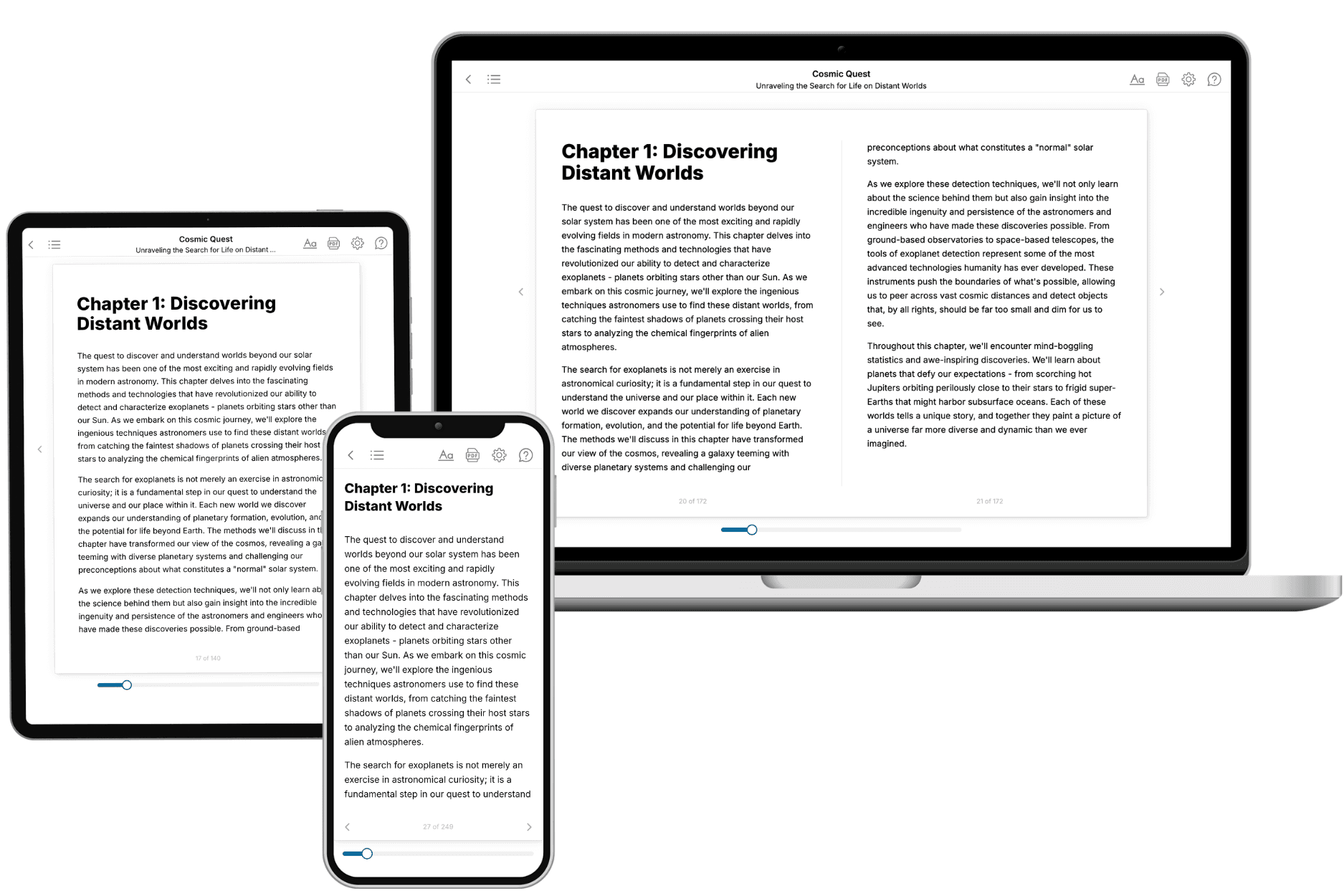
TailoredRead creates complete, full-length nonfiction ebooks, written specifically for you. Tell us what you want to learn and why, and TailoredRead writes you a complete ebook on it, with charts, tables, and diagrams throughout. Read it online, on Kindle, or on any e-reader, or download it as a PDF or EPUB. Every book is written fresh the day you order it.
- How is the book tailored to me?
Before anything is written, you answer a few short questions about your goals, your background, and the topics you care about. Your book is then planned around your answers: written at your level, focused on your goals, and covering the topics you chose, instead of the one-size-fits-all book a store sells everyone.
- Will it read like generic AI content?
No. Your book isn't a chat transcript: it's planned chapter by chapter before a single word is written, told in a clear book voice, and explains ideas visually with charts, tables, and diagrams. After writing, every book goes through an editorial pass that polishes chapters so the book reads consistent from start to finish. Judge for yourself: browse thousands of sample books on our Explore Books page.
- How accurate is the content?
Our AI first checks whether your subject needs live research. Niche and fast-moving subjects are researched before writing, and the book plan and chapters are grounded in what it finds. After writing, every book goes through a quality pass that checks its facts and consistency, and researched books list their sources in a Notes section at the back.
- How long is the book?
You choose the length: Comprehensive (250-300 pages), Detailed (150-200 pages), Essential (70-100 pages), or Short (30-50 pages).
- Does the book include visuals?
Yes. Every book includes charts, tables, and diagrams: timelines, checklists, step-by-step guides, decision trees, comparison tables, matrices, and bar charts. A typical book includes dozens of these visual elements.
- Can I read it on Kindle? What formats can I download?
Yes. Every book can be read in our online reader or downloaded as a PDF or EPUB. The EPUB can be opened with Kindle, Apple Books, Kobo, and any e-reader. The Commercial and Author licenses also include an editable Word (DOCX) and Markdown download.
- How much does it cost?
About the price of a regular ebook. The exact price depends on your book's length and complexity, from $2 for the shortest books to $35 for the most comprehensive, and it's shown when you review your book, before you commit to anything. Each book is a one-time purchase, yours to keep, no subscription. Licenses that let you share, teach, or publish your book range from $35.99 to $49.99.
- Can I preview the book before purchasing?
Before you pay, you'll see what your book will cover: the title, a detailed description, the estimated length, and the complete chapter-by-chapter table of contents, so you know what you're getting before you decide. The full text itself is written after you purchase.
- How long does it take to create a book?
About 10 minutes. You can start reading the opening chapters while the rest is still being written.