VBA Mastery
Build Powerful Automation Solutions with Visual Basic for Applications
Master Visual Basic for Applications and transform how you work with Microsoft Office.
207 pages10 chaptersMar 10, 2026VBA
About this book
This comprehensive guide takes you from intermediate understanding to expert-level proficiency, enabling you to build sophisticated automation solutions that save hours of manual work. You'll learn to navigate complex object models, write clean and maintainable code, implement robust error handling, and create user-friendly interfaces that rival professional applications. Whether you're automating Excel workflows, building Access databases, or extending Word documents, this book provides practical techniques grounded in real-world scenarios. Each chapter combines theoretical foundations with hands-on examples you can immediately apply to your projects. Discover how to optimize performance, integrate external data sources, and implement security best practices. By the end, you'll have the skills and confidence to tackle complex automation challenges and create solutions that multiply your productivity and that of your entire team.
Table of contents
- IntroductionWhy VBA Matters in Modern Business, What You'll Learn in This Book, How to Use This Guide Effectively, Prerequisites and SetupRead below
- Chapter 1: VBA Fundamentals and ArchitectureUnderstanding VBA and Its Role in Office, Navigating the VBA Editor and IDE, Writing Your First Macro, VBA Syntax and Language Basics
- Chapter 2: Mastering Object Models and CollectionsUnderstanding Object Hierarchies, Working with Collections and Iteration, Accessing Properties and Methods, Managing Object References and Memory
- Chapter 3: Excel Automation and Worksheet MasteryThe Excel Object Model Deep Dive, Advanced Worksheet Operations, Efficient Data Manipulation and Analysis, Creating and Controlling Charts Programmatically
- Chapter 4: Writing Clean, Maintainable CodeNaming Conventions and Code Organization, Modular Design and Reusable Functions, Documenting Your Code for Clarity, Best Practices for Code Quality
- Chapter 5: Robust Error Handling and DebuggingUnderstanding VBA Error Types, Implementing Error Trapping Strategies, Debugging Techniques and Tools, Defensive Programming Practices
- Chapter 6: Building User Interfaces with FormsDesigning Effective UserForms, Working with Form Controls and Events, Input Validation and Data Integrity, Creating Interactive User Experiences
- Chapter 7: Integrating External Data SourcesConnecting to Databases with ADO, Reading and Writing External Files, Calling External APIs and Web Services, Importing and Exporting Data Efficiently
- Chapter 8: Performance Optimization and Best PracticesProfiling and Measuring Performance, Key Optimization Techniques, Efficient Memory and Resource Management, Scaling Applications for Large Datasets
- Chapter 9: Security and Protection StrategiesProtecting Your VBA Code, Secure Coding Practices, Implementing Access Control and Permissions, Preventing Malware and Unauthorized Access
- Chapter 10: Real-World Projects and Case StudiesPlanning and Architecting VBA Solutions, Case Study: Automated Reporting System, Case Study: Data Processing Pipeline
- ConclusionYour Path to VBA Mastery, Next Steps and Continued Learning
- Appendix: Quick Reference and ResourcesCommon VBA Keywords and Functions, Troubleshooting Common Issues, Additional Learning Resources
Introduction
Every professional who works with Microsoft Office has, at some point, stared at a repetitive task and thought: There has to be a better way.
Maybe it was copying data from dozens of spreadsheets into a single report every Monday morning. Maybe it was formatting hundreds of Word documents to match a new company template. Maybe it was running the same sequence of calculations over and over, one cell at a time. That feeling of frustration is exactly where Visual Basic for Applications, better known as VBA, earns its place. It is the built-in programming language that turns Microsoft Office from a collection of tools into a fully programmable automation platform.
VBA has been part of the Microsoft Office ecosystem since the early 1990s, and despite the rise of newer technologies like Python and Power Automate, it remains one of the most widely used automation languages in business environments worldwide.[1] The reason is straightforward: VBA lives inside the applications your organization already uses. There is no separate runtime to install, no cloud dependency to manage, and no steep learning curve for deploying solutions to colleagues. You write the code, save the file, and the automation works. That simplicity, combined with deep access to Office's internal object models, makes VBA uniquely powerful for solving real business problems quickly.
This book is written for people who already understand the basics of programming. You know what a variable is. You have written a loop before. You understand the difference between a function and a subroutine. What you want now is to take that foundational knowledge and apply it specifically to VBA, learning the patterns, techniques, and best practices that separate a working macro from a truly professional automation solution. The goal here is not just to teach you syntax. It is to help you think like a VBA developer, so you can design solutions that are fast, reliable, maintainable, and genuinely useful to the people who depend on them.
Throughout these chapters, you will find a consistent emphasis on practical, real-world application. Every concept is grounded in scenarios that reflect actual business challenges. Code examples are written to be readable and reusable, not just technically correct. And the progression of topics is deliberate, building from core architecture and object models through to advanced integration, performance tuning, and security. By the time you reach the final chapter, you will have the skills to design and deliver automation solutions that make a measurable difference in how your team works.
Why VBA Matters in Modern Business
It is a fair question to ask whether VBA is still worth learning in an era of cloud platforms, low-code tools, and scripting languages like Python. The honest answer is yes, and the reasons are more practical than nostalgic. VBA is deeply embedded in the workflows of finance, accounting, operations, HR, and countless other business functions. A 2023 survey of enterprise software usage found that Microsoft Excel alone is used by over 750 million people globally.[2] A significant portion of those users rely on VBA-powered workbooks every single day, often without even knowing it.
The business case for VBA automation is compelling when you look at the numbers. Consider a financial analyst who spends three hours every week manually consolidating data from twelve regional spreadsheets into a single summary report. That is roughly 150 hours per year spent on a task that a well-written VBA macro can complete in under two minutes. Multiply that across a team of ten analysts, and you are looking at 1,500 hours of recovered productivity annually. That is not a marginal improvement. It is a fundamental shift in how the team allocates its time and attention.
VBA also fills a gap that newer tools often cannot. Power Automate is excellent for cloud-based workflows, but it struggles with complex in-document logic. Python is powerful, but deploying Python scripts to non-technical users in a corporate environment requires IT involvement, dependency management, and ongoing maintenance. VBA, by contrast, travels with the Office file. A macro-enabled Excel workbook works the same way on a colleague's laptop as it does on yours, assuming macro security settings allow it. That portability and self-contained nature is a genuine advantage in many organizational contexts.
Beyond automation, VBA enables you to build custom applications directly inside Office. You can create data entry forms with validation, build interactive dashboards that respond to user input, generate formatted reports from raw data, and connect to external databases or APIs. These are not toy features. Organizations routinely use VBA-based solutions as their primary operational tools, sometimes for years, because they are fast to build, easy to modify, and require no external infrastructure. Understanding VBA means you can deliver that kind of value quickly and reliably.
There is also a career dimension worth acknowledging. Professionals who can automate their own workflows and build tools for their teams consistently stand out. The ability to look at a manual process and say I can automate that
is a skill that translates directly into visibility, influence, and advancement. VBA mastery is not just a technical skill. It is a professional multiplier that makes everything else you do more efficient and more impactful.
Finally, learning VBA well prepares you for other automation and development work. The concepts you will master here, including object models, event-driven programming, error handling, and modular design, are foundational ideas that appear in virtually every programming environment. VBA is a practical and immediately applicable place to develop those skills, with real feedback from real tools you use every day.
What You'll Learn in This Book
This book covers VBA from its architectural foundations to advanced real-world application. The structure is deliberate. Each chapter builds on the previous one, so concepts introduced early reappear in more complex contexts later. You are not just collecting isolated techniques. You are building a coherent mental model of how VBA works and how to apply it effectively.
Here is a clear picture of what each major section covers:
- VBA Fundamentals and Architecture (Chapter 1): How VBA fits into the Office ecosystem, how to navigate the Visual Basic Editor, and how to write and run your first macros with confidence.
- Object Models and Collections (Chapter 2): The hierarchical structure of Office objects, how to navigate and manipulate collections, and how to manage object references efficiently.
- Excel Automation (Chapter 3): Deep-dive techniques for working with worksheets, ranges, data, and charts programmatically using Excel's rich object model.
- Clean, Maintainable Code (Chapter 4): Naming conventions, modular design, documentation practices, and code quality standards that make your projects sustainable over time.
- Error Handling and Debugging (Chapter 5): How to anticipate, trap, and recover from errors gracefully, and how to use VBA's debugging tools to find and fix problems fast.
- User Interfaces with Forms (Chapter 6): Designing and building UserForms with controls, validation, and event-driven interaction that create professional user experiences.
- External Data Integration (Chapter 7): Connecting to databases using ADO, reading and writing files, calling web APIs, and importing and exporting data at scale.
- Performance Optimization (Chapter 8): Profiling your code, applying key optimization techniques, managing memory, and scaling solutions to handle large datasets.
- Security and Protection (Chapter 9): Protecting your code and data, implementing access controls, and following secure coding practices that keep your applications safe.
- Real-World Projects (Chapter 10): Two complete case studies that walk through planning, building, and delivering a full automation solution from start to finish.
Each chapter combines explanation with working code examples. You will not just read about how something works. You will see it in action, understand why it is written the way it is, and have a clear path to adapting it for your own needs. The examples are drawn from realistic business scenarios: financial reporting, data processing, document generation, and database interaction.
By the end of this book, you will be able to design a VBA solution from scratch, write clean and well-structured code, handle errors gracefully, build user-friendly interfaces, connect to external data sources, and optimize your applications for speed and reliability. More importantly, you will understand the reasoning behind each of those skills, so you can apply them flexibly to problems you have not encountered yet.
One thing this book does not do is treat you as a beginner. The explanations assume you are comfortable with basic programming concepts. There is no extended discussion of what a variable is or why loops are useful. Instead, the focus is on VBA-specific patterns, Office-specific object models, and the professional practices that distinguish expert-level work from functional-but-fragile scripts.
The appendix at the end of the book provides a quick reference for common VBA keywords and functions, a troubleshooting guide for the most frequent issues developers encounter, and a curated list of resources for continued learning. Think of it as a reference companion you can return to long after you have finished reading the main chapters.
How to Use This Guide Effectively
The most effective way to use this book is to read it with your computer open and the VBA Editor running. Every code example in these pages is meant to be typed, run, and experimented with. Reading about how a For Each loop iterates through a collection is useful. Actually running one against a real worksheet and watching it work is transformative. The difference between understanding something intellectually and being able to use it fluently comes from hands-on practice, and this book is designed to support that.
The chapters are sequenced to build on each other, so reading them in order is recommended, especially for the first half of the book. Chapters 1 through 5 establish the foundation that everything else depends on. If you skip ahead to Chapter 7 on external data integration without understanding object models and error handling, you will find the examples harder to follow and harder to adapt. The investment in the foundational chapters pays dividends throughout the rest of the book.
That said, once you have worked through the core chapters, the later sections are designed to be relatively self-contained. If you need to build a UserForm right now and you have already covered the fundamentals, you can jump to Chapter 6 without reading Chapters 7 through 9 first. The cross-references within each chapter will point you back to relevant earlier material when needed.
Here are some specific practices that will help you get the most out of this material:
- Type the code yourself. Do not copy and paste from the examples. Typing forces you to read every character, which builds familiarity with syntax and catches misunderstandings early.
- Break things intentionally. After you get an example working, modify it in ways you expect to cause errors. Then observe what happens. This is one of the fastest ways to build debugging intuition.
- Apply concepts to your own work. After each chapter, identify one task in your current job that the chapter's techniques could improve. Even a rough first attempt at automating something real will teach you more than any number of practice exercises.
- Use the appendix actively. When you encounter a function or keyword you are not sure about, check the quick reference before searching online. Building the habit of consulting reference material efficiently is a professional skill in itself.
- Revisit earlier chapters. As you progress, earlier material will make more sense in light of what you have learned since. A second read of Chapter 2 after completing Chapter 7 often reveals connections that were not obvious the first time.
The code examples in this book follow consistent style conventions. Variable names use camelCase for local variables and PascalCase for module-level variables and procedure names. Comments are used to explain intent, not just describe what the code does. Error handling is included in any example where a real-world implementation would require it. These conventions are explained in detail in Chapter 4, but you will see them applied from the very first code example in Chapter 1.
If you encounter a concept that feels unclear, the best approach is to look at the surrounding code context first, then re-read the explanation, and then try a simplified version of the example on your own. Most confusion in VBA comes from object model relationships, and those become much clearer once you have seen them in action a few times. Persistence through the initial learning curve is well rewarded.
The goal is not to memorize every method and property in the Office object model. The goal is to understand the structure well enough that you can find what you need, understand what it does, and apply it correctly. The VBA Editor's built-in IntelliSense and the Object Browser are your constant companions in that process.
Finally, do not underestimate the value of reading other people's VBA code. The macro recorder in Excel and Word generates functional (if verbose) VBA that you can study and refine. Online communities like Stack Overflow and the MrExcel forum contain thousands of real-world solutions to real-world problems. Reading that code critically, asking yourself why it was written a certain way and how you might improve it, is one of the most effective ways to accelerate your development as a VBA programmer.
Prerequisites and Setup
Before diving into the first chapter, it is worth being clear about what background knowledge this book assumes and what software environment you will need. Getting your setup right from the start saves a lot of frustration later, and understanding the assumed baseline helps you identify any gaps you might want to address before proceeding.
Programming knowledge assumed: This book assumes you are comfortable with the following concepts, regardless of which language you learned them in:
- Variables, data types, and assignment
- Conditional logic (
If/Then/Elsestructures) - Loops (
For,While, or equivalent) - Functions and subroutines (procedures that accept parameters and return values)
- Basic understanding of scope (local vs. global variables)
- Reading and interpreting error messages
If any of those concepts feel unfamiliar, it is worth spending a few hours with a beginner VBA or general programming resource before starting Chapter 1. The foundational chapter covers VBA-specific syntax in detail, but it moves at a pace that assumes the underlying concepts are already familiar.
Microsoft Office version: The examples in this book are written and tested against Microsoft 365 (the subscription version of Office), which includes Excel, Word, Access, and Outlook. The vast majority of the code will work without modification in Office 2016, 2019, and 2021. Where a feature is specific to a particular version, that is noted explicitly. If you are using an older version like Office 2013, most examples will still work, but some newer object model features may not be available.
Enabling the Developer tab: The Developer tab in the Office ribbon is your primary gateway to the VBA Editor and macro tools. It is hidden by default. To enable it, follow these steps:
- Open Excel (or Word, or any Office application).
- Click File, then Options.
- Select Customize Ribbon from the left panel.
- In the right panel, check the box next to Developer.
- Click OK.
The Developer tab will now appear in the ribbon. From there, clicking Visual Basic opens the VBA Editor, and clicking Macros lets you run, edit, or delete existing macros. You will use both of these constantly throughout this book.
Macro security settings: By default, Office disables macros in files downloaded from the internet or received via email. For your own development work, you will want to adjust the macro security settings to allow macros in files you create and trust. To do this, go to Developer > Macro Security and select Disable all macros with notification. This setting prompts you to enable macros when you open a macro-enabled file, which is a reasonable balance between security and usability. Never set macro security to Enable all macros
without restriction, as that creates unnecessary risk when opening files from unknown sources.
File formats: When saving files that contain VBA code, you must use a macro-enabled file format. In Excel, that means saving as .xlsm (Excel Macro-Enabled Workbook) rather than the default .xlsx. In Word, use .docm. If you save a file with macros in the standard format, Office will warn you and strip the VBA code from the saved file. This is a common source of confusion for developers new to VBA, so it is worth establishing the habit of checking your file format before saving.
Recommended setup checklist: Before starting Chapter 1, confirm the following:
- Microsoft Office (365, 2019, 2021, or 2016) is installed and activated.
- The Developer tab is visible in the Excel ribbon.
- Macro security is set to
Disable all macros with notification.
- You can open the VBA Editor by pressing Alt + F11 in Excel.
- You have a dedicated folder on your computer for saving practice workbooks and VBA projects.
With that setup in place, you are ready to start building. The first chapter opens with a clear explanation of how VBA fits into the Office architecture, why understanding that architecture matters, and how to navigate the VBA Editor with confidence. From there, the learning curve is steady and the payoff is immediate. Every technique you pick up translates directly into time saved, errors avoided, and solutions delivered. That is the promise of VBA mastery, and it starts on the very next page.
Notes
Introduction
This is the end of the free sample. The full book has 10 chapters.
Want this book written for you?
Tell us your goals and background, and get your own version of this book, tailored by AI to you.


Benefits of AI-tailored books
- Read one book, not ten:
- all the VBA knowledge you need, gathered into a single book.
- Save days of learning:
- tell us your goals, choose your topics, and the whole book is built around them.
- Learn effortlessly:
- VBA book written for your specific background and expertise.
- Understand at a glance:
- includes charts, tables, timelines, checklists, decision trees, and more.
- Stay current:
- written the day you order it, not years ago.
- Trust what you read:
- every book is checked for accuracy, with real research when your subject needs it.
Create your unique book in 3 steps
- 1. Select your focus
Select the focus of your VBA book and share your background
- 2. Personalize your book
Specify your goals and choose sub-topics to include
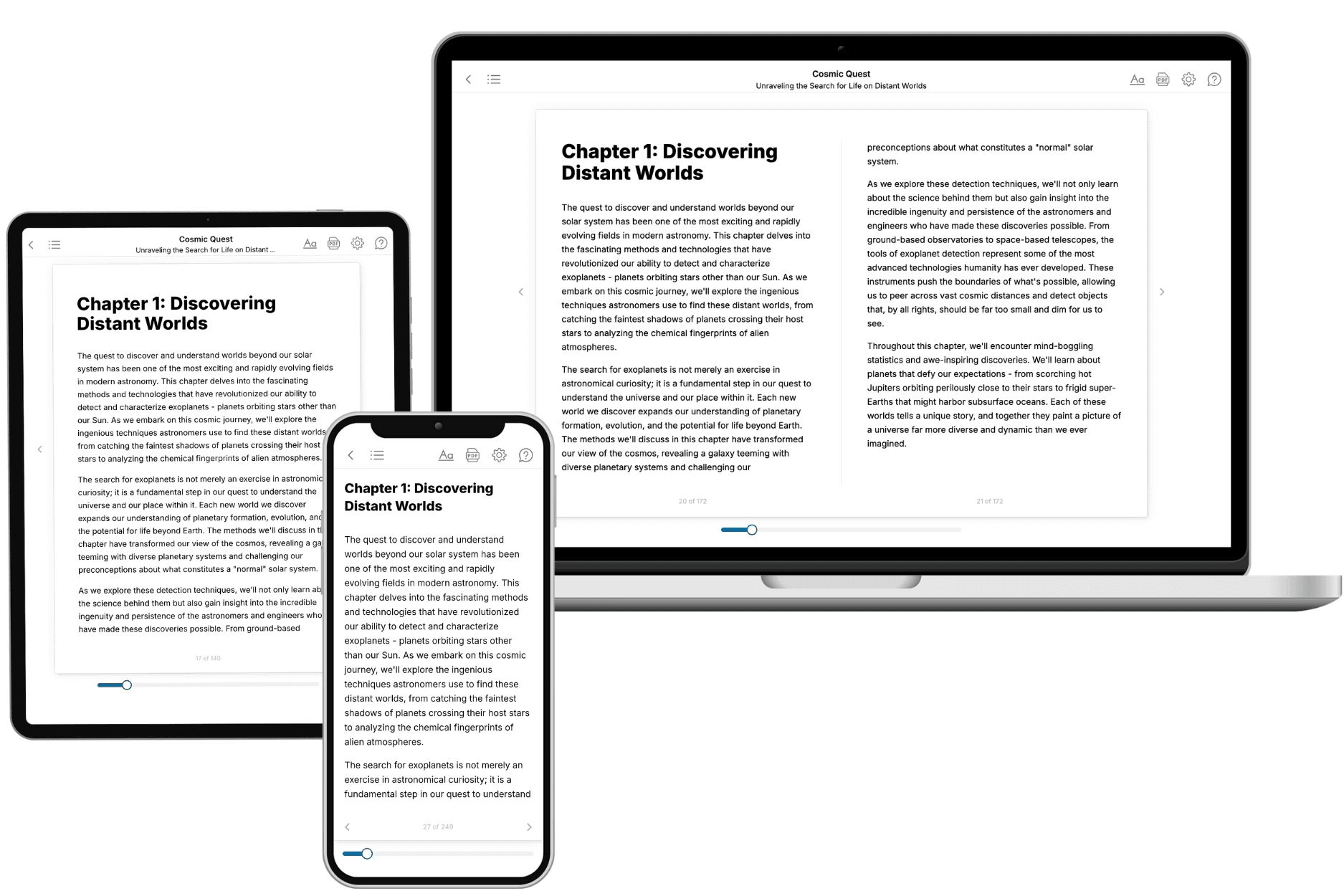
- 3. Get your tailored book
Your book is ready in 10 minutes. Read it online, download as EPUB or PDF, or send to Kindle.
Frequently asked questions
- What is TailoredRead?
TailoredRead creates complete, full-length nonfiction ebooks, written specifically for you. Tell us what you want to learn and why, and TailoredRead writes you a complete ebook on it, with charts, tables, and diagrams throughout. Read it online, on Kindle, or on any e-reader, or download it as a PDF or EPUB. Every book is written fresh the day you order it.
- How is the book tailored to me?
Before anything is written, you answer a few short questions about your goals, your background, and the topics you care about. Your book is then planned around your answers: written at your level, focused on your goals, and covering the topics you chose, instead of the one-size-fits-all book a store sells everyone.
- Will it read like generic AI content?
No. Your book isn't a chat transcript: it's planned chapter by chapter before a single word is written, told in a clear book voice, and explains ideas visually with charts, tables, and diagrams. After writing, every book goes through an editorial pass that polishes chapters so the book reads consistent from start to finish. Judge for yourself: browse thousands of sample books on our Explore Books page.
- How accurate is the content?
Our AI first checks whether your subject needs live research. Niche and fast-moving subjects are researched before writing, and the book plan and chapters are grounded in what it finds. After writing, every book goes through a quality pass that checks its facts and consistency, and researched books list their sources in a Notes section at the back.
- How long is the book?
You choose the length: Comprehensive (250-300 pages), Detailed (150-200 pages), Essential (70-100 pages), or Short (30-50 pages).
- Does the book include visuals?
Yes. Every book includes charts, tables, and diagrams: timelines, checklists, step-by-step guides, decision trees, comparison tables, matrices, and bar charts. A typical book includes dozens of these visual elements.
- Can I read it on Kindle? What formats can I download?
Yes. Every book can be read in our online reader or downloaded as a PDF or EPUB. The EPUB can be opened with Kindle, Apple Books, Kobo, and any e-reader. The Commercial and Author licenses also include an editable Word (DOCX) and Markdown download.
- How much does it cost?
About the price of a regular ebook. The exact price depends on your book's length and complexity, from $2 for the shortest books to $35 for the most comprehensive, and it's shown when you review your book, before you commit to anything. Each book is a one-time purchase, yours to keep, no subscription. Licenses that let you share, teach, or publish your book range from $35.99 to $49.99.
- Can I preview the book before purchasing?
Before you pay, you'll see what your book will cover: the title, a detailed description, the estimated length, and the complete chapter-by-chapter table of contents, so you know what you're getting before you decide. The full text itself is written after you purchase.
- How long does it take to create a book?
About 10 minutes. You can start reading the opening chapters while the rest is still being written.