Web Application Proxy Mastery
Deploy, Manage, and Secure Applications with Windows Server 2012 R2
Managing application access across your network infrastructure presents a significant challenge—balancing security requirements with user accessibility while maintaining performance and compliance.
207 pages10 chaptersMar 5, 2026Windows Server
About this book
Web Application Proxy in Windows Server 2012 R2 provides a powerful solution, but many organizations struggle with proper deployment and integration into their DevOps workflows. This comprehensive guide walks you through every aspect of Web Application Proxy implementation, from foundational concepts to advanced production configurations. You'll learn how to architect secure application delivery systems, integrate with Active Directory Federation Services for sophisticated authentication, implement high-availability solutions, and automate deployment through DevOps practices. Whether you're securing internal applications, enabling remote access, or modernizing your application delivery infrastructure, this book provides the practical knowledge and real-world strategies needed to deploy Web Application Proxy confidently and maintain it effectively in your Windows Server environment.
Table of contents
- IntroductionWhy Web Application Proxy Matters Today, What You'll Learn in This Book, How to Use This Guide, Prerequisites and AssumptionsRead below
- Chapter 1: Web Application Proxy FundamentalsWhat Is Web Application Proxy?, Understanding Reverse Proxy Architecture, Key Benefits and Use Cases, Web Application Proxy vs. Other Solutions
- Chapter 2: Architecture and PlanningCore Design Principles, Infrastructure and Hardware Requirements, Network Topology and DMZ Considerations, Capacity Planning and Scalability
- Chapter 3: Installation and Initial SetupPre-Installation Requirements and Checklist, Installing the Web Application Proxy Role, Initial Configuration and Validation, Setting Up Federation Service Proxy
- Chapter 4: Active Directory Federation Services IntegrationUnderstanding AD FS and Claims-Based Authentication, Configuring AD FS Proxy Relationships, Implementing Authentication Scenarios, Multi-Factor Authentication and Advanced Auth
- Chapter 5: Publishing ApplicationsApplication Publishing Fundamentals, Pre-Authentication and Access Control, Configuring Backend Application Settings, Common Publishing Scenarios and Patterns
- Chapter 6: Security and HardeningCertificate Management and SSL/TLS Configuration, Implementing Access Policies and Rules, Threat Protection and Attack Mitigation, Compliance and Security Best Practices
- Chapter 7: High Availability and Load BalancingHigh Availability Concepts and Strategies, Load Balancing Configuration and Options, Failover and Redundancy Implementation, Testing and Validating High Availability
- Chapter 8: DevOps Integration and AutomationDevOps Principles for Application Delivery, Infrastructure as Code and Automation, Building Deployment Pipelines, Continuous Integration and Continuous Deployment
- Chapter 9: Monitoring, Logging, and TroubleshootingDeveloping a Monitoring Strategy, Event Logging and Log Analysis, Performance Metrics and Health Checks, Common Issues and Troubleshooting Procedures
- Chapter 10: Advanced Topics and OptimizationAdvanced Authentication and Authorization, Performance Tuning and Optimization, Custom Scenarios and Extensions, Migration Strategies and Upgrade Paths
- ConclusionKey Takeaways and Next Steps, Future Considerations and Evolution
- Appendix: Quick Reference and ResourcesPowerShell Command Reference, Configuration Templates and Scripts, Glossary of Terms
Introduction
Every organization that runs web applications faces the same fundamental tension: you need those applications to be accessible, but you also need them to be secure. Open them up too freely, and you expose your infrastructure to real risk. Lock them down too tightly, and your users can't get their work done. Finding the right balance has never been simple, and as workforces become more distributed and applications more complex, the challenge only grows. Web Application Proxy in Windows Server 2012 R2 was built specifically to address this problem, giving IT teams a powerful, integrated tool for publishing applications securely without sacrificing usability.
Web Application Proxy is not just another firewall rule or a simple port-forwarding configuration. It is a full reverse proxy service built into the Remote Access role of Windows Server 2012 R2, designed to sit at the edge of your network and act as a gatekeeper for your applications. It integrates natively with Active Directory Federation Services (AD FS), which means it can enforce authentication and authorization policies before a single request ever reaches your backend servers. That pre-authentication capability is one of its most important features, and it is a concept you will encounter throughout this book.
This guide was written for IT professionals and DevOps engineers who are already comfortable with Windows Server infrastructure and want to move beyond basic configurations into production-ready deployments. Whether you are publishing an internal SharePoint site for remote workers, securing access to a line-of-business application, or building a modern application delivery pipeline with automation and monitoring baked in, this book covers the full journey. The goal is not just to explain what Web Application Proxy does, but to show you exactly how to deploy it, configure it, secure it, and maintain it in real-world environments.
The chapters ahead are organized to take you from foundational concepts through to advanced topics in a logical progression. You do not need to read every chapter in sequence if you already have experience with specific areas, but the early chapters build context that makes the later material much easier to apply. Wherever possible, the content is grounded in practical examples, real configuration steps, and the kind of decision-making guidance that helps you adapt general principles to your specific environment. By the time you finish, you should feel confident not just in deploying Web Application Proxy, but in owning it as a critical piece of your organization's infrastructure.
Why Web Application Proxy Matters Today
The way organizations deliver applications has changed dramatically over the past decade. Remote work, cloud adoption, and mobile device usage have all pushed application access far beyond the traditional network perimeter. Users expect to reach their tools from anywhere, on any device, at any time. That expectation creates enormous pressure on IT teams to provide access without creating security gaps that attackers can exploit. Web Application Proxy was designed to meet exactly this challenge within Windows Server environments.
Before solutions like Web Application Proxy became available, many organizations relied on VPNs to provide remote access. VPNs work, but they come with significant drawbacks. When a user connects via VPN, they typically gain broad access to the network segment, not just the specific application they need. That broad access increases the blast radius if credentials are compromised. Web Application Proxy takes a fundamentally different approach by publishing only specific applications and enforcing authentication at the proxy layer, so users get access to what they need and nothing more.
The integration with AD FS is what truly sets Web Application Proxy apart from simpler reverse proxy tools. AD FS provides claims-based authentication, which means access decisions can be based on rich identity information: group membership, device compliance status, location, and more. When Web Application Proxy sits in front of your applications and delegates authentication to AD FS, you gain a sophisticated access control system that can enforce policies like requiring multi-factor authentication for external users while allowing internal users to authenticate seamlessly.
Security threats targeting web applications have grown significantly in both volume and sophistication. According to Verizon's Data Breach Investigations Report, web application attacks consistently rank among the top attack vectors in data breaches year after year.[1] Pre-authentication at the proxy layer directly addresses this threat by ensuring that unauthenticated requests never reach backend application servers. An attacker probing your published applications hits the proxy first, and without valid credentials, they get no further. That single architectural decision eliminates a large category of attacks before they can cause harm.
For organizations running Windows Server infrastructure, Web Application Proxy also offers a significant operational advantage: it is built into the platform you already manage. There is no additional licensing cost for a third-party reverse proxy product, no separate management console to learn, and no integration work required to connect it to your existing Active Directory environment. PowerShell cmdlets are available for every configuration task, which means automation and scripting fit naturally into your existing workflows. For teams moving toward DevOps practices, that scriptability is essential.
It is also worth acknowledging that Web Application Proxy is not the right solution for every scenario. It is purpose-built for Windows Server environments and works best when AD FS is part of your identity infrastructure. Organizations with complex multi-cloud environments or those running primarily Linux-based infrastructure may find that other reverse proxy solutions fit better. But for the large number of organizations running Windows Server with Active Directory, Web Application Proxy provides a tightly integrated, well-supported, and highly capable solution that deserves serious consideration as the primary application delivery mechanism.
The relevance of Windows Server 2012 R2 specifically is worth addressing directly. While newer versions of Windows Server have been released, Windows Server 2012 R2 remains widely deployed across enterprise environments. Many organizations have extended support agreements or are in the middle of long migration cycles. The Web Application Proxy implementation in Windows Server 2012 R2 is mature, well-documented, and fully capable of handling production workloads. The concepts and configurations covered in this book apply directly to those environments and provide a strong foundation for understanding how the feature has evolved in later server versions.
What You'll Learn in This Book
This book covers Web Application Proxy from the ground up, starting with core concepts and building toward advanced production configurations. The goal is to give you both the theoretical understanding and the practical skills to deploy and manage Web Application Proxy confidently. Each chapter focuses on a specific area, and together they form a complete picture of what it takes to run Web Application Proxy effectively in a real organization.
The early chapters establish the foundation. You will learn what Web Application Proxy is, how reverse proxy architecture works, and how Web Application Proxy compares to alternative solutions. From there, the book moves into architecture and planning, covering the design decisions you need to make before you install anything. Getting the architecture right from the start saves significant rework later, and this section gives you the frameworks to make those decisions with confidence.
Installation and configuration are covered in detail, including a pre-installation checklist, step-by-step role installation, and initial validation procedures. The AD FS integration chapter goes deep on claims-based authentication, proxy relationships, and multi-factor authentication scenarios. These two chapters together give you everything you need to stand up a working Web Application Proxy environment integrated with your identity infrastructure.
Publishing applications is where the day-to-day work happens, and the book dedicates a full chapter to it. You will learn the fundamentals of application publishing, how pre-authentication works in practice, how to configure backend application settings, and how to handle common publishing patterns like SharePoint, Exchange, and custom web applications. Concrete examples walk through each scenario so you can see exactly how the configuration translates to real-world use cases.
Security hardening is covered comprehensively, including certificate management, SSL/TLS configuration, access policies, and threat protection measures. This chapter is particularly important because Web Application Proxy sits at the edge of your network, making its security posture critical. You will learn not just what to configure, but why each setting matters and what risks it addresses.
High availability and load balancing are essential for any production deployment, and the book covers both the concepts and the implementation. You will learn how to configure multiple Web Application Proxy servers, integrate with load balancers, implement failover, and test your high-availability setup to verify it actually works before you need it in an emergency.
The DevOps integration chapter addresses automation, infrastructure as code, and deployment pipelines. You will see how to use PowerShell to automate Web Application Proxy configuration, how to integrate deployment into CI/CD pipelines, and how to apply DevOps principles to infrastructure that has traditionally been managed manually. This chapter bridges the gap between traditional IT operations and modern DevOps practices.
Monitoring, logging, and troubleshooting round out the core content. You will learn how to build a monitoring strategy, configure event logging, track performance metrics, and work through common issues systematically. The troubleshooting section is organized around real symptoms and their causes, making it a practical reference you can return to when problems arise in production.
The final chapter covers advanced topics including custom authentication scenarios, performance tuning, and migration strategies. This material is aimed at teams that have mastered the basics and want to push their deployments further. The appendix provides a PowerShell command reference, configuration templates, and a glossary that you can use as a quick reference throughout your work.
How to Use This Guide
This book is designed to work both as a sequential learning resource and as a reference you return to for specific topics. If you are new to Web Application Proxy, reading the chapters in order will give you the best experience. Each chapter builds on concepts introduced earlier, and the progression from fundamentals through to advanced topics is intentional. Skipping ahead can work, but you may find yourself referencing earlier sections to fill in context.
If you already have experience with Web Application Proxy and are looking for guidance on a specific area, the chapter structure makes it easy to jump directly to what you need. The table of contents is detailed enough to locate specific topics quickly. Each chapter is also written to be reasonably self-contained, with references to related sections when deeper context is needed. You can use the book as a reference during an active deployment without needing to re-read everything from the beginning.
Throughout the book, you will find several types of content that serve different purposes. Conceptual explanations give you the background to understand why things work the way they do. Step-by-step procedures walk you through specific tasks in sequence. Configuration examples show you real settings and commands you can adapt for your environment. And scenario-based examples illustrate how the pieces fit together in realistic situations.
The PowerShell examples throughout the book are particularly important. Web Application Proxy is fully manageable through PowerShell, and the examples are written to be practical starting points rather than abstract illustrations. You should be able to take a PowerShell example from the book, adapt it to your environment's specific values, and run it directly. The appendix consolidates the most commonly used commands into a quick reference that you can keep open while working.
Pay special attention to the planning and architecture chapters before you start any deployment work. It is tempting to jump straight into installation, especially if you are working in a lab environment and want to see results quickly. But the decisions you make during planning, such as network topology, certificate strategy, and high-availability design, have long-term consequences that are difficult to change after deployment. Taking the time to work through those chapters first will save you significant effort later.
The troubleshooting section in Chapter 9 is worth reading proactively, not just when something goes wrong. Understanding the common failure modes and their symptoms before you encounter them in production helps you recognize problems faster and respond more effectively. Many experienced administrators keep the troubleshooting chapter bookmarked for quick access during incidents.
A practical note on lab environments: Before deploying any configuration to production, test it in a lab environment that mirrors your production setup as closely as possible. Web Application Proxy configurations interact with AD FS, DNS, certificates, and firewall rules in ways that can be difficult to predict without testing. A lab environment lets you validate your approach, work through issues, and build confidence before changes affect real users.
Finally, the book assumes you are working with Windows Server 2012 R2 specifically. Some PowerShell cmdlets, configuration options, and behaviors differ between server versions. If you are running a newer version of Windows Server, most of the concepts apply directly, but specific command syntax or GUI options may differ. Where significant differences exist, the book notes them, but always verify against Microsoft's documentation for your specific server version before applying configurations in production.
Prerequisites and Assumptions
This book is written for IT professionals and DevOps engineers with intermediate to advanced experience in Windows Server environments. It assumes you are comfortable with core Windows Server concepts and have hands-on experience managing servers in a production or near-production context. If you are brand new to Windows Server administration, you will benefit from building that foundation first before working through this material.
Specific areas of knowledge that will help you get the most from this book include the following:
- Active Directory Domain Services (AD DS): You should understand how AD DS works, including users, groups, organizational units, and Group Policy. Web Application Proxy integrates deeply with Active Directory, and many configuration decisions depend on your AD structure.
- Active Directory Federation Services (AD FS): While the book covers AD FS integration in detail, having some prior exposure to AD FS concepts will help. If you have never worked with AD FS before, plan to spend extra time on Chapter 4.
- DNS and networking fundamentals: You should understand how DNS resolution works, what A records and CNAME records are, and how to configure them. Basic networking knowledge including IP addressing, subnets, and firewall rules is also assumed.
- SSL/TLS certificates: You should understand what SSL certificates are, how certificate chains work, and how to request and install certificates. The security chapter goes into detail on certificate management, but baseline familiarity is expected.
- PowerShell: You should be comfortable running PowerShell commands and scripts. The book uses PowerShell extensively for configuration examples. You do not need to be a PowerShell developer, but you should be able to read, modify, and run scripts without difficulty.
- IIS and web application basics: A basic understanding of how web applications work, including HTTP/HTTPS, headers, and URL structures, will help you understand application publishing configurations.
In terms of infrastructure, the book assumes you have access to a Windows Server 2012 R2 environment where you can practice configurations. A lab environment with at least two servers is strongly recommended: one for AD FS and one for Web Application Proxy. If you are working in a production environment, always test configurations in a lab first. The book does not assume you have specific hardware, but it does cover hardware sizing recommendations in the architecture chapter.
For the DevOps integration chapter, some familiarity with DevOps concepts and tools will be helpful. The chapter introduces the relevant concepts, but if you have never worked with CI/CD pipelines or infrastructure-as-code tools before, you may want to supplement this material with introductory resources on those topics. The chapter focuses on applying DevOps practices to Web Application Proxy specifically, rather than teaching DevOps from scratch.
The book does not assume any prior experience with Web Application Proxy itself. If you have never deployed or configured it before, you are in exactly the right place. The fundamentals chapter starts from the beginning and builds the conceptual foundation you need before moving into hands-on configuration. Even if you have some experience with Web Application Proxy, the early chapters are worth reading because they establish the terminology and mental models used throughout the rest of the book.
One assumption worth stating explicitly: this book focuses on Web Application Proxy as a security and application delivery tool, not as a general networking or firewall solution. Web Application Proxy works alongside your existing firewall and network security infrastructure; it does not replace it. The book covers how Web Application Proxy fits into your broader security architecture, but it does not cover firewall configuration or network security in depth. Those topics are assumed to be handled by your existing infrastructure and security teams.
If you find that you need to strengthen your background in any of the prerequisite areas before diving in, the following resources are good starting points:
- Microsoft's official documentation for Windows Server 2012 R2, available through the Microsoft Learn platform, covers AD DS, AD FS, and Remote Access in detail.
- The TechNet library (archived) contains extensive documentation on Web Application Proxy configuration that complements the practical guidance in this book.
- For PowerShell fundamentals, Microsoft's "Learn PowerShell" learning path on Microsoft Learn provides a solid foundation without requiring prior scripting experience.
- For SSL/TLS concepts, DigiCert's SSL/TLS knowledge base provides clear, vendor-neutral explanations of certificate concepts and best practices.[2]
With those prerequisites in place, you are ready to get started. The material ahead is detailed and practical, and working through it will give you a thorough understanding of Web Application Proxy that goes well beyond surface-level familiarity. The goal is to make you genuinely capable of deploying, managing, and troubleshooting Web Application Proxy in production environments, not just familiar with the concepts in theory. That kind of deep, practical knowledge is what separates administrators who can deploy a technology from those who truly own it.
Notes
Introduction
- 1. Verizon, "Data Breach Investigations Report," Verizon Business, 2023
- 2. DigiCert. SSL/TLS Certificate Knowledge Base
This is the end of the free sample. The full book has 10 chapters.
Want this book written for you?
Tell us your goals and background, and get your own version of this book, tailored by AI to you.


Benefits of AI-tailored books
- Read one book, not ten:
- all the Windows Server knowledge you need, gathered into a single book.
- Save days of learning:
- tell us your goals, choose your topics, and the whole book is built around them.
- Learn effortlessly:
- Windows Server book written for your specific background and expertise.
- Understand at a glance:
- includes charts, tables, timelines, checklists, decision trees, and more.
- Stay current:
- written the day you order it, not years ago.
- Trust what you read:
- every book is checked for accuracy, with real research when your subject needs it.
Create your unique book in 3 steps
- 1. Select your focus
Select the focus of your Windows Server book and share your background
- 2. Personalize your book
Specify your goals and choose sub-topics to include
- 3. Get your tailored book
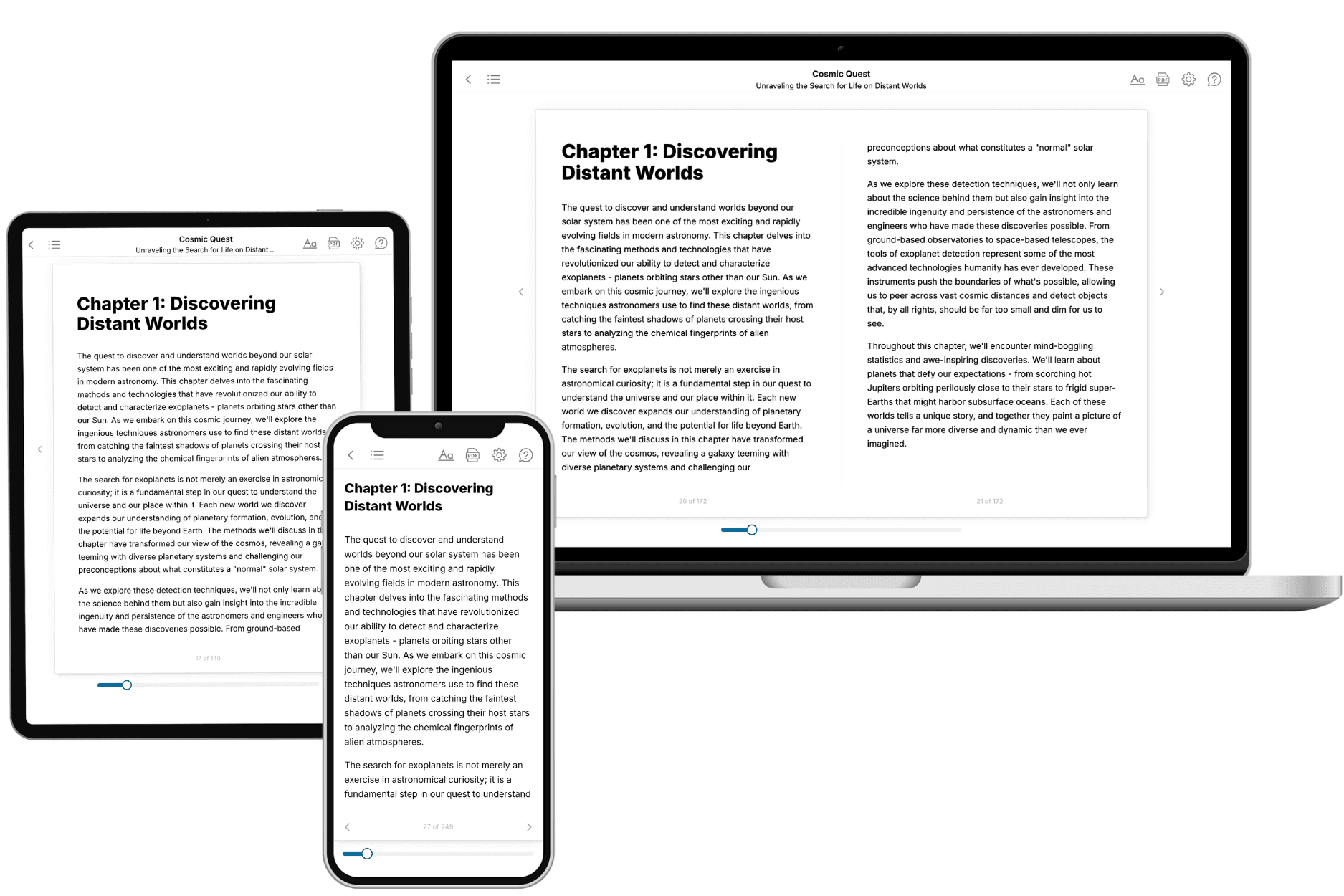
Your book is ready in 10 minutes. Read it online, download as EPUB or PDF, or send to Kindle.
Frequently asked questions
- What is TailoredRead?
TailoredRead creates complete, full-length nonfiction ebooks, written specifically for you. Tell us what you want to learn and why, and TailoredRead writes you a complete ebook on it, with charts, tables, and diagrams throughout. Read it online, on Kindle, or on any e-reader, or download it as a PDF or EPUB. Every book is written fresh the day you order it.
- How is the book tailored to me?
Before anything is written, you answer a few short questions about your goals, your background, and the topics you care about. Your book is then planned around your answers: written at your level, focused on your goals, and covering the topics you chose, instead of the one-size-fits-all book a store sells everyone.
- Will it read like generic AI content?
No. Your book isn't a chat transcript: it's planned chapter by chapter before a single word is written, told in a clear book voice, and explains ideas visually with charts, tables, and diagrams. After writing, every book goes through an editorial pass that polishes chapters so the book reads consistent from start to finish. Judge for yourself: browse thousands of sample books on our Explore Books page.
- How accurate is the content?
Our AI first checks whether your subject needs live research. Niche and fast-moving subjects are researched before writing, and the book plan and chapters are grounded in what it finds. After writing, every book goes through a quality pass that checks its facts and consistency, and researched books list their sources in a Notes section at the back.
- How long is the book?
You choose the length: Comprehensive (250-300 pages), Detailed (150-200 pages), Essential (70-100 pages), or Short (30-50 pages).
- Does the book include visuals?
Yes. Every book includes charts, tables, and diagrams: timelines, checklists, step-by-step guides, decision trees, comparison tables, matrices, and bar charts. A typical book includes dozens of these visual elements.
- Can I read it on Kindle? What formats can I download?
Yes. Every book can be read in our online reader or downloaded as a PDF or EPUB. The EPUB can be opened with Kindle, Apple Books, Kobo, and any e-reader. The Commercial and Author licenses also include an editable Word (DOCX) and Markdown download.
- How much does it cost?
About the price of a regular ebook. The exact price depends on your book's length and complexity, from $2 for the shortest books to $35 for the most comprehensive, and it's shown when you review your book, before you commit to anything. Each book is a one-time purchase, yours to keep, no subscription. Licenses that let you share, teach, or publish your book range from $35.99 to $49.99.
- Can I preview the book before purchasing?
Before you pay, you'll see what your book will cover: the title, a detailed description, the estimated length, and the complete chapter-by-chapter table of contents, so you know what you're getting before you decide. The full text itself is written after you purchase.
- How long does it take to create a book?
About 10 minutes. You can start reading the opening chapters while the rest is still being written.