Windows 10 Disk Management Mastery
Essential Strategies for Storage Optimization and DevOps Excellence
Master the critical skills that separate competent IT professionals from storage experts.
207 pages10 chaptersJan 6, 2026Windows Development
About this book
This comprehensive guide takes you beyond basic disk management to show you how to architect resilient storage solutions, optimize performance, and implement DevOps best practices in Windows 10 environments. You'll learn practical techniques for partitioning strategies, volume management, file system optimization, and automated monitoring that directly apply to production systems. Discover how to leverage Storage Spaces, implement tiering strategies, and automate routine tasks through PowerShell scripting. Whether you're managing enterprise infrastructure, supporting cloud deployments, or optimizing DevOps pipelines, you'll gain the knowledge to make informed decisions about storage architecture, troubleshoot complex issues efficiently, and implement solutions that scale with your organization's needs.
Table of contents
- IntroductionWhy Disk Management Matters in Modern IT, Disk Management in DevOps Environments, What You'll Learn in This Book, How to Use This GuideRead below
- Chapter 1: Fundamentals of Windows 10 Disk ArchitectureUnderstanding Disk Components and Terminology, MBR vs. GPT: Choosing the Right Partition Style, Initializing and Preparing Disks for Use
- Chapter 2: Partitioning Strategies and Volume ManagementPlanning Partition Layouts for Optimal Performance, Creating and Managing Volumes, Extending and Shrinking Volumes Without Data Loss
- Chapter 3: File Systems: NTFS, ReFS, and Selection CriteriaNTFS: Features, Limitations, and Best Practices, ReFS: Modern File System Capabilities and Use Cases, Selecting the Right File System for Your Workload
- Chapter 4: Storage Spaces and Advanced Volume ManagementIntroduction to Storage Spaces Architecture, Resilience Types: Simple, Mirror, and Parity, Creating and Managing Storage Spaces
- Chapter 5: Disk Optimization and Performance TuningDefragmentation Strategies and Optimization Tools, Compression and Deduplication Techniques, Storage Tiering for Cost-Effective Performance
- Chapter 6: Monitoring, Capacity Planning, and AlertsBuilt-in Monitoring Tools and Performance Metrics, Capacity Planning and Growth Forecasting, Setting Up Alerts and Automated Responses
- Chapter 7: Permissions, Security, and ComplianceNTFS Permissions and Access Control, Encryption and BitLocker Implementation, Compliance, Auditing, and Security Best Practices
- Chapter 8: PowerShell Automation for Disk ManagementPowerShell Fundamentals for Storage Administration, Automating Common Disk Management Tasks, Integrating Disk Management into DevOps Pipelines
- Chapter 9: Backup, Recovery, and Disaster PlanningBackup Strategies and Tools for Windows 10, Recovery Procedures and Disaster Recovery Planning, Business Continuity and Data Protection
- Chapter 10: Troubleshooting Common Disk IssuesDiagnostic Tools and Problem Identification, Resolving Common Disk and Volume Issues, Diagnosing and Fixing Performance Problems
- ConclusionKey Takeaways and Next Steps, Staying Current with Storage Technology
- Appendix: Quick Reference and ResourcesPowerShell Command Reference, Quick Troubleshooting Guide, Further Learning Resources
Introduction
Storage management sits at the foundation of every reliable IT infrastructure, yet it remains one of the most overlooked aspects of system administration until something goes wrong. When a critical application fails because a volume ran out of space, when performance degrades due to fragmentation, or when data becomes inaccessible due to corruption, the consequences ripple through entire organizations. These scenarios aren't hypothetical—they happen daily in enterprises worldwide, costing businesses thousands of dollars in downtime and lost productivity. The difference between organizations that experience these disasters and those that avoid them often comes down to one factor: proactive, knowledgeable disk management.
Windows 10 has evolved into a sophisticated platform with powerful storage capabilities that extend far beyond the basic disk management tools many IT professionals learned years ago. Storage Spaces provides software-defined storage resilience. ReFS offers modern file system capabilities designed for data integrity. PowerShell enables comprehensive automation of storage tasks. BitLocker delivers enterprise-grade encryption. Yet despite these advanced features being readily available, many professionals continue using outdated approaches, leaving significant performance, reliability, and security benefits untapped. This gap between available capabilities and actual implementation represents both a risk and an opportunity for IT professionals willing to deepen their expertise.
This book bridges that gap by providing practical, actionable guidance for managing Windows 10 storage in modern IT environments. Whether you're supporting a DevOps pipeline that deploys applications continuously, managing enterprise infrastructure with strict compliance requirements, or optimizing hybrid cloud environments, you'll find strategies and techniques that apply directly to your work. The focus throughout remains on real-world implementation rather than theoretical concepts. You'll learn not just what Windows 10 can do, but how to implement solutions that improve system reliability, enhance performance, reduce costs, and integrate seamlessly with your existing workflows. By the time you complete this guide, you'll possess the knowledge and confidence to architect storage solutions that scale with organizational needs while maintaining the security and reliability that modern businesses demand.
Why Disk Management Matters in Modern IT
The role of disk management has transformed dramatically over the past decade, evolving from a reactive maintenance task into a strategic component of infrastructure planning. In traditional IT environments, administrators typically addressed storage issues only when problems arose—expanding volumes when space ran low, defragmenting drives when performance suffered, or recovering data after failures occurred. This reactive approach worked adequately when systems were simpler and downtime was more tolerable. Today's business environment demands a fundamentally different approach. Applications run continuously, users expect instant access to data, and even brief outages can result in significant financial losses and reputational damage.
Consider the cascading effects of poor disk management in a modern organization. When a database server runs out of storage space, it doesn't just stop accepting new records—it can corrupt existing data, crash applications, and trigger failures in dependent systems. A study by the Uptime Institute found that the average cost of IT downtime exceeds $5,600 per minute, with some organizations experiencing costs exceeding $300,000 per hour[1]. Performance degradation from fragmented disks or suboptimal file system choices reduces application responsiveness, frustrating users and decreasing productivity. Security vulnerabilities from improperly configured permissions or unencrypted volumes expose organizations to data breaches and compliance violations. Each of these issues traces back to disk management decisions—or the lack thereof.
The shift toward DevOps practices and continuous deployment has elevated disk management from a background task to a critical enabler of business agility. In DevOps environments, infrastructure must support rapid application deployment, automated testing, and frequent updates without compromising stability or performance. Storage systems must provision quickly, scale dynamically, and integrate with automation tools. Consider these specific scenarios where disk management directly impacts DevOps success:
- Container deployments: Docker and Kubernetes environments require efficient storage drivers and volume management to handle ephemeral containers and persistent data volumes
- Build servers: Continuous integration systems generate massive amounts of temporary data that must be managed efficiently to prevent disk space exhaustion
- Database operations: Automated database deployments require proper volume sizing, file system selection, and performance optimization to meet service level agreements
- Log management: Application and system logs accumulate rapidly, requiring automated retention policies and efficient storage allocation
- Backup automation: Automated backup systems depend on reliable disk management to ensure data protection without manual intervention
Beyond operational considerations, disk management plays a crucial role in cost optimization. Cloud computing has made infrastructure costs more transparent and directly tied to resource consumption. Inefficient storage utilization translates directly into wasted budget. Organizations that implement compression, deduplication, and tiering strategies can reduce storage costs by thirty to fifty percent while maintaining or improving performance. For example, a mid-sized organization with ten terabytes of production data might spend $3,000 annually on cloud storage at standard rates. Implementing deduplication and compression could reduce actual storage consumption to six terabytes, saving $1,200 annually—a significant return on the time invested in proper disk management.
Security and compliance requirements have also elevated the importance of disk management expertise. Regulations like GDPR, HIPAA, and PCI-DSS impose strict requirements for data protection, access control, and audit trails. Disk management directly impacts compliance through encryption implementation, permission management, and audit logging. A single misconfigured volume with inadequate access controls can expose sensitive data and result in regulatory penalties, legal liability, and reputational damage. The 2021 Cost of a Data Breach Report by IBM found that the average cost of a data breach reached $4.24 million, with compromised credentials and misconfiguration being leading causes[2]. Proper disk management practices, including encryption, access controls, and monitoring, form essential layers of defense against these costly incidents.
The technical complexity of modern storage systems also demands deeper expertise. Windows 10 supports multiple partition styles, file systems, volume types, and storage technologies, each with distinct characteristics and appropriate use cases. Making informed decisions requires understanding how these components interact and impact system behavior. For instance, choosing between NTFS and ReFS affects not just file storage but also backup strategies, replication options, and recovery procedures. Selecting MBR versus GPT partitioning determines boot capabilities, volume size limits, and disaster recovery options. These decisions have long-term implications that are difficult and costly to reverse after implementation.
Finally, disk management expertise provides a competitive advantage in the IT job market. As organizations increasingly recognize storage as a strategic asset rather than a commodity resource, they seek professionals who can architect resilient storage solutions, optimize performance, and integrate storage management into automated workflows. Professionals who master these skills position themselves for roles in cloud architecture, DevOps engineering, and infrastructure leadership. The knowledge you gain from this book directly translates into capabilities that employers value and compensate accordingly, making disk management expertise not just operationally important but also career-enhancing.
Disk Management in DevOps Environments
DevOps practices have fundamentally changed how organizations approach infrastructure management, emphasizing automation, continuous integration, and rapid deployment cycles. In this context, disk management cannot remain a manual, reactive process—it must become an automated, proactive component of the infrastructure pipeline. Traditional approaches where administrators manually provision volumes, adjust sizes, and respond to alerts simply cannot keep pace with environments where applications deploy dozens of times daily and infrastructure scales dynamically based on demand. Understanding how disk management integrates with DevOps workflows is essential for modern IT professionals.
Infrastructure as Code (IaC) represents one of the most significant intersections between disk management and DevOps practices. IaC tools like Terraform, Ansible, and PowerShell DSC enable teams to define infrastructure configurations in version-controlled code rather than through manual processes. This approach brings several critical advantages for disk management:
- Consistency: Disk configurations remain identical across development, testing, and production environments, eliminating configuration drift
- Repeatability: Storage provisioning becomes a reproducible process that can be executed reliably by automated systems
- Version control: Changes to disk configurations are tracked, reviewed, and can be rolled back if issues arise
- Documentation: The code itself serves as living documentation of storage architecture and configuration decisions
- Testing: Storage configurations can be validated in test environments before deployment to production
Consider a practical example of disk management in a DevOps pipeline. A development team deploys a web application that requires a database server with specific storage characteristics: a system volume for the operating system, a separate volume for database files optimized for random I/O, and another volume for transaction logs optimized for sequential writes. In a traditional environment, an administrator would manually create these volumes, configure file systems, set permissions, and document the configuration. In a DevOps environment, this entire process is codified in PowerShell scripts or configuration management tools. When the application deploys, the storage infrastructure provisions automatically with the correct sizes, file systems, and permissions. If the environment needs to be recreated for testing or disaster recovery, the same code executes again, producing identical results.
Monitoring and observability take on heightened importance in DevOps environments where rapid change is constant. Traditional monitoring approaches that rely on manual threshold configuration and reactive alerting are insufficient when infrastructure changes frequently. Modern disk management requires integration with observability platforms that provide real-time metrics, automated anomaly detection, and correlation with application performance. For example, a sudden increase in disk I/O might correlate with a recent application deployment, indicating that code changes introduced inefficient database queries. Without this correlation, administrators might waste time investigating hardware issues when the root cause lies in application code.
Capacity planning in DevOps environments requires a different approach than traditional IT. Instead of annual capacity planning cycles based on projected growth, DevOps environments need continuous capacity assessment and dynamic scaling. This shift demands automated monitoring of storage consumption trends, predictive analytics to forecast capacity needs, and automated provisioning to add capacity before exhaustion occurs. Consider a build server that generates artifacts for every code commit. Storage consumption might be relatively stable for weeks, then spike dramatically when a large feature branch merges. Automated capacity management detects this trend, provisions additional storage, and potentially triggers cleanup of old artifacts to maintain optimal utilization.
The concept of immutable infrastructure, where servers are replaced rather than modified, also impacts disk management strategies. In immutable infrastructure environments, system volumes are treated as disposable—when updates are needed, new instances are created with updated configurations rather than modifying existing systems. This approach requires careful separation of persistent data from ephemeral system data. Database files, user uploads, and application state must reside on volumes that persist independently of the compute instances. This separation demands thoughtful volume architecture and clear understanding of which data requires persistence and which can be recreated from code or backups.
Container orchestration platforms like Kubernetes introduce additional disk management considerations. Containers are ephemeral by design, but many applications require persistent storage that survives container restarts and migrations. Kubernetes provides abstractions like Persistent Volumes and Persistent Volume Claims that separate storage provisioning from consumption. Understanding how these abstractions map to underlying Windows storage capabilities—whether local disks, Storage Spaces, or network-attached storage—is essential for designing reliable containerized applications. For instance, a database running in a container requires persistent storage with specific performance characteristics, proper backup integration, and resilience against node failures.
Security automation represents another critical intersection of disk management and DevOps. Manual security configurations are error-prone and difficult to maintain consistently across multiple systems. DevOps approaches apply the same automation principles to security that they apply to other infrastructure components. Disk encryption, permission management, and audit logging should be configured through code and validated through automated testing. For example, a security policy might require that all volumes containing customer data are encrypted with BitLocker and that encryption keys are managed through a centralized key management system. This policy can be enforced through automated configuration checks that run as part of the deployment pipeline, preventing non-compliant systems from reaching production.
What You'll Learn in This Book
This book provides comprehensive coverage of Windows 10 disk management, progressing from fundamental concepts to advanced techniques for DevOps environments. The content is structured to build your knowledge systematically while remaining practical and immediately applicable. Each chapter focuses on specific aspects of disk management, providing both conceptual understanding and hands-on guidance. By working through this material, you'll develop the expertise to design storage architectures, implement best practices, troubleshoot complex issues, and automate disk management tasks effectively.
The journey begins with fundamental disk architecture concepts that form the foundation for all subsequent topics. You'll gain deep understanding of how Windows 10 organizes storage, from physical disks through partitions and volumes to file systems. This includes detailed exploration of partition styles—MBR and GPT—and when to use each. You'll learn the initialization process for new disks and understand the implications of different configuration choices. These fundamentals might seem basic, but they're essential for making informed decisions about storage architecture. Many disk management problems trace back to fundamental misunderstandings about how these components interact, so establishing this foundation ensures you can build reliable solutions.
Partitioning strategies and volume management form the next major focus area. You'll learn how to plan partition layouts that optimize performance, simplify management, and support future growth. The book covers creating and managing different volume types, including simple volumes, spanned volumes, and striped volumes. You'll discover techniques for extending and shrinking volumes without data loss, a critical skill for adapting to changing storage requirements. Practical examples demonstrate how to handle common scenarios like expanding a database volume that's approaching capacity or consolidating multiple volumes to simplify management. These skills directly apply to daily operational tasks and enable you to respond confidently to storage challenges.
File system selection represents a critical decision point that impacts performance, reliability, and capabilities. The book provides detailed comparison of NTFS and ReFS, examining the features, limitations, and appropriate use cases for each. You'll understand NTFS capabilities including compression, encryption, quotas, and journaling, along with its limitations regarding volume size and resilience. ReFS coverage explores its modern architecture designed for data integrity, including integrity streams, automatic corruption detection, and scalability advantages. Most importantly, you'll learn decision frameworks for selecting the appropriate file system based on workload characteristics, data protection requirements, and operational considerations. This knowledge prevents costly mistakes like choosing a file system that lacks required features or selecting an overly complex solution for simple requirements.
Storage Spaces receives extensive coverage as a powerful technology for software-defined storage. You'll learn the architecture of Storage Spaces, including storage pools, virtual disks, and resilience types. The book explains how to implement different resilience configurations—simple, mirror, and parity—and when each is appropriate. Practical guidance covers creating and managing Storage Spaces, monitoring health, and handling disk failures. You'll discover how Storage Spaces enables cost-effective resilience without expensive hardware RAID controllers and how it integrates with other Windows features. This knowledge is particularly valuable for organizations seeking to implement resilient storage solutions without significant hardware investment.
Performance optimization techniques provide actionable strategies for maximizing storage efficiency and responsiveness. You'll learn modern defragmentation strategies appropriate for different storage types, including SSDs where traditional defragmentation is counterproductive. The book covers compression and deduplication technologies that reduce storage consumption while maintaining performance. Storage tiering strategies demonstrate how to combine fast and slow storage media to optimize cost and performance. These techniques directly impact user experience and infrastructure costs, making them essential knowledge for any IT professional responsible for system performance.
Monitoring, capacity planning, and alerting receive dedicated coverage because proactive management prevents most storage crises. You'll learn to use built-in Windows monitoring tools effectively, understand key performance metrics, and interpret what they reveal about system health. Capacity planning techniques help you forecast storage needs and provision resources before exhaustion occurs. The book demonstrates how to configure automated alerts that notify you of potential issues before they impact users. Integration with monitoring platforms and automation tools extends these capabilities into comprehensive observability solutions. These skills transform you from reactive firefighter to proactive infrastructure manager.
Security and compliance considerations permeate modern IT, and disk management plays a crucial role in both. You'll master NTFS permissions and access control, learning to implement least-privilege principles and troubleshoot permission issues. BitLocker encryption coverage includes implementation strategies, key management, and recovery procedures. The book addresses compliance requirements and auditing capabilities that demonstrate adherence to regulatory standards. These security skills protect organizations from data breaches and ensure that storage configurations meet legal and regulatory requirements.
PowerShell automation represents a force multiplier for disk management tasks. The book provides comprehensive coverage of PowerShell cmdlets for storage administration, from basic operations to complex automation scenarios. You'll learn to write scripts that automate routine tasks, reducing manual effort and eliminating human error. Advanced topics include integrating disk management into DevOps pipelines, implementing automated capacity management, and creating self-healing systems that respond to issues automatically. These automation skills dramatically increase your efficiency and enable you to manage larger, more complex environments effectively.
Backup, recovery, and disaster planning ensure that storage systems protect data reliably. You'll learn backup strategies appropriate for different data types and recovery time objectives. The book covers Windows backup tools, third-party solutions, and integration with cloud backup services. Recovery procedures include both routine file restoration and complete disaster recovery scenarios. Business continuity planning guidance helps you design storage architectures that maintain availability during failures. These skills ensure that your storage systems not only perform well but also protect organizational data against loss.
Troubleshooting coverage equips you to diagnose and resolve complex disk issues efficiently. You'll learn to use diagnostic tools effectively, interpret error messages and event logs, and follow systematic troubleshooting methodologies. The book addresses common problems like volume corruption, performance degradation, and access issues, providing step-by-step resolution procedures. Advanced troubleshooting topics include analyzing performance bottlenecks and resolving complex permission problems. These skills reduce downtime and enable you to resolve issues that would otherwise require escalation or external support.
How to Use This Guide
This book is designed to serve both as a comprehensive learning resource and as an ongoing reference guide throughout your career. The structure supports multiple reading approaches depending on your current needs, experience level, and learning preferences. Understanding how to navigate the content effectively will help you extract maximum value from the material. Whether you're reading cover-to-cover to build comprehensive expertise or jumping to specific chapters to solve immediate problems, the organization supports your goals.
For readers new to Windows 10 disk management or those seeking comprehensive knowledge, a sequential reading approach works best. Start with Chapter 1 and progress through each chapter in order. This approach builds knowledge systematically, with each chapter building on concepts introduced previously. Early chapters establish fundamental concepts that later chapters assume you understand. For example, Chapter 4 on Storage Spaces assumes familiarity with partition styles and volume types covered in earlier chapters. Sequential reading ensures you don't encounter gaps in understanding that could hinder comprehension of advanced topics. Plan to spend time with hands-on practice as you progress through each chapter, applying concepts in test environments before implementing them in production systems.
Experienced administrators facing specific challenges can use the book as a targeted reference. The detailed table of contents and chapter structure enable quick navigation to relevant topics. Each chapter is relatively self-contained, with cross-references to related material in other chapters when necessary. For example, if you need to implement BitLocker encryption immediately, you can jump directly to Chapter 7 and find comprehensive coverage of encryption implementation, key management, and recovery procedures. The chapter includes references to related topics like volume management and backup strategies covered elsewhere. This modular approach respects your time while ensuring you have access to complete information about specific topics.
The book includes numerous practical examples, code samples, and step-by-step procedures that you should practice in test environments. Hands-on experience is essential for developing true expertise—reading about disk management is valuable, but actually performing the tasks cements understanding and builds confidence. Consider setting up a test environment using virtual machines where you can safely experiment with different configurations, test disaster recovery procedures, and practice troubleshooting scenarios. The appendix includes guidance for setting up effective test environments. This hands-on practice transforms theoretical knowledge into practical skills you can apply confidently in production environments.
PowerShell code examples throughout the book follow consistent formatting and include explanatory comments. You can type these examples manually to build familiarity with PowerShell syntax, or you can access them from the companion resources. When working with code examples, start by running them exactly as presented to understand their behavior, then modify them to suit your specific requirements. This experimentation builds your ability to adapt solutions to unique situations you'll encounter in your environment. Pay particular attention to comments in the code that explain why certain approaches are used—understanding the reasoning behind implementation choices is as important as knowing the syntax.
Each chapter concludes with key takeaways that summarize the most important concepts and actionable recommendations. These summaries serve multiple purposes:
- Reinforcement: Reviewing key points after reading the chapter reinforces learning and highlights critical concepts
- Quick reference: When you return to a chapter later, the summary provides rapid recall of main points
- Implementation checklist: The actionable recommendations provide a starting point for applying concepts in your environment
- Study guide: If you're preparing for certification or assessment, the summaries help focus your review
The appendix provides quick reference materials including PowerShell command references, troubleshooting flowcharts, and additional resources for continued learning. Keep these references accessible for quick consultation during daily work. The PowerShell command reference is particularly valuable as a quick reminder of syntax and parameters when writing scripts. The troubleshooting guide provides systematic approaches to common problems, helping you resolve issues efficiently without searching through multiple chapters. These reference materials extend the book's value beyond initial reading, making it a resource you'll return to repeatedly.
As you work through the material, consider maintaining a personal knowledge base where you document your own experiences, customizations, and lessons learned. This might be a simple text file, a wiki, or a more sophisticated knowledge management system. Document the specific configurations you implement, problems you encounter and how you resolve them, and adaptations you make to the examples in this book. This personal knowledge base becomes increasingly valuable over time, capturing institutional knowledge specific to your environment. It also helps you track your own learning progress and provides a resource you can share with colleagues.
Finally, recognize that disk management is a continuously evolving field. Windows updates introduce new features and capabilities, storage technologies advance, and best practices evolve based on real-world experience. The fundamental concepts in this book remain stable, but specific implementations and recommendations may need adjustment as technology progresses. The final chapter includes guidance on staying current with storage technology developments, including recommended resources, communities, and learning paths. Make ongoing learning a habit, dedicating time regularly to exploring new capabilities and refining your expertise. The investment you make in developing disk management expertise pays dividends throughout your career, enabling you to design better solutions, prevent costly problems, and advance into more senior technical roles.
This is the end of the free sample. The full book has 10 chapters.
Want this book written for you?
Tell us your goals and background, and get your own version of this book, tailored by AI to you.


Benefits of AI-tailored books
- Read one book, not ten:
- all the Windows Development knowledge you need, gathered into a single book.
- Save days of learning:
- tell us your goals, choose your topics, and the whole book is built around them.
- Learn effortlessly:
- Windows Development book written for your specific background and expertise.
- Understand at a glance:
- includes charts, tables, timelines, checklists, decision trees, and more.
- Stay current:
- written the day you order it, not years ago.
- Trust what you read:
- every book is checked for accuracy, with real research when your subject needs it.
Create your unique book in 3 steps
- 1. Select your focus
Select the focus of your Windows Development book and share your background
- 2. Personalize your book
Specify your goals and choose sub-topics to include
- 3. Get your tailored book
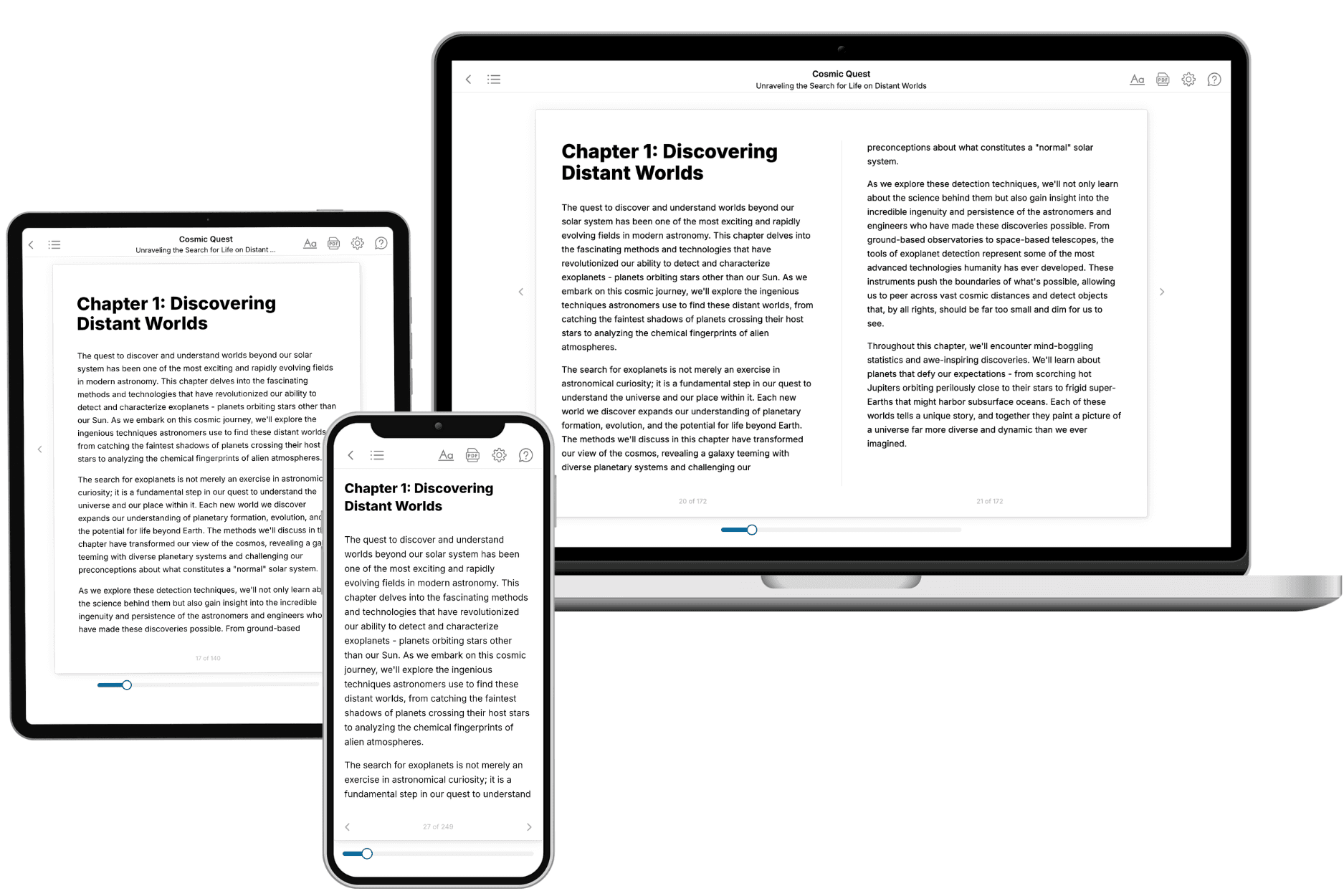
Your book is ready in 10 minutes. Read it online, download as EPUB or PDF, or send to Kindle.
Frequently asked questions
- What is TailoredRead?
TailoredRead creates complete, full-length nonfiction ebooks, written specifically for you. Tell us what you want to learn and why, and TailoredRead writes you a complete ebook on it, with charts, tables, and diagrams throughout. Read it online, on Kindle, or on any e-reader, or download it as a PDF or EPUB. Every book is written fresh the day you order it.
- How is the book tailored to me?
Before anything is written, you answer a few short questions about your goals, your background, and the topics you care about. Your book is then planned around your answers: written at your level, focused on your goals, and covering the topics you chose, instead of the one-size-fits-all book a store sells everyone.
- Will it read like generic AI content?
No. Your book isn't a chat transcript: it's planned chapter by chapter before a single word is written, told in a clear book voice, and explains ideas visually with charts, tables, and diagrams. After writing, every book goes through an editorial pass that polishes chapters so the book reads consistent from start to finish. Judge for yourself: browse thousands of sample books on our Explore Books page.
- How accurate is the content?
Our AI first checks whether your subject needs live research. Niche and fast-moving subjects are researched before writing, and the book plan and chapters are grounded in what it finds. After writing, every book goes through a quality pass that checks its facts and consistency, and researched books list their sources in a Notes section at the back.
- How long is the book?
You choose the length: Comprehensive (250-300 pages), Detailed (150-200 pages), Essential (70-100 pages), or Short (30-50 pages).
- Does the book include visuals?
Yes. Every book includes charts, tables, and diagrams: timelines, checklists, step-by-step guides, decision trees, comparison tables, matrices, and bar charts. A typical book includes dozens of these visual elements.
- Can I read it on Kindle? What formats can I download?
Yes. Every book can be read in our online reader or downloaded as a PDF or EPUB. The EPUB can be opened with Kindle, Apple Books, Kobo, and any e-reader. The Commercial and Author licenses also include an editable Word (DOCX) and Markdown download.
- How much does it cost?
About the price of a regular ebook. The exact price depends on your book's length and complexity, from $2 for the shortest books to $35 for the most comprehensive, and it's shown when you review your book, before you commit to anything. Each book is a one-time purchase, yours to keep, no subscription. Licenses that let you share, teach, or publish your book range from $35.99 to $49.99.
- Can I preview the book before purchasing?
Before you pay, you'll see what your book will cover: the title, a detailed description, the estimated length, and the complete chapter-by-chapter table of contents, so you know what you're getting before you decide. The full text itself is written after you purchase.
- How long does it take to create a book?
About 10 minutes. You can start reading the opening chapters while the rest is still being written.