Windows Presentation Foundation Mastery
Build Professional Desktop Applications with WPF and XAML
Many developers approach WPF as just another UI framework, missing the architectural elegance and powerful capabilities that make it ideal for professional Windows applications.
253 pages12 chaptersNov 2, 2025WPF
About this book
This comprehensive guide moves beyond basic button-clicking tutorials to reveal how WPF's declarative XAML syntax, robust data binding system, and MVVM pattern work together to create maintainable, scalable desktop applications. You'll discover how to leverage styles, templates, and resources to build consistent user interfaces, master the rendering pipeline for optimal performance, and implement advanced features like custom controls and asynchronous operations. Whether you're modernizing legacy applications or building new enterprise solutions, this book equips you with the architectural knowledge and practical techniques to harness WPF's full potential and deliver professional-grade Windows applications that stand the test of time.
Table of contents
- IntroductionWhy WPF Matters in Modern Development, How This Book Is Organized, What You Need to Know Before Starting, Setting Up Your Development EnvironmentRead below
- Chapter 1: Understanding WPF FundamentalsThe WPF Architecture and Core Concepts, XAML: The Declarative Language of WPF, Code-Behind and Separation of Concerns
- Chapter 2: Mastering XAML and Markup ExtensionsXAML Syntax and Element Declarations, Markup Extensions and Dynamic Values, Managing Namespaces and Type Resolution
- Chapter 3: The Power of Data BindingBinding Fundamentals and Binding Modes, Value Converters and Data Transformation, Validation and Error Handling in Bindings
- Chapter 4: Dependency Properties and Attached PropertiesCreating and Using Dependency Properties, Attached Properties for Flexible UI Composition, Property Metadata and Change Notifications
- Chapter 5: Implementing the MVVM PatternMVVM Architecture and Design Principles, Building Robust ViewModels, Commands and User Interaction Handling
- Chapter 6: Styling and Theming ApplicationsCreating and Applying Styles, Resource Dictionaries and Reusable Assets, Building Consistent Themes and Skins
- Chapter 7: Control Templates and Custom ControlsCustomizing Control Appearance with Templates, Building Custom Controls from Scratch, Creating Reusable User Controls
- Chapter 8: Layout and Rendering PipelineUnderstanding the WPF Layout System, The Rendering Pipeline and Performance Optimization, Navigating the Visual and Logical Trees
- Chapter 9: Animations and TransitionsCreating Animations and Storyboards, Different Animation Types and Easing Functions, Smooth Transitions and Visual Feedback
- Chapter 10: Asynchronous Programming and ResponsivenessAsync/Await Patterns in WPF Applications, Managing the UI Thread and Preventing Freezing, Background Operations and Progress Reporting
- Chapter 11: Advanced Data ScenariosItemsControl and Data Virtualization, Filtering, Sorting, and Grouping Collections, Master-Detail Patterns and Complex Bindings
- Chapter 12: Testing and Debugging WPF ApplicationsUnit Testing ViewModels and Business Logic, Debugging Tools and Techniques, Performance Profiling and Optimization
- ConclusionKey Takeaways and Best Practices, Your Path Forward with WPF
- Glossary
- Further Reading and Resources
Introduction
Windows Presentation Foundation represents a fundamental shift in how developers approach desktop application development on the Windows platform. Unlike traditional UI frameworks that treat interface design as an afterthought, WPF places visual presentation at the core of its architecture. This framework emerged from Microsoft's recognition that modern applications demand more than functional buttons and text boxes—they require rich, responsive interfaces that adapt to user needs while maintaining clean separation between presentation and business logic. The declarative nature of XAML, combined with powerful data binding and styling capabilities, enables you to build applications that are both visually compelling and architecturally sound.
The journey to mastering WPF requires understanding not just individual features, but how these components work together as a cohesive system. Many developers struggle with WPF because they approach it with mindsets shaped by older frameworks like Windows Forms, where UI elements are manipulated directly through procedural code. WPF demands a different mental model—one where you describe what your interface should look like and how it should behave, rather than imperatively commanding each control. This declarative approach initially feels unfamiliar, but it ultimately leads to more maintainable code and more flexible applications. The investment in learning WPF's architectural patterns pays dividends throughout your application's lifecycle.
This book guides you through WPF's essential concepts and advanced techniques with a focus on practical application. Rather than presenting isolated features in a vacuum, each chapter builds upon previous knowledge to construct a comprehensive understanding of professional WPF development. You'll encounter real-world scenarios, concrete examples, and actionable guidance that you can immediately apply to your projects. Whether you're modernizing legacy Windows Forms applications, building new enterprise solutions, or creating consumer-facing desktop software, the principles and patterns covered here will serve as your foundation for creating robust, scalable WPF applications that meet professional standards.
Why WPF Matters in Modern Development
Despite the proliferation of web and mobile technologies, desktop applications remain essential for scenarios requiring deep system integration, offline functionality, and performance-intensive operations. WPF continues to power critical enterprise applications across industries including finance, healthcare, manufacturing, and engineering. Financial trading platforms leverage WPF's rendering capabilities to display real-time market data with millisecond precision. Medical imaging software uses WPF's graphics subsystem to manipulate complex visualizations. Manufacturing control systems rely on WPF's robust data binding to monitor equipment status across factory floors. These applications demand the reliability, performance, and rich user experience that WPF delivers.
The architectural advantages of WPF extend beyond its immediate technical capabilities. The framework's separation of concerns through XAML and code-behind creates natural boundaries between designers and developers, enabling parallel workflows that accelerate development. Designers can refine visual elements in XAML while developers implement business logic in C#, with minimal conflict or coordination overhead. This separation also enhances testability—ViewModels can be unit tested without instantiating UI elements, and business logic remains independent of presentation concerns. Applications built with proper WPF architecture are inherently more maintainable because changes to visual design don't cascade through business logic, and vice versa.
WPF's data binding system eliminates vast amounts of boilerplate code that plagues other UI frameworks. Instead of writing event handlers to manually synchronize UI elements with data sources, you declare bindings that automatically propagate changes in both directions. Consider a form with twenty input fields—in traditional frameworks, you'd write forty methods (one to populate each field, one to retrieve each value). With WPF data binding, you declare the relationships once in XAML, and the framework handles synchronization automatically. This reduction in code volume directly translates to fewer bugs, faster development cycles, and easier maintenance. The binding system also supports sophisticated scenarios like validation, conversion, and multi-binding that would require substantial custom code in other frameworks.
The styling and templating capabilities in WPF enable unprecedented consistency across large applications. Rather than manually configuring each button, textbox, or list to match your design standards, you define styles once and apply them throughout your application. When design requirements change—and they always do—you modify the style definition in one location rather than hunting through hundreds of files. Control templates take this further by allowing complete visual redesign of controls while preserving their behavior. You can transform a standard button into a custom-shaped, animated control without writing new logic. This separation of appearance from behavior is fundamental to building applications that evolve gracefully over time.
Performance optimization in WPF benefits from the framework's retained-mode graphics system, which maintains a scene graph of visual elements and intelligently determines what needs rerendering. Unlike immediate-mode systems that redraw everything on each frame, WPF only updates changed regions. The framework leverages hardware acceleration through DirectX, offloading rendering work to the GPU and freeing the CPU for business logic. For data-intensive applications, WPF provides virtualization techniques that render only visible items in large collections, enabling smooth scrolling through datasets containing millions of records. These performance characteristics make WPF suitable for demanding applications that would struggle in other desktop frameworks.
The ecosystem surrounding WPF has matured significantly since its introduction. Third-party component libraries provide pre-built controls for specialized scenarios like data grids, charts, and diagrams. MVVM frameworks such as Prism, Caliburn.Micro, and MVVM Light offer infrastructure for building large-scale applications with dependency injection, navigation, and event aggregation. Development tools including Snoop and WPF Inspector enable runtime inspection and debugging of visual trees. This rich ecosystem means you're rarely building from scratch—proven solutions exist for common challenges, allowing you to focus on your application's unique requirements rather than reinventing foundational components.
Looking forward, WPF remains a strategic choice for Windows desktop development. Microsoft continues to invest in the framework, with .NET Core and .NET 5+ bringing WPF to modern .NET platforms with improved performance and deployment options. The introduction of .NET Core 3.0 marked WPF's transition to open-source development, with the framework's source code available on GitHub for community contributions and transparency. While newer frameworks like WinUI emerge for specific scenarios, WPF's maturity, stability, and extensive knowledge base ensure its relevance for years to come. Organizations with existing WPF investments can confidently continue development, knowing the framework has long-term support and a clear migration path to modern .NET versions.
How This Book Is Organized
This book follows a carefully structured progression from foundational concepts to advanced techniques, with each chapter building upon knowledge established in previous sections. The early chapters establish core WPF concepts including architecture, XAML syntax, and the relationship between markup and code. You'll develop a mental model of how WPF applications are structured before diving into specific features. Middle chapters explore essential patterns and techniques including data binding, dependency properties, and the MVVM architecture that forms the backbone of professional WPF development. Later chapters address advanced topics like custom controls, performance optimization, and asynchronous programming. This progression ensures you understand not just how to use individual features, but why they exist and how they fit into the larger architectural picture.
Each chapter follows a consistent structure designed to maximize learning and retention. Chapters begin with conceptual explanations that establish the "why" behind each topic—understanding motivation helps you apply concepts appropriately rather than cargo-culting patterns without comprehension. Following conceptual foundations, you'll encounter concrete examples demonstrating practical implementation. These examples aren't trivial "hello world" demonstrations, but realistic scenarios reflecting actual development challenges. Code samples include both XAML markup and C# code-behind, showing how these components work together. Throughout each chapter, you'll find actionable guidance on best practices, common pitfalls to avoid, and troubleshooting tips for when things don't work as expected.
The book emphasizes hands-on learning through progressive examples that evolve throughout chapters. Rather than presenting disconnected code snippets, examples build upon each other to create increasingly sophisticated applications. You'll start with simple data binding scenarios and gradually add validation, conversion, and error handling. Basic styling examples evolve into comprehensive theming systems. Simple ViewModels grow into complex architectures with navigation and dependency injection. This progressive approach mirrors real-world development where applications start simple and grow in complexity over time. By following this progression, you'll develop intuition for how to structure applications that can scale gracefully.
Special attention is given to architectural patterns that distinguish professional WPF applications from amateur efforts. The MVVM pattern receives extensive coverage because it's fundamental to building testable, maintainable WPF applications. You'll learn not just the mechanics of implementing MVVM, but the reasoning behind each component and how to adapt the pattern to different scenarios. Chapters on styling and templating emphasize creating reusable, consistent UI components rather than one-off customizations. The discussion of dependency properties explains not just how to create them, but when they're appropriate versus standard CLR properties. This architectural focus ensures you're building applications with solid foundations rather than accumulating technical debt.
Throughout the book, you'll encounter practical guidance on tooling and development workflow. Setting up your development environment, configuring projects for optimal debugging, and leveraging Visual Studio's WPF-specific features all receive attention. You'll learn about tools like Snoop for runtime inspection, performance profilers for identifying bottlenecks, and testing frameworks for validating ViewModels. These practical considerations are often overlooked in technical books, but they significantly impact your day-to-day productivity. Understanding your tools allows you to work more efficiently and debug issues more effectively, ultimately making you a more capable WPF developer.
The book balances breadth and depth, covering essential topics comprehensively while acknowledging that WPF is too vast for any single volume to address exhaustively. Topics are prioritized based on their relevance to professional development—you'll spend more time on data binding and MVVM than on obscure features you'll rarely encounter. Where topics could fill entire books themselves, you'll receive sufficient coverage to understand concepts and apply them effectively, along with guidance on resources for deeper exploration. This pragmatic approach ensures you develop practical competence across WPF's essential features rather than encyclopedic knowledge of obscure corners.
Code examples throughout the book follow modern C# conventions and leverage contemporary .NET features where appropriate. You'll see async/await patterns for asynchronous operations, LINQ for data manipulation, and nullable reference types for improved null safety. XAML examples demonstrate current best practices including proper resource organization, consistent naming conventions, and appropriate use of markup extensions. All code is presented with the assumption that you're building professional applications that will be maintained over time, not throwaway prototypes. This means emphasizing readability, maintainability, and testability even when more concise approaches exist.
What You Need to Know Before Starting
This book assumes you have solid foundational knowledge of C# and the .NET ecosystem. You should be comfortable with object-oriented programming concepts including classes, interfaces, inheritance, and polymorphism. Understanding of C# language features such as properties, events, delegates, and lambda expressions is essential, as these appear frequently in WPF development. You don't need to be a C# expert, but you should be able to read and write C# code without constantly referencing language documentation. If you're uncertain about your C# proficiency, consider reviewing fundamentals before diving into WPF-specific concepts. The cognitive load of learning both a new framework and a new language simultaneously often proves overwhelming.
Familiarity with basic software architecture principles will help you grasp WPF's architectural patterns more quickly. Understanding concepts like separation of concerns, dependency injection, and the observer pattern provides context for WPF's design decisions. If you've worked with other UI frameworks—whether desktop, web, or mobile—you'll find both similarities and differences in WPF's approach. Previous experience with event-driven programming is particularly valuable, as WPF applications respond to user interactions through events and commands. However, if your only UI experience is with immediate-mode frameworks or procedural approaches, be prepared to adjust your thinking to WPF's declarative, data-driven model.
No prior XAML experience is required, as the book covers XAML comprehensively from first principles. However, if you've worked with other XML-based markup languages like HTML or XML configuration files, you'll find XAML's syntax familiar. The declarative nature of XAML shares conceptual similarities with HTML, though the underlying concepts differ significantly. Understanding that XAML is ultimately just a way to instantiate and configure .NET objects helps demystify the markup. You'll learn to read XAML as object initialization code rather than as a separate language, which is key to understanding how XAML and C# code-behind interact.
Basic understanding of software design patterns enhances your ability to apply WPF's architectural patterns effectively. The Model-View-ViewModel (MVVM) pattern is central to professional WPF development, and familiarity with the broader Model-View-Controller (MVC) family of patterns provides helpful context. The Command pattern, Observer pattern, and Factory pattern all appear in WPF development. If you haven't studied design patterns formally, don't worry—the book explains patterns as they're introduced. However, if you have pattern knowledge, you'll recognize how WPF's features enable elegant implementations of these patterns, and you'll grasp architectural discussions more quickly.
You should have basic familiarity with Visual Studio or another .NET IDE, including how to create projects, add files, and use the debugger. While the book covers WPF-specific tooling, it doesn't explain general IDE usage like setting breakpoints or navigating solution explorer. Understanding how to use NuGet for package management is helpful, as you'll occasionally reference third-party libraries. If you're new to Visual Studio, spend time with introductory tutorials before starting this book. Struggling with basic IDE operations while learning WPF concepts divides your attention and slows progress. Comfort with your development environment allows you to focus on WPF-specific challenges.
No specific domain knowledge is required beyond general software development experience. Examples throughout the book use accessible scenarios like contact management, data visualization, and document editing rather than specialized domains requiring expert knowledge. The focus remains on WPF concepts and techniques rather than business logic complexity. This approach ensures you can concentrate on learning WPF without getting distracted by unfamiliar domain concepts. When you apply WPF to your specific domain, you'll adapt the patterns and techniques demonstrated here to your particular requirements.
Mathematical or algorithmic expertise isn't necessary for most WPF development. While understanding basic geometry helps when working with transformations and animations, the book explains necessary concepts as they arise. Performance optimization discussions reference Big O notation and algorithmic complexity, but at a level accessible to developers with general computer science knowledge. If you've completed a typical computer science curriculum or have equivalent practical experience, you'll have sufficient background. The focus remains on practical application development rather than theoretical computer science, ensuring accessibility to working developers from various educational backgrounds.
Setting Up Your Development Environment
Your development environment forms the foundation for productive WPF development, and proper setup prevents frustration later. Visual Studio remains the premier IDE for WPF development, offering superior XAML editing, visual designers, and debugging tools compared to alternatives. Visual Studio 2019 or later is recommended, with Visual Studio 2022 providing the best experience for modern .NET development. The Community edition provides all necessary features for WPF development at no cost, making it accessible for individual developers and small teams. When installing Visual Studio, ensure you select the ".NET desktop development" workload, which includes WPF project templates, designers, and debugging tools. Additional workloads like "Azure development" or "ASP.NET and web development" can be added later if needed.
Choosing the appropriate .NET version impacts your application's deployment options and available features. For new projects, .NET 6 or later is recommended, as these versions provide long-term support, improved performance, and modern language features. WPF on .NET Core 3.1 and later runs on modern .NET rather than .NET Framework, offering better performance and side-by-side deployment. However, if you're maintaining existing applications, .NET Framework 4.7.2 or 4.8 remains viable and receives security updates. The choice between .NET Framework and modern .NET depends on your deployment requirements, existing infrastructure, and whether you need features specific to either platform. Throughout this book, examples target modern .NET unless otherwise specified, but concepts apply equally to .NET Framework with minor syntax adjustments.
Configuring Visual Studio for optimal WPF development involves several settings that improve productivity. Enable XAML IntelliSense by ensuring "Tools > Options > Text Editor > XAML > Miscellaneous > Auto-insert" options are checked. This provides automatic closing tags and attribute suggestions as you type. Configure the XAML designer to show the design surface and XAML editor side-by-side or vertically stacked based on your monitor configuration. Many developers prefer disabling the visual designer entirely and working directly in XAML, as the designer can be slow with complex layouts. You can disable it via "Tools > Options > XAML Designer > Enable XAML Designer" if you prefer a code-focused workflow. Configure your preferred XAML formatting options under "Tools > Options > Text Editor > XAML > Formatting" to ensure consistent markup style.
Essential extensions enhance Visual Studio's WPF capabilities beyond the default installation. The XAML Styler extension automatically formats XAML according to configurable rules, maintaining consistency across your codebase. Productivity Power Tools includes features like solution error visualization and document tab management that improve general development workflow. ReSharper or its free alternative, ReSharper Community, provides advanced code analysis, refactoring, and navigation features that significantly boost productivity. However, ReSharper can impact Visual Studio performance on less powerful machines, so evaluate whether the benefits justify the performance cost. These extensions are optional but widely used in professional WPF development environments.
Setting up a sample project structure helps you follow along with book examples and experiment with concepts. Create a new WPF Application project targeting .NET 6 or later, using a meaningful name like "WpfMastery.Samples". Organize your solution with folders for different concerns:
- Views: Contains XAML files and code-behind for windows and user controls
- ViewModels: Houses ViewModel classes implementing the MVVM pattern
- Models: Includes business entities and data models
- Services: Contains business logic and data access services
- Converters: Holds value converter classes for data binding
- Resources: Stores resource dictionaries for styles and templates
Installing debugging and diagnostic tools enhances your ability to troubleshoot WPF applications. Snoop is an indispensable tool for inspecting the visual tree of running WPF applications, allowing you to examine property values, trigger changes, and understand layout behavior at runtime. Download Snoop from GitHub and keep it readily accessible—you'll use it frequently when debugging layout issues or understanding how controls are structured. WPF Performance Suite, part of the Windows SDK, helps identify rendering bottlenecks and performance issues. While Visual Studio's built-in profiler works for general performance analysis, WPF-specific tools provide insights into rendering pipeline behavior that general profilers miss.
Configuring source control is essential for any serious development work, even when learning. Initialize a Git repository for your sample project and commit regularly as you work through examples. This allows you to experiment freely, knowing you can revert changes if experiments go wrong. Create a .gitignore file appropriate for Visual Studio projects to exclude build artifacts and user-specific files. If you're new to Git, GitHub Desktop provides a user-friendly interface for basic operations. Source control becomes increasingly important as you progress to more complex examples where you might want to compare different implementation approaches or return to earlier working states. The habit of regular commits serves you well in professional development, so establish it early.
Finally, bookmark essential documentation and reference resources for quick access during development. The official Microsoft WPF documentation at docs.microsoft.com provides comprehensive API references and conceptual overviews. Stack Overflow contains solutions to countless WPF challenges, though evaluate answers critically as quality varies. The WPF GitHub repository offers insights into framework implementation and ongoing development. Community resources like WPF Tutorial and WPF-Tutorial.com provide alternative explanations and examples that complement this book. Having these resources readily available accelerates problem-solving when you encounter issues beyond the book's scope. Professional WPF developers regularly consult documentation and community resources—it's a normal part of the development process, not a sign of inadequacy.
This is the end of the free sample. The full book has 12 chapters.
Want this book written for you?
Tell us your goals and background, and get your own version of this book, tailored by AI to you.


Benefits of AI-tailored books
- Read one book, not ten:
- all the WPF knowledge you need, gathered into a single book.
- Save days of learning:
- tell us your goals, choose your topics, and the whole book is built around them.
- Learn effortlessly:
- WPF book written for your specific background and expertise.
- Understand at a glance:
- includes charts, tables, timelines, checklists, decision trees, and more.
- Stay current:
- written the day you order it, not years ago.
- Trust what you read:
- every book is checked for accuracy, with real research when your subject needs it.
Create your unique book in 3 steps
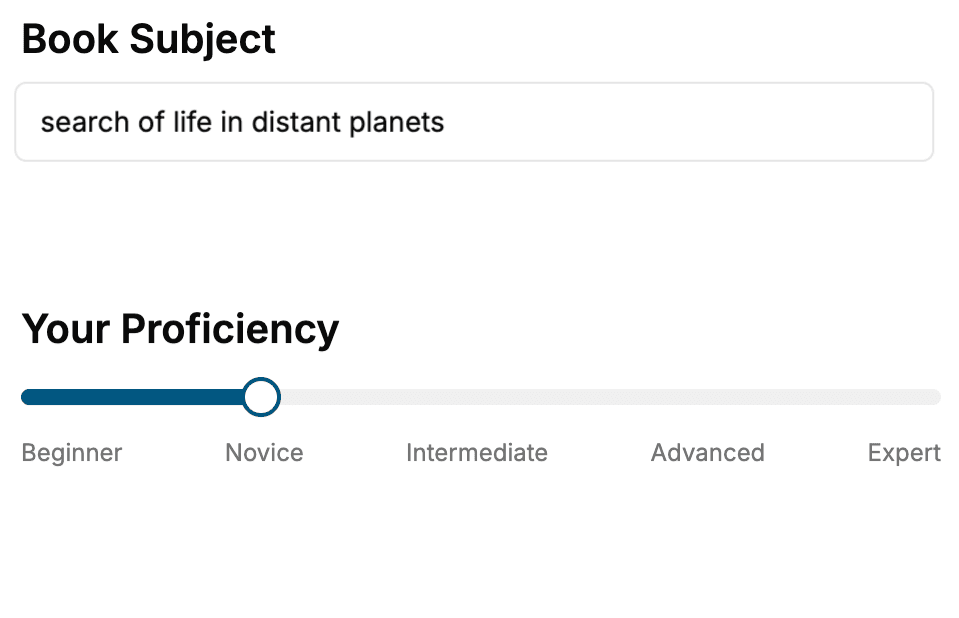
- 1. Select your focus
Select the focus of your WPF book and share your background
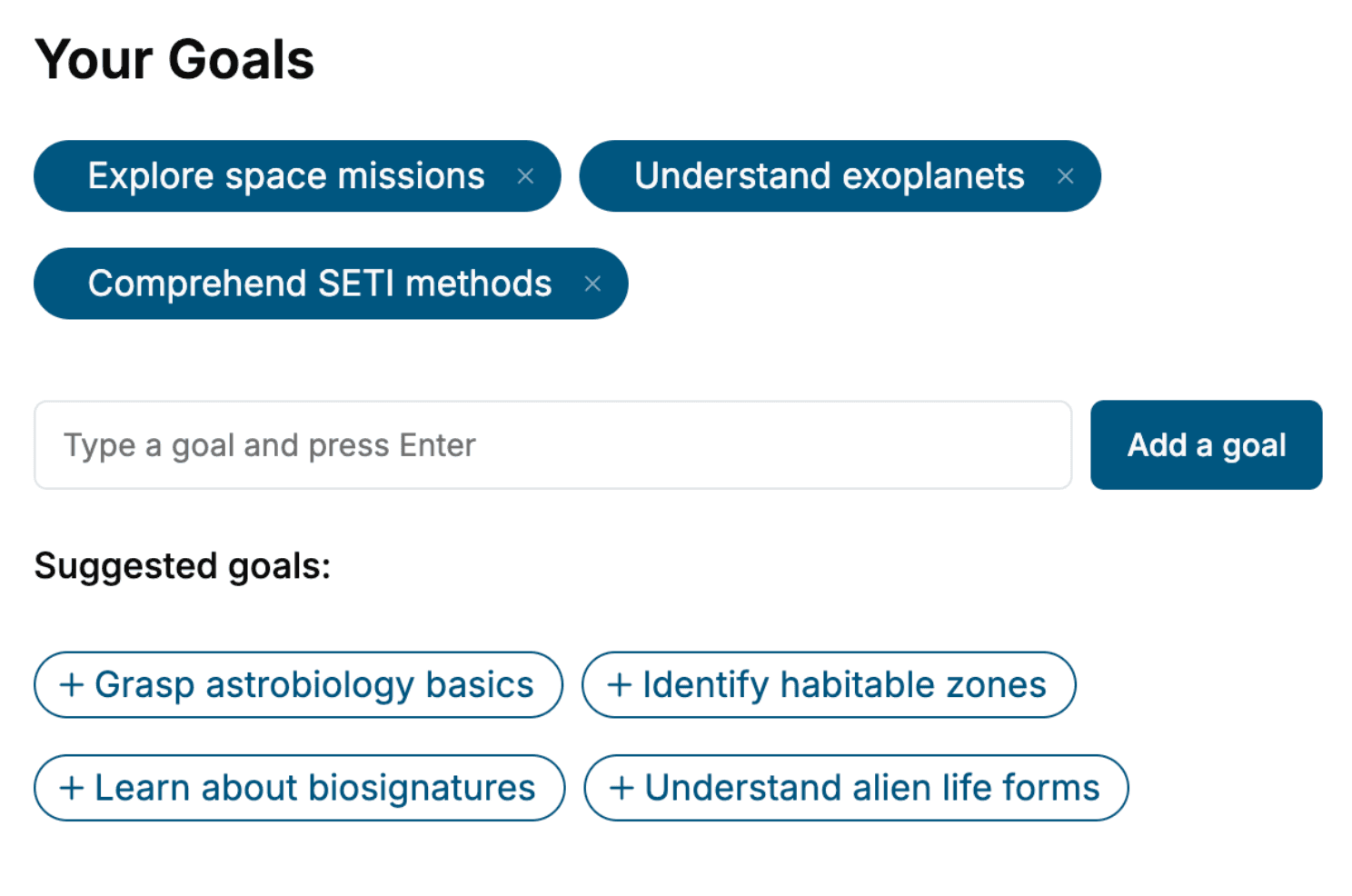
- 2. Personalize your book
Specify your goals and choose sub-topics to include
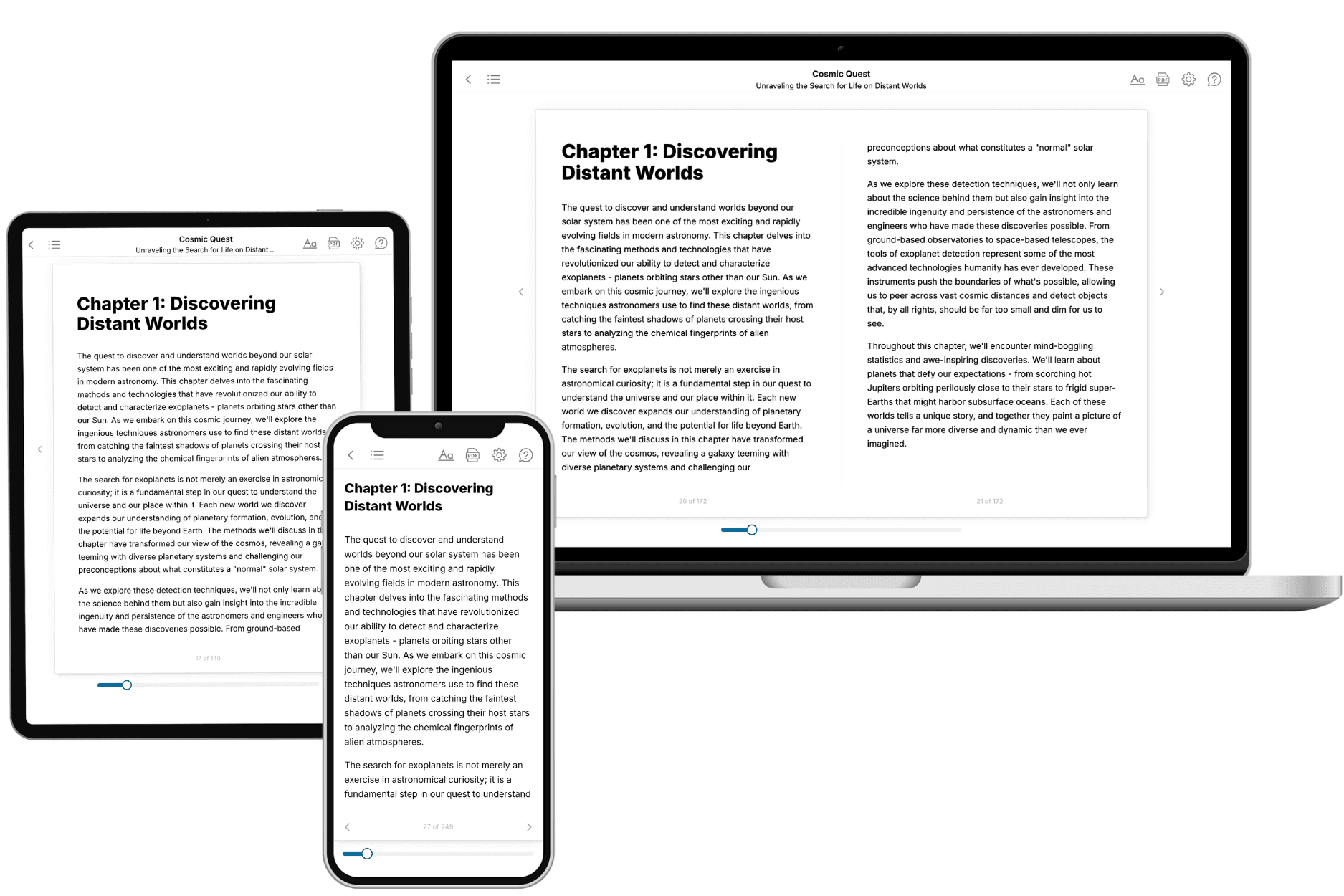
- 3. Get your tailored book
Your book is ready in 10 minutes. Read it online, download as EPUB or PDF, or send to Kindle.
Frequently asked questions
- What is TailoredRead?
TailoredRead creates complete, full-length nonfiction ebooks, written specifically for you. Tell us what you want to learn and why, and TailoredRead writes you a complete ebook on it, with charts, tables, and diagrams throughout. Read it online, on Kindle, or on any e-reader, or download it as a PDF or EPUB. Every book is written fresh the day you order it.
- How is the book tailored to me?
Before anything is written, you answer a few short questions about your goals, your background, and the topics you care about. Your book is then planned around your answers: written at your level, focused on your goals, and covering the topics you chose, instead of the one-size-fits-all book a store sells everyone.
- Will it read like generic AI content?
No. Your book isn't a chat transcript: it's planned chapter by chapter before a single word is written, told in a clear book voice, and explains ideas visually with charts, tables, and diagrams. After writing, every book goes through an editorial pass that polishes chapters so the book reads consistent from start to finish. Judge for yourself: browse thousands of sample books on our Explore Books page.
- How accurate is the content?
Our AI first checks whether your subject needs live research. Niche and fast-moving subjects are researched before writing, and the book plan and chapters are grounded in what it finds. After writing, every book goes through a quality pass that checks its facts and consistency, and researched books list their sources in a Notes section at the back.
- How long is the book?
You choose the length: Comprehensive (250-300 pages), Detailed (150-200 pages), Essential (70-100 pages), or Short (30-50 pages).
- Does the book include visuals?
Yes. Every book includes charts, tables, and diagrams: timelines, checklists, step-by-step guides, decision trees, comparison tables, matrices, and bar charts. A typical book includes dozens of these visual elements.
- Can I read it on Kindle? What formats can I download?
Yes. Every book can be read in our online reader or downloaded as a PDF or EPUB. The EPUB can be opened with Kindle, Apple Books, Kobo, and any e-reader. The Commercial and Author licenses also include an editable Word (DOCX) and Markdown download.
- How much does it cost?
About the price of a regular ebook. The exact price depends on your book's length and complexity, from $2 for the shortest books to $35 for the most comprehensive, and it's shown when you review your book, before you commit to anything. Each book is a one-time purchase, yours to keep, no subscription. Licenses that let you share, teach, or publish your book range from $35.99 to $49.99.
- Can I preview the book before purchasing?
Before you pay, you'll see what your book will cover: the title, a detailed description, the estimated length, and the complete chapter-by-chapter table of contents, so you know what you're getting before you decide. The full text itself is written after you purchase.
- How long does it take to create a book?
About 10 minutes. You can start reading the opening chapters while the rest is still being written.