WPF Mastery with Visual Basic
Build Professional Desktop Applications from Concept to Deployment
Discover how to build sophisticated Windows desktop applications that users will love.
238 pages13 chaptersNov 8, 2025WPF
About this book
This comprehensive guide takes you from WPF fundamentals through advanced architectural patterns, equipping you with the knowledge to create professional applications that scale. You'll start by understanding XAML and the WPF object model, then progress through data binding, styling, and layout systems. As you advance, you'll master the MVVM pattern—the industry-standard approach for WPF development—and learn how to structure applications for maintainability and testability. The book covers practical topics including custom controls, animation, data templates, and performance optimization. Throughout, you'll work with real-world scenarios and best practices that experienced developers use daily. Whether you're modernizing legacy applications or building new solutions, this guide provides the insights and techniques needed to deliver applications that are both powerful and maintainable. By the end, you'll have the confidence and skills to tackle complex WPF projects with Visual Basic.
Table of contents
- IntroductionWhy WPF Matters in Modern Development, How This Book Is Organized, What You Need to Know Before Starting, Setting Up Your Development EnvironmentRead below
- Chapter 1: WPF Fundamentals and ArchitectureUnderstanding the WPF Framework, WPF vs. Windows Forms: Key Differences, The WPF Architecture and Rendering Pipeline, Creating Your First WPF Application
- Chapter 2: XAML: The Foundation of WPF UIXAML Syntax and Structure, Elements, Attributes, and Properties, Working with Namespaces and Assemblies, Connecting XAML to Visual Basic Code-Behind
- Chapter 3: Layout Systems and ControlsUnderstanding Layout Panels, Grid and StackPanel: The Core Layouts, Canvas, DockPanel, and WrapPanel, Essential WPF Controls and Their Properties
- Chapter 4: Data Binding: Connecting Data to UIBinding Fundamentals and Syntax, Binding to Different Data Sources, OneWay, TwoWay, and OneWayToSource Bindings, Value Converters and Data Transformation
- Chapter 5: Styling and ThemingIntroduction to Styles and Resources, Creating and Applying Styles, Triggers and Dynamic Styling, Building Consistent Themes Across Applications
- Chapter 6: Control Templates and CustomizationUnderstanding Control Templates, Creating Custom Control Templates, Data Templates for Dynamic Content, TemplateBinding and RelativeSource
- Chapter 7: The MVVM Pattern: Architecture for ScaleMVVM Principles and Benefits, Building the Model Layer, Creating ViewModels with INotifyPropertyChanged, Designing Views for Testability
- Chapter 8: Commands and Event HandlingRouted Events and Event Bubbling, Introduction to Commands and ICommand, Implementing RelayCommand and DelegateCommand, Best Practices for Event Handling in MVVM
- Chapter 9: Collections and ItemsControlObservableCollection and INotifyCollectionChanged, ItemsControl, ListBox, and DataGrid, Binding Collections to UI Elements, Virtualization for Performance with Large Lists
- Chapter 10: Animation and Visual EffectsAnimation Fundamentals and Storyboards, DoubleAnimation, ColorAnimation, and More, Creating Smooth Transitions and Effects, Optimizing Animation Performance
- Chapter 11: Custom Controls and User ControlsBuilding Reusable User Controls, Creating Custom Controls from Scratch, Dependency Properties and Attached Properties, Composing Complex Controls
- Chapter 12: Performance Optimization and DebuggingProfiling and Identifying Performance Bottlenecks, Optimizing Data Binding and Collections, Memory Management and Resource Cleanup, Debugging Tools and Techniques
- Chapter 13: Deployment and DistributionDeployment Options: ClickOnce, MSI, and Standalone, Implementing ClickOnce Deployment, Creating Professional Installers, Managing Updates and Application Maintenance
- ConclusionYour Path Forward with WPF, Additional Resources and Community
Introduction
Desktop applications remain a cornerstone of enterprise software and professional tools, despite the rise of web and mobile platforms. Windows Presentation Foundation (WPF) represents Microsoft's most sophisticated framework for building these applications, offering capabilities that go far beyond traditional Windows Forms development. If you're a Visual Basic developer looking to create modern, visually compelling desktop applications with maintainable architectures, WPF provides the tools and patterns you need. This book bridges the gap between basic programming knowledge and professional WPF development, guiding you through the framework's unique approach to user interface design and application architecture.
WPF fundamentally changes how you think about building user interfaces. Rather than manually positioning controls and writing extensive UI manipulation code, WPF introduces a declarative approach through XAML (Extensible Application Markup Language). This separation between interface definition and application logic enables better collaboration between designers and developers, cleaner code organization, and more maintainable applications. The framework's powerful data binding system automatically synchronizes your user interface with underlying data, eliminating much of the repetitive code that characterizes traditional UI development. These capabilities make WPF particularly well-suited for complex business applications, data visualization tools, and any scenario requiring rich, responsive interfaces.
This introduction prepares you for the journey ahead by establishing context for why WPF matters, explaining how the book is structured to maximize your learning, clarifying the prerequisites you'll need, and walking you through setting up your development environment. Whether you're modernizing legacy Visual Basic applications or starting fresh projects, understanding these foundational elements ensures you'll get the most from each chapter. The skills you develop here will serve you throughout your career as desktop applications continue evolving while maintaining their essential role in professional software development.
Why WPF Matters in Modern Development
WPF emerged in 2006 as part of .NET Framework 3.0, representing a complete reimagining of Windows desktop development. Unlike Windows Forms, which wrapped existing Win32 controls, WPF built everything from the ground up using DirectX for rendering. This architectural decision gave WPF unprecedented flexibility in visual design, enabling resolution-independent graphics, hardware acceleration, and sophisticated styling capabilities. Today, despite newer frameworks like UWP and WinUI, WPF remains the preferred choice for enterprise desktop applications due to its maturity, extensive ecosystem, and full access to .NET Framework capabilities. Organizations continue investing in WPF because it delivers the performance and features their users demand while maintaining compatibility with existing Windows infrastructure.
The framework's relevance extends beyond technical capabilities to address real business needs. Enterprise applications often require complex data grids, custom visualizations, and intricate workflows that web applications struggle to deliver with the same responsiveness and richness. WPF excels in these scenarios, providing controls and patterns specifically designed for data-intensive applications. Consider financial trading platforms, medical imaging software, or engineering design tools—these applications demand the performance, offline capability, and sophisticated UI that WPF provides. The framework's data binding and templating systems enable developers to create these complex interfaces without drowning in UI manipulation code, significantly reducing development time and maintenance costs.
WPF's architectural patterns, particularly MVVM (Model-View-ViewModel), have influenced modern application development far beyond Windows desktop applications. The separation of concerns that MVVM enforces—isolating business logic from UI code—makes applications more testable, maintainable, and adaptable to changing requirements. These patterns emerged from the WPF community and have since been adopted by frameworks across platforms, from Xamarin to Angular. Learning WPF means learning architectural principles that transfer to other technologies. You're not just learning a framework; you're developing a mindset for building well-structured applications that can evolve over time without becoming unmaintainable.
The Visual Basic and WPF combination offers particular advantages for developers and organizations. Visual Basic's readable syntax and strong typing make complex WPF applications more approachable than equivalent C# implementations, especially for teams with existing VB expertise. While C# dominates WPF examples and tutorials online, Visual Basic provides full access to WPF's capabilities with syntax that many developers find more intuitive. Organizations with substantial Visual Basic codebases can modernize their user interfaces without rewriting entire applications in a different language. This path forward preserves existing investments while delivering modern user experiences that meet contemporary expectations.
Performance considerations make WPF compelling for specific application categories. The framework's rendering pipeline uses DirectX, enabling hardware acceleration for graphics-intensive operations. Applications that display real-time data updates, complex visualizations, or large datasets benefit from WPF's virtualization capabilities and efficient rendering. Unlike web applications that must transfer data across networks and render through browser engines, WPF applications run natively with direct access to system resources. This architecture delivers responsiveness that users notice, particularly in scenarios involving rapid data updates or complex user interactions. For applications where performance directly impacts user productivity, WPF's native execution model provides measurable advantages.
The ecosystem surrounding WPF has matured significantly since its introduction. Third-party control libraries from vendors like Telerik, DevExpress, and Syncfusion provide professionally designed, tested components that accelerate development. Open-source projects offer MVVM frameworks, charting libraries, and specialized controls that extend WPF's built-in capabilities. This ecosystem means you rarely need to build complex controls from scratch—proven solutions exist for most common requirements. The community's accumulated knowledge, documented in countless blog posts, Stack Overflow answers, and GitHub repositories, provides solutions to challenges you'll encounter. This mature ecosystem reduces risk and accelerates development compared to newer, less-established frameworks.
Looking forward, WPF continues receiving support and updates from Microsoft, with .NET Core 3.0 and later versions bringing WPF to the modern .NET platform. This transition to .NET Core (now simply .NET 5+) ensures WPF applications can leverage the latest .NET features, improved performance, and side-by-side deployment capabilities. While Microsoft has introduced newer UI frameworks, WPF remains the recommended choice for traditional desktop applications requiring full Windows integration and mature tooling. The framework's longevity and Microsoft's continued investment provide confidence that WPF skills remain valuable for years to come. Organizations planning desktop applications today can confidently choose WPF, knowing the platform will support their applications throughout their lifecycle.
How This Book Is Organized
This book follows a carefully structured progression from fundamental concepts to advanced architectural patterns, ensuring you build a solid foundation before tackling complex topics. The early chapters focus on understanding WPF's core concepts—the framework architecture, XAML syntax, and basic controls. You'll create simple applications that demonstrate key principles without overwhelming complexity. As you progress through middle chapters, you'll explore data binding, styling, and templating—the features that make WPF powerful for real-world applications. The later chapters introduce MVVM architecture, custom controls, and performance optimization, equipping you with professional-grade techniques. This structure mirrors how experienced developers actually learn new frameworks: starting with basics, building working knowledge through practice, then mastering advanced patterns.
Each chapter follows a consistent format designed to maximize learning efficiency. You'll begin with conceptual explanations that establish why topics matter and how they fit into the broader WPF ecosystem. These explanations avoid unnecessary jargon while building accurate mental models of how WPF works. Following the conceptual foundation, you'll encounter practical examples with complete code listings in Visual Basic. These examples aren't trivial demonstrations—they represent realistic scenarios you'll face in actual projects. Each example includes explanations of what the code does and why particular approaches were chosen. This combination of concept and practice ensures you understand both the "how" and the "why" behind WPF development.
The book's progression through topics reflects dependencies between concepts. You cannot effectively use data binding without understanding XAML syntax. You cannot implement MVVM without grasping data binding and commands. The chapter sequence respects these dependencies, ensuring you have the prerequisite knowledge before encountering topics that build upon it. However, the book is also designed for reference use—each chapter can stand alone for experienced developers seeking information on specific topics. Cross-references throughout the text point you to related concepts in other chapters, enabling you to navigate based on your specific needs rather than reading strictly sequentially.
Practical application drives the book's approach to examples and exercises. Rather than isolated code snippets demonstrating single features, you'll build progressively more sophisticated applications that integrate multiple concepts. Early chapters might have you create a simple contact list application, while later chapters extend that application with data binding, custom styling, and MVVM architecture. This cumulative approach reinforces earlier learning while demonstrating how WPF's features work together in real applications. You'll see how architectural decisions in early development stages impact later implementation, developing the judgment needed to make good choices in your own projects.
The book balances breadth and depth strategically. Core topics like data binding, XAML, and MVVM receive extensive coverage with multiple examples and detailed explanations because these concepts form the foundation of all WPF development. More specialized topics like animation and custom control development receive focused coverage that provides sufficient knowledge for most scenarios while pointing you toward additional resources for advanced needs. This approach ensures the book remains manageable in length while covering everything you need for professional WPF development. You won't find exhaustive documentation of every WPF class and property—Microsoft's documentation serves that purpose—but you will find practical guidance on using these features effectively.
Special attention throughout the book highlights common pitfalls and best practices. WPF's flexibility means multiple approaches often accomplish the same goal, but some approaches lead to maintainable code while others create technical debt. The book explicitly identifies these situations, explaining why certain patterns are preferred and what problems alternative approaches cause. These insights come from real-world experience and community wisdom accumulated over WPF's lifetime. Learning these lessons from the book saves you from discovering them through painful debugging sessions in production applications. The goal is not just teaching you WPF's capabilities, but helping you use those capabilities wisely.
Code examples throughout the book are available for download, providing complete Visual Studio solutions you can run, modify, and learn from. These examples include not just the code shown in the book, but also additional comments and variations that demonstrate alternative approaches. Having working code eliminates frustration from typos or missing pieces, letting you focus on understanding concepts rather than debugging transcription errors. The downloadable examples also serve as templates for your own projects—you can copy and adapt patterns from the examples rather than starting from scratch. This practical resource extends the book's value beyond the printed page, providing a reference library of working WPF patterns.
What You Need to Know Before Starting
This book assumes you have intermediate-level Visual Basic programming experience. You should be comfortable with fundamental programming concepts including variables, data types, conditional statements, loops, and functions. Experience with object-oriented programming is essential—you need to understand classes, objects, inheritance, and interfaces. If terms like constructor, property, method, and event handler are familiar, you have sufficient background. The book doesn't teach basic Visual Basic syntax or programming fundamentals; it builds upon that foundation to teach WPF-specific concepts. If you've built Windows Forms applications or worked with ASP.NET Web Forms, you have more than enough background to succeed with this material.
No prior WPF experience is required, though familiarity with any UI framework helps. If you've worked with Windows Forms, you'll recognize many concepts like events, properties, and controls, though WPF implements them differently. The book explicitly addresses these differences, helping you transition from Windows Forms thinking to WPF patterns. If you've worked with web frameworks like ASP.NET or even HTML/CSS, you'll find XAML's markup-based approach familiar. However, even without any UI framework experience, the book provides sufficient explanation to understand WPF's approach. The key prerequisite is solid programming fundamentals, not specific framework knowledge.
Understanding of basic software architecture concepts proves helpful but isn't strictly required. Terms like separation of concerns, loose coupling, and dependency injection appear in discussions of MVVM and application architecture. The book explains these concepts as they arise, but prior exposure makes the material easier to absorb. If you've read about design patterns or software architecture, you'll recognize principles underlying WPF's recommended practices. However, the book doesn't assume this knowledge—architectural concepts are introduced with sufficient explanation for developers encountering them for the first time. You'll learn these principles through practical application in WPF rather than abstract theory.
Familiarity with Visual Studio is important since it's the primary development environment for WPF applications. You should know how to create projects, add files, use the debugger, and navigate solutions. Experience with Visual Studio's IntelliSense and code completion features helps you work efficiently with WPF's extensive API. If you've used Visual Studio for any .NET development, you have adequate familiarity. The book doesn't provide Visual Studio tutorials—it assumes you can perform basic IDE operations. However, WPF-specific Visual Studio features like the XAML designer and property inspector are explained as they're introduced, since these tools are unique to WPF development.
Basic understanding of XML syntax proves valuable since XAML is XML-based. You don't need deep XML knowledge, but understanding elements, attributes, and nesting helps you read XAML more easily. If you've worked with HTML, you already understand these concepts—XAML follows similar structural rules. The book explains XAML syntax thoroughly, but prior XML or HTML experience accelerates your learning. You'll quickly recognize patterns in XAML structure and understand how elements relate to each other. This familiarity lets you focus on WPF-specific concepts rather than struggling with markup syntax.
No specific domain knowledge is required beyond general software development. Examples in the book use common scenarios like contact lists, data entry forms, and business applications that any developer can understand. You don't need expertise in particular industries or application types. The focus remains on WPF techniques applicable across domains rather than specialized applications. This approach ensures the material remains relevant regardless of what types of applications you build. The patterns and practices you learn apply whether you're creating financial software, engineering tools, or business productivity applications.
Mathematical knowledge beyond basic arithmetic isn't necessary for most of the book. Some topics like animation timing and layout calculations involve simple mathematics, but nothing beyond high school algebra. The book explains any mathematical concepts needed for specific features. If you can understand coordinate systems and basic geometry, you have sufficient mathematical background. WPF development focuses more on understanding framework concepts and architectural patterns than mathematical computation. The framework handles complex calculations internally—your job is understanding how to use its capabilities effectively.
Setting Up Your Development Environment
Visual Studio serves as the primary development environment for WPF applications, providing designers, debuggers, and tools specifically built for WPF development. You'll need Visual Studio 2019 or later, with the .NET desktop development workload installed. This workload includes the WPF project templates, XAML designer, and necessary libraries. Visual Studio Community Edition provides all required features at no cost for individual developers and small teams, making it accessible regardless of budget. The installation process through Visual Studio Installer lets you select workloads—ensure you check .NET desktop development before proceeding. The installer downloads and configures everything needed, typically requiring 5-10 GB of disk space depending on selected options.
After installing Visual Studio, verify your environment by creating a test WPF project. Launch Visual Studio and select Create a new project. In the project template search, type WPF
and select WPF Application (not WPF App or WPF Application (.NET Framework) unless specifically needed). Choose Visual Basic as the language. This creates a basic WPF application with a main window defined in XAML. Press F5 to run the application—you should see an empty window appear. This confirms your environment is correctly configured. If you encounter errors, verify that the .NET desktop development workload is properly installed through Visual Studio Installer.
Understanding the project structure helps you navigate WPF applications effectively. A new WPF project contains several key files:
- Application.xaml and Application.xaml.vb: Define application-level resources and startup behavior
- MainWindow.xaml and MainWindow.xaml.vb: Define your application's main window UI and code-behind
- My Project folder: Contains assembly information and application settings
Configuring Visual Studio for optimal WPF development improves your productivity. Enable line numbers by navigating to Tools → Options → Text Editor → All Languages → General and checking Line numbers. This helps when discussing code and debugging. In Tools → Options → XAML Designer, you can configure designer behavior—many developers prefer disabling the designer's automatic opening to improve performance, instead editing XAML directly. Consider enabling Show all files in Solution Explorer to see generated files and understand how WPF compiles XAML into code. These configuration changes are personal preferences, but they represent common practices among experienced WPF developers.
The XAML designer in Visual Studio provides visual editing capabilities, but understanding its limitations is important. The designer shows a preview of your UI and allows drag-and-drop control placement. However, many developers find direct XAML editing more efficient once they learn the syntax. The designer sometimes struggles with complex layouts or data binding, showing design-time errors that don't affect runtime behavior. You'll likely use a hybrid approach—using the designer for initial layout and visual verification while editing XAML directly for precise control. The designer's properties panel provides a useful reference for available properties even when you're editing XAML manually.
Installing additional tools enhances your WPF development experience. Snoop is an invaluable free tool for inspecting running WPF applications, letting you examine the visual tree, property values, and data binding at runtime. Download it from GitHub and keep it available for debugging complex UI issues. XAML Styler, available as a Visual Studio extension, automatically formats XAML for consistency and readability. These tools aren't required but significantly improve productivity. The WPF community has created numerous helpful tools—exploring extensions in Visual Studio's Extension Manager reveals options for XAML editing, performance profiling, and UI testing.
Version control setup should happen before you begin serious development. Initialize a Git repository for your projects and configure appropriate .gitignore files to exclude build artifacts and user-specific files. Visual Studio includes Git integration, making version control straightforward. Even for learning projects, version control provides safety and lets you experiment without fear of losing working code. As you progress through the book's examples, committing working code after completing each chapter creates checkpoints you can return to if later experiments go wrong. This practice mirrors professional development workflows and builds good habits.
Finally, bookmark essential documentation resources. Microsoft's official WPF documentation at docs.microsoft.com provides comprehensive API reference and conceptual articles. The documentation includes Visual Basic examples for most topics, though C# examples are more common. Learning to read C# examples and mentally translate them to Visual Basic expands your available resources significantly—the syntax differences are minor once you understand the patterns. Stack Overflow contains thousands of answered WPF questions, often with detailed explanations. These resources complement the book, providing additional perspectives and solutions to specific problems you'll encounter. Your development environment includes not just software tools but also these knowledge resources that support your learning and problem-solving.
This is the end of the free sample. The full book has 13 chapters.
Want this book written for you?
Tell us your goals and background, and get your own version of this book, tailored by AI to you.


Benefits of AI-tailored books
- Read one book, not ten:
- all the WPF knowledge you need, gathered into a single book.
- Save days of learning:
- tell us your goals, choose your topics, and the whole book is built around them.
- Learn effortlessly:
- WPF book written for your specific background and expertise.
- Understand at a glance:
- includes charts, tables, timelines, checklists, decision trees, and more.
- Stay current:
- written the day you order it, not years ago.
- Trust what you read:
- every book is checked for accuracy, with real research when your subject needs it.
Create your unique book in 3 steps
- 1. Select your focus
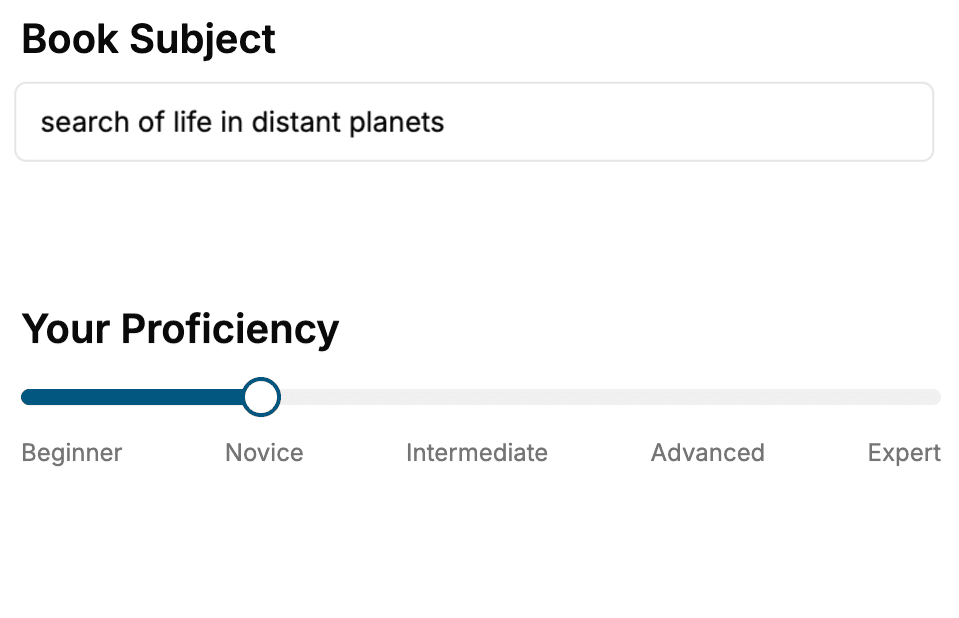
Select the focus of your WPF book and share your background
- 2. Personalize your book
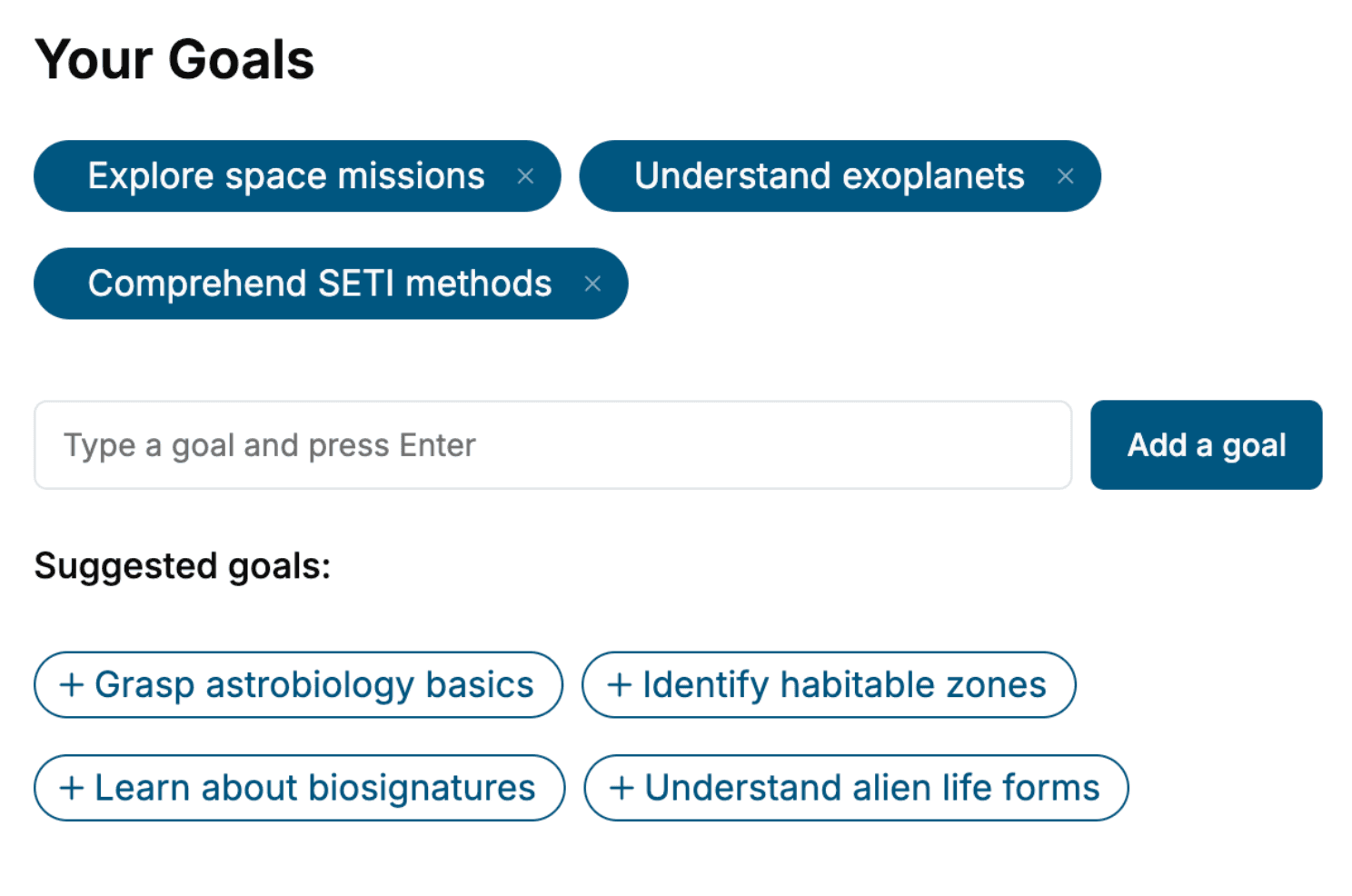
Specify your goals and choose sub-topics to include
- 3. Get your tailored book
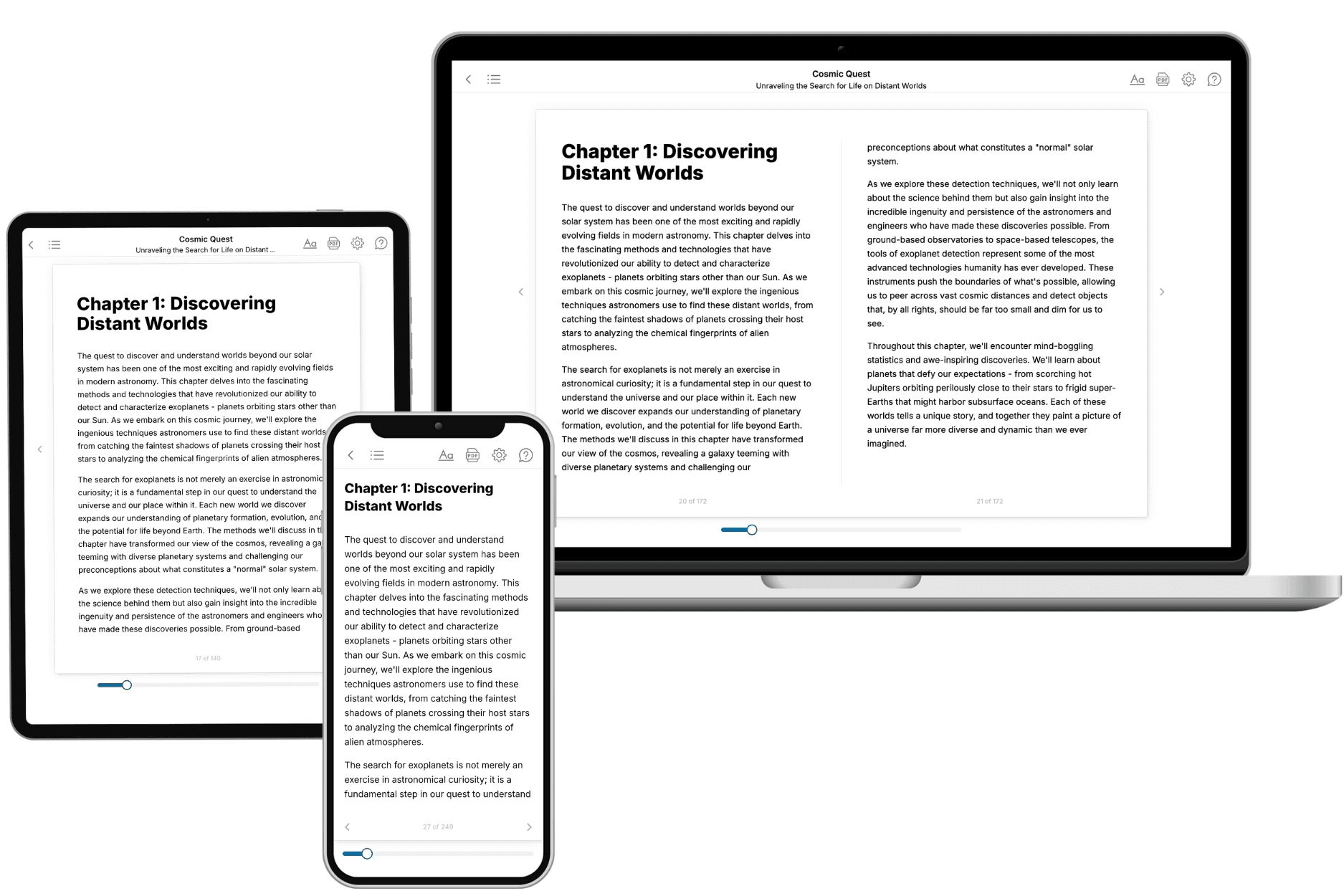
Your book is ready in 10 minutes. Read it online, download as EPUB or PDF, or send to Kindle.
Frequently asked questions
- What is TailoredRead?
TailoredRead creates complete, full-length nonfiction ebooks, written specifically for you. Tell us what you want to learn and why, and TailoredRead writes you a complete ebook on it, with charts, tables, and diagrams throughout. Read it online, on Kindle, or on any e-reader, or download it as a PDF or EPUB. Every book is written fresh the day you order it.
- How is the book tailored to me?
Before anything is written, you answer a few short questions about your goals, your background, and the topics you care about. Your book is then planned around your answers: written at your level, focused on your goals, and covering the topics you chose, instead of the one-size-fits-all book a store sells everyone.
- Will it read like generic AI content?
No. Your book isn't a chat transcript: it's planned chapter by chapter before a single word is written, told in a clear book voice, and explains ideas visually with charts, tables, and diagrams. After writing, every book goes through an editorial pass that polishes chapters so the book reads consistent from start to finish. Judge for yourself: browse thousands of sample books on our Explore Books page.
- How accurate is the content?
Our AI first checks whether your subject needs live research. Niche and fast-moving subjects are researched before writing, and the book plan and chapters are grounded in what it finds. After writing, every book goes through a quality pass that checks its facts and consistency, and researched books list their sources in a Notes section at the back.
- How long is the book?
You choose the length: Comprehensive (250-300 pages), Detailed (150-200 pages), Essential (70-100 pages), or Short (30-50 pages).
- Does the book include visuals?
Yes. Every book includes charts, tables, and diagrams: timelines, checklists, step-by-step guides, decision trees, comparison tables, matrices, and bar charts. A typical book includes dozens of these visual elements.
- Can I read it on Kindle? What formats can I download?
Yes. Every book can be read in our online reader or downloaded as a PDF or EPUB. The EPUB can be opened with Kindle, Apple Books, Kobo, and any e-reader. The Commercial and Author licenses also include an editable Word (DOCX) and Markdown download.
- How much does it cost?
About the price of a regular ebook. The exact price depends on your book's length and complexity, from $2 for the shortest books to $35 for the most comprehensive, and it's shown when you review your book, before you commit to anything. Each book is a one-time purchase, yours to keep, no subscription. Licenses that let you share, teach, or publish your book range from $35.99 to $49.99.
- Can I preview the book before purchasing?
Before you pay, you'll see what your book will cover: the title, a detailed description, the estimated length, and the complete chapter-by-chapter table of contents, so you know what you're getting before you decide. The full text itself is written after you purchase.
- How long does it take to create a book?
About 10 minutes. You can start reading the opening chapters while the rest is still being written.