Mastering UML Class Diagrams
Design Better Software Architecture with Visual Modeling
Many developers struggle to translate complex system requirements into clean, maintainable code architecture.
191 pages8 chaptersFeb 5, 2026UML
About this book
Without a clear visual blueprint, teams end up with tangled dependencies, unclear relationships between components, and code that's difficult to extend or refactor. UML class diagrams solve this problem by providing a standardized way to visualize and communicate your software design before writing a single line of code. This book takes you beyond basic syntax to show you how to leverage class diagrams as a strategic tool for better architecture decisions. You'll learn how to model real-world relationships, apply design principles through visual patterns, and use diagrams to facilitate team communication. Whether you're designing a new system from scratch or refactoring legacy code, these practical techniques will help you create software that's easier to understand, maintain, and evolve.
Table of contents
- IntroductionWhy Visual Design Matters in Software Development, What You'll Learn in This Book, How to Get the Most from This BookRead below
- Chapter 1: Fundamentals of UML Class DiagramsUnderstanding UML and Its Purpose, The Anatomy of a Class Diagram, Essential Notation and Symbols
- Chapter 2: Designing Classes and Their MembersRepresenting Classes in Diagrams, Modeling Attributes and Properties, Defining Methods and Operations, Using Visibility Modifiers Effectively
- Chapter 3: Modeling Relationships Between ClassesUnderstanding Associations, Inheritance and Class Hierarchies, Composition and Aggregation, Dependencies and Interface Realization
- Chapter 4: Advanced Modeling TechniquesMultiplicity and Cardinality Constraints, Abstract Classes and Interfaces, Modeling Generics and Templates
- Chapter 5: Applying SOLID Principles Through DiagramsSingle Responsibility Principle in Design, Open/Closed Principle and Extensibility, Liskov Substitution Principle and Inheritance, Interface Segregation and Focused Contracts
- Chapter 6: Common Design Patterns in Class DiagramsCreational Patterns: Factory and Singleton, Structural Patterns: Adapter and Decorator, Behavioral Patterns: Observer and Strategy
- Chapter 7: Practical Modeling ScenariosModeling Real-World Business Domains, Designing Layered Architecture Diagrams, Using Diagrams to Refactor Legacy Code
- Chapter 8: Tools, Workflows, and Best PracticesChoosing and Using Diagramming Tools, Establishing Naming Conventions and Standards, Collaborating with Your Team on Diagrams
- ConclusionKey Takeaways and Next Steps, Continuing Your UML Journey
- Glossary of UML Terms
- Further Reading and Resources
Introduction
Software development is fundamentally about managing complexity. As systems grow beyond a handful of classes, the relationships between components become difficult to track in your head or through code alone. You've likely experienced this firsthand—opening a codebase and spending hours tracing dependencies, trying to understand how pieces fit together, or discovering that a seemingly simple change breaks functionality in unexpected places. This cognitive overload isn't a sign of poor programming skills; it's a natural consequence of working with complex systems without adequate visualization tools. UML class diagrams address this challenge by providing a standardized visual language that makes architectural decisions explicit, relationships clear, and design intent obvious at a glance.
The gap between understanding requirements and implementing maintainable code is where many projects stumble. Business stakeholders describe what they need in domain terms, developers think in objects and algorithms, and architects focus on patterns and principles. Without a common language, these perspectives remain siloed, leading to misaligned implementations and costly rework. Class diagrams serve as the bridge between these worlds—abstract enough to communicate high-level structure, yet precise enough to guide implementation. When used effectively, they transform vague architectural discussions into concrete design decisions that your entire team can reference, critique, and refine collaboratively. This shared understanding prevents the architectural drift that plagues long-running projects.
This book takes a practical, hands-on approach to mastering UML class diagrams as a strategic tool for better software design. You won't find pages of academic theory divorced from real-world application. Instead, you'll learn techniques that experienced architects use daily to design systems that are easier to understand, extend, and maintain. Whether you're planning a greenfield project, documenting existing architecture, or refactoring legacy code, the skills you develop here will help you make better design decisions and communicate them effectively. The goal isn't to make you a UML purist who follows every specification detail—it's to give you a powerful thinking tool that improves how you approach software architecture. By the end, you'll see class diagrams not as bureaucratic overhead, but as an essential part of your development workflow that saves time and prevents costly mistakes.
Why Visual Design Matters in Software Development
Human brains process visual information significantly faster than text. When you look at well-designed class diagram, you can immediately grasp the overall structure of a system—which classes are central, how components relate, and where dependencies exist. Compare this to reading through hundreds of lines of code or prose documentation, where you must mentally construct these relationships yourself. Research in cognitive psychology shows that visual representations reduce cognitive load by externalizing information that would otherwise occupy working memory[1]. This isn't just theoretical—it has practical implications for how quickly you can understand complex systems, identify design flaws, and communicate with teammates. A diagram that would take thirty seconds to comprehend might require thirty minutes of code reading to extract the same information.
Visual models also reveal patterns and problems that remain hidden in code. When you diagram a system, structural issues become obvious: circular dependencies appear as loops, god classes dominate the canvas, and tight coupling shows up as a web of connecting lines. These anti-patterns are easy to miss when you're focused on implementation details, but they jump out in a visual representation. Consider a scenario where you're adding a new feature to an existing system. Without a diagram, you might add dependencies that seem reasonable in isolation but create problematic coupling across the architecture. With a diagram, you can see immediately how your changes affect the overall structure and make better decisions about where new functionality belongs. This preventive approach saves countless hours of refactoring later.
Documentation written in prose becomes outdated quickly because updating it feels like extra work separate from coding. Class diagrams, however, can be integrated into your development workflow in ways that keep them synchronized with implementation. Many modern tools can generate diagrams from code or use diagrams to scaffold code, creating a bidirectional relationship between design and implementation. Even when maintained manually, diagrams are easier to update than lengthy written documentation because changes are localized and visual. A relationship that changes from composition to aggregation requires modifying a single line in a diagram, whereas prose documentation might require rewriting entire paragraphs to maintain clarity. This lower maintenance burden makes it more likely that your documentation will actually reflect reality.
Team communication improves dramatically when everyone shares a common visual vocabulary. Instead of lengthy email threads describing architectural decisions, you can sketch a quick diagram that conveys your intent precisely. Code reviews become more productive when you can reference the intended design and verify that implementation matches. New team members onboard faster because they can grasp system architecture through diagrams before diving into code. This communication benefit extends beyond your immediate team—stakeholders, product managers, and other non-technical collaborators can understand high-level system structure through simplified class diagrams in ways they never could through code. The diagram becomes a shared artifact that aligns everyone's mental model of the system.
Design decisions made visible through diagrams are easier to critique and improve. When architecture exists only in code or in individual developers' heads, challenging design choices feels like questioning someone's competence. When architecture is externalized in a diagram, it becomes an artifact separate from its creator that the team can discuss objectively. You can propose alternatives, identify potential issues, and explore trade-offs without personal conflict. This collaborative design process leads to better outcomes because it leverages collective experience and catches problems early. A design flaw identified in a diagram takes minutes to fix; the same flaw discovered after implementation might require days or weeks of refactoring across multiple modules.
Visual design also supports iterative refinement in ways that jumping straight to code doesn't. You can quickly sketch multiple architectural approaches, compare them side by side, and evaluate trade-offs before committing to implementation. This exploration is much faster with diagrams than with code because you're working at a higher level of abstraction. You can experiment with different relationship types, try various inheritance hierarchies, or reorganize responsibilities between classes without the overhead of writing actual implementations. This design-first approach doesn't mean spending weeks in analysis paralysis—it means investing a few hours in thoughtful design that prevents days of implementation churn. The key is finding the right balance between upfront design and emergent architecture, which we'll explore throughout this book.
Finally, diagrams serve as a thinking tool that helps you reason about design at the right level of abstraction. When you're writing code, you're necessarily focused on implementation details—syntax, algorithms, data structures. When you're drawing diagrams, you're forced to think about higher-level concerns: responsibilities, relationships, and architectural patterns. This shift in perspective often reveals insights that wouldn't emerge from coding alone. You might realize that two classes have overlapping responsibilities, that an inheritance hierarchy is too deep, or that a dependency could be inverted to improve testability. These architectural insights are the difference between code that merely works and code that's genuinely well-designed. Class diagrams give you the mental space to have these insights before they become expensive to implement.
What You'll Learn in This Book
This book is structured to take you from foundational concepts to advanced techniques in a logical progression. You'll start by mastering the basic notation and symbols that form the vocabulary of class diagrams. This includes understanding how to represent classes, attributes, methods, and the various types of relationships between classes. While this might seem elementary, getting the fundamentals right is crucial—many developers create confusing diagrams simply because they misuse basic notation. You'll learn not just what each symbol means, but when to use it and how to choose between similar options. For example, understanding the difference between composition and aggregation isn't just academic—it communicates important information about object lifecycles and ownership that directly impacts implementation decisions.
Once you're comfortable with notation, you'll dive deep into modeling relationships, which is where class diagrams become truly powerful. You'll learn how to represent inheritance hierarchies that promote code reuse without creating fragile base class problems. You'll understand when to use composition versus aggregation, and how these choices affect system flexibility and maintainability. Dependencies and interface realizations will become tools you use deliberately to manage coupling and create testable designs. Each relationship type will be illustrated with concrete examples from real-world systems, showing not just how to draw them, but why you'd choose one approach over another. You'll see common mistakes developers make when modeling relationships and learn how to avoid them in your own designs.
The book then connects class diagrams to fundamental design principles, particularly the SOLID principles that underpin maintainable object-oriented design. You'll learn how to visualize the Single Responsibility Principle by ensuring each class in your diagram has a clear, focused purpose. The Open/Closed Principle will become apparent through extension points and abstract classes in your diagrams. You'll see how proper use of inheritance and interfaces in diagrams naturally leads to designs that satisfy the Liskov Substitution Principle and Interface Segregation Principle. This isn't just theoretical—you'll work through examples that show how diagram-level decisions directly impact code quality. By the end of these chapters, you'll be able to look at a class diagram and immediately identify potential SOLID violations before writing any code.
Design patterns form another crucial component of the book. You'll learn how common patterns like Factory, Singleton, Adapter, Decorator, Observer, and Strategy appear in class diagrams. More importantly, you'll understand how to recognize situations where these patterns apply and how to use diagrams to communicate pattern usage to your team. Each pattern will be presented with its class diagram structure, concrete implementation examples, and guidance on when to apply it. You'll also learn about pattern variations and how to adapt them to your specific needs. This pattern-focused approach helps you build a mental library of proven solutions that you can quickly sketch out when facing similar design challenges. The goal is to make patterns a natural part of your design vocabulary rather than something you force-fit into situations.
Practical modeling scenarios bring everything together by showing you how to apply these techniques to real-world situations. You'll see how to model business domains, translating requirements into class structures that accurately represent the problem space. You'll learn how to design layered architectures that separate concerns and make systems easier to test and maintain. One particularly valuable chapter covers using class diagrams to understand and refactor legacy code—a skill that's immediately applicable to most professional development environments. These scenarios aren't toy examples; they're based on the kinds of systems you actually build, with the complexity and trade-offs that entails. You'll learn how to make pragmatic decisions about diagram detail level, when to create multiple views of the same system, and how to evolve diagrams as requirements change.
The book also addresses the practical aspects of incorporating class diagrams into your workflow. You'll get guidance on choosing diagramming tools that fit your needs, from lightweight sketching tools to full-featured modeling environments that integrate with your IDE. You'll learn how to establish naming conventions and documentation standards that make your diagrams consistent and professional. Team collaboration techniques will show you how to use diagrams in design reviews, pair programming sessions, and architectural decision-making meetings. You'll also learn how to maintain diagrams over time without letting them become a burden. The focus throughout is on making class diagrams a natural, valuable part of your development process rather than bureaucratic overhead that everyone resents.
Throughout the book, you'll find specific, actionable advice rather than vague generalities. When discussing a concept, you'll see concrete examples showing exactly how to apply it. When presenting a technique, you'll get step-by-step guidance on implementation. When covering a principle, you'll see both good and bad examples so you understand what to do and what to avoid. Each chapter includes practical exercises and scenarios that let you apply what you've learned immediately. The goal is to give you skills you can use the day after reading, not just theoretical knowledge that sits unused. By the end, you'll have a comprehensive toolkit for using class diagrams to design better software, communicate more effectively with your team, and make architectural decisions with confidence.
How to Get the Most from This Book
This book is designed to be read sequentially, with each chapter building on concepts from previous ones. If you're new to UML class diagrams or haven't used them extensively, start from the beginning and work through each chapter in order. The early chapters establish foundational knowledge that later chapters assume you have. Skipping ahead might leave you confused about notation or terminology that's explained earlier. However, if you already have experience with class diagrams and want to deepen your knowledge in specific areas, the book is structured so you can jump to relevant chapters. Each chapter is relatively self-contained, with cross-references when concepts from other chapters are relevant. The table of contents and chapter introductions will help you identify which sections address your specific learning goals.
Active engagement with the material will dramatically improve your learning outcomes. Don't just read passively—draw diagrams as you go. When you encounter an example, sketch it out yourself before looking at the provided diagram. When a concept is explained, think of a system you've worked on and try to apply the concept to it. This active practice cements understanding in ways that passive reading never can. Keep a notebook or digital sketching tool handy while reading. Many developers find that the physical act of drawing helps them internalize concepts better than just reading about them. You don't need fancy tools for this—paper and pencil work perfectly fine for learning. The goal is to develop muscle memory for common patterns and relationships so they become second nature when you're designing real systems.
Apply concepts to your current projects as soon as you learn them. If you're working on a codebase, try diagramming a portion of it using techniques from the chapter you just read. This immediate application serves two purposes: it reinforces your learning, and it provides immediate value by improving your understanding of your actual work. You might discover design issues you hadn't noticed, or you might find opportunities to refactor toward better patterns. Even if you don't change any code, the exercise of diagramming existing systems builds your modeling skills. Start small—diagram a single module or subsystem rather than trying to capture your entire application at once. As you become more comfortable, you can expand to larger portions of your codebase.
Use the book as a reference after your initial read-through. The chapters on relationships, design principles, and patterns are particularly valuable to revisit when facing specific design challenges. When you're about to start a new feature or refactor existing code, skim the relevant sections to refresh your memory on best practices. Keep the book accessible at your desk or in your digital library so you can quickly look up notation details or pattern structures. Over time, you'll internalize most of this information, but having a reference available prevents mistakes and saves time. Many developers find that concepts that seemed abstract on first reading become crystal clear when revisited while working on a concrete problem. The book is designed to support both initial learning and ongoing reference use.
Collaborate with your team using concepts from the book. Share diagrams you create and discuss them with colleagues. Propose using class diagrams in your team's design process if you're not already doing so. Teaching others is one of the best ways to solidify your own understanding, so look for opportunities to explain concepts to teammates. You might even suggest a book club where your team reads and discusses chapters together. This collaborative approach has multiple benefits: it improves your team's overall design skills, establishes a shared vocabulary for architectural discussions, and makes it easier to maintain consistent diagramming practices across your projects. The communication and collaboration techniques in Chapter 8 will be particularly helpful for this team-focused approach.
Don't aim for perfection, especially when you're starting out. Your first diagrams will likely be messy, incomplete, or use notation incorrectly. That's completely normal and expected. The goal is progress, not perfection. Each diagram you create will be better than the last as you internalize the concepts and develop your own style. Some developers get paralyzed trying to create the "perfect" diagram and end up not creating any diagrams at all. Resist this perfectionism. A rough sketch that captures key relationships is infinitely more valuable than a perfect diagram that never gets created because you're overthinking it. You can always refine diagrams later as your understanding improves. The important thing is to start practicing and building the habit of thinking visually about design.
Experiment with different tools and approaches to find what works for you. The book covers various diagramming tools, but your ideal workflow depends on your personal preferences, team practices, and project requirements. Some developers prefer lightweight sketching tools that get out of the way, while others want full-featured modeling environments with code generation capabilities. Some teams maintain diagrams in version control alongside code, while others use collaborative online tools. Try different approaches and see what feels natural and sustainable for your situation. The best tool is the one you'll actually use consistently. Don't let tool selection become a barrier to getting started—you can always switch tools later if your needs change. What matters most is developing the skill of thinking in terms of classes, relationships, and architectural patterns.
Finally, remember that class diagrams are a means to an end, not an end in themselves. The goal isn't to become an expert at drawing diagrams—it's to design better software. Use diagrams when they add value: when planning new features, when communicating design decisions, when onboarding new team members, or when refactoring complex code. Don't use them when they don't add value: when the design is trivial, when you're exploring implementation details better expressed in code, or when you're working alone on a small, well-understood problem. As you progress through this book, you'll develop judgment about when diagrams are helpful and when they're overhead. This pragmatic approach ensures that class diagrams become a valuable tool in your development toolkit rather than a bureaucratic requirement that everyone resents. The ultimate measure of success is whether your software becomes easier to understand, maintain, and extend—not how many diagrams you've created.
Notes
Introduction
- 1. J. Sweller and others, "Cognitive Architecture and Instructional Design," Educational Psychology Review, 1998
This is the end of the free sample. The full book has 8 chapters.
Want this book written for you?
Tell us your goals and background, and get your own version of this book, tailored by AI to you.






Benefits of AI-tailored books
- Read one book, not ten:
- all the UML knowledge you need, gathered into a single book.
- Save days of learning:
- tell us your goals, choose your topics, and the whole book is built around them.
- Learn effortlessly:
- UML book written for your specific background and expertise.
- Understand at a glance:
- includes charts, tables, timelines, checklists, decision trees, and more.
- Stay current:
- written the day you order it, not years ago.
- Trust what you read:
- every book is checked for accuracy, with real research when your subject needs it.
Create your unique book in 3 steps
- 1. Select your focus
Select the focus of your UML book and share your background
- 2. Personalize your book
Specify your goals and choose sub-topics to include
- 3. Get your tailored book
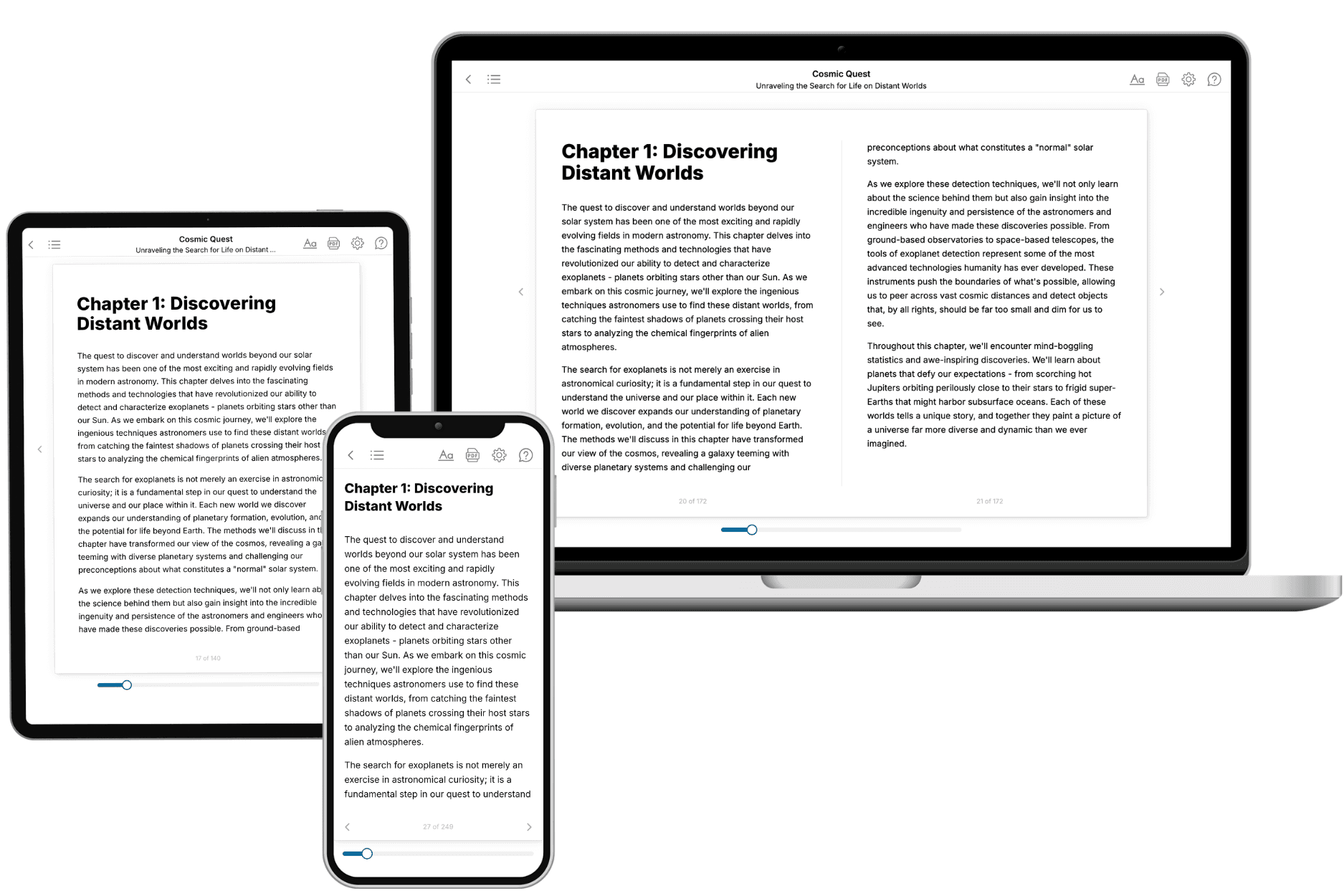
Your book is ready in 10 minutes. Read it online, download as EPUB or PDF, or send to Kindle.

Frequently asked questions
- What is TailoredRead?
TailoredRead creates complete, full-length nonfiction ebooks, written specifically for you. Tell us what you want to learn and why, and TailoredRead writes you a complete ebook on it, with charts, tables, and diagrams throughout. Read it online, on Kindle, or on any e-reader, or download it as a PDF or EPUB. Every book is written fresh the day you order it.
- How is the book tailored to me?
Before anything is written, you answer a few short questions about your goals, your background, and the topics you care about. Your book is then planned around your answers: written at your level, focused on your goals, and covering the topics you chose, instead of the one-size-fits-all book a store sells everyone.
- Will it read like generic AI content?
No. Your book isn't a chat transcript: it's planned chapter by chapter before a single word is written, told in a clear book voice, and explains ideas visually with charts, tables, and diagrams. After writing, every book goes through an editorial pass that polishes chapters so the book reads consistent from start to finish. Judge for yourself: browse thousands of sample books on our Explore Books page.
- How accurate is the content?
Our AI first checks whether your subject needs live research. Niche and fast-moving subjects are researched before writing, and the book plan and chapters are grounded in what it finds. After writing, every book goes through a quality pass that checks its facts and consistency, and researched books list their sources in a Notes section at the back.
- How long is the book?
You choose the length: Comprehensive (250-300 pages), Detailed (150-200 pages), Essential (70-100 pages), or Short (30-50 pages).
- Does the book include visuals?
Yes. Every book includes charts, tables, and diagrams: timelines, checklists, step-by-step guides, decision trees, comparison tables, matrices, and bar charts. A typical book includes dozens of these visual elements.
- Can I read it on Kindle? What formats can I download?
Yes. Every book can be read in our online reader or downloaded as a PDF or EPUB. The EPUB can be opened with Kindle, Apple Books, Kobo, and any e-reader. The Commercial and Author licenses also include an editable Word (DOCX) and Markdown download.
- How much does it cost?
About the price of a regular ebook. The exact price depends on your book's length and complexity, from $2 for the shortest books to $35 for the most comprehensive, and it's shown when you review your book, before you commit to anything. Each book is a one-time purchase, yours to keep, no subscription. Licenses that let you share, teach, or publish your book range from $35.99 to $49.99.
- Can I preview the book before purchasing?
Before you pay, you'll see what your book will cover: the title, a detailed description, the estimated length, and the complete chapter-by-chapter table of contents, so you know what you're getting before you decide. The full text itself is written after you purchase.
- How long does it take to create a book?
About 10 minutes. You can start reading the opening chapters while the rest is still being written.