Mobile App Interface Design
Create Intuitive, Beautiful, and User-Centered Mobile Experiences
Creating a mobile app that users love requires more than just good ideas—it demands a deep understanding of how people interact with small screens, touch interfaces, and mobile contexts.
207 pages10 chaptersAug 28, 2026Mobile Design
About this book
This book guides you through the complete process of designing mobile app interfaces that are intuitive, beautiful, and genuinely useful. You'll learn how to conduct user research that reveals real needs, establish information architecture that makes sense, design touch interactions that feel natural, and create visual systems that guide users effortlessly through your app. Whether you're refining an existing app or launching something new, you'll discover practical frameworks, proven patterns, and real-world examples that show how successful apps solve common design challenges. By the end, you'll have the knowledge and confidence to make design decisions that prioritize user needs, create cohesive experiences, and build apps that people actually want to use.
Table of contents
- IntroductionWhy Mobile Design Matters, How Mobile Design Differs from Web and Desktop, What You'll Learn in This Book, How to Use This BookRead below
- Chapter 1: Understanding Mobile Users and ContextsMobile User Behavior and Expectations, Understanding Context: Where and How People Use Apps, Device Constraints and Opportunities
- Chapter 2: Research and DiscoveryEffective User Research Methods for Mobile, Defining User Needs and Pain Points, Learning from Competitive and Comparative Analysis, Creating Personas and User Scenarios
- Chapter 3: Information Architecture and NavigationCore Principles of Mobile Information Architecture, Navigation Patterns: Tab Bars, Drawers, and More, Creating Clear Hierarchy and Content Structure
- Chapter 4: Touch Interactions and GesturesTouch Interaction Fundamentals, Common Gesture Patterns and When to Use Them, Providing Feedback and Response to User Actions, Designing for Error Prevention and Recovery
- Chapter 5: Visual Design and TypographyCreating Visual Hierarchy on Small Screens, Typography for Mobile: Readability and Legibility, Color, Contrast, and Visual Consistency
- Chapter 6: Building Design Systems and Component LibrariesWhat Design Systems Are and Why They Matter, Common Mobile Components and Patterns, Ensuring Consistency and Scalability
- Chapter 7: Responsive and Adaptive DesignResponsive Design Principles for Mobile, Designing for Multiple Screen Sizes and Orientations, Adaptive Layouts and Breakpoints
- Chapter 8: Accessibility and Inclusive DesignWhy Accessibility Matters in Mobile Design, WCAG Standards and Mobile Accessibility Guidelines, Practical Inclusive Design Practices, Testing for Accessibility Issues
- Chapter 9: Performance and OptimizationHow Performance Impacts User Experience, Image Optimization and Loading Strategies, Measuring and Monitoring Performance
- Chapter 10: Testing and ValidationConducting Usability Testing with Real Users, Testing Methods: Moderated, Unmoderated, and Remote, Iterating Based on Feedback and Data
- ConclusionKey Principles to Remember, Continuing Your Design Journey
- Further Reading and Resources
Introduction
A grocery delivery app once redesigned its checkout flow to add a single extra confirmation screen, meant to reduce accidental orders. Within weeks, cart abandonment rose by double digits. The team had solved a problem that barely existed while creating a much bigger one: friction at the exact moment a user's thumb was tired, their attention was splitting between the app and a crying toddler, and their patience was thin. That story captures the entire premise of mobile interface design. Small decisions, made without understanding the person holding the phone, produce outsized consequences. This book exists to help you avoid that mistake and build the instincts to catch it before it ships.
Mobile app design sits at an unusual intersection of constraint and intimacy. The screen is small, the input method is a fingertip instead of a precise cursor, and the user is rarely sitting still and focused. Yet the phone is also the most personal device most people own, carried everywhere, checked hundreds of times a day, trusted with banking, health data, and private messages. Designing for this context means respecting both the limitations and the intimacy at once. A cramped layout or a confusing icon does not just annoy someone at a desk. It fails someone standing on a train platform, glancing down for three seconds before their stop arrives.
This introduction sets the frame for everything that follows. It explains why mobile design deserves its own discipline rather than being treated as a smaller version of web design. It draws the specific lines that separate phone interfaces from desktop and browser-based experiences. It previews the structure of the book, chapter by chapter, so you know what skills you will build and in what order. And it offers guidance on how to actually use the material, whether you read cover to cover or dip into specific chapters as problems arise in your own work.
None of this is theoretical for its own sake. Every idea in this book connects to decisions you will make in a design file, a usability test, or a stakeholder meeting. The goal is not to make you memorize principles but to give you a working vocabulary and a set of reflexes: what to check first, what questions to ask, what mistakes to watch for. By the end of this introduction, you should have a clear sense of why the rest of the book is organized the way it is, and what specific gap it fills for someone who already understands general design principles but wants mastery of the mobile context specifically.
Why Mobile Design Matters
Consider the sheer amount of time compressed into mobile sessions. Most people do not sit down with a phone the way they sit down with a laptop. They pick it up for ninety seconds while waiting for coffee, or thirty seconds while crossing a hallway. These fragments add up to hours of daily use, but each individual encounter is short, interrupted, and often one-handed. An interface that assumes sustained attention, the way a desktop dashboard might, is built for a context that rarely exists on mobile. Designing well here means designing for interruption as the default state, not the exception.
The stakes of getting this wrong are measurable in ways that matter to a business, not just to a design critique. Studies of mobile retention consistently show that a large share of users abandon an app permanently after a single bad first session. There is no long onboarding grace period the way there might be with enterprise software that someone is required to use for their job. A confusing signup flow, a button too small to tap reliably, or a navigation structure that hides the core feature, and the user simply deletes the app and moves to a competitor a tap away in the app store.
Mobile is also where most of the world now experiences the internet for the first time. In many regions, phones are the primary or only computing device people own, meaning the mobile interface is not a secondary experience of a "real" desktop product. It is the product. Designing mobile-first is not a stylistic preference in these markets. It reflects how a majority of the global population actually accesses digital services, from banking to healthcare information to education.
There is also a trust dimension unique to mobile. Phones carry location data, camera and microphone access, payment information, and biometric identifiers. Every permission request, every data-sharing prompt, and every moment of friction in a security flow shapes whether a user feels the app respects them. A clumsy request for camera access at the wrong moment, disconnected from any visible benefit, reads as a red flag rather than a routine step. Good mobile design treats these moments as trust-building opportunities, not just technical checkboxes to clear.
Beyond individual apps, mobile interface conventions have become a kind of shared language that shapes user expectations everywhere. A pull-to-refresh gesture, a swipe-to-delete action, a bottom tab bar: these patterns train muscle memory across apps and platforms, so that people bring the same expectations from one app to the next. When your app follows convention, it feels immediately familiar. When it deviates without a strong reason, users stumble, even if the deviation is objectively clever. This shared language is one reason mobile design rewards discipline over improvisation.
The economic pressure behind good mobile design has intensified as app marketplaces have matured. Millions of apps compete for the same limited attention, and users have grown less tolerant of clunky experiences because they have so many alternatives. A poorly designed banking app in 2010 might have been tolerated because switching banks was a hassle. A poorly designed food delivery app today competes against three others a user could open in seconds. Interface quality has become a direct lever on business survival, not a cosmetic afterthought layered on top of "real" engineering work.
Mobile design also matters because of what phones make physically possible that other devices cannot easily replicate. Cameras, GPS, accelerometers, biometric sensors, and haptic engines allow interactions that feel almost magical when designed well: scanning a document by pointing a camera at it, unlocking a door with a tap, checking a heart rate by holding a finger against a sensor. These capabilities create opportunities that web and desktop design simply do not have access to, and ignoring them means leaving real value unbuilt.
At the same time, these capabilities raise the cost of poor design decisions. A camera-based feature that mis-detects lighting conditions, or a location-based prompt that fires at an irrelevant moment, damages trust in ways a static web form never could. The richness of mobile sensors is a double-edged asset: it enables delightful, differentiated experiences, but only when the underlying design carefully accounts for how unreliable the real world (bad lighting, spotty signal, low battery) actually is.
The rise of mobile-first companies illustrates the point concretely. Products built explicitly around the phone, rather than adapted from an existing desktop experience, tend to feel more coherent to their users. Ride-hailing services, for instance, were designed from the outset around location awareness, real-time updates, and one-handed operation while walking. That mobile-native thinking, rather than a desktop metaphor squeezed onto a smaller screen, is part of why such products scaled so quickly once smartphones became widespread.
Ultimately, mobile design matters because it is where most people now form their impression of what "good" digital design even looks like. Expectations set by the best mobile experiences (fast loading, obvious next steps, forgiving error recovery) become the baseline users apply everywhere else, including to non-mobile software. Mastering this discipline is not a narrow specialization. It is quickly becoming the default literacy required of any serious interface designer, regardless of what platform they eventually work across.
How Mobile Design Differs from Web and Desktop
The most obvious difference is screen size, but the consequences run deeper than simply having less room. A desktop monitor might comfortably display a dozen navigation links, a sidebar, and a content area simultaneously, letting a user scan multiple options at a glance. A phone screen forces ruthless prioritization. Only one or two primary actions can realistically sit in the most reachable, most visible zone at any moment. This is not a limitation to work around quietly, it is a constraint that should actively shape what features even make it into the interface at all, and in what order.
Input method is another fundamental divergence. A mouse offers pixel-precise pointing, and a keyboard offers fast, unambiguous text entry. A finger, by contrast, is imprecise, soft-edged, and it obscures part of the screen the moment it touches down. Designers accustomed to desktop work often underestimate how much this changes button sizing, spacing, and placement. A target that looks perfectly fine in a static mockup can be genuinely difficult to hit reliably on a moving train, a concept explored in depth later in the chapters on touch fundamentals and gesture patterns.
Context of use separates mobile from desktop just as sharply as physical screen size does. Desktop software is typically used sitting down, often at a fixed location, with a stable internet connection and full attention on one task. Mobile software is used walking, standing on transit, lying in bed, in bright sunlight, in the dark, with one hand occupied carrying groceries. Network conditions swing from fast Wi-Fi to a single bar of cellular signal within the same session. Designing without accounting for this variability produces interfaces that work beautifully in a quiet office and fall apart in the real conditions where they are actually used.
Web design, even when responsive, often still carries assumptions inherited from its document-based origins: scrolling long pages, hovering for tooltips, and clicking through hyperlinks that open new pages. Mobile apps generally replace hover states entirely, since there is no cursor to hover with, and they favor persistent navigation elements like tab bars over deep link structures. A designer moving from web to mobile has to consciously unlearn hover-dependent patterns and rethink how information gets revealed without that interaction model available.
Session length and attention span diverge sharply as well. A desktop user might keep a browser tab open for hours while working through a task in stages. A mobile session is frequently measured in seconds or a few minutes, punctuated by app switching, notifications, and real-world interruptions like a phone call or a knock at the door. This means mobile interfaces need to preserve state gracefully and let people resume exactly where they left off, rather than assuming a continuous, uninterrupted flow of attention.
Screen real estate also changes how visual hierarchy has to work. On a desktop layout, a designer can use spatial separation (a sidebar here, a header there) to communicate structure. On mobile, that same structure often has to be communicated through typography weight, color, and sequential ordering instead, because there simply is not room for elaborate spatial zoning. This puts more pressure on typographic and color choices to do work that layout alone handled on a bigger canvas, a theme developed fully in the chapter on visual hierarchy and typography.
Performance expectations differ in kind, not just degree. A desktop user tolerates a few seconds of load time because the machine is plugged in, generally has ample processing power, and a stable connection. A mobile user is often on a battery running low, a processor shared with a dozen background apps, and a network connection that might drop entirely inside an elevator. What counts as "fast enough" on mobile is stricter, and the consequences of ignoring this are more visible, because users notice and abandon slow mobile experiences faster than slow desktop ones.
Notification and interruption models are unique to mobile in ways that have no real desktop equivalent. Push notifications, lock screen previews, and app switching create a layered relationship between an app and a user that unfolds outside the app's own screens entirely. Designing only the in-app screens while ignoring these surrounding touchpoints misses a huge part of how people actually experience a mobile product day to day, since many interactions begin and end without the main app interface ever fully opening.
App store dynamics also shape mobile design in ways web design never had to contend with. A website can be found through search, a direct link, or word of mouth, but an app typically must be discovered, evaluated by a screenshot and description, downloaded, and given permission to install before a user ever sees the real interface. First impressions form before the product even opens, through icon design, store screenshots, and onboarding flows, adding a layer of design responsibility that web products rarely face in the same way.
Finally, platform conventions themselves diverge in ways that matter practically. iOS and Android each maintain their own human interface guidelines, covering everything from back-navigation behavior to system font choices to how permission dialogs are phrased[1][2]. A designer working across both platforms has to decide, feature by feature, when to follow platform convention exactly and when a shared cross-platform pattern serves the product and its users better.
What You'll Learn in This Book
The chapters ahead follow the rough order of a real design process, starting with understanding people and ending with validating whether the design actually worked for them. This is intentional. Design skills taught out of sequence tend to feel abstract, disconnected from the messy reality of shipping a product. By moving through research, structure, interaction, visual craft, systems, responsiveness, accessibility, performance, and testing in order, each chapter builds on assumptions established by the one before it, mirroring how a design actually comes together on a real team.
Early chapters focus on understanding the person holding the phone before any pixel gets placed. This includes how mobile behavior differs from behavior on other devices, what contexts and interruptions shape real usage, and how to run research that surfaces genuine needs rather than assumptions dressed up as insight. Techniques like contextual inquiry, persona development, and competitive analysis get treated not as academic exercises but as practical tools that directly shape what gets built and why, with concrete guidance on running them within realistic project timelines.
The middle chapters turn to structure and interaction, the skeleton and nervous system of a mobile interface. Information architecture chapters cover how to organize content so a user always knows where they are and how to get back, including detailed treatment of navigation patterns like tab bars and drawer menus and when each one fits a given product. Interaction chapters go deep on touch physics, gesture conventions, and the feedback loops (visual, haptic, and otherwise) that make an interface feel responsive and trustworthy rather than vague or broken.
A dedicated stretch of chapters addresses visual craft specifically for small screens: how typography, color, and contrast carry more communicative weight when spatial layout options are limited, and how to build a design system and component library that keeps a growing product consistent as more screens and features get added over time. These chapters are meant to give you both aesthetic judgment and the systematic thinking needed to scale that judgment across a team rather than relying on one person's taste alone.
Later chapters address concerns that are easy to treat as afterthoughts but that directly determine whether an app succeeds for its full audience. Responsive and adaptive design chapters cover how interfaces should flex across different screen sizes and orientations without breaking. Accessibility chapters cover WCAG standards adapted to mobile contexts, inclusive design practices, and concrete methods for testing whether an interface actually works for people using screen readers or other assistive technology, not just for the designer's own hands and eyes.
Performance receives its own sustained treatment because loading speed and runtime smoothness are, in practice, part of the interface experience, not a separate engineering concern designers can ignore. You will learn how image optimization, lazy loading, and skeleton screens shape perceived performance, along with how to measure and monitor these factors so design decisions can be grounded in real data rather than guesswork about what feels fast.
The book closes with a full chapter on testing and validation, treating usability testing as a discipline in its own right rather than a final rubber stamp before launch. You will learn the differences between moderated, unmoderated, and remote testing approaches, how to run a think-aloud protocol that surfaces genuine friction points, and how to synthesize messy qualitative feedback into concrete design iterations rather than a vague pile of unconnected comments.
Throughout, the goal is to connect every principle to a decision you might actually face. Rather than presenting touch target sizing as an abstract guideline, for instance, the interaction chapters walk through how thumb reach zones differ across phone sizes and one-handed versus two-handed grip, and how that should change where you place a primary action button. Abstract principles are useful only when you can see exactly how they change a specific pixel, a specific label, or a specific flow.
Each chapter also aims to give you language for defending design decisions to stakeholders who may not share a design background. Knowing that a certain navigation pattern reduces cognitive load is one thing, being able to explain concretely why it will likely reduce support tickets or increase task completion is another, and it is the second skill that tends to actually shift decisions in a product meeting.
Finally, the book treats mobile design as a discipline still evolving alongside device capability and user expectation. Foldable screens, larger phones approaching tablet size, and increasingly capable on-device sensors keep shifting what is possible. The frameworks taught here are meant to remain useful even as the specific hardware changes, because they are built around durable ideas: human attention, physical constraint, trust, and clarity, rather than around any single device generation.
By the final chapter, the aim is not that you will have memorized a checklist, but that you will have internalized a way of looking at any mobile screen and immediately spotting where friction lives, where trust could break, and where a small adjustment would meaningfully improve the experience for the person actually holding the phone.
How to Use This Book
This book is structured to work both as a straight read-through and as a reference you return to when a specific problem arises. If you are relatively new to mobile-specific design, reading front to back is the more effective approach, since later chapters assume familiarity with terms and frameworks introduced earlier, such as Content Hierarchy or Progressive Disclosure. If you already have solid mobile experience and want to sharpen a specific area, such as Mobile Accessibility or Mobile Performance, you can jump directly to that chapter, since each is written to stand reasonably well on its own with its core concepts explained rather than assumed.
Consider keeping a running list of your own app or project as you move through the chapters, applying each concept to a real interface rather than only to the abstract examples provided. When the chapter on Navigation Pattern discusses tab bars versus hamburger drawers, pause and evaluate which pattern your own product actually uses, and whether that choice was made deliberately or inherited by default from a template. This kind of active application turns the reading into a working audit of your own product rather than a passive absorption of theory.
Several chapters include frameworks meant to be used directly in your process, not just understood conceptually. The persona and scenario templates in the research chapter, the component checklist in the design systems chapter, and the testing protocols in the final chapter are all written to be lifted and adapted for your own team's documents. Treat these as starting templates to modify, not rigid formats to follow exactly, since your product's specific users and constraints will always require some adjustment.
Pay particular attention to the sections that connect concepts across chapters, since mobile design rarely allows clean separation between categories. A decision about touch target sizing (covered in the interaction chapters) directly affects accessibility outcomes (covered later), which in turn affects performance perception if larger targets require additional rendering. Rather than treating each chapter as an isolated silo, look for these connections actively, since real design work always requires balancing multiple constraints simultaneously rather than optimizing one dimension at a time.
If you work on a team, consider using individual chapters as the basis for short internal workshops or discussions. A chapter like the one on Usability Testing methods works well as a shared reading before a team decides on its own testing cadence, giving everyone a common vocabulary (Think-Aloud Protocol, Moderated Testing, Feedback Synthesis) before debating which approach fits your specific product and timeline. Shared vocabulary reduces the friction of design critique, since disagreements can be discussed in specific terms rather than vague impressions.
Where the book presents named patterns, such as Skeleton Screen or Lazy Loading, try to locate a live example in an app you already have installed before moving to the next section. Seeing a skeleton screen appear for a fraction of a second while a social media feed loads makes the concept concrete in a way that a written description alone cannot fully achieve. This kind of real-world spotting exercise, repeated across chapters, builds a habit of noticing design decisions in the wild that will serve you well beyond this book.
Treat the examples and case-style scenarios throughout the book as starting points for your own critical evaluation rather than as universally correct answers. Mobile design constantly involves tradeoffs specific to a product's audience, business model, and technical constraints. A pattern that works well for a banking app, where users prioritize security signals and clarity over speed, may not transfer cleanly to a casual game, where users prioritize immersion and momentum. Use the reasoning behind each example, not just its surface conclusion.
If certain terminology feels unfamiliar at first, such as Design Token or Adaptive Layout, resist the urge to skip ahead looking for a glossary. Each canonical term is introduced and explained in context the first time it becomes relevant, generally with a concrete example attached, and later chapters build on that established meaning rather than reintroducing it. Reading the surrounding paragraph carefully once will typically clarify the term more effectively than trying to look it up in isolation.
Recognize that mobile design guidance evolves as platforms update their own guidelines and as user expectations shift with new hardware capabilities. The frameworks in this book are built to remain useful across that evolution, but treat specific platform details, such as a particular gesture convention on a current operating system version, as a snapshot rather than a permanent fixture. Cross-check platform-specific specifics against current official guidelines from Apple and Google when you are working on a live project close to launch.
Finally, give yourself permission to disagree with parts of this book as you apply it to your own work. Design principles are strong defaults, not laws, and the best designers understand both the principle and the specific conditions under which breaking it produces a better outcome for their particular users. The chapters ahead aim to build that judgment in you directly, not simply to hand you a set of rules to follow without question.
With that framing in place, the next chapter turns to the people at the center of all this: how mobile users actually behave, what shapes their expectations before they ever open your app, and why the physical and situational constraints of holding a phone should influence design decisions from the very first sketch.
This is the end of the free sample. The full book has 10 chapters.
Want this book written for you?
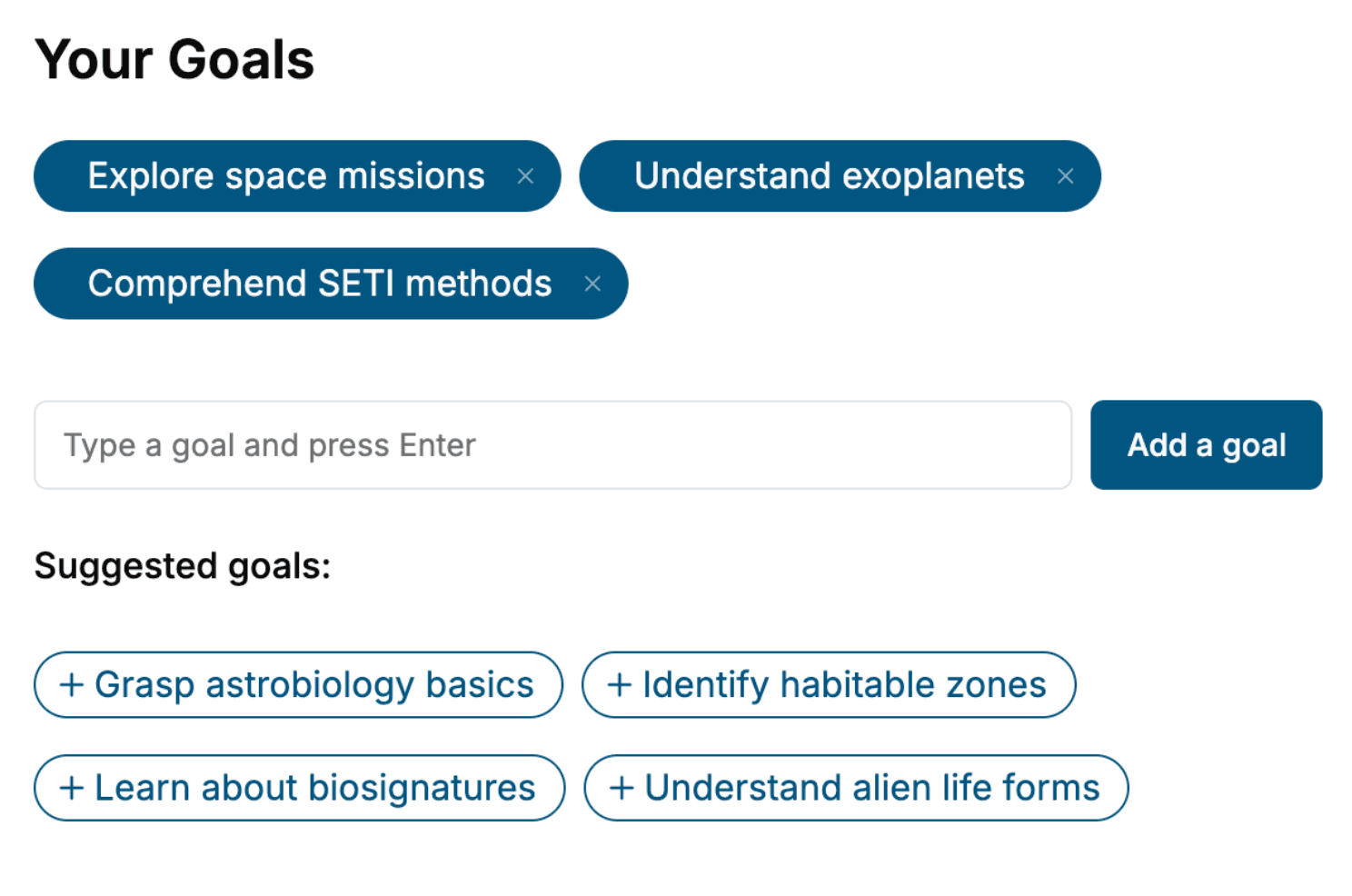
Tell us your goals and background, and get your own version of this book, tailored by AI to you.






Benefits of AI-tailored books
- Read one book, not ten:
- all the Mobile Design knowledge you need, gathered into a single book.
- Save days of learning:
- tell us your goals, choose your topics, and the whole book is built around them.
- Learn effortlessly:
- Mobile Design book written for your specific background and expertise.
- Understand at a glance:
- includes charts, tables, timelines, checklists, decision trees, and more.
- Stay current:
- written the day you order it, not years ago.
- Trust what you read:
- every book is checked for accuracy, with real research when your subject needs it.
Create your unique book in 3 steps
- 1. Select your focus
Select the focus of your Mobile Design book and share your background
- 2. Personalize your book
Specify your goals and choose sub-topics to include
- 3. Get your tailored book
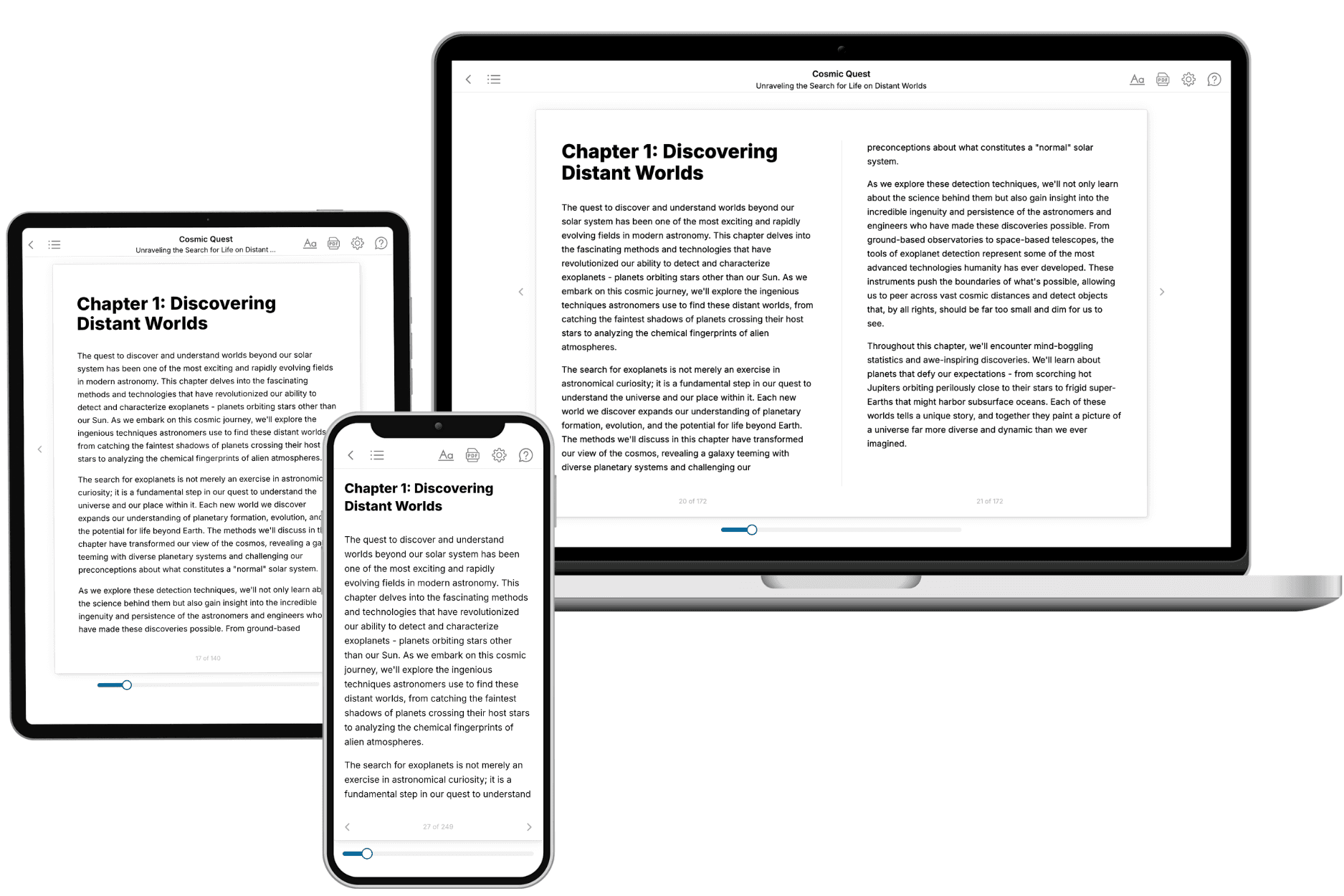
Your book is ready in 10 minutes. Read it online, download as EPUB or PDF, or send to Kindle.

Frequently asked questions
- What is TailoredRead?
TailoredRead creates complete, full-length nonfiction ebooks, written specifically for you. Tell us what you want to learn and why, and TailoredRead writes you a complete ebook on it, with charts, tables, and diagrams throughout. Read it online, on Kindle, or on any e-reader, or download it as a PDF or EPUB. Every book is written fresh the day you order it.
- How is the book tailored to me?
Before anything is written, you answer a few short questions about your goals, your background, and the topics you care about. Your book is then planned around your answers: written at your level, focused on your goals, and covering the topics you chose, instead of the one-size-fits-all book a store sells everyone.
- Will it read like generic AI content?
No. Your book isn't a chat transcript: it's planned chapter by chapter before a single word is written, told in a clear book voice, and explains ideas visually with charts, tables, and diagrams. After writing, every book goes through an editorial pass that polishes chapters so the book reads consistent from start to finish. Judge for yourself: browse thousands of sample books on our Explore Books page.
- How accurate is the content?
Our AI first checks whether your subject needs live research. Niche and fast-moving subjects are researched before writing, and the book plan and chapters are grounded in what it finds. After writing, every book goes through a quality pass that checks its facts and consistency, and researched books list their sources in a Notes section at the back.
- How long is the book?
You choose the length: Comprehensive (250-300 pages), Detailed (150-200 pages), Essential (70-100 pages), or Short (30-50 pages).
- Does the book include visuals?
Yes. Every book includes charts, tables, and diagrams: timelines, checklists, step-by-step guides, decision trees, comparison tables, matrices, and bar charts. A typical book includes dozens of these visual elements.
- Can I read it on Kindle? What formats can I download?
Yes. Every book can be read in our online reader or downloaded as a PDF or EPUB. The EPUB can be opened with Kindle, Apple Books, Kobo, and any e-reader. The Commercial and Author licenses also include an editable Word (DOCX) and Markdown download.
- How much does it cost?
About the price of a regular ebook. The exact price depends on your book's length and complexity, from $2 for the shortest books to $35 for the most comprehensive, and it's shown when you review your book, before you commit to anything. Each book is a one-time purchase, yours to keep, no subscription. Licenses that let you share, teach, or publish your book range from $35.99 to $49.99.
- Can I preview the book before purchasing?
Before you pay, you'll see what your book will cover: the title, a detailed description, the estimated length, and the complete chapter-by-chapter table of contents, so you know what you're getting before you decide. The full text itself is written after you purchase.
- How long does it take to create a book?
About 10 minutes. You can start reading the opening chapters while the rest is still being written.