The Player's Interface
Mastering Human-Computer Interaction in Gaming and Digital Experiences
Imagine playing a game where every button press feels perfectly responsive, every menu is intuitive, and you're completely immersed in the experience.
191 pages10 chaptersApr 11, 2026Human-Computer Interaction
About this book
That's the power of exceptional human-computer interaction design. This book reveals the principles and practices behind the most engaging gaming interfaces you've ever used. You'll discover how designers create intuitive controls, craft satisfying feedback systems, and build interfaces that adapt to different players' needs. Whether you're a gamer curious about what makes your favorite games feel great, a developer looking to improve your designs, or someone interested in how technology shapes human experience, you'll gain practical insights into the psychology and mechanics of interactive design. Learn the real-world techniques used by industry professionals, understand why certain design choices work, and explore how emerging technologies are reshaping what's possible in gaming interfaces. By the end, you'll see every game you play through a new lens—understanding the thoughtful design decisions that make digital experiences truly exceptional.
Table of contents
- IntroductionWhy Interfaces Matter in Gaming, What Is Human-Computer Interaction?, How to Use This Book, The Evolution of Game InterfacesRead below
- Chapter 1: Foundations of Interactive DesignCore Principles of HCI, Player-Centered Design Philosophy, Understanding Player Mental Models
- Chapter 2: Input Systems and Control SchemesFrom Keyboards to Controllers: Input Device Evolution, Mapping Actions to Controls Intuitively, Designing Accessible Control Schemes
- Chapter 3: Feedback Systems and ResponsivenessVisual Feedback: What Players See, Audio Feedback: What Players Hear, Haptic Feedback: What Players Feel, The Importance of Timing and Responsiveness
- Chapter 4: Menu Design and Information ArchitectureCreating Logical Menu Hierarchies, Navigation Patterns That Work, Presenting Information Clearly
- Chapter 5: Cognitive Load and Attention ManagementUnderstanding Cognitive Load, Managing Complexity Without Losing Depth, Progressive Disclosure and Onboarding
- Chapter 6: Accessibility and Inclusive DesignAccessibility Fundamentals, Designing for Visual Accessibility, Accommodating Motor Accessibility Needs, Supporting Cognitive Accessibility
- Chapter 7: Progression Systems and MotivationDesigning Progression Systems, The Psychology of Rewards and Motivation, Creating Engaging Feedback Loops
- Chapter 8: Cross-Platform Design ChallengesUnderstanding Platform Differences, Building Responsive Interfaces, Adapting Interactions Across Devices
- Chapter 9: Testing and IterationUser Testing Methods and Approaches, Gathering and Analyzing Player Feedback, The Iterative Design Process
- Chapter 10: Emerging Technologies and Future InterfacesVirtual and Augmented Reality Interfaces, Gesture and Voice Control Systems, Emerging Trends and What's Next
- ConclusionKey Takeaways for Players and Designers, Applying These Principles in Your Own Work
Introduction
Think about the last time a game felt completely effortless to play. The controls responded exactly when you expected them to. The menus made sense without any explanation. You knew instinctively where to look for information, and every action you took produced a satisfying response. That feeling of seamless connection between you and the game didn't happen by accident. It was the result of deliberate, thoughtful design decisions made by people who deeply understood how humans interact with digital systems.
Now think about the opposite experience. A game where the controls felt sluggish or confusing. A menu system that buried important options three layers deep. A tutorial that dumped twenty mechanics on you in the first five minutes. These frustrations aren't just annoyances. They're symptoms of poor human-computer interaction design, and they can turn an otherwise brilliant game into something players abandon within an hour. The difference between these two experiences is the central subject of this book.
Human-computer interaction, or HCI, is the field that studies and shapes how people communicate with technology. In gaming, this discipline takes on a unique and fascinating dimension. Games aren't just tools for completing tasks. They're experiences designed to engage, challenge, and reward players in ways that feel meaningful. That makes the design of game interfaces one of the most complex and creative challenges in all of software development. Every button layout, every sound effect, every pixel of visual feedback is a design choice that either strengthens or weakens the connection between player and game.
This book is your guide to understanding that connection. Whether you're a gamer who wants to understand why certain games feel so much better than others, a developer looking to sharpen your design instincts, or simply someone curious about how technology shapes human experience, you'll find practical insights and real-world examples throughout these pages. The goal isn't just to explain theory. It's to give you a new way of seeing and thinking about every digital experience you encounter.
Why Interfaces Matter in Gaming
An interface is the layer between a player and a game's underlying systems. It includes everything you see, hear, and feel while playing: the heads-up display showing your health and ammo, the controller vibrating when your character takes a hit, the sound of a sword connecting with an enemy. All of these elements communicate information and create the sensation of being inside the game world. When they work together well, the interface becomes invisible. When they don't, it becomes a wall between you and the experience.
The stakes of interface design in gaming are surprisingly high. Research from the game industry consistently shows that players make decisions about whether to continue playing within the first few minutes of a session.[1] If the controls feel wrong or the first menu is confusing, many players simply stop. This means that interface quality directly affects whether a game succeeds commercially, regardless of how deep or creative its underlying mechanics might be. A brilliant game hidden behind a frustrating interface is, for most players, just a frustrating game.
Consider two landmark examples that illustrate this point clearly. Dark Souls, released in 2011, became famous for its difficulty, but its interface was actually a masterclass in clarity. Every piece of information on screen served a purpose. The stamina bar told you exactly when you could act. The enemy health bar gave you a precise sense of progress. Players knew exactly what was happening at all times, even when the game was punishing them. That clarity made the difficulty feel fair rather than arbitrary.
Contrast that with early mobile games that cluttered the screen with buttons, notifications, and pop-up offers. Players reported feeling overwhelmed and manipulated rather than engaged. The interface wasn't serving the player. It was serving the developer's monetization goals. This distinction matters enormously. A well-designed interface respects the player's attention and cognitive resources. A poorly designed one exploits or ignores them.
Interfaces also shape the emotional tone of a game. The minimalist interface of Journey (2012) contributed directly to its sense of solitude and wonder. There were no quest markers, no health bars, no text prompts. Players were left to interpret the world through visual and audio cues alone. That design choice wasn't a limitation. It was a deliberate artistic statement that made the game's emotional impact far more powerful. The interface was part of the storytelling.
Understanding why interfaces matter means recognizing that they are never neutral. Every design decision communicates something to the player about what the game values, how it expects to be played, and what kind of experience it wants to create. Learning to read those signals, and to make them intentionally, is one of the most valuable skills in game design and one of the most rewarding lenses through which to experience games as a player.
Example in practice: When Nintendo designed the interface for The Legend of Zelda: Breath of the Wild (2017), they deliberately minimized on-screen clutter to encourage exploration. The map didn't fill in automatically. Quest markers were optional. Players had to engage with the world directly to understand it. This interface philosophy reinforced the game's core message: go anywhere, discover everything. The interface and the game design were inseparable.
The practical takeaway here is straightforward. If you're playing games, paying attention to interface design will deepen your appreciation of what makes certain experiences exceptional. If you're building games or digital products, understanding interface design is not optional. It is the foundation on which everything else rests. A great mechanic that players can't access or understand is a wasted mechanic.
What Is Human-Computer Interaction?
Human-computer interaction is an academic and professional discipline that studies how people use computers and other digital systems, and how those systems can be designed to better serve human needs. It draws from psychology, cognitive science, design, computer science, and ergonomics. The field emerged in the 1980s as personal computers became widespread and it became clear that technology needed to be designed around human behavior, not the other way around.[2]
At its core, HCI asks a deceptively simple question: how do we make technology easier and more satisfying to use? In practice, answering that question requires understanding a wide range of human factors. How much information can a person process at once? How do people form mental models of systems they've never used before? What makes a physical action feel satisfying or frustrating? How do visual hierarchies guide attention? These questions sit at the intersection of science and design, and they're all directly relevant to gaming.
In gaming contexts, HCI takes on additional dimensions that don't apply to most other software. Games are designed to be challenging, which means the interface must communicate complexity without overwhelming the player. They're designed to be immersive, which means the interface should ideally fade into the background. And they're designed to be emotionally engaging, which means every interaction carries affective weight. A button press in a game isn't just a command. It's an expression of player intent, and the game's response to that intent shapes how the player feels about the entire experience.
The key concepts in HCI that appear throughout this book include the following:
- Usability: How easily and effectively can players accomplish their goals within the interface?
- Affordance: Does the design communicate how it should be used? A button that looks pressable invites pressing.
- Feedback: Does the system respond to player actions in clear, timely, and meaningful ways?
- Cognitive load: How much mental effort does the interface require, and is that effort appropriate for the context?
- Accessibility: Can players with different abilities, backgrounds, and experience levels use the interface effectively?
These concepts aren't abstract theory. They show up in concrete, observable ways in every game you play. When a game teaches you a new mechanic by letting you discover it rather than reading about it, that's HCI in action. When a controller rumbles at exactly the right moment to signal an impact, that's HCI in action. When a menu system lets you find what you need in two button presses instead of six, that's HCI in action. The discipline is everywhere in gaming, even when it's invisible.
One important distinction worth making early is the difference between user interface (UI) and user experience (UX). UI refers to the specific visual and interactive elements: buttons, menus, icons, text. UX refers to the broader experience of using a product, including how it makes you feel, how efficiently it helps you achieve your goals, and whether it meets your expectations. Both matter in gaming, and both are shaped by HCI principles. This book addresses both, because you can't fully understand one without the other.
HCI as a field has also evolved significantly with the rise of gaming as a cultural and commercial force. Game designers have pushed the boundaries of what interfaces can do, experimenting with novel input methods, immersive feedback systems, and entirely new interaction paradigms. In many ways, gaming has been a laboratory for HCI innovation, producing ideas and techniques that have influenced interface design far beyond the gaming world. Touchscreen gestures, haptic feedback, spatial audio, and motion controls all have roots in gaming research and development.
A useful mental model: Think of HCI as the science of conversation between humans and machines. Every interface is a language. When that language is well-designed, the conversation flows naturally. When it's poorly designed, every exchange requires effort and translation. The goal of good HCI is to make that conversation feel as natural and effortless as possible, so that players can focus on what they actually came to do: play.
How to Use This Book
This book is structured to build your understanding progressively, starting with foundational principles and moving toward more specialized and advanced topics. Each chapter focuses on a specific aspect of HCI in gaming, from input systems and feedback design to accessibility, progression mechanics, and emerging technologies. You don't need to read it cover to cover in order, though doing so will give you the most complete picture. If you have a specific area of interest, you can jump to the relevant chapter and still find it self-contained and useful.
The book is written for readers who already have some familiarity with games and digital systems. You don't need a background in computer science or design to follow along. What helps is a genuine curiosity about how things work and a willingness to look at familiar experiences with fresh eyes. If you've ever wondered why a particular game felt so intuitive, or why another felt clunky despite having great graphics, this book will give you the vocabulary and frameworks to answer those questions.
Throughout the chapters, you'll find several recurring features designed to make the content practical and engaging:
- Concrete examples: Real games and real design decisions are used to illustrate every major concept. Theory without examples is hard to apply, so specific cases are woven throughout.
- Design frameworks: Where relevant, structured approaches and checklists are provided to help you apply concepts to your own work or analysis.
- Common pitfalls: Each topic includes discussion of what goes wrong when design principles are ignored or misapplied, because understanding failure is just as instructive as understanding success.
- Actionable takeaways: Every chapter ends with practical steps you can take immediately, whether you're a player, a designer, or simply someone who wants to think more critically about digital experiences.
If you're a gamer reading this book, the primary benefit is a richer, more analytical appreciation of the games you play. You'll start noticing design decisions that previously felt invisible. You'll understand why certain games feel better than others, and you'll be able to articulate those differences in meaningful ways. This kind of critical literacy makes you a more informed consumer and a more engaged participant in gaming culture.
If you're a developer or designer, this book offers a structured framework for thinking about interface design decisions. It won't replace hands-on experience or specialized technical training, but it will give you a solid conceptual foundation and a set of practical principles to apply to your work. The chapters on user testing, cognitive load, and accessibility are particularly relevant if you're actively building games or interactive applications.
If you're approaching this book from a broader interest in technology and human behavior, you'll find that gaming interfaces offer a uniquely rich case study. Games push interface design to its limits in ways that productivity software rarely does. The lessons learned in gaming contexts often generalize to other domains, from educational software to medical applications to everyday consumer technology. The principles here are broadly applicable, even if the examples are drawn primarily from games.
One practical suggestion: as you read, keep a game in mind that you know well. Use it as a reference point for the concepts being discussed. When the book talks about feedback timing, think about how your chosen game handles it. When it discusses menu hierarchy, mentally map out the menus you navigate regularly. This active engagement will make the concepts stick far more effectively than passive reading alone.
The Evolution of Game Interfaces
Game interfaces have changed dramatically over the past five decades, and tracing that evolution reveals a great deal about how our understanding of human-computer interaction has matured. The earliest video games had almost no interface at all in the modern sense. Pong (1972) communicated everything through a single screen: two paddles, a ball, and a score. There were no menus, no tutorials, no settings. The entire interface was the game itself, and it worked because the rules were immediately obvious from observation.
As games grew more complex through the late 1970s and 1980s, designers faced a new challenge: how do you communicate more information without overwhelming the player? The solution that emerged was the heads-up display, or HUD. Games like Pac-Man (1980) and Donkey Kong (1981) placed score counters and life indicators at the top of the screen, establishing a visual convention that persists to this day. These early HUDs were functional but crude, designed more by necessity than by any formal understanding of visual hierarchy or cognitive load.
The 1990s brought a significant leap in interface complexity, driven by the rise of home consoles and personal computers. Role-playing games like Final Fantasy VI (1994) introduced layered menu systems, inventory management, and status screens that required players to navigate multiple levels of information. This era also saw the emergence of the tutorial as a distinct design element, as games became complex enough that players needed explicit instruction to get started. The quality of these tutorials varied enormously, and many were notorious for being tedious or confusing.
The shift to 3D gaming in the mid-1990s created entirely new interface challenges. Navigating a three-dimensional space required new conventions for camera control, spatial awareness, and environmental feedback. Super Mario 64 (1996) and The Legend of Zelda: Ocarina of Time (1998) are often cited as early examples of 3D interface design done well, establishing control conventions that influenced an entire generation of games.[3] The Z-targeting system in Ocarina of Time, for example, solved the problem of combat focus in 3D space in a way that felt intuitive and has been widely imitated since.
The 2000s and 2010s saw interface design become a recognized discipline within game development, with dedicated UI/UX teams working alongside artists and programmers. This period produced some of the most innovative interface experiments in gaming history:
- Dead Space (2008) integrated the health display directly into the player character's spine, eliminating the traditional HUD entirely and deepening immersion.
- Portal (2007) taught its entire mechanic through environmental design rather than text instructions, demonstrating that the best tutorial is often no tutorial at all.
- Halo: Combat Evolved (2001) popularized the two-weapon limit and regenerating shield system, which simplified inventory management and made the interface dramatically cleaner than its predecessors.
Mobile gaming, which exploded in popularity after the launch of the iPhone in 2007, forced another complete rethinking of interface design. Touch screens eliminated physical buttons, requiring designers to create entirely new interaction vocabularies. The constraints of small screens and short play sessions pushed designers toward radical simplicity. Games like Angry Birds (2009) and Monument Valley (2014) demonstrated that touch interfaces could be both intuitive and expressive, reaching audiences who had never considered themselves gamers.
The rise of virtual reality in the 2010s presented perhaps the most fundamental interface challenge in gaming history. When the player's entire field of view is the interface, traditional HUD conventions become not just ineffective but physically uncomfortable. VR designers had to develop entirely new approaches to information display, interaction, and navigation, drawing on research from fields as diverse as architecture, theater, and aviation. This ongoing experiment in VR interface design is one of the most active frontiers in HCI today.
What this history reveals is a consistent pattern: every time a new technology or platform emerges, interface designers must return to first principles and ask fundamental questions about how humans perceive, process, and respond to information. The specific solutions change with each generation of technology, but the underlying human factors remain constant. People have limited attention. They form mental models quickly and resist having those models violated. They respond emotionally to feedback. They want to feel competent and in control. Understanding these constants is what allows designers to adapt successfully to new platforms and technologies, and it's what makes the study of HCI timeless even as the technology it addresses keeps changing.
A pattern worth noting: The most celebrated interface innovations in gaming history share a common trait. They don't just solve a technical problem. They deepen the player's sense of agency and immersion. The best interfaces don't just work. They disappear, leaving the player feeling directly connected to the game world rather than mediated by a layer of controls and menus. That aspiration, the invisible interface, is a thread that runs through every chapter of this book.
As you move through the chapters ahead, keep this historical perspective in mind. The principles discussed aren't arbitrary rules invented by academics. They're lessons extracted from decades of experimentation, failure, and success by designers working at the edge of what technology could do. Each principle has a story behind it, and understanding that story makes the principle far more meaningful and memorable than any abstract definition could.
Notes
Introduction
- 1. Valve Corporation, Steam Early Access and Player Retention Data, Internal developer documentation referenced in GDC talks on player onboarding, 2013
- 2. S. K. Card and others, The Psychology of Human-Computer Interaction, Lawrence Erlbaum Associates, 1983
- 3. S. Miyamoto and Y. Koizumi, "Developer interviews on Super Mario 64 design philosophy," Nintendo Official Magazine, 1996
This is the end of the free sample. The full book has 10 chapters.
Want this book written for you?
Tell us your goals and background, and get your own version of this book, tailored by AI to you.






Benefits of AI-tailored books
- Read one book, not ten:
- all the Human-Computer Interaction knowledge you need, gathered into a single book.
- Save days of learning:
- tell us your goals, choose your topics, and the whole book is built around them.
- Learn effortlessly:
- Human-Computer Interaction book written for your specific background and expertise.
- Understand at a glance:
- includes charts, tables, timelines, checklists, decision trees, and more.
- Stay current:
- written the day you order it, not years ago.
- Trust what you read:
- every book is checked for accuracy, with real research when your subject needs it.
Create your unique book in 3 steps
- 1. Select your focus
Select the focus of your Human-Computer Interaction book and share your background
- 2. Personalize your book
Specify your goals and choose sub-topics to include
- 3. Get your tailored book
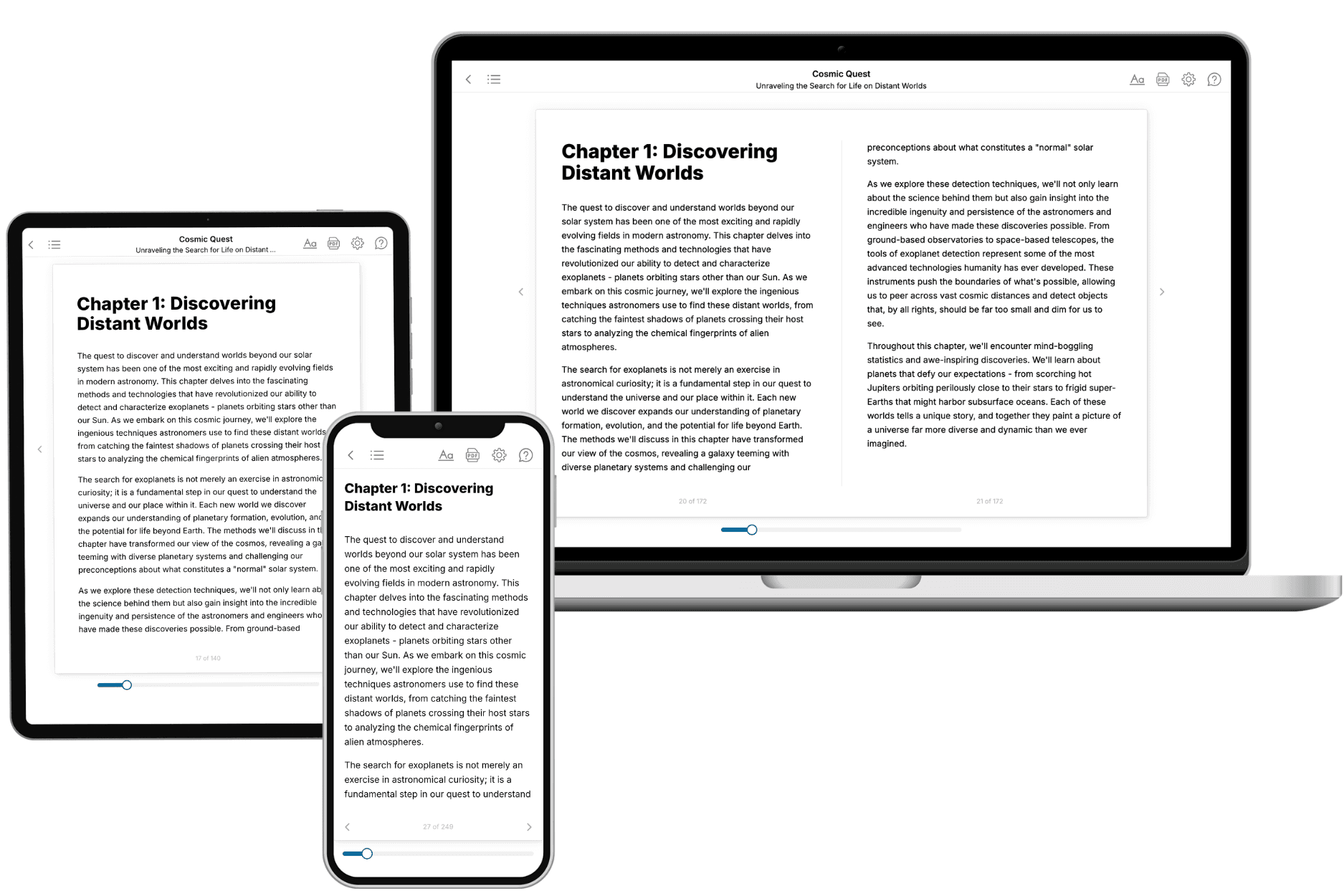
Your book is ready in 10 minutes. Read it online, download as EPUB or PDF, or send to Kindle.

Frequently asked questions
- What is TailoredRead?
TailoredRead creates complete, full-length nonfiction ebooks, written specifically for you. Tell us what you want to learn and why, and TailoredRead writes you a complete ebook on it, with charts, tables, and diagrams throughout. Read it online, on Kindle, or on any e-reader, or download it as a PDF or EPUB. Every book is written fresh the day you order it.
- How is the book tailored to me?
Before anything is written, you answer a few short questions about your goals, your background, and the topics you care about. Your book is then planned around your answers: written at your level, focused on your goals, and covering the topics you chose, instead of the one-size-fits-all book a store sells everyone.
- Will it read like generic AI content?
No. Your book isn't a chat transcript: it's planned chapter by chapter before a single word is written, told in a clear book voice, and explains ideas visually with charts, tables, and diagrams. After writing, every book goes through an editorial pass that polishes chapters so the book reads consistent from start to finish. Judge for yourself: browse thousands of sample books on our Explore Books page.
- How accurate is the content?
Our AI first checks whether your subject needs live research. Niche and fast-moving subjects are researched before writing, and the book plan and chapters are grounded in what it finds. After writing, every book goes through a quality pass that checks its facts and consistency, and researched books list their sources in a Notes section at the back.
- How long is the book?
You choose the length: Comprehensive (250-300 pages), Detailed (150-200 pages), Essential (70-100 pages), or Short (30-50 pages).
- Does the book include visuals?
Yes. Every book includes charts, tables, and diagrams: timelines, checklists, step-by-step guides, decision trees, comparison tables, matrices, and bar charts. A typical book includes dozens of these visual elements.
- Can I read it on Kindle? What formats can I download?
Yes. Every book can be read in our online reader or downloaded as a PDF or EPUB. The EPUB can be opened with Kindle, Apple Books, Kobo, and any e-reader. The Commercial and Author licenses also include an editable Word (DOCX) and Markdown download.
- How much does it cost?
About the price of a regular ebook. The exact price depends on your book's length and complexity, from $2 for the shortest books to $35 for the most comprehensive, and it's shown when you review your book, before you commit to anything. Each book is a one-time purchase, yours to keep, no subscription. Licenses that let you share, teach, or publish your book range from $35.99 to $49.99.
- Can I preview the book before purchasing?
Before you pay, you'll see what your book will cover: the title, a detailed description, the estimated length, and the complete chapter-by-chapter table of contents, so you know what you're getting before you decide. The full text itself is written after you purchase.
- How long does it take to create a book?
About 10 minutes. You can start reading the opening chapters while the rest is still being written.