Visual Interface Mastery
Advanced Principles and Innovative Techniques for Next-Generation UI Design
In today's rapidly evolving digital landscape, even seasoned UI designers face the challenge of keeping pace with emerging technologies and user expectations.
470 pages26 chaptersApr 3, 2025User Interface
About this book
Visual Interface Mastery: Advanced Principles and Innovative Techniques for Next-Generation UI Design is your comprehensive guide to conquering this challenge and elevating your expertise to new heights. This book delves deep into the intricacies of visual interface design, offering a treasure trove of advanced concepts, from the nuances of color theory and typography to the complexities of AR/VR interface design and UI for voice interfaces. You'll explore cutting-edge topics such as micro-interactions, haptic feedback, and UI motion design, gaining the knowledge to create interfaces that are not just visually stunning, but also intuitive and engaging. With a focus on practical application, Visual Interface Mastery equips you with the tools to optimize UI performance, enhance accessibility, and create scalable design systems. You'll learn how to apply Gestalt principles in innovative ways, master the art of visual hierarchy, and create responsive designs that seamlessly adapt across devices. Whether you're designing for mobile, wearables, or emerging technologies, this book will empower you to push the boundaries of what's possible in UI design.
Table of contents
- IntroductionThe Importance of Visual Design in User Interfaces, Book Overview and How to Use It, The Evolution of UI Design, Future Trends in Visual Interface DesignRead below
- Chapter 1: Foundations of Visual PerceptionUnderstanding the Human Visual System, Cognitive Processing in UI Design, Attention and Memory in User Interfaces, Visual Processing and UI Design
- Chapter 2: Advanced Color Theory in UI DesignColor Psychology and User Perception, Creating Effective Color Harmonies, Color Accessibility and Contrast Ratios, Designing Flexible Color Systems
- Chapter 3: Typography Mastery for UI DesignSelecting and Pairing Typefaces for UI, Creating Typographic Hierarchy, Responsive Typography Techniques, Typography and Brand Identity in UI
- Chapter 4: Applying Gestalt Principles in UI DesignProximity and Similarity in UI Elements, Closure and Continuity in Interface Design, Figure-Ground Relationships in UI, Gestalt Principles in Interactive Interfaces
- Chapter 5: Mastering UI Grid SystemsGrid Theory and Its Application in UI, Designing Responsive Grid Systems, Exploring Asymmetric and Modular Grids, Maintaining Consistency with Grid Systems
- Chapter 6: Crafting Effective Visual HierarchyPrinciples of Visual Hierarchy in UI, Techniques for Creating Emphasis, Visual Hierarchy and Information Architecture, Testing and Refining Visual Hierarchy
- Chapter 7: Designing Engaging Micro-interactionsThe Anatomy of Effective Micro-interactions, Creating Intuitive Feedback Loops, Micro-animations for Enhanced User Experience, Micro-interaction Patterns and Best Practices
- Chapter 8: UI Animation Principles and TechniquesThe Purpose and Psychology of UI Animation, Core Principles of Effective UI Animation, Performance Optimization for Smooth Animations, Advanced Animation Techniques and Tools
- Chapter 9: Advanced Responsive Design StrategiesCreating Fluid and Adaptive Layouts, Advanced Breakpoint Strategies, Responsive Images and Media, Performance Considerations in Responsive Design
- Chapter 10: Implementing a Mobile-First ApproachThe Philosophy Behind Mobile-First Design, Content Prioritization for Mobile Interfaces, Progressive Enhancement Techniques, Mobile-Specific UI Patterns and Interactions
- Chapter 11: Designing for AR and VR InterfacesCore Principles of AR/VR Interface Design, Creating Intuitive Spatial Interfaces, Designing Immersive User Experiences, Overcoming Challenges in AR/VR UI Design
- Chapter 12: Advanced Wireframing and PrototypingCreating High-Fidelity Wireframes, Building Interactive Prototypes, Incorporating User Testing in the Design Process, Collaboration Tools and Techniques
- Chapter 13: Designing for Accessibility and InclusionUnderstanding and Implementing WCAG Guidelines, Designing for Assistive Technologies, Principles of Inclusive Design, Testing and Validating Accessibility
- Chapter 14: Mastering UI Design PatternsBuilding and Maintaining Pattern Libraries, Emerging UI Design Patterns, Customizing Patterns for Unique Experiences, Recognizing and Avoiding UI Anti-Patterns
- Chapter 15: Leveraging User Mental ModelsResearching and Mapping User Mental Models, Designing Interfaces That Match Mental Models, Creating Effective Conceptual Models, Adapting to Evolving User Mental Models
- Chapter 16: Optimizing Cognitive Load in UI DesignUnderstanding Cognitive Load Theory, Techniques for Information Chunking, Implementing Progressive Disclosure, Measuring and Testing Cognitive Load
- Chapter 17: Crafting Effective Visual FeedbackPrinciples of Effective Visual Feedback, Designing Clear State Changes, Visual Approaches to Error Handling, Creating Engaging Success Feedback
- Chapter 18: Advanced Icon Design PrinciplesCreating Cohesive Icon Systems, Using Icon Grids for Consistency, Designing Adaptive and Responsive Icons, Ensuring Icon Accessibility and Recognition
- Chapter 19: Designing UI for Wearable DevicesUnderstanding Wearable Device Constraints, Creating Glanceable User Interfaces, Incorporating Haptic Feedback in Wearable UI, Designing for Unique Wearable Interactions
- Chapter 20: Data Visualization in User InterfacesPrinciples of Effective Data Visualization, Creating Interactive Data Visualizations, Designing for Real-Time Data Updates, Data Storytelling Through UI
- Chapter 21: Strategies for UI LocalizationCultural Considerations in UI Design, Designing for Text Expansion and Contraction, Creating RTL (Right-to-Left) Interfaces, Testing and Validating Localized Interfaces
- Chapter 22: Mastering Dark Mode UI DesignPrinciples of Effective Dark Mode Design, Managing Color and Contrast in Dark Interfaces, Designing Seamless Light/Dark Mode Switching, Special Considerations for Dark Mode UI
- Chapter 23: Designing UI for Voice InterfacesCore Principles of Voice User Interface Design, Creating Effective Multimodal Interfaces, Designing Clear Voice Feedback and Prompts, Integrating Voice and Visual UI Elements
- Chapter 24: Incorporating Haptic Feedback in UIPrinciples of Effective Haptic Feedback, Designing Haptic Patterns for Different Interactions, Haptic Feedback Across Different Devices, Accessibility Considerations in Haptic Design
- Chapter 25: UI Performance Metrics and OptimizationUnderstanding Key UI Performance Metrics, Tools and Techniques for Performance Testing, Strategies for Optimizing UI Performance, Enhancing Perceived Performance Through Design
- Chapter 26: Building and Maintaining Design SystemsEstablishing Design System Foundations, Creating Flexible Component Libraries, Governance and Evolution of Design Systems, Strategies for Design System Adoption
- ConclusionThe Future of UI Design, Embracing Continuous Learning in UI Design
- Glossary
- Further Reading
Introduction
In the ever-evolving landscape of digital technology, visual interface design stands as a cornerstone of user experience. As an experienced professor with a Ph.D. in technical sciences, you are already well-versed in the fundamentals of UI design. However, the rapid pace of technological advancement and changing user expectations demand a continuous refinement of skills and knowledge. This book, "Visual Interface Mastery: Advanced Principles and Innovative Techniques for Next-Generation UI Design," is crafted to meet that demand, offering a deep dive into the cutting-edge concepts and practices that are shaping the future of visual interfaces.
The importance of visual design in user interfaces cannot be overstated. It is the bridge between complex functionality and user comprehension, the silent communicator that guides, informs, and delights. As we embark on this journey through advanced UI design principles, we will explore how visual elements can be leveraged to create interfaces that are not only aesthetically pleasing but also highly functional, accessible, and adaptable to emerging technologies.
This introduction will set the stage for our exploration, providing context for the advanced concepts we'll cover and offering a roadmap for how to best utilize the wealth of information contained within these pages. We'll examine the evolution of UI design, tracing its path from the early days of graphical user interfaces to the multi-modal, AI-enhanced experiences of today. Finally, we'll cast our gaze forward, considering the trends and technologies that are likely to shape the future of visual interface design.
The Importance of Visual Design in User Interfaces
Visual design in user interfaces is far more than mere decoration; it is a fundamental aspect of communication between digital systems and human users. Effective visual design can significantly enhance usability, reduce cognitive load, and create emotional connections with users. In today's digital ecosystem, where users are bombarded with information and have increasingly high expectations for digital experiences, the role of visual design has become more critical than ever.
At its core, visual design in UI serves several key functions. First and foremost, it organizes information, creating a clear hierarchy that guides users through complex systems and processes. Through the thoughtful application of color, typography, and layout, visual design can direct attention, emphasize important elements, and create a sense of order in even the most data-rich interfaces. This organization is not just about aesthetics; it directly impacts the efficiency and effectiveness with which users can interact with a system.
Moreover, visual design plays a crucial role in brand communication. The visual language of an interface—its color palette, iconography, and overall style—can convey the personality of a brand and create a consistent experience across different touchpoints. This consistency is vital in building trust and recognition with users, especially in an age where digital interactions often form the primary relationship between brands and their customers.
Another critical aspect of visual design in UI is its ability to provide feedback and affordances. Well-designed visual cues can inform users about the state of the system, the results of their actions, and the possibilities for interaction. This feedback loop is essential for creating intuitive interfaces that users can navigate with confidence. For example, subtle animations can indicate that a process is ongoing, while changes in button states can clearly communicate which actions are available at any given moment.
Furthermore, visual design in UI has a significant impact on accessibility. Thoughtful color choices, contrast ratios, and typography can make the difference between an interface that is usable by all and one that excludes certain user groups. As digital interfaces become ubiquitous in all aspects of life, from education to healthcare to government services, the importance of inclusive design cannot be overstated.
In the context of emerging technologies, such as augmented reality (AR) and virtual reality (VR), visual design takes on new dimensions—quite literally. Designers must now consider spatial relationships, depth, and immersive environments, pushing the boundaries of traditional UI design principles. These new frontiers present both challenges and opportunities for creating truly innovative user experiences.
The psychological impact of visual design should not be underestimated. Color psychology, for instance, can influence user mood and behavior, while visual harmony can create a sense of calm and order that enhances the overall user experience. In high-stress applications, such as financial trading platforms or emergency response systems, the calming effect of a well-designed interface can be crucial.
As we delve deeper into the advanced principles of UI design throughout this book, we will continually return to these fundamental roles of visual design. Each concept, from micro-interactions to design systems, will be examined not just for its technical implementation, but for its impact on the overall user experience and its ability to enhance the communication between user and interface.
It's important to note that the significance of visual design in UI is supported by a wealth of research and real-world case studies. For instance, a study by Google found that users form aesthetic judgments about a website in as little as 50 milliseconds, highlighting the immediate impact of visual design on user perception[1]. Another study published in the Journal of Usability Studies demonstrated that visually appealing interfaces are perceived as more usable, even when they are not functionally superior to less attractive alternatives[2].
As we progress through this book, we will build upon these foundational concepts, exploring how advanced visual design techniques can be leveraged to create interfaces that are not only beautiful but also highly functional, accessible, and adaptable to the ever-changing landscape of digital technology. The principles and techniques you will learn are not just theoretical; they are practical tools that can be applied immediately to elevate your UI design practice and create interfaces that truly resonate with users.
Book Overview and How to Use It
"Visual Interface Mastery" is designed to be a comprehensive resource for advanced UI design principles and techniques. As an experienced professional, you'll find that this book goes beyond the basics, offering in-depth explorations of complex topics and cutting-edge approaches to visual interface design. The structure of the book is carefully crafted to build upon your existing knowledge, introducing advanced concepts in a logical progression that allows for deep understanding and practical application.
The book is divided into 26 chapters, each focusing on a specific aspect of advanced UI design. These chapters are grouped into thematic sections that cover the full spectrum of visual interface design, from foundational principles to emerging technologies. Here's a brief overview of how the book is organized:
1. Foundations (Chapters 1-4): These chapters delve into the advanced understanding of visual perception, color theory, typography, and Gestalt principles. While you may be familiar with these concepts, the book approaches them from an advanced perspective, exploring their application in complex UI scenarios.
2. Core UI Design Principles (Chapters 5-10): This section covers advanced topics in grid systems, visual hierarchy, micro-interactions, UI animation, responsive design, and mobile-first approaches. Each chapter provides in-depth techniques and best practices for creating sophisticated, user-centered interfaces.
3. Emerging Technologies (Chapters 11-13): Here, we explore the unique challenges and opportunities presented by AR/VR interfaces, advanced wireframing and prototyping techniques, and cutting-edge approaches to accessibility and inclusive design.
4. Advanced UI Concepts (Chapters 14-20): This section dives into complex topics such as design patterns, user mental models, cognitive load optimization, visual feedback, icon design, wearable UI, and data visualization. These chapters provide advanced strategies for creating intuitive and efficient interfaces across various platforms and use cases.
5. Specialized UI Considerations (Chapters 21-24): These chapters cover important specialized areas of UI design, including localization strategies, dark mode design, voice interfaces, and haptic feedback integration.
6. Performance and Systems (Chapters 25-26): The final two chapters focus on UI performance metrics and optimization, as well as the creation and maintenance of design systems, providing a holistic view of UI design within larger technological ecosystems.
To get the most out of this book, it's recommended that you approach it in a way that aligns with your specific needs and interests. While the chapters are designed to build upon each other, they are also self-contained enough to be read individually. Here are some suggestions for how to use this book effectively:
1. Sequential Reading: If you're looking for a comprehensive deep dive into advanced UI design, reading the book from start to finish will provide a structured journey through the topic. Each chapter builds on the concepts introduced in previous sections, creating a cohesive learning experience.
2. Topic-Based Exploration: If you're facing specific challenges in your current projects or want to focus on particular areas of UI design, feel free to jump to the relevant chapters. The table of contents and index will help you quickly locate the information you need.
3. Reference Guide: Keep this book handy as a reference. The detailed explanations, case studies, and practical examples make it an excellent resource to consult when you encounter complex UI design challenges in your work.
4. Practice and Application: Throughout the book, you'll find practical exercises and real-world examples. Take the time to work through these, applying the concepts to your own projects. This hands-on approach will help solidify your understanding and improve your skills.
5. Reflection and Note-Taking: As you read, consider how the advanced concepts relate to your own experiences and projects. Take notes, sketch ideas, and reflect on how you can incorporate these principles into your design process.
6. Continuous Learning: The field of UI design is constantly evolving. Use the "Further Reading" section at the end of each chapter and the book to explore additional resources and stay up-to-date with the latest developments in the field.
Remember, this book is designed to be a companion in your journey towards mastering visual interface design. It's not just about absorbing information, but about applying these advanced concepts to create innovative, user-centered interfaces. As you progress through the book, challenge yourself to push the boundaries of your design thinking and to experiment with new approaches in your work.
By the end of this book, you should have a deep understanding of advanced UI design principles and be equipped with a robust toolkit of techniques to tackle complex design challenges. Whether you're designing for web, mobile, wearables, or emerging technologies, the knowledge gained from this book will enable you to create interfaces that are not only visually stunning but also highly functional and user-friendly.
The Evolution of UI Design
The field of UI design has undergone a remarkable transformation since its inception, evolving from simple command-line interfaces to the complex, multi-modal experiences we interact with today. Understanding this evolution is crucial for appreciating the current state of UI design and for anticipating future trends. Let's trace this journey, highlighting key milestones and the factors that have shaped the discipline.
The roots of UI design can be traced back to the 1970s, with the development of graphical user interfaces (GUIs). The Xerox Alto, introduced in 1973, was one of the first computers to feature a GUI, complete with windows, icons, and a mouse for navigation. This marked a significant shift from text-based interfaces, making computers more accessible to non-technical users. The concept was further popularized by Apple with the introduction of the Macintosh in 1984, which brought GUI to the mass market[3].
The 1990s saw the rise of the World Wide Web, which introduced new challenges and opportunities for UI designers. Early web interfaces were primarily text-based, but rapidly evolved to incorporate graphics, layouts, and interactive elements. This period also saw the emergence of design patterns and guidelines, as designers sought to create consistent and intuitive experiences across different websites.
The turn of the millennium brought about a focus on user-centered design and usability. Influenced by the work of cognitive psychologists and human factors researchers, UI designers began to place greater emphasis on understanding user needs, behaviors, and mental models. This shift led to more intuitive interfaces and the development of user testing methodologies to validate design decisions.
The mid-2000s marked the beginning of the mobile revolution. The introduction of smartphones, particularly the iPhone in 2007, fundamentally changed the landscape of UI design. Designers had to adapt to smaller screens, touch interfaces, and new interaction patterns. This era saw the rise of concepts like responsive design and mobile-first approaches, as well as the increasing importance of micro-interactions and gesture-based interfaces.
As mobile devices became ubiquitous, the concept of "app" interfaces gained prominence. This led to a proliferation of design patterns specific to mobile applications, as well as the development of platform-specific design guidelines (e.g., Apple's Human Interface Guidelines and Google's Material Design). These guidelines aimed to create consistency across applications while still allowing for brand differentiation.
The 2010s brought about several significant trends in UI design:
- Flat Design: A reaction to the skeuomorphic designs of early mobile interfaces, flat design emphasized simplicity, minimalism, and digital-native aesthetics.
- Material Design: Google's design language, introduced in 2014, which aimed to create a unified experience across platforms and device sizes.
- Responsive and Adaptive Design: As device diversity increased, designers developed techniques to create interfaces that could adapt to various screen sizes and orientations.
- Micro-interactions and Animation: Subtle animations and feedback mechanisms became crucial for enhancing user engagement and providing intuitive feedback.
- Accessibility: There was an increased focus on designing interfaces that are usable by people with diverse abilities and needs.
Recent years have seen the emergence of new paradigms that are reshaping UI design:
- Voice User Interfaces (VUI): With the rise of smart speakers and voice assistants, designers are now creating interfaces that rely on voice commands and audio feedback.
- Augmented Reality (AR) and Virtual Reality (VR): These technologies are pushing designers to think beyond traditional 2D interfaces and consider spatial design and immersive experiences.
- Artificial Intelligence and Machine Learning: AI is being integrated into interfaces to create more personalized and predictive user experiences.
- Dark Mode: The introduction of system-wide dark modes has led designers to create interfaces that can seamlessly switch between light and dark themes.
- Design Systems: The need for consistency across multiple platforms and products has led to the development of comprehensive design systems that go beyond mere style guides.
Throughout this evolution, certain principles have remained constant. The focus on user needs, the importance of clarity and consistency, and the goal of reducing cognitive load have been enduring themes in UI design. However, the ways in which these principles are applied have evolved dramatically with changes in technology and user expectations.
The evolution of UI design has also been marked by an increasing interdisciplinarity. Today's UI designers often need to understand principles of psychology, work closely with developers, and have a grasp of business strategy. This holistic approach reflects the growing recognition of the critical role that user interfaces play in the success of digital products and services.
As we look at the current state of UI design, we see a field that has matured significantly but continues to evolve rapidly. The challenges of designing for an ever-expanding array of devices, from smartwatches to large-scale displays, require designers to be more adaptable and forward-thinking than ever before. The increasing importance of accessibility and inclusive design reflects a growing awareness of the diverse needs of users worldwide.
Understanding this evolution is crucial for several reasons. First, it provides context for current best practices and helps designers appreciate why certain approaches have become standard. Second, it allows designers to learn from past successes and failures, avoiding the repetition of mistakes and building on proven strategies. Finally, understanding the trajectory of UI design helps in anticipating future trends and preparing for the challenges and opportunities that lie ahead.
As we delve into the advanced concepts and techniques in the following chapters, we'll continually reference this evolutionary context. This historical perspective will enrich your understanding of why certain principles are important and how they can be applied effectively in contemporary UI design challenges.
Future Trends in Visual Interface Design
As we look towards the future of visual interface design, we find ourselves on the cusp of exciting and transformative changes. The rapid advancement of technology, coupled with evolving user expectations, is paving the way for new paradigms in how we interact with digital systems. In this section, we'll explore some of the key trends that are likely to shape the future of UI design, providing you with insights to stay ahead of the curve in your design practice.
1. Artificial Intelligence and Machine Learning Integration: AI and ML are set to play an increasingly significant role in UI design. We can expect to see more intelligent interfaces that adapt to individual user behaviors and preferences in real-time. This could manifest in several ways:
- Personalized UI Elements: Interfaces that automatically adjust their layout, color scheme, or content based on user behavior and preferences.
- Predictive Interfaces: UIs that anticipate user needs and present relevant options or information before the user even asks for it.
- AI-Assisted Design: Tools that use machine learning to help designers create more effective interfaces, potentially automating certain aspects of the design process.
2. Immersive Technologies: As AR and VR technologies mature, we'll see a shift towards more immersive and spatial interfaces:
- Mixed Reality Interfaces: Blending digital elements seamlessly with the physical world, requiring designers to think in three dimensions and consider real-world contexts.
- Gesture and Motion Control: More natural interaction methods that go beyond touch and voice, potentially including eye-tracking and brain-computer interfaces.
- Haptic Feedback: Advanced tactile feedback systems that provide a more immersive and intuitive user experience.
3. Voice and Conversational Interfaces: While already present, voice interfaces are expected to become more sophisticated and ubiquitous:
- Multimodal Interfaces: Combining voice with visual and tactile elements for a more comprehensive interaction experience.
- Natural Language Processing: More nuanced understanding of context and intent in voice commands, allowing for more natural conversations with AI assistants.
- Voice-First Design: Interfaces designed primarily for voice interaction, with visual elements playing a supporting role.
4. Biometric Interfaces: As biometric technology advances, we may see interfaces that respond to physiological signals:
- Emotion-Responsive UI: Interfaces that adapt based on the user's emotional state, detected through facial expressions, heart rate, or other biometric data.
- Biometric Authentication: More seamless and secure ways of verifying user identity, potentially eliminating the need for traditional login methods.
- Health-Adaptive Interfaces: UIs that adjust based on the user's physical state or health conditions.
5. Sustainability and Ethical Design: There's a growing awareness of the environmental and social impact of digital products:
- Energy-Efficient UI: Designs that minimize power consumption, especially important for mobile and IoT devices.
- Ethical Data Visualization: Finding ways to present data that are not only clear but also fair and unbiased.
- Digital Wellbeing: Interfaces designed to promote healthy digital habits and reduce addictive behaviors.
6. Micro-Interactions and Animation: While not new, these elements are expected to become more sophisticated:
- Contextual Micro-Interactions: Subtle animations and feedback mechanisms that respond more precisely to user actions and context.
- Animated Storytelling: Using animation to guide users through complex processes or to convey brand narratives.
- Performance-Optimized Animations: More efficient animation techniques that enhance the user experience without compromising device performance.
7. Cross-Device Experiences: As users increasingly switch between multiple devices, designing coherent cross-device experiences will become crucial:
- Seamless Transitions: Interfaces that allow users to start a task on one device and continue it on another without friction.
- Adaptive Interfaces: UIs that intelligently adapt their functionality and appearance based on the device being used.
- Cloud-Based UI: Interfaces that are less dependent on local processing power, allowing for more consistent experiences across different devices.
8. Augmented Creativity: AI tools are beginning to play a role in the creative process itself:
- AI-Generated Design Elements: Using machine learning to generate UI components, illustrations, or even entire layouts.
- Automated Personalization: Systems that can automatically create multiple versions of a design tailored to different user segments.
- Design Validation Tools: AI-powered tools that can analyze designs for usability, accessibility, and brand consistency.
9. Inclusive and Universal Design: The focus on creating interfaces that are accessible to all users will intensify:
- Adaptive Accessibility: Interfaces that automatically adjust to meet individual users' accessibility needs.
- Cultural Inclusivity: Designs that are more easily localized and culturally appropriate for global audiences.
- Age-Responsive Design: Interfaces that can adapt to users of different age groups, from children to seniors.
10. Quantum Computing and Beyond: While still in its early stages, quantum computing could revolutionize UI design in the long term:
- Complex Real-Time Calculations: Enabling more sophisticated real-time data processing and visualization.
- Advanced Simulations: Potentially allowing for more accurate predictions of user behavior and preferences.
- New Paradigms: Quantum computing might lead to entirely new ways of conceptualizing and interacting with digital information.
As we consider these future trends, it's important to remember that the core principles of good UI design—clarity, consistency, and user-centricity—will remain relevant. The challenge for designers will be to apply these principles in new contexts and with new technologies. Staying informed about these trends and experimenting with new tools and techniques will be crucial for designers looking to create innovative and effective interfaces in the years to come.
Moreover, as these trends unfold, ethical considerations will become increasingly important. Designers will need to grapple with questions of privacy, data security, and the societal impact of the interfaces they create. The future of UI design is not just about technological advancement, but also about creating interfaces that enhance human capabilities and improve lives in meaningful ways.
In the subsequent chapters of this book, we'll explore many of these trends in more detail, providing you with the knowledge and tools to not only adapt to these changes but to lead the way in shaping the future of visual interface design. As we delve into advanced concepts and techniques, keep these future trends in mind, considering how they might influence or be applied to the principles and practices we discuss.
Notes
Introduction
- 1. A. N. Tuch and others, "The role of visual complexity and prototypicality regarding first impression of websites," International Journal of Human-Computer Studies, 2012
- 2. A. Sonderegger and J. Sauer, "The influence of design aesthetics in usability testing," Applied Ergonomics, 2010
- 3. J. Reimer, A History of the GUI, Ars Technica, 2005
This is the end of the free sample. The full book has 26 chapters.
Want this book written for you?
Tell us your goals and background, and get your own version of this book, tailored by AI to you.


Benefits of AI-tailored books
- Read one book, not ten:
- all the User Interface knowledge you need, gathered into a single book.
- Save days of learning:
- tell us your goals, choose your topics, and the whole book is built around them.
- Learn effortlessly:
- User Interface book written for your specific background and expertise.
- Understand at a glance:
- includes charts, tables, timelines, checklists, decision trees, and more.
- Stay current:
- written the day you order it, not years ago.
- Trust what you read:
- every book is checked for accuracy, with real research when your subject needs it.
Create your unique book in 3 steps
- 1. Select your focus
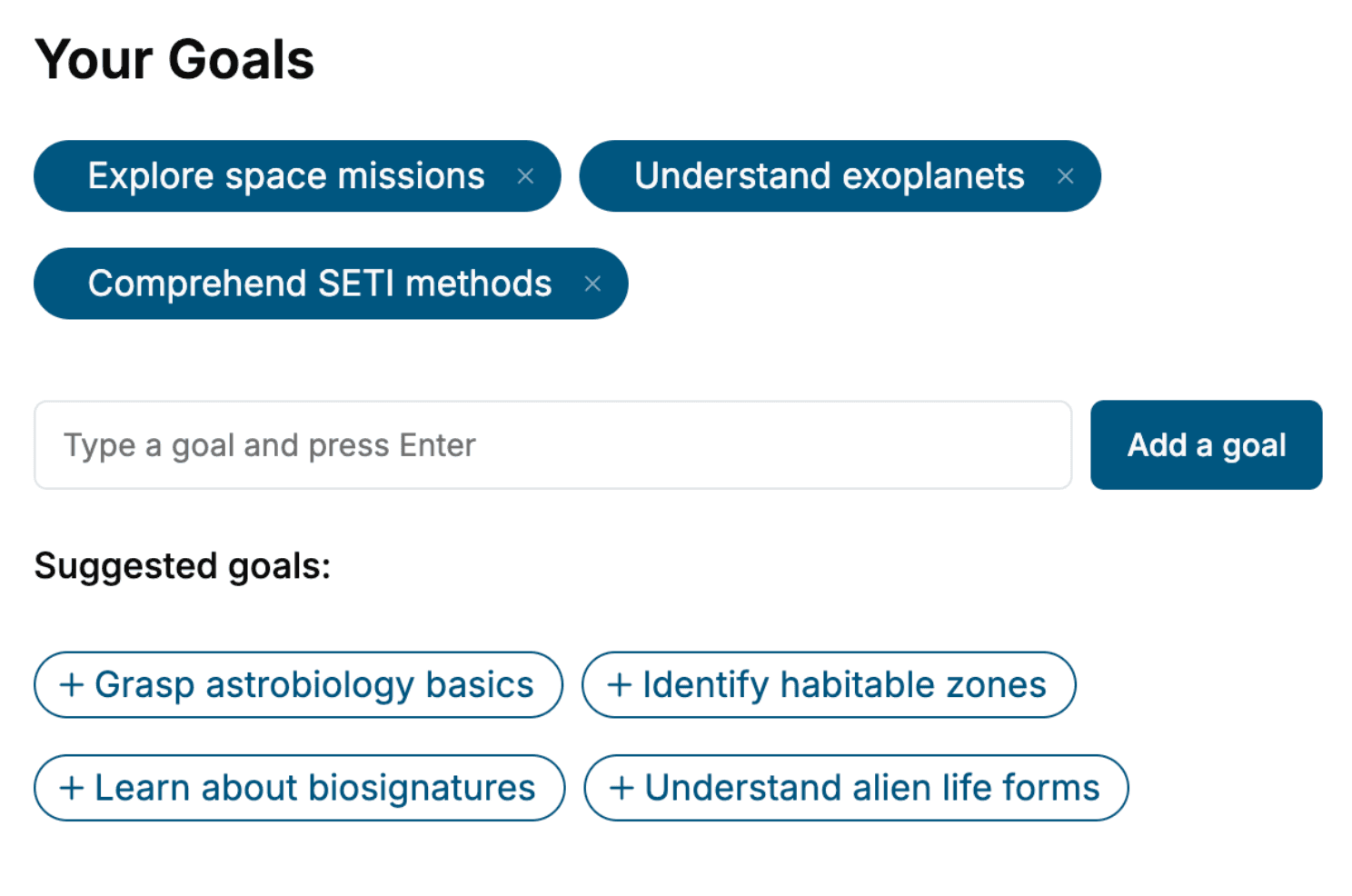
Select the focus of your User Interface book and share your background
- 2. Personalize your book
Specify your goals and choose sub-topics to include
- 3. Get your tailored book
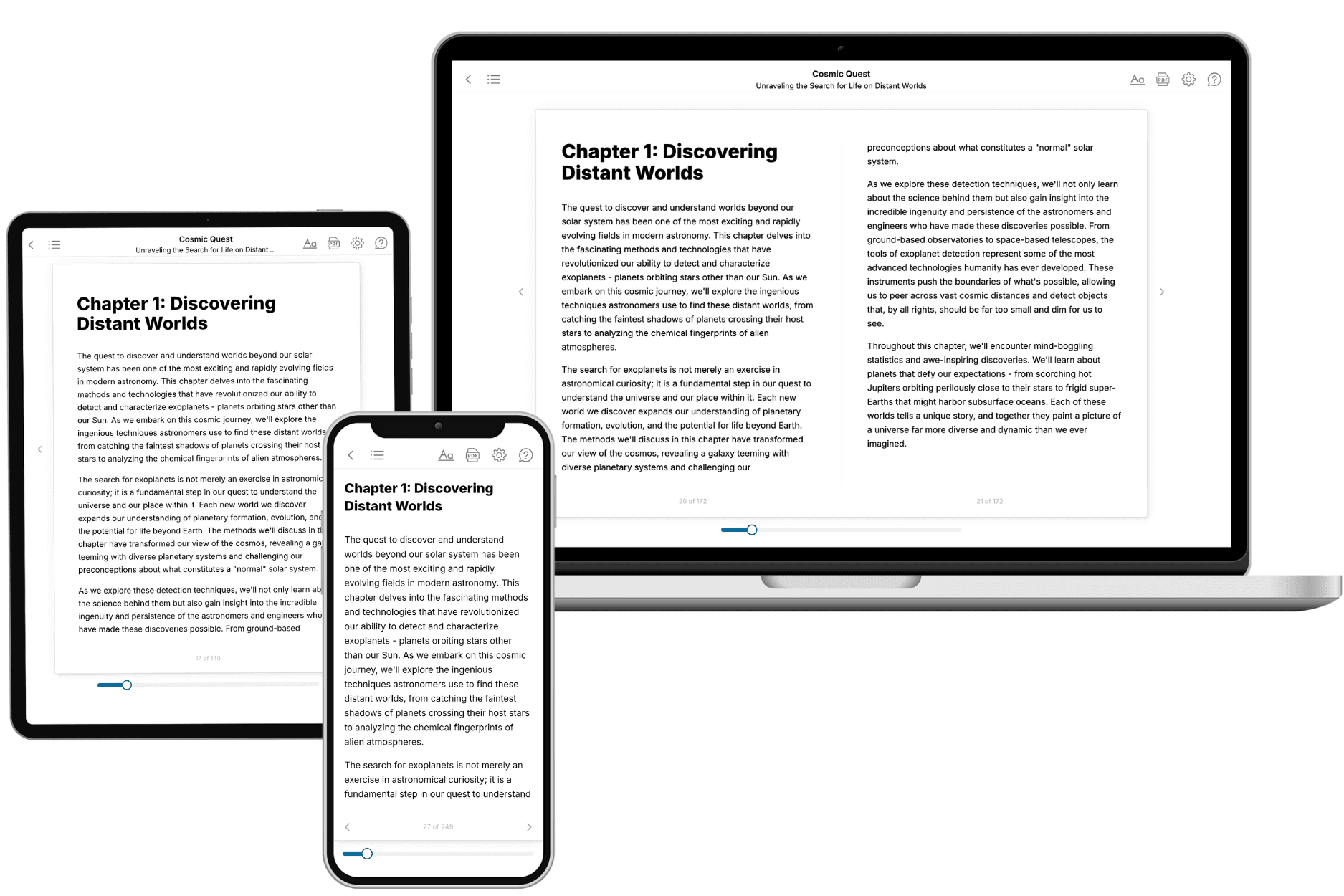
Your book is ready in 10 minutes. Read it online, download as EPUB or PDF, or send to Kindle.

Frequently asked questions
- What is TailoredRead?
TailoredRead creates complete, full-length nonfiction ebooks, written specifically for you. Tell us what you want to learn and why, and TailoredRead writes you a complete ebook on it, with charts, tables, and diagrams throughout. Read it online, on Kindle, or on any e-reader, or download it as a PDF or EPUB. Every book is written fresh the day you order it.
- How is the book tailored to me?
Before anything is written, you answer a few short questions about your goals, your background, and the topics you care about. Your book is then planned around your answers: written at your level, focused on your goals, and covering the topics you chose, instead of the one-size-fits-all book a store sells everyone.
- Will it read like generic AI content?
No. Your book isn't a chat transcript: it's planned chapter by chapter before a single word is written, told in a clear book voice, and explains ideas visually with charts, tables, and diagrams. After writing, every book goes through an editorial pass that polishes chapters so the book reads consistent from start to finish. Judge for yourself: browse thousands of sample books on our Explore Books page.
- How accurate is the content?
Our AI first checks whether your subject needs live research. Niche and fast-moving subjects are researched before writing, and the book plan and chapters are grounded in what it finds. After writing, every book goes through a quality pass that checks its facts and consistency, and researched books list their sources in a Notes section at the back.
- How long is the book?
You choose the length: Comprehensive (250-300 pages), Detailed (150-200 pages), Essential (70-100 pages), or Short (30-50 pages).
- Does the book include visuals?
Yes. Every book includes charts, tables, and diagrams: timelines, checklists, step-by-step guides, decision trees, comparison tables, matrices, and bar charts. A typical book includes dozens of these visual elements.
- Can I read it on Kindle? What formats can I download?
Yes. Every book can be read in our online reader or downloaded as a PDF or EPUB. The EPUB can be opened with Kindle, Apple Books, Kobo, and any e-reader. The Commercial and Author licenses also include an editable Word (DOCX) and Markdown download.
- How much does it cost?
About the price of a regular ebook. The exact price depends on your book's length and complexity, from $2 for the shortest books to $35 for the most comprehensive, and it's shown when you review your book, before you commit to anything. Each book is a one-time purchase, yours to keep, no subscription. Licenses that let you share, teach, or publish your book range from $35.99 to $49.99.
- Can I preview the book before purchasing?
Before you pay, you'll see what your book will cover: the title, a detailed description, the estimated length, and the complete chapter-by-chapter table of contents, so you know what you're getting before you decide. The full text itself is written after you purchase.
- How long does it take to create a book?
About 10 minutes. You can start reading the opening chapters while the rest is still being written.