Testing iTunes: A Practical Guide to Software Quality
Master the Techniques and Tools for Ensuring Reliable Music and Media Applications
Testing media applications like iTunes presents unique challenges that go beyond standard software testing.
191 pages10 chaptersJun 27, 2026Software Testing
About this book
This guide walks you through the specialized techniques needed to ensure your music and media software delivers flawless performance. You'll discover how to systematically test complex features like library synchronization, streaming playback, and device integration while managing the technical demands of cross-platform compatibility. Learn practical strategies for automating repetitive test scenarios, identifying performance bottlenecks under real-world usage conditions, and validating security measures that protect user data and digital rights. Whether you're testing a consumer music app or enterprise media platform, you'll gain the frameworks and methodologies to catch critical issues before they reach users, ensuring your application meets the high standards users expect from modern media software.
Table of contents
- IntroductionWhy Testing Media Applications Matters, Understanding the iTunes Ecosystem, Unique Challenges in Media Software Testing, How to Use This GuideRead below
- Chapter 1: Fundamentals of Media Application TestingCore Testing Principles for Media Software, Types of Testing: Functional, Non-Functional, and Beyond, Defining Quality Metrics for Media Applications
- Chapter 2: Functional Testing for iTunes FeaturesTesting Music Library Management and Organization, Validating Playback Functionality and Controls, Testing Playlist Creation, Editing, and Sharing, Search and Filtering Capabilities
- Chapter 3: Cross-Platform Compatibility TestingTesting Across Windows, macOS, iOS, and Android, Device-Specific Testing Strategies, Managing Operating System Version Variations
- Chapter 4: Synchronization and Integration TestingTesting Cloud Synchronization and iCloud Integration, Device-to-Device Synchronization Scenarios, Testing Third-Party Service Integration
- Chapter 5: Performance and Load TestingDefining Performance Benchmarks and Metrics, Load Testing with Large Music Libraries, Stress Testing and Resource Management
- Chapter 6: User Interface and User Experience TestingVisual Design and Layout Validation, Usability Testing and User Workflows, Accessibility Testing and Inclusive Design
- Chapter 7: Security and Privacy TestingTesting Authentication and Authorization, Digital Rights Management (DRM) Validation, Data Protection and Privacy Compliance
- Chapter 8: Test Automation for Media ApplicationsSelecting and Implementing Automation Frameworks, Writing Effective Test Scripts for Media Features, Continuous Testing and Integration Pipelines
- Chapter 9: Handling Edge Cases and Error ScenariosTesting Network Failures and Connectivity Issues, Audio Format Support and File Corruption Handling, Error Messages and Recovery Mechanisms
- Chapter 10: Real-World Testing Scenarios and Case StudiesBuilding Comprehensive Test Scenarios, Real-World Testing Examples and Lessons Learned, Industry Best Practices and Standards
- ConclusionKey Takeaways for Media Application Testing, Building a Culture of Quality and Continuous Improvement
Introduction
Software testing is rarely glamorous work, but it is some of the most important work in the entire development lifecycle. When a bug slips through into production, real users feel it. They lose their music libraries, their playlists disappear, their carefully curated collections get scrambled during a sync. For media applications like iTunes, the stakes are personal. People store thousands of songs, years of memories, and carefully organized collections inside these platforms. A testing failure is not just a technical problem. It is a broken experience for someone who trusted the software with something they care about.
This guide was built for testers who already understand the basics and want to go deeper into the specific demands of media software. If you have worked through functional test cases, written a few automation scripts, or run regression suites before, you are in the right place. The goal here is not to teach you what a test case is. The goal is to show you how testing a media application like iTunes is fundamentally different from testing a standard business application, and what you need to do about it. The techniques, frameworks, and strategies in this book are grounded in real-world practice, not just theory.
iTunes is a particularly rich subject for this kind of deep dive. It is one of the most complex consumer applications ever built, combining a local media library manager, a streaming service client, a digital storefront, a device synchronization engine, and a cloud integration layer all in one package. Testing it well requires understanding each of those layers individually and how they interact with each other. The lessons you learn from testing iTunes apply directly to any media platform you might work on, whether that is a music streaming app, a podcast client, a video library manager, or an enterprise media distribution system.
Throughout this guide, you will find practical frameworks, concrete examples, and actionable checklists that you can apply immediately. Each chapter builds on the last, moving from foundational principles through functional testing, cross-platform compatibility, synchronization, performance, security, and automation. By the end, you will have a comprehensive toolkit for approaching media application testing with confidence and precision. Start here in the introduction to understand the landscape before diving into the technical details.
Why Testing Media Applications Matters
Media applications occupy a unique position in the software world. Unlike a spreadsheet tool or a project management app, a music player is deeply tied to emotion and personal identity. Users do not just use iTunes. They live inside it. They build playlists for road trips, organize albums by mood, and rely on the app to remember exactly where they left off in a podcast. When something breaks in that experience, the frustration is immediate and visceral. This emotional dimension makes quality especially important in media software.
The business consequences of poor quality in media applications are also significant. Apple's App Store reviews for iTunes and Apple Music consistently show that playback bugs, sync failures, and library corruption are among the top complaints that drive users to leave negative ratings.[1] A single high-profile bug, such as a sync issue that deletes user content, can generate thousands of negative reviews overnight. In a competitive market where Spotify, YouTube Music, and Amazon Music are all viable alternatives, quality failures translate directly into user churn.
From a technical standpoint, media applications are among the most demanding software systems to test correctly. They handle large binary files, complex metadata structures, real-time audio and video processing, and network-dependent streaming operations simultaneously. A bug in any one of these layers can cascade into failures across the others. For example, a metadata parsing error might not just display the wrong album art. It might corrupt the library index, break search results, and cause sync operations to fail on connected devices.
Testing media applications also requires a broader understanding of the user population than most other software categories. iTunes users range from casual listeners with a few hundred songs to professional DJs and music producers with libraries exceeding 100,000 tracks. A test suite that only validates small-scale scenarios will miss entire categories of real-world failures. Effective testing must account for this diversity in usage patterns, library sizes, and device configurations.
There is also a regulatory and compliance dimension to media software testing that does not exist in most other application categories. Digital rights management, content licensing, regional availability restrictions, and payment processing all introduce legal and contractual obligations that must be validated through testing. A failure in DRM enforcement, for example, is not just a bug. It is a potential breach of licensing agreements with major record labels. The consequences of that kind of failure extend far beyond a bad user review.
Finally, the pace of change in media software is relentless. Apple releases major updates to iTunes and Apple Music multiple times per year, and each update can introduce regressions in previously stable features. Operating system updates on both macOS and Windows can break audio drivers, change file system behaviors, or alter permission models in ways that affect media playback. Keeping up with this rate of change requires a testing strategy that is both systematic and adaptable. This guide will help you build exactly that.
Understanding the iTunes Ecosystem
Before you can test iTunes effectively, you need to understand what iTunes actually is. This sounds obvious, but many testers approach it as a single monolithic application when it is actually a collection of interconnected systems. Understanding the architecture helps you identify where failures are most likely to occur and how to design tests that target those weak points.
At its core, iTunes manages a local media library stored on the user's device. This library is indexed in an XML-based database file that tracks every piece of media, its metadata, its file location, and its play history. The library manager handles importing, organizing, and playing back audio and video files in a wide range of formats, including MP3, AAC, ALAC, WAV, AIFF, and more. Testing this layer means validating file handling, metadata accuracy, format compatibility, and database integrity under a wide range of conditions.
On top of the local library sits the Apple Music integration layer. Apple Music is a streaming service that overlays the local library with a catalog of over 100 million songs.[2] This creates a hybrid library model where some tracks are stored locally, some are streamed from the cloud, and some exist in both forms. Testing this layer requires understanding how iTunes distinguishes between local and cloud content, how it handles transitions between the two, and what happens when cloud content becomes unavailable.
The iCloud Music Library feature adds another layer of complexity. It synchronizes the user's library across all their Apple devices, matching local tracks against the Apple Music catalog and uploading unmatched tracks to iCloud storage. This process involves complex matching algorithms, metadata normalization, and conflict resolution logic. Each of these steps is a potential source of bugs, from incorrect track matching to metadata overwriting to sync conflicts between devices.
iTunes also functions as a device management platform for iPhones, iPads, and iPod Touch devices. When a user connects a device via USB or Wi-Fi, iTunes handles content synchronization, backup and restore operations, software updates, and device configuration. This integration with iOS devices introduces an entirely separate set of testing concerns, including protocol compatibility, transfer reliability, and data integrity across the sync boundary.
The iTunes Store and Apple Music storefront add a commerce layer to the ecosystem. Users can purchase music, movies, TV shows, audiobooks, and apps through iTunes. This involves payment processing, download management, license tracking, and content delivery. Testing the store requires validating purchase flows, download reliability, license enforcement, and the correct handling of refunds and disputes.
Understanding this layered architecture is the foundation of everything else in this guide. When you encounter a bug in iTunes, your first question should always be: which layer is this coming from? Is it a local library issue, a cloud sync problem, a device integration failure, or a store transaction error? Answering that question correctly will save you hours of debugging time and help you write more targeted, effective test cases.
The iTunes Ecosystem at a Glance: Local Library Manager → Apple Music Streaming Layer → iCloud Music Library Sync → iOS Device Integration → iTunes Store Commerce Layer. Each layer has its own failure modes, and failures can cascade across layers in unexpected ways.
Unique Challenges in Media Software Testing
Testing media software presents a set of challenges that you simply do not encounter when testing most other application types. Recognizing these challenges upfront will help you plan your testing strategy more effectively and avoid the common pitfalls that trip up testers who approach media applications with a standard testing mindset.
The first major challenge is subjective quality assessment. When you test a form submission, the result is binary: the data was saved correctly or it was not. When you test audio playback, quality exists on a spectrum. Is the audio skipping? Is there latency between pressing play and hearing sound? Does the volume normalization sound natural? Some of these questions require human judgment, and that makes them difficult to automate. You need a combination of automated checks for objective metrics and structured human evaluation for subjective quality.
The second challenge is state complexity. A media library application can exist in an enormous number of states depending on library size, sync status, network connectivity, device connection state, and user preferences. Consider just a few of the variables that affect how iTunes behaves:
- Library size: from empty to 100,000+ tracks
- Network state: connected, disconnected, slow connection, intermittent connection
- iCloud sync status: enabled, disabled, syncing, paused, error state
- Device connection: no device, USB-connected device, Wi-Fi-connected device, multiple devices
- Apple Music subscription: active, expired, never subscribed, family plan member
- Content mix: all local, all streaming, mixed local and cloud, DRM-protected content
The combinatorial explosion of these states makes exhaustive testing impossible. You need a systematic approach to selecting the most important state combinations to test, which is where techniques like equivalence partitioning and boundary value analysis become essential tools in your media testing toolkit.
The third challenge is file format diversity. iTunes supports a wide range of audio and video formats, and each format has its own quirks, edge cases, and potential failure modes. A file that plays correctly in MP3 format might expose a bug when encoded in ALAC. A video file with an unusual codec might cause the player to crash. Testing format compatibility requires a comprehensive library of test media files that covers not just the common cases but also the edge cases: files with unusual sample rates, bit depths, channel configurations, and metadata encodings.
The fourth challenge is hardware dependency. iTunes interacts directly with audio hardware, and the behavior of audio hardware varies significantly across devices and operating systems. A playback bug might only appear on certain audio chipsets, or only when a specific type of Bluetooth headphone is connected. This hardware variability makes it difficult to reproduce bugs consistently and requires a diverse test device matrix to catch hardware-specific issues.
The fifth challenge is timing and concurrency. Many of the most interesting bugs in media applications are timing-related. What happens if the user starts a sync operation while a download is in progress? What if the network drops exactly when a track is being matched to the Apple Music catalog? What if the user rapidly skips through tracks while the library is being indexed? These race conditions are notoriously difficult to reproduce and test systematically, but they are also some of the most impactful bugs from a user perspective.
The sixth challenge is data volume and performance. A user with 50,000 songs in their library is not an edge case. It is a common scenario for any serious music collector. Testing with realistic data volumes is essential, but it is also expensive in terms of time and storage. Many testing teams make the mistake of only testing with small libraries and then discover performance problems in production when real users with large collections start using the software. Building a strategy for performance testing at scale is a critical part of any media application test plan.
Finally, there is the challenge of cross-platform consistency. iTunes runs on macOS and Windows, and the iOS Music app shares much of the same backend infrastructure. Ensuring consistent behavior across these platforms is a significant testing effort. The same feature might work perfectly on macOS but have subtle differences on Windows due to differences in file system behavior, audio APIs, or UI rendering. A comprehensive cross-platform testing strategy is not optional for media applications. It is a core requirement.
How to Use This Guide
This guide is designed to be both a learning resource and a practical reference. You can read it cover to cover to build a comprehensive understanding of media application testing, or you can jump directly to the chapters most relevant to your current work. Each chapter is self-contained enough to be useful on its own, but the concepts build on each other, so reading in order will give you the deepest understanding.
Here is a quick map of what each part of the book covers, so you can navigate to what you need most:
- Chapters 1-2 cover the fundamentals: core testing principles for media software and functional testing for iTunes-specific features. Start here if you are new to media application testing or want to build a solid foundation.
- Chapters 3-4 address cross-platform compatibility and synchronization testing. These chapters are essential if your work involves testing across multiple devices or operating systems.
- Chapter 5 focuses on performance and load testing. This is critical reading if you are working on a media application that needs to handle large libraries or high concurrent usage.
- Chapter 6 covers UI and UX testing, including accessibility. This chapter is particularly relevant if you are working on consumer-facing features where user experience is a primary quality metric.
- Chapter 7 addresses security and privacy testing, including DRM validation. This is essential reading for anyone working on a platform that handles user credentials, payment data, or licensed content.
- Chapter 8 covers test automation frameworks and strategies. Read this chapter when you are ready to scale your testing efforts beyond what manual testing can achieve.
- Chapters 9-10 tackle edge cases, error scenarios, and real-world case studies. These chapters will help you think beyond the happy path and build a more resilient test suite.
Throughout the guide, you will find several recurring elements designed to make the content as practical as possible. Checklists provide quick-reference summaries of the key test cases for each feature area. Example scenarios walk through specific testing situations with enough detail to serve as templates for your own test cases. Common pitfalls highlight the mistakes that testers most frequently make in each area, so you can avoid them. And tool recommendations point you toward specific frameworks and utilities that are well-suited to media application testing.
One important note about scope: while this guide uses iTunes as its primary example throughout, the techniques and frameworks described here apply broadly to any media application. If you are testing a podcast app, a video streaming platform, a music production tool, or an enterprise media management system, you will find the content directly applicable. iTunes is used as the example because it is one of the most feature-rich and widely used media applications in existence, which makes it an ideal vehicle for exploring the full range of media testing challenges.
The guide also assumes a certain level of baseline knowledge. You should be comfortable with basic software testing concepts like test cases, test plans, bug reporting, and regression testing. You should have some familiarity with at least one testing framework or tool, even if you have not used it extensively. And you should have a general understanding of how software applications are structured, including concepts like client-server architecture, APIs, and databases. If any of these areas feel shaky, it is worth spending some time reinforcing those fundamentals before diving into the more specialized content here.
Finally, approach this guide as a starting point rather than a complete answer. Media application testing is a field that evolves constantly as new platforms, formats, and user behaviors emerge. The frameworks and techniques here are designed to be adaptable. As you apply them to your own work, you will inevitably discover variations and refinements that fit your specific context. That kind of active, reflective practice is what separates good testers from great ones. Use this guide to build your foundation, and then keep building on it through your own experience and experimentation.
A practical tip before you begin: As you read through each chapter, keep a running list of the test cases and scenarios that are most relevant to your current project. By the time you finish the guide, you will have the raw material for a comprehensive test plan tailored to your specific application and team context.
Notes
Introduction
- 1. Apple App Store user review analysis, various sources, 2022-2024. Patterns observed across iTunes and Apple Music listings on both iOS App Store and Windows Microsoft Store.
- 2. Apple Inc, "Apple Music reaches 100 million songs milestone," Apple Newsroom, 2023
This is the end of the free sample. The full book has 10 chapters.
Want this book written for you?
Tell us your goals and background, and get your own version of this book, tailored by AI to you.






Benefits of AI-tailored books
- Read one book, not ten:
- all the Software Testing knowledge you need, gathered into a single book.
- Save days of learning:
- tell us your goals, choose your topics, and the whole book is built around them.
- Learn effortlessly:
- Software Testing book written for your specific background and expertise.
- Understand at a glance:
- includes charts, tables, timelines, checklists, decision trees, and more.
- Stay current:
- written the day you order it, not years ago.
- Trust what you read:
- every book is checked for accuracy, with real research when your subject needs it.
Create your unique book in 3 steps
- 1. Select your focus
Select the focus of your Software Testing book and share your background
- 2. Personalize your book
Specify your goals and choose sub-topics to include
- 3. Get your tailored book
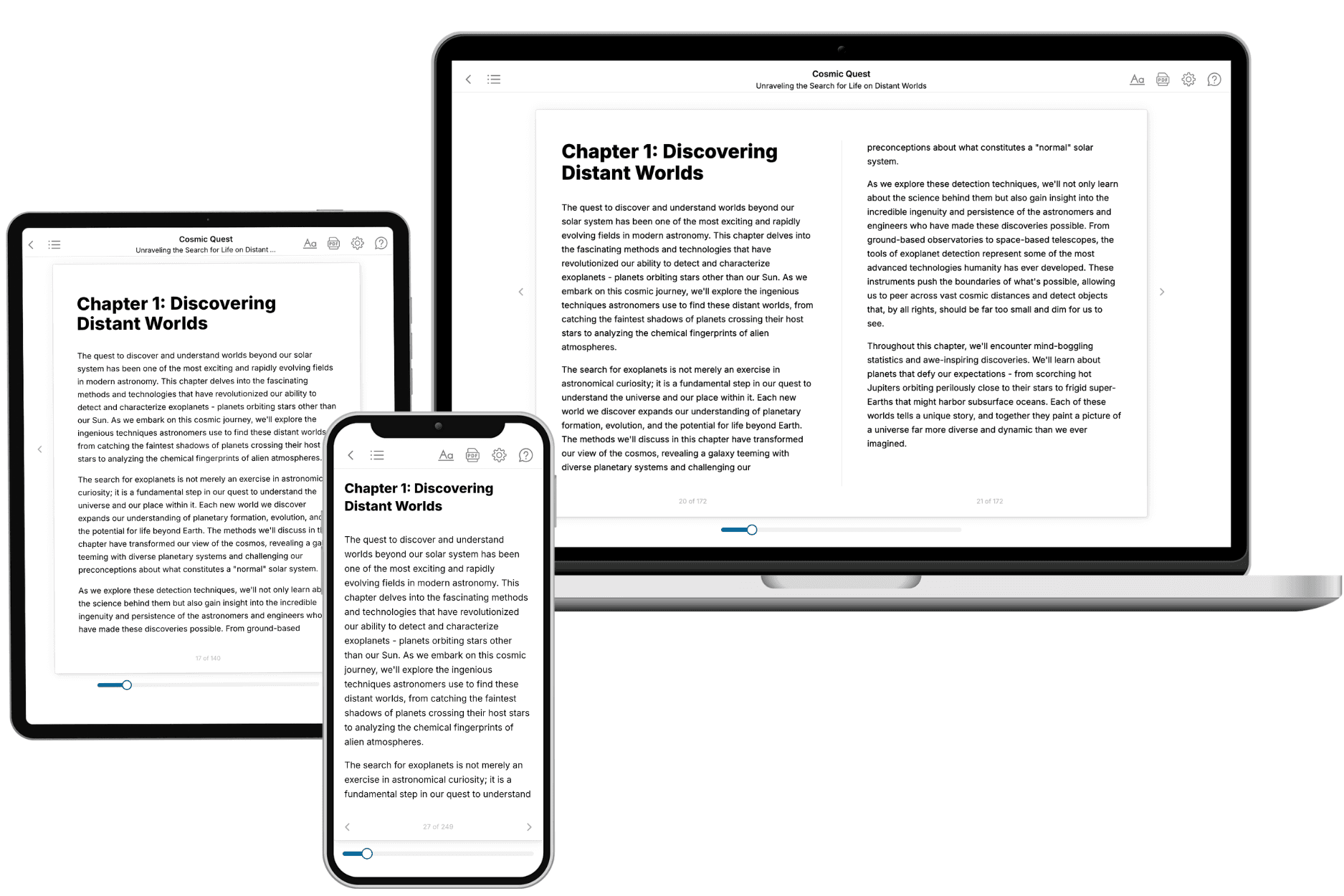
Your book is ready in 10 minutes. Read it online, download as EPUB or PDF, or send to Kindle.
Frequently asked questions
- What is TailoredRead?
TailoredRead creates complete, full-length nonfiction ebooks, written specifically for you. Tell us what you want to learn and why, and TailoredRead writes you a complete ebook on it, with charts, tables, and diagrams throughout. Read it online, on Kindle, or on any e-reader, or download it as a PDF or EPUB. Every book is written fresh the day you order it.
- How is the book tailored to me?
Before anything is written, you answer a few short questions about your goals, your background, and the topics you care about. Your book is then planned around your answers: written at your level, focused on your goals, and covering the topics you chose, instead of the one-size-fits-all book a store sells everyone.
- Will it read like generic AI content?
No. Your book isn't a chat transcript: it's planned chapter by chapter before a single word is written, told in a clear book voice, and explains ideas visually with charts, tables, and diagrams. After writing, every book goes through an editorial pass that polishes chapters so the book reads consistent from start to finish. Judge for yourself: browse thousands of sample books on our Explore Books page.
- How accurate is the content?
Our AI first checks whether your subject needs live research. Niche and fast-moving subjects are researched before writing, and the book plan and chapters are grounded in what it finds. After writing, every book goes through a quality pass that checks its facts and consistency, and researched books list their sources in a Notes section at the back.
- How long is the book?
You choose the length: Comprehensive (250-300 pages), Detailed (150-200 pages), Essential (70-100 pages), or Short (30-50 pages).
- Does the book include visuals?
Yes. Every book includes charts, tables, and diagrams: timelines, checklists, step-by-step guides, decision trees, comparison tables, matrices, and bar charts. A typical book includes dozens of these visual elements.
- Can I read it on Kindle? What formats can I download?
Yes. Every book can be read in our online reader or downloaded as a PDF or EPUB. The EPUB can be opened with Kindle, Apple Books, Kobo, and any e-reader. The Commercial and Author licenses also include an editable Word (DOCX) and Markdown download.
- How much does it cost?
About the price of a regular ebook. The exact price depends on your book's length and complexity, from $2 for the shortest books to $35 for the most comprehensive, and it's shown when you review your book, before you commit to anything. Each book is a one-time purchase, yours to keep, no subscription. Licenses that let you share, teach, or publish your book range from $35.99 to $49.99.
- Can I preview the book before purchasing?
Before you pay, you'll see what your book will cover: the title, a detailed description, the estimated length, and the complete chapter-by-chapter table of contents, so you know what you're getting before you decide. The full text itself is written after you purchase.
- How long does it take to create a book?
About 10 minutes. You can start reading the opening chapters while the rest is still being written.