How do book licenses work?
TailoredRead offers four book licenses: Personal, Educational, Commercial, and Author. Each one applies to a single book, not your whole account.
What each license lets you do
| Personal | Educational | Commercial | Author | |
|---|---|---|---|---|
| Price | $2-35 | $35.99 | $39.99 | $49.99 |
| Read | ✓ | ✓ | ✓ | ✓ |
| Save | ✓ | ✓ | ✓ | ✓ |
| Share | — | ✓ | ✓ | ✓ |
| Edit | — | — | ✓ | ✓ |
| Sell | — | — | — | ✓ |
- Personal ($2-35, varies by length): read online or download the EPUB or PDF. You and up to 5 household members can read it. No editing, no public sharing.
- Educational ($35.99): everything in Personal, plus share the book with students or class for free. No editing, no selling.
- Commercial ($39.99): download as Word (.docx), edit it, and share it publicly for free — a common fit for lead magnets, thought-leadership pieces, and free resources for your audience. No selling.
- Author ($49.99): edit the book in Word or Google Docs, and distribute or sell it under your own name. Full rights.
Personal is the only license whose price varies — it depends on book length and content. Educational, Commercial, and Author are each a fixed price per book.
Which license should I choose?
Choose based on how you plan to use the book:
- If you only want to read and study it yourself → Personal
- If you want to share it with students for free → Educational
- If you want to edit it and share it publicly for free → Commercial
- If you want to edit it and sell it or publish it → Author
Two things worth knowing:
- Editing is only included with Commercial and Author, and it happens outside the app. You download the Word (.docx) file and edit it in Word or Google Docs.
- Selling or publishing for profit needs the Author license.
See Which license should I choose? for use-case examples, including lead magnets, book clubs, and course material.
Do licenses apply to one book or all books?
Each license applies only to the specific book you bought it for, and it's yours for good — there's no subscription or renewal. It doesn't carry over to past or future books. If you want Educational, Commercial, or Author rights on a different book, you buy the matching license for that book.
Will my name show as the author?
Buying a license does not, by itself, change the author line on the shared book page. The Author and Commercial licenses give you the right to put your name on the book, but the change happens when you download the Word (.docx) file and edit the title page. The reader page on TailoredRead will still show the TailoredRead author byline until you publish your edited file elsewhere.
Also worth noting: the Book Visibility setting (Public with Credit, Public and Anonymous, Private) controls whether a sample of your book (its table of contents and Introduction chapter) appears on the public Explore page, and whether your name is shown next to that sample. The full book is always private to you. It's not the same as the author credit on the book itself. See How do I put my name as the author?.
How to choose a license for a new book
Start a new book at tailoredread.com/app/create. In the final Review step, you'll see a dropdown to select a license for your book.
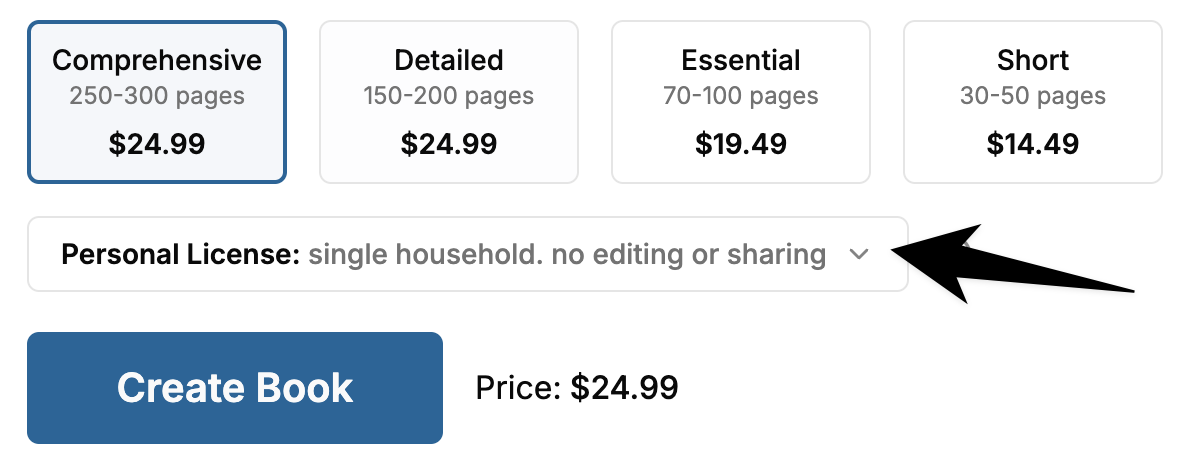
Open the dropdown and pick the license that fits your plans.
How to buy a different license for an existing book
You can buy a higher-tier license after purchase. The new license applies to that specific book only, not to your past or future books.
- Go to Your Library and open the book.
- On the book page, press the ⋮ menu button in the top-right corner.
- Select License to see the license options.
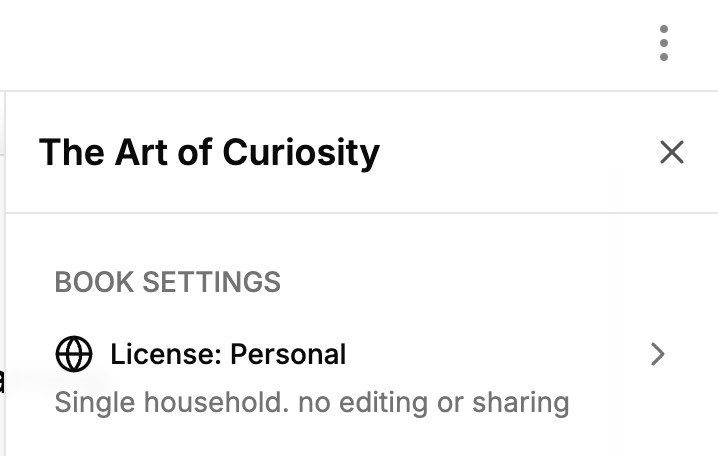
- Pick the license that fits your plans.
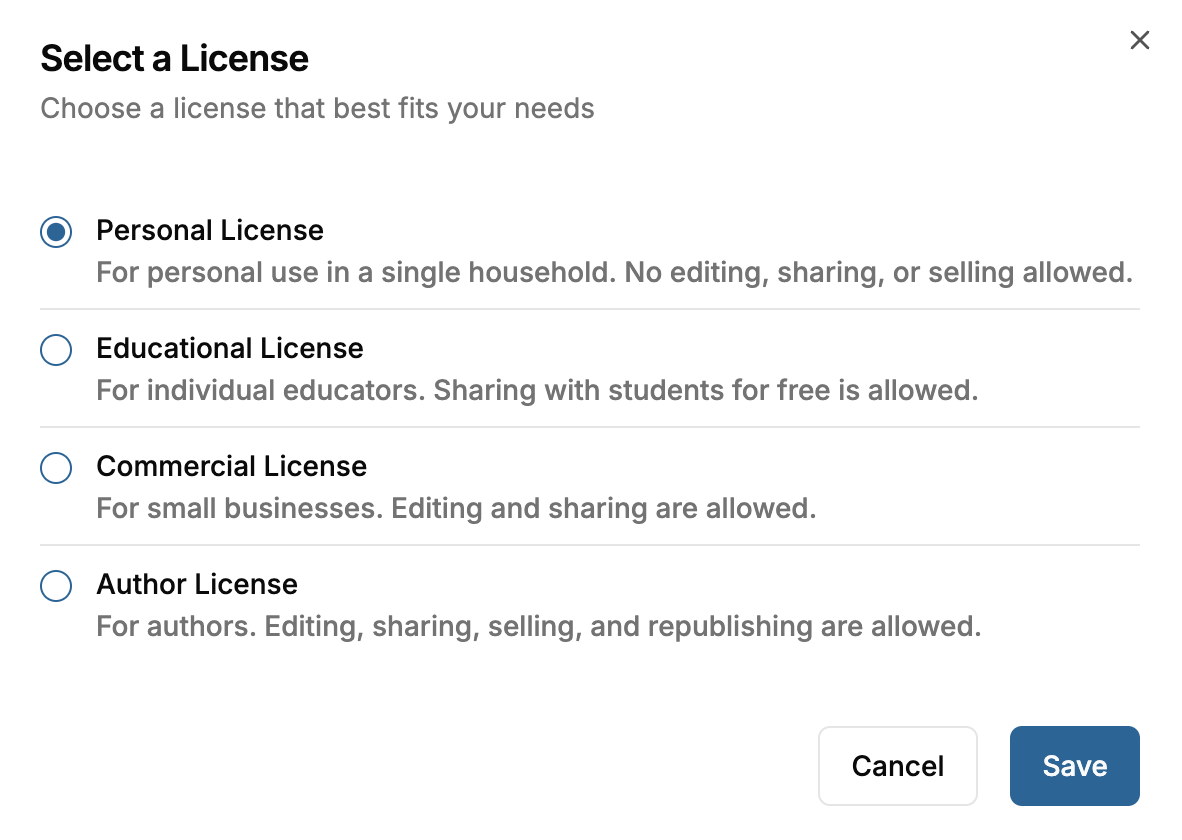
- Confirm the upgrade. You'll be taken to checkout.
- After checkout, a copy of the book with the new license appears in Your Library. This takes about a minute.
We don't refund the original purchase when you upgrade. If you bought a book for $14.99 with the Personal license and later buy the Author license, the $14.99 isn't refunded.