How do I buy a different license for an existing book?
You can buy a higher-tier license for a book you already own. The new license applies to that specific book only, not to your past or future books.
- Go to Your Library and open the book.
- On the book page, press the ⋮ menu button in the top-right corner.
- Select License to see the license options.
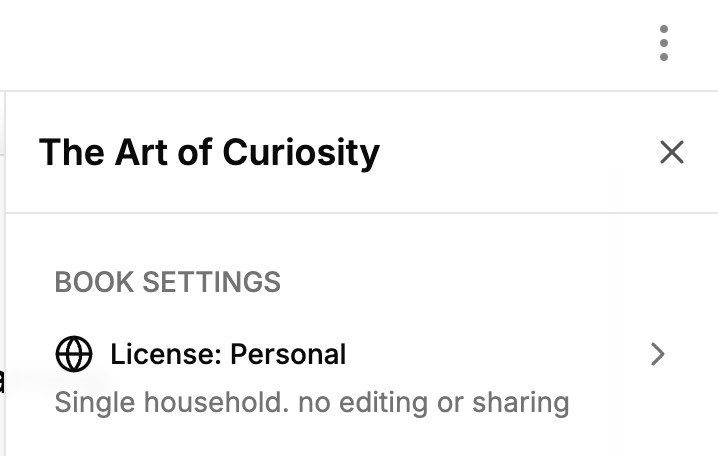
- Pick the license that fits your plans (learn about the differences between licenses).
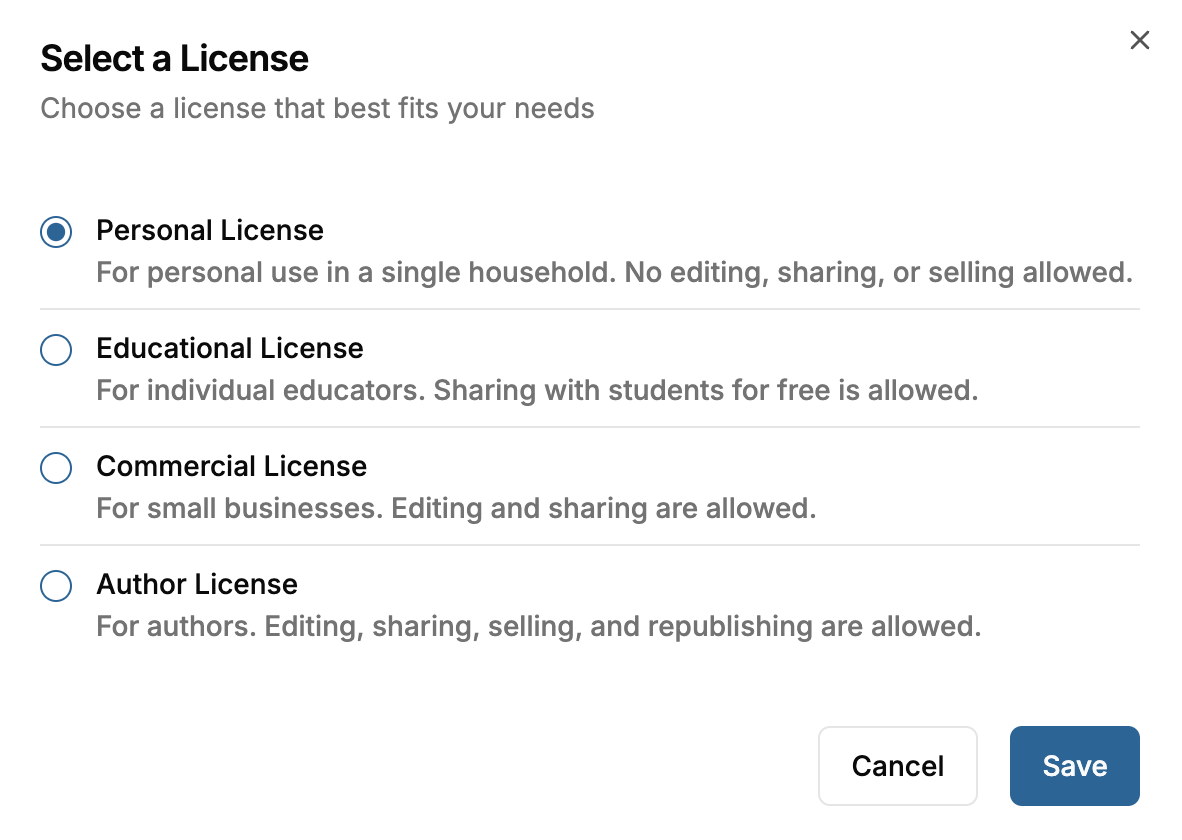
- Confirm the upgrade. You'll be taken to checkout.
- After checkout, you'll be redirected through a few screens while a new copy of the book with your new license is generated. Hold tight until the process finishes.
- The re-licensed book appears in Your Library alongside your original.
A few things worth knowing:
- We don't refund your previous purchase. If you bought a book for $14.99 on the Personal license and later buy the Author license, the $14.99 isn't refunded.
- Upgrading does not change the author credit on the book. The reader page and the downloaded .docx still show the TailoredRead author byline until you download the Word file and edit the title page yourself. See How do I put my name as the author?.
- Only higher-tier upgrades are available. You can move from Personal to Commercial, Commercial to Author, and so on, but not the other direction.
Was this helpful?